MCP vs API for SEO: When to Use Each
You now have two distinct ways to connect an AI assistant to live SEO data: MCP lets AI clients like Claude or ChatGPT call your SEO tools directly inside a conversation, and API lets a developer or automated script pull that same data on a fixed schedule. The two behave very differently in practice.
If you are an agency SEO lead or an in-house SEO manager who has started using Claude or ChatGPT for day-to-day analysis, your decision is about which access method fits your workflow now, and which one adds overhead when you reach for it in the wrong context. This is what we’ll cover in this article.
-
MCP is an open standard that lets AI clients discover and call external tools at runtime during a conversation.
-
An SEO API is a set of endpoints that returns structured data to developer scripts and automated pipelines.
-
Use MCP when the workflow is conversational or exploratory and an AI agent needs to synthesize data across multiple steps.
-
Use an API when the workflow is scheduled, high-volume, or feeds a reporting pipeline that runs without human input at each step.
-
MCP responses consume LLM context window tokens, which makes bulk data pulls more expensive than direct API calls at production scale.
-
SE Ranking supports both workflows — API access and the MCP server are included with SE Ranking plans, and the API is also available as an add-on, standalone, or pay-as-you-go option for higher volume.
What is MCP for SEO?
MCP is an open standard that lets an AI client, such as Claude or ChatGPT, discover and call external tools at runtime without requiring a custom integration for each one.
It’s changing how SEO teams access data inside AI tools. Anthropic launched it in November 2024 and donated it to the Linux Foundation’s Agentic AI Foundation in December 2025, co-founded with Block and OpenAI and backed by Google, Microsoft, and AWS. ChatGPT, Gemini, Microsoft Copilot, VS Code, and Cursor all support it. For SEO teams, that means the workflows you build today aren’t tied to a single tool or vendor.
How MCP works: Tools, resources, and prompts
MCP organizes what a server can offer into three categories:
- Tools are functions the AI can call, such as running a keyword gap analysis against two domains.
- Resources are read-only data the server exposes for the AI to read, such as a saved report or a document.
- Prompts are pre-built templates that guide the AI through a repeatable workflow — for example, a structured template for running a competitor content audit.
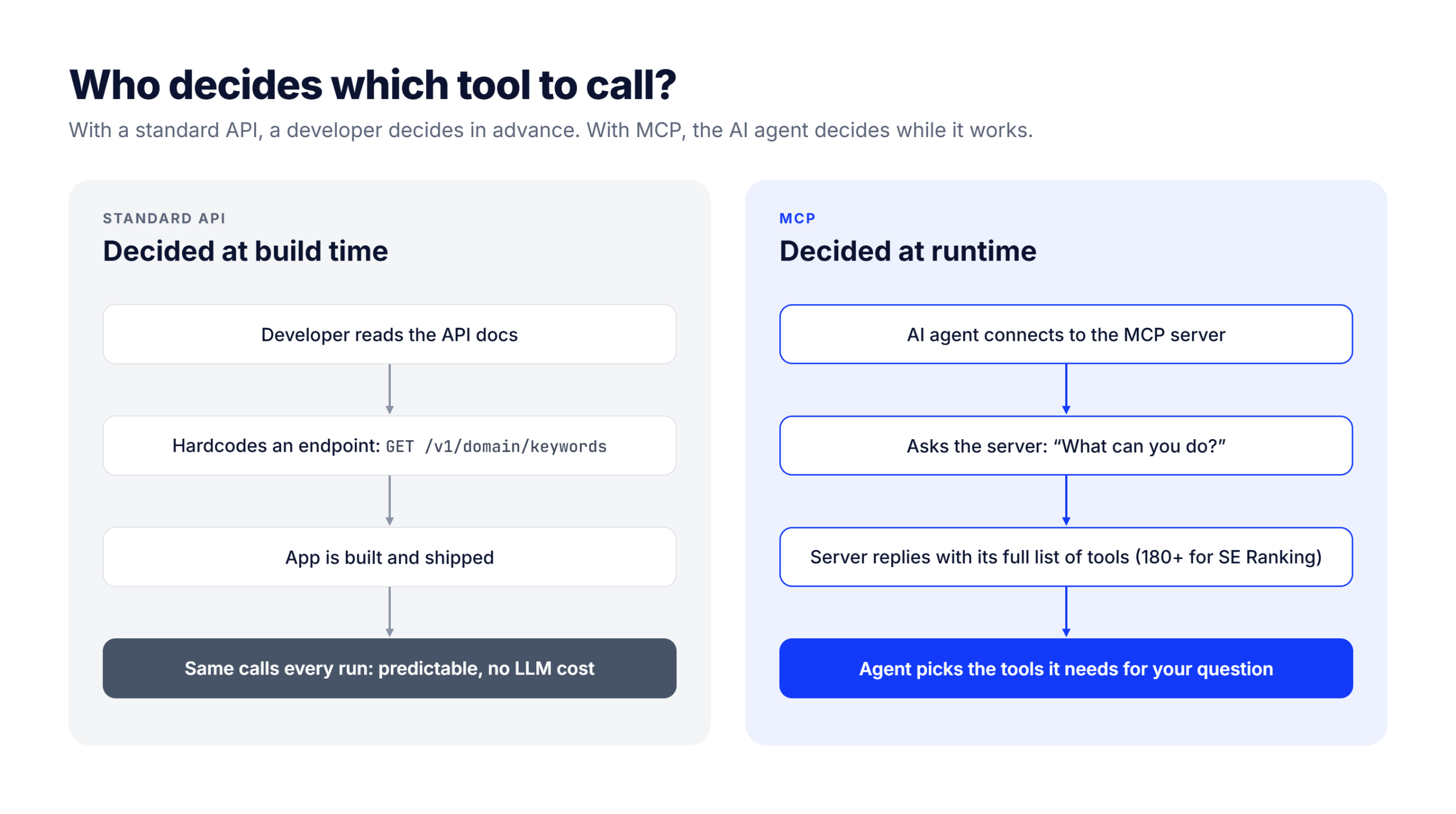
What distinguishes MCP from a standard API call is runtime discovery. When an AI agent connects to an MCP server, it first asks the server what it can do by issuing a tools/list request. The server responds with its full capability list. The agent then decides which tools to call based on the task at hand. A developer writing API calls makes those decisions at build time, not at runtime.
The MCP specification, released in July 2026, changed how an AI client talks to an MCP server. Before it, an AI client had to start with a “handshake” and keep an open session with the server for the whole conversation. Now every request carries everything the server needs to answer it, so each one stands on its own. That makes MCP servers simpler and more reliable to run.
This doesn’t mean the AI forgets what it already found. Your AI client keeps earlier results in the conversation, so what it learned in step one is still there when it calls another tool in step two. That matters for multi-step SEO work, where each step builds on the data from the one before. Some older servers and AI clients will keep using the previous, session-based version while the update rolls out.
If your engineering team asks what MCP is built on: it uses JSON-RPC 2.0, a widely used format for sending requests and responses between systems, so they’ll recognize it. What MCP adds on top is a shared standard for how a server describes its tools, how an AI client finds them, and how it calls them. A plain API has no such standard, so each integration has to be wired up by hand.
Which AI clients support MCP today
MCP is supported by Claude (Claude Desktop, claude.ai, and Claude Code), ChatGPT (through apps in its plugin directory, or custom MCP connectors in developer mode), Gemini, Microsoft Copilot, Cursor, VS Code, and others. Each connects to MCP servers using the same protocol, so a server built for one works with the others, although setup steps differ by client.
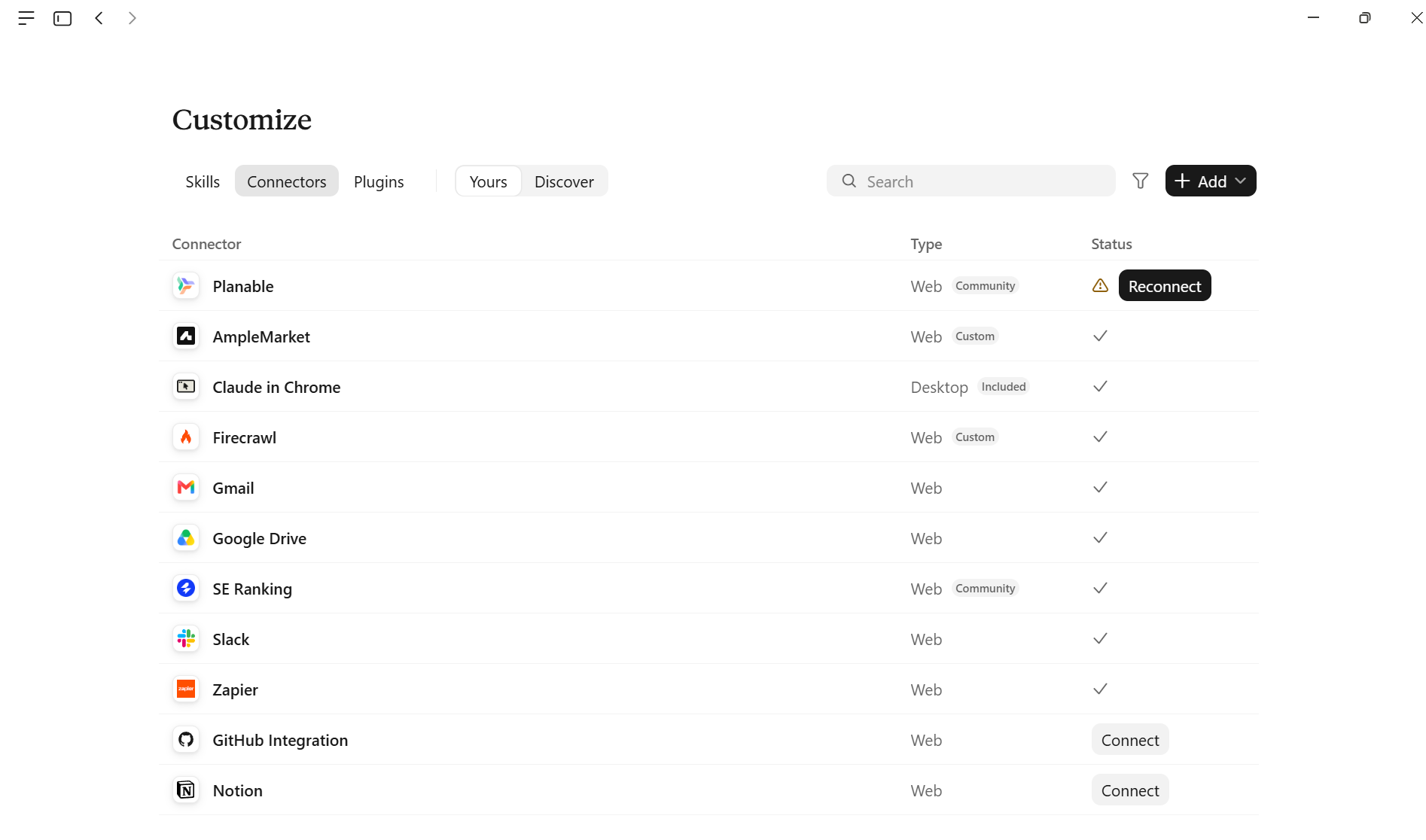
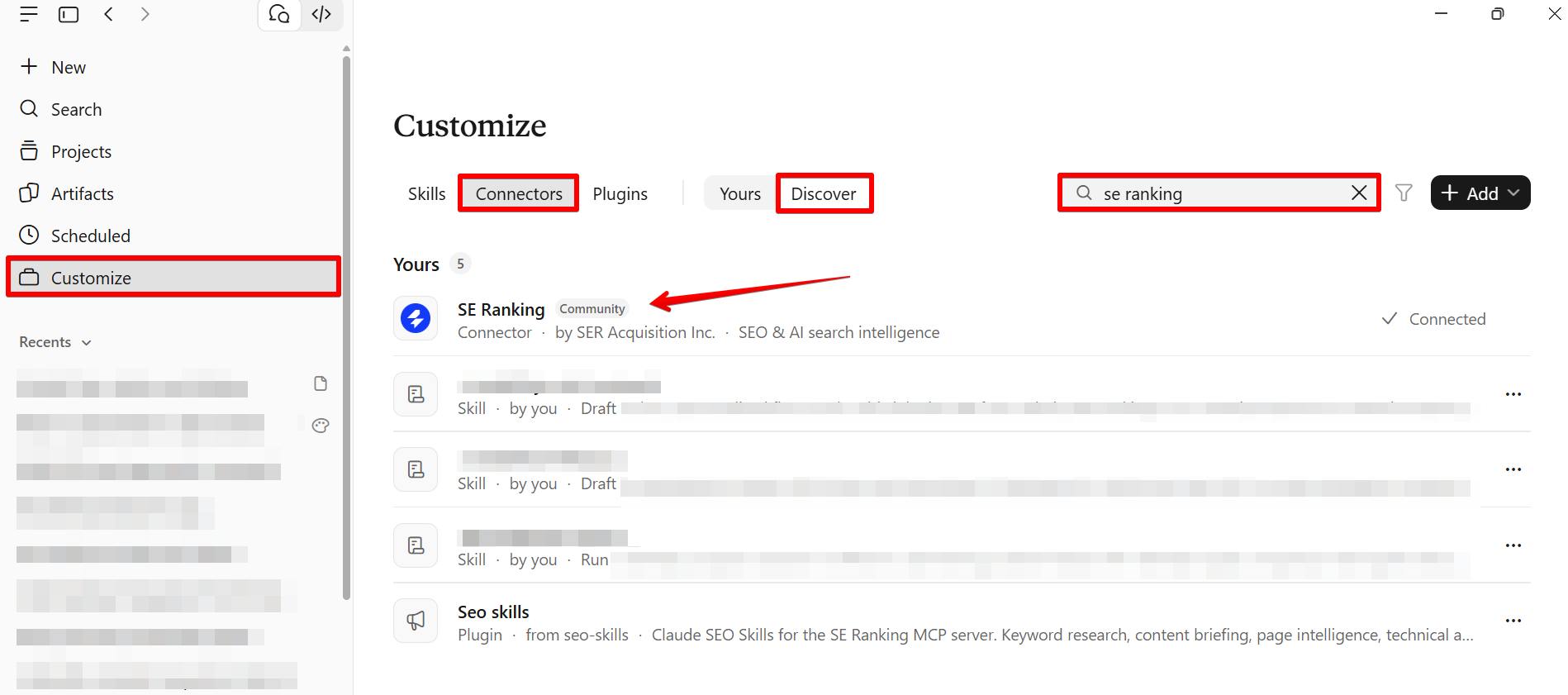
SE Ranking’s MCP server is a practical example of what that looks like: 180+ tools covering keyword research, backlink analysis, site audits, and Local Marketing. It is a hosted remote server, so in Claude you add the official SE Ranking connector from Claude’s connector directory and sign in, with no Docker or terminal.
Some clients, such as VS Code, Windsurf, Zed, and Gemini CLI, connect through the npx mcp-remote helper, which requires Node.js.
What is an SEO API?
An SEO API is a set of endpoints that returns structured SEO data — rankings, keywords, backlinks, SERP features — in response to HTTP requests, designed for developers and automated pipelines rather than conversational AI clients.
How an SEO API works in practice
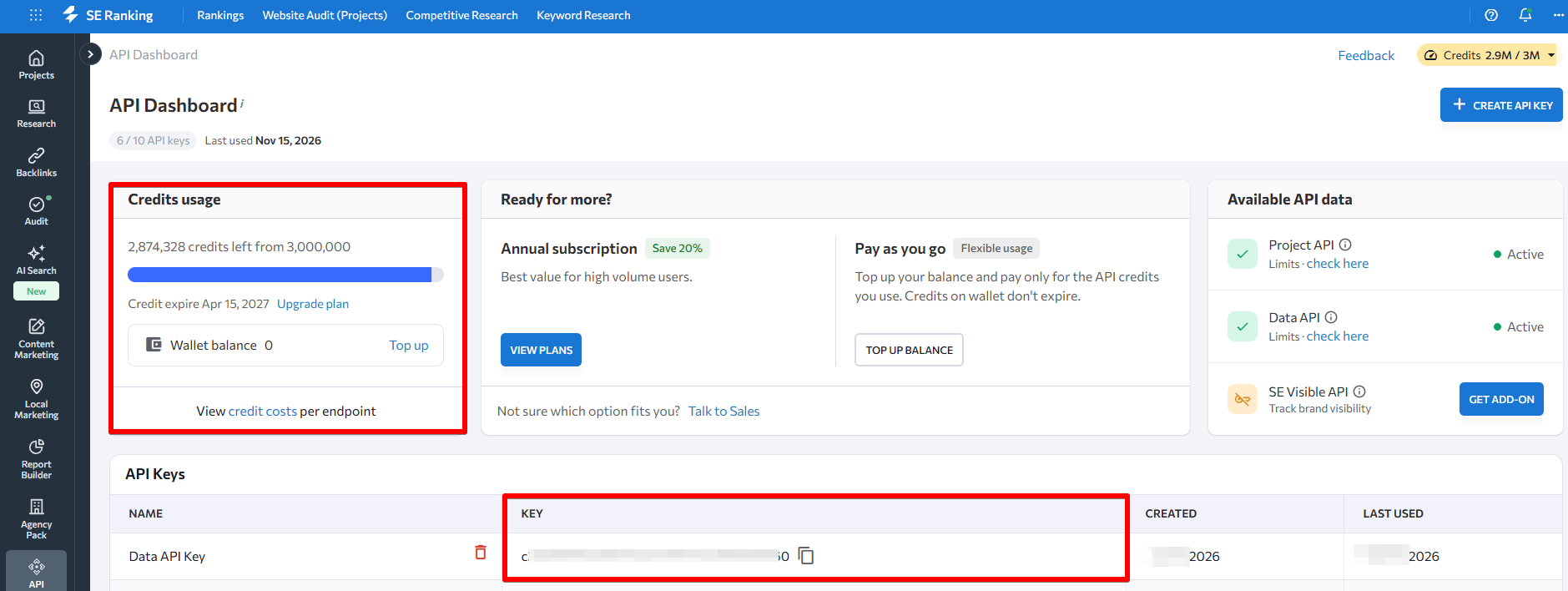
Each call you make to an SEO API is stateless: the server receives your request, processes it, and returns a response with no memory of what came before. Authentication works via an API key passed in request headers. You decide which endpoints to call, when to call them, and what to do with the response; the API does not initiate anything on its own.
Credit systems are common in SEO APIs because different endpoint types vary significantly in computational cost. A single domain authority lookup might consume 1 credit; pulling ranked pages for a 50,000-page site and cross-referencing backlink counts costs substantially more. Rate limits apply independently, so high-volume batch jobs run in parallel within the limits your plan allows.
What SE Ranking’s Data API covers
SE Ranking’s Data API gives you direct access to the same data the platform offers, including keyword research, backlink analysis, domain analysis, SERP results, and site audit data.
It also covers AI search visibility through SE Visible, a standalone AI visibility tool built by the SE Ranking team, with brand signals across ChatGPT, Google AI Overviews, AI Mode, Gemini, Claude, and Copilot.
If your workflow involves pulling that data into a reporting pipeline, a BI dashboard, or an automation tool, this is the access layer that makes it possible.
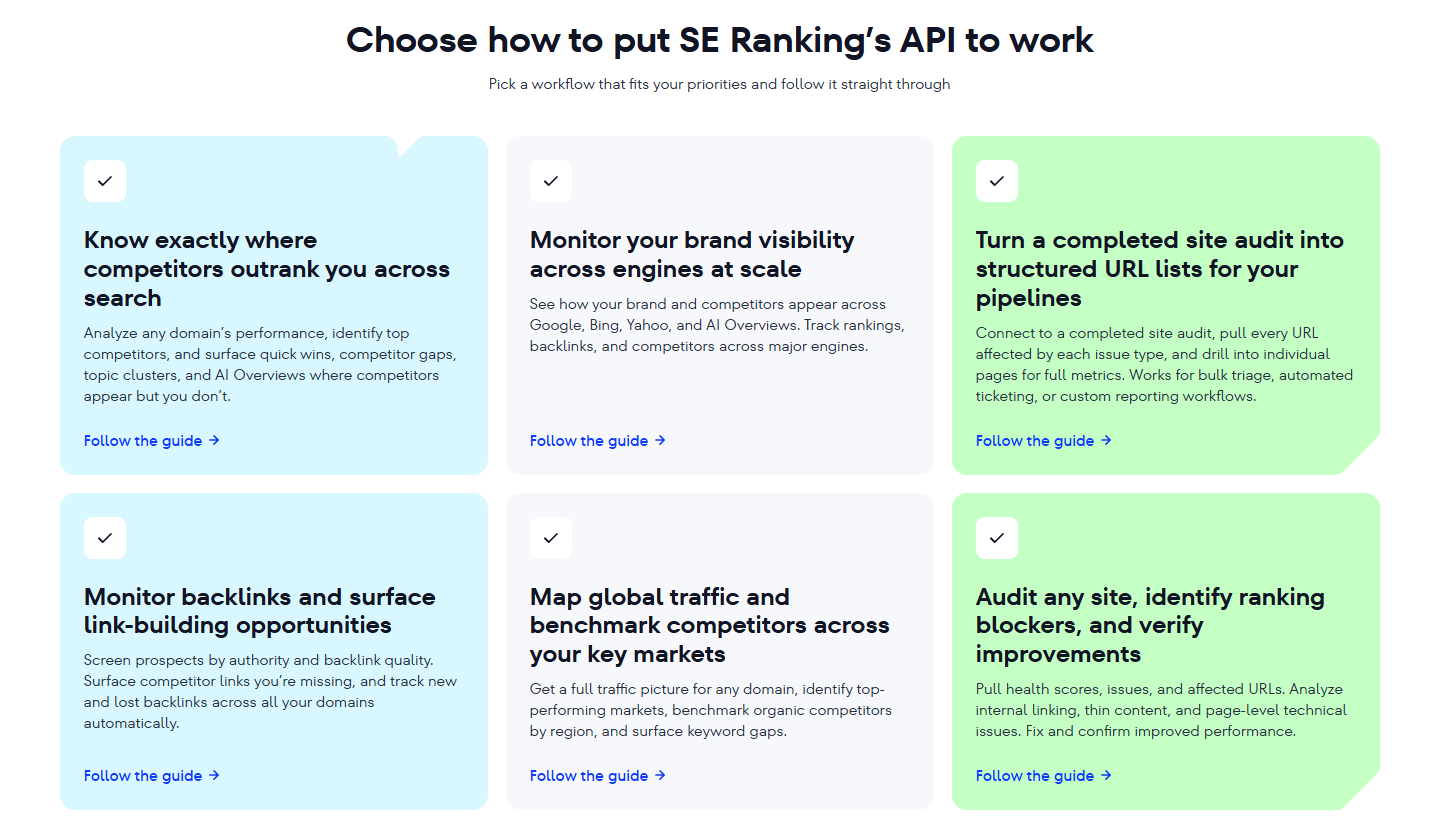
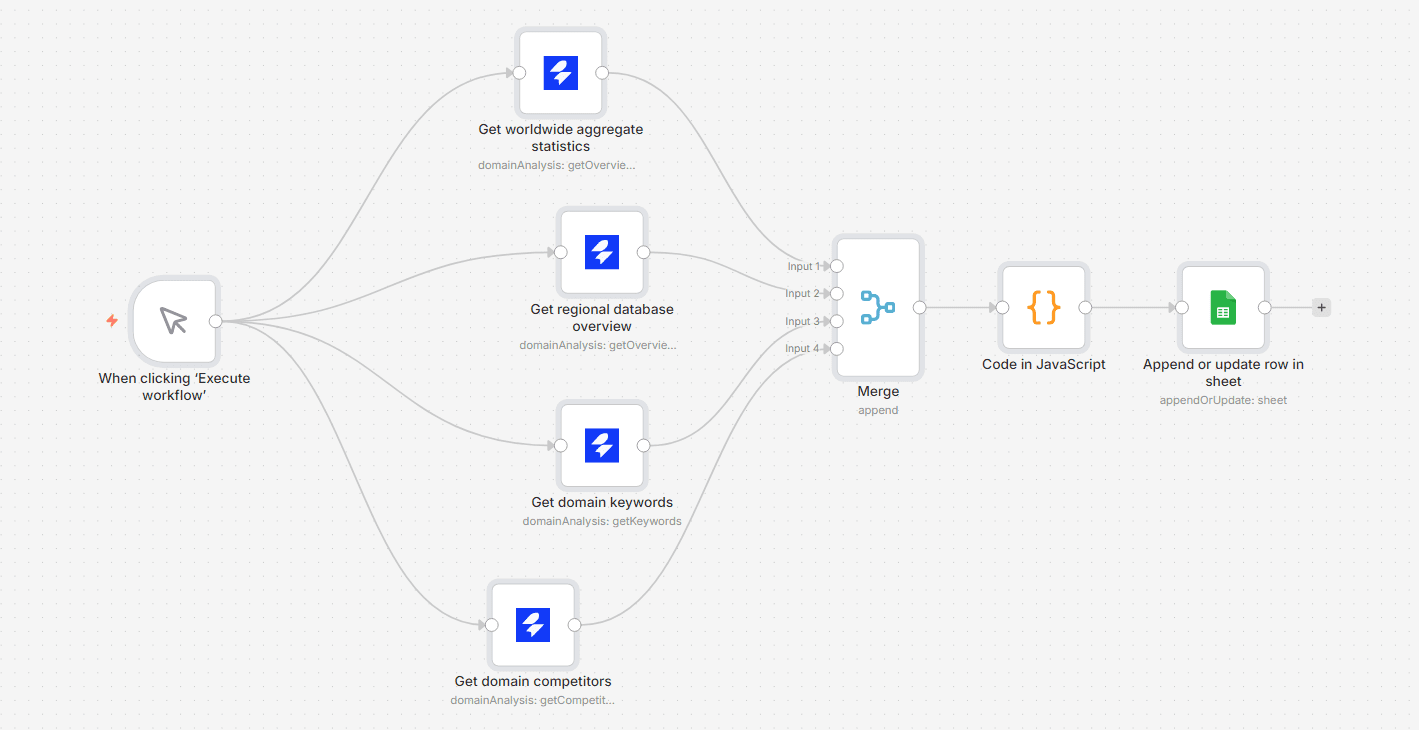
SE Ranking’s API already connects to the tools many SEO teams use, so you don’t need to build integrations from scratch:
- Workflow automation: n8n (a native node built by SE Ranking) and Make (separate apps for the Data API and the Project API).
- Dashboards: Data Studio, through partner connectors built on the Data API.
- Client reporting: AgencyAnalytics, Whatagraph and Reportz.io, which pull rank-tracking data from your SE Ranking projects through the Project API.
API access is included with all SE Ranking plans (25K credits a month on Core, 100K on Growth). For higher volume, choose the option that fits how you use the data:
Price
Free for 14 days, no credit card required
Credits
100K
Best for
Testing every endpoint and MCP before you commit
Price
From $50 per top-up
Credits
250K per $50; purchased credits never expire
Best for
One-off projects or unpredictable volume
Price
+$45/mo, billed annually
Credits
3M a year
Best for
Existing Core, Growth or Enterprise subscribers; includes Data API and Project API
Price
$179/mo, billed annually
Credits
12M a year
Best for
Teams that need the data without a platform subscription; Data API only
Price
Custom
Credits
120M+ a year
Best for
High-volume access, custom integrations and custom rate limits
Free for 14 days, no credit card required
100K
Testing every endpoint and MCP before you commit
From $50 per top-up
250K per $50; purchased credits never expire
One-off projects or unpredictable volume
+$45/mo, billed annually
3M a year
Existing Core, Growth or Enterprise subscribers; includes Data API and Project API
$179/mo, billed annually
12M a year
Teams that need the data without a platform subscription; Data API only
Custom
120M+ a year
High-volume access, custom integrations and custom rate limits
*MCP access is included with every option.
One distinction worth knowing: SE Ranking has two APIs in one key:
- The Data API is for raw data retrieval — keywords, backlinks, SERP, and AI visibility data. It is charged in credits.
- The Project API manages projects and settings within your account. It draws on your subscription’s project limits rather than credits.
What SE Ranking’s MCP server covers
SE Ranking’s MCP server brings the same data layer into your AI client. It offers 180+ tools covering keyword research, backlink analysis, domain analysis, SERP data, site audits, AI search visibility, and project management. SE Ranking’s documentation includes setup steps for Claude, ChatGPT, Codex, Cursor, VS Code, Windsurf, Zed, Gemini CLI, and v0. Because the MCP server is built on SE Ranking’s API, both access paths draw from the same underlying data.
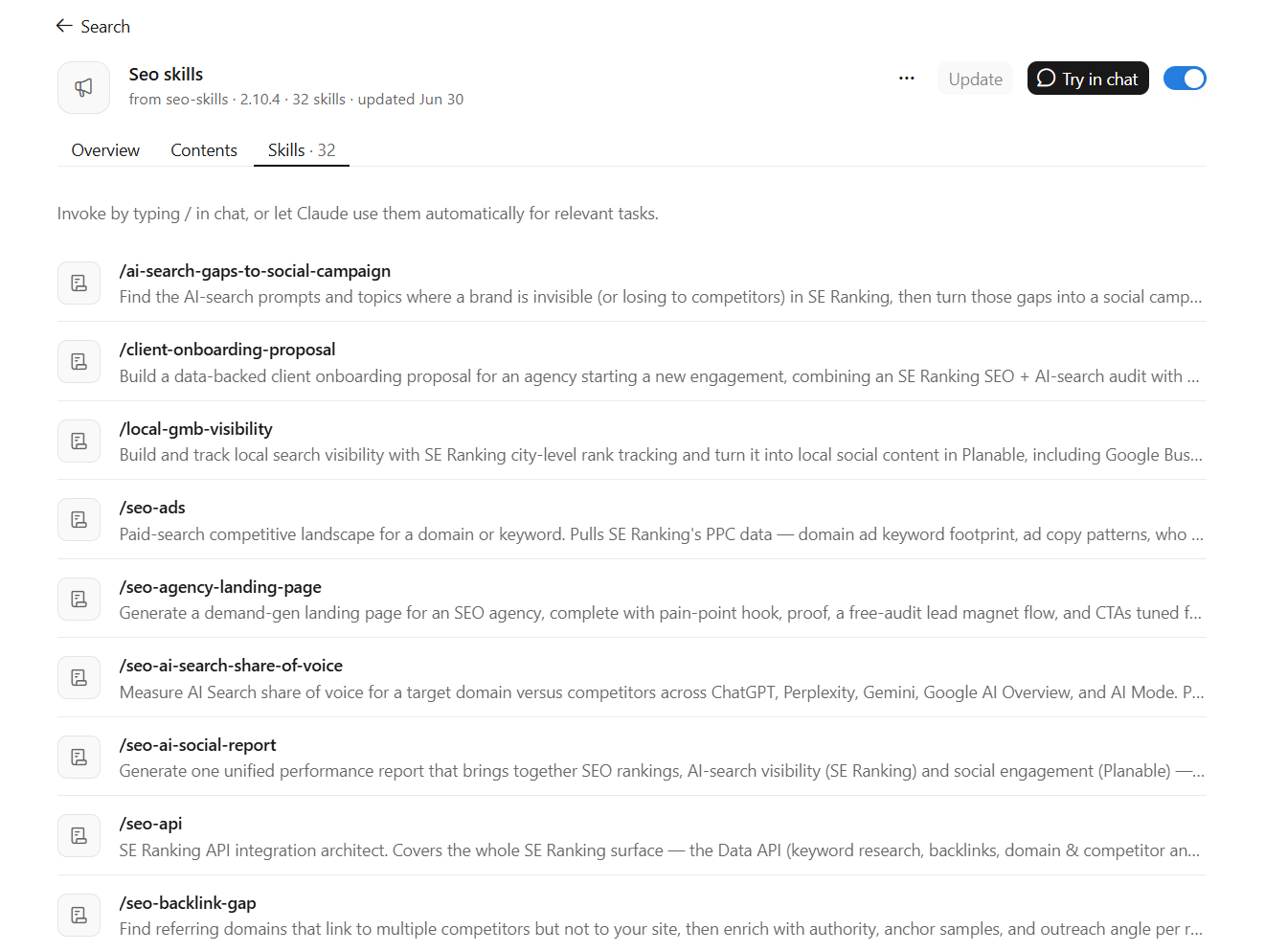
SE Ranking also publishes 32 open-source Claude Skills (MIT license, available on GitHub) that wrap the MCP server into finished deliverables such as AI search share of voice, backlink gap, content briefs, keyword clusters, content audits and others. Each Skill fixes which tools Claude calls, in what order, and what file it delivers, so you get the same kind of result every time you ask.
MCP vs API for SEO: core differences at a glance
The core difference is the intended caller: MCP is designed for an AI agent to call at runtime, while an API is designed for a developer or automated script to call predictably.
MCP
Interface layer on top of an API backend
API
Direct data endpoint (HTTP request/response)
MCP
AI client calls tools by name during a conversation
API
Developer code calls specific endpoints by URL
MCP
Connect once in your AI client; no code required
API
API key authentication; integration code required
MCP
Conversational, exploratory, multi-step analysis
API
Scheduled, automated, high-volume data pipelines
MCP
LLM token cost per call (context window consumption)
API
Credit or request cost per API call; no LLM overhead
MCP
Low to medium (single user, conversational throughput)
API
High (batch operations, parallel calls, no context limits)
MCP
MCP server included with SE Ranking plans
API
SE Ranking API — included with plans; add-on, standalone, or pay-as-you-go for higher volume
Interface layer on top of an API backend
Direct data endpoint (HTTP request/response)
AI client calls tools by name during a conversation
Developer code calls specific endpoints by URL
Connect once in your AI client; no code required
API key authentication; integration code required
Conversational, exploratory, multi-step analysis
Scheduled, automated, high-volume data pipelines
LLM token cost per call (context window consumption)
Credit or request cost per API call; no LLM overhead
Low to medium (single user, conversational throughput)
High (batch operations, parallel calls, no context limits)
MCP server included with SE Ranking plans
SE Ranking API — included with plans; add-on, standalone, or pay-as-you-go for higher volume
As you can see from the table, MCP is not a parallel product to the Data API but rather a layer on top of it. When you ask Claude a question via the MCP server, the server draws on the same SE Ranking API behind the scenes, giving you the same data through a different access path. So, choosing MCP doesn’t mean stepping away from the API layer.
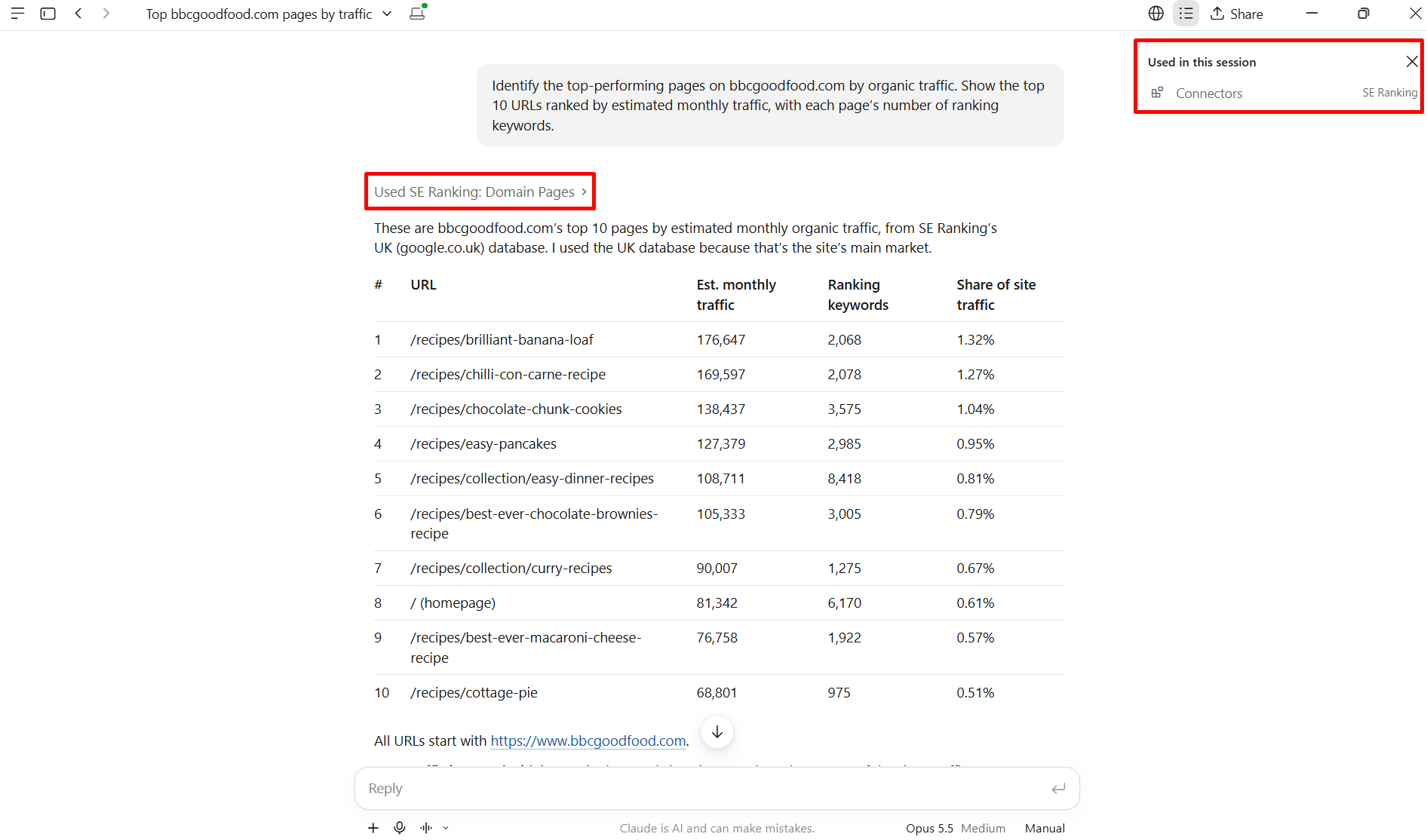
Pulling large datasets via MCP can be expensive because every tool schema, function description, and response passes through the LLM’s context window. An API call goes directly from your code to SE Ranking’s server and back — no LLM in the middle. For a nightly rank check across 500 keywords, routing that through MCP adds cost with no analytical benefit. WorkOS frames it the same way in its MCP vs. REST guide: REST is a general-purpose interface for any software client, while MCP was built specifically to connect LLM applications to external data and tools. The distinction is about who is doing the asking, not about which tool is more capable.
The difference that matters most for multi-step SEO work is who carries context from one step to the next. An API call has no memory of previous calls. If you want to run a five-step site audit where step 3 builds on the output of step 2, you write that state management yourself. In an MCP workflow, the AI agent carries context across steps because it is maintaining the conversation. The MCP protocol itself is now stateless, so that continuity comes from the chat rather than the connection. That is what makes MCP well-suited to exploratory workflows — and what makes the API the right choice once the workflow is repeatable and defined.
When should you use MCP vs API for SEO tasks?
Choose MCP when the workflow is conversational, exploratory, or driven by an AI agent making real-time decisions. Choose an API when the workflow is scheduled, high-volume, or feeds an automated pipeline.
The cleanest way to make this call: ask yourself who is doing the asking. If a human is sitting in a chat window and thinking through a problem with AI, MCP is the right interface. If a script is firing at 2 a.m. and pulling data without anyone watching, the API is the right interface. That single question resolves most cases.
Workflows where MCP is the right choice
MCP earns its place in exploratory competitive analysis and any multi-step SEO task where the AI needs to reason across several data pulls before it can give you an answer.
Harold De Guzman, Head of AI and Research Development at Boulder SEO Marketing, cut keyword research time from 45 minutes per client project to under 5 minutes by connecting SE Ranking’s MCP server to Claude Desktop. According to a ChrisRaulf.com case study published in March 2026, the task did not just get faster. The nature of the work changed: what had been a manual, tab-by-tab data collection process became a single conversation. That setup used the earlier local, Docker-based version of the server; SE Ranking’s hosted remote server has since removed that step.
Ryan Shelley, Founder of SMA Marketing, documented a similar shift in a May 2026 walkthrough. A keyword research workflow that would have taken hours ran in under 10 minutes via SE Ranking MCP and Claude, and a content gap analysis in the same walkthrough combined SE Ranking’s SERP data with a web-browsing MCP to review an existing page. Shelley described the experience as conversational: you ask a question, Claude pulls structured data from SE Ranking, and patterns surface inside the chat window. He also kept a human in the loop on purpose, treating Claude’s output as recommendations for a writer to review rather than automated changes.
Both cases share a pattern: the SEO lead had a question, needed data from multiple angles, and wanted a synthesized answer rather than a raw export. MCP handles that workflow well because the AI client keeps the conversation context across steps: it remembers what it found in step one when it runs step three.
MCP also fits teams without developer resources. If nobody on your team writes Python or manages scheduled jobs, you are not getting anything useful out of an API call. MCP, by contrast, requires nothing beyond an AI client with the server configured. If you want a deeper look at what that setup looks like in practice, the guide on using Claude Code for SEO with SE Ranking’s MCP covers specific workflow patterns.
Workflows where the API is the right choice
The API belongs to any workflow that runs on a schedule, processes data in bulk, or feeds output into a system that is not a chat window.
Nightly rank checks across 500 keywords for 10 client domains belong here. So does automated weekly reporting to a Data Studio dashboard, batch processing large keyword sets for programmatic content work, and triggering rank-drop alerts via n8n or Make. These workflows benefit from deterministic, stateless calls. Each request is independent, the response goes directly to your code, and no LLM context window is involved. That means lower cost per data point and far more room on volume, within your plan’s credits and rate limits. SE Ranking’s default limit is up to 10 requests per second, and higher limits are available through support.
If you are running a content pipeline that processes 200 pages per week, or a client reporting system that generates PDFs every Monday, the API is the right tool. Building the integration takes developer time upfront, from a few hours for a basic rank tracking pull to much longer for multi-endpoint workflows. But once it is running, it scales within your credit and rate limits and carries no LLM cost.
Permissions and access
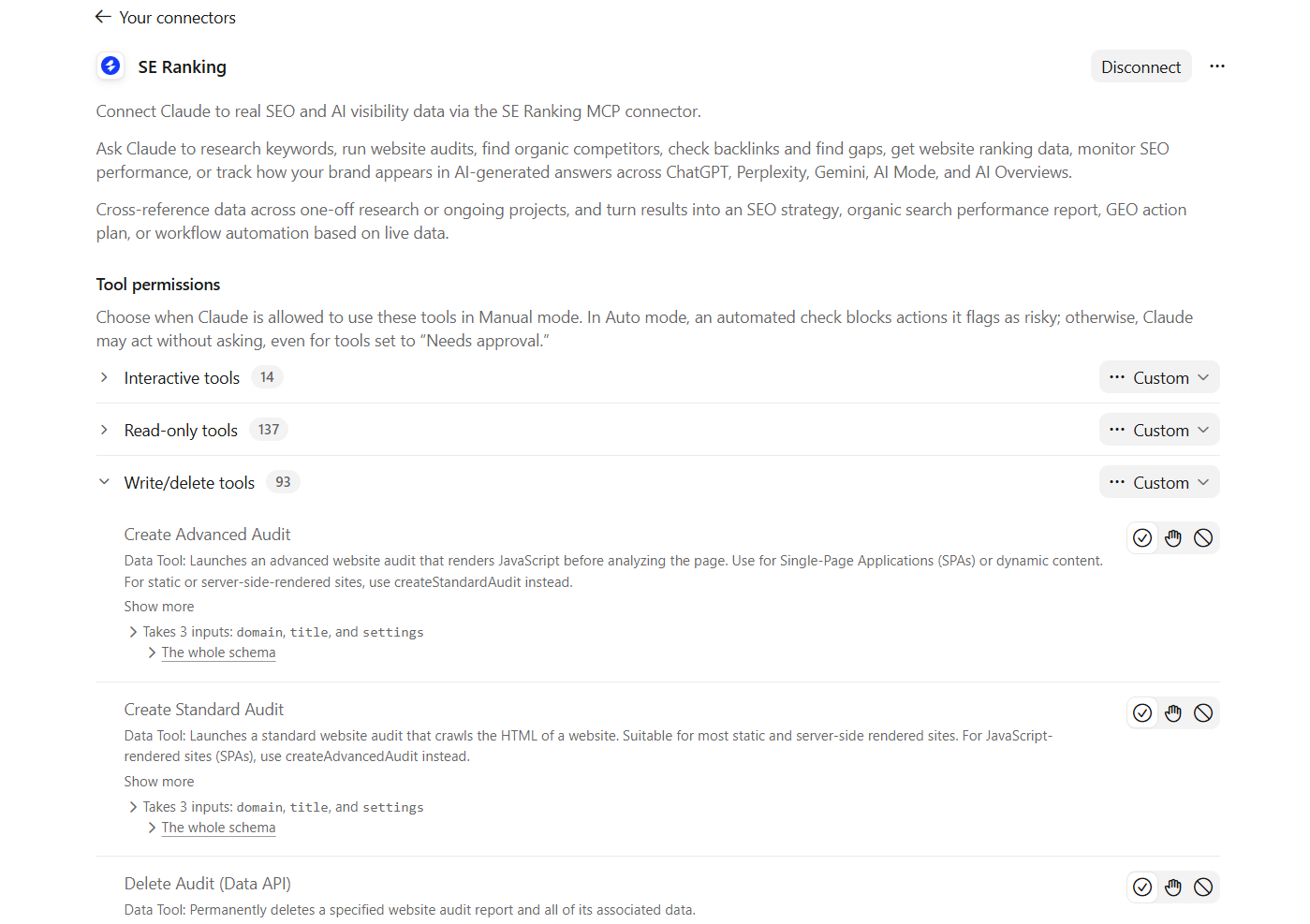
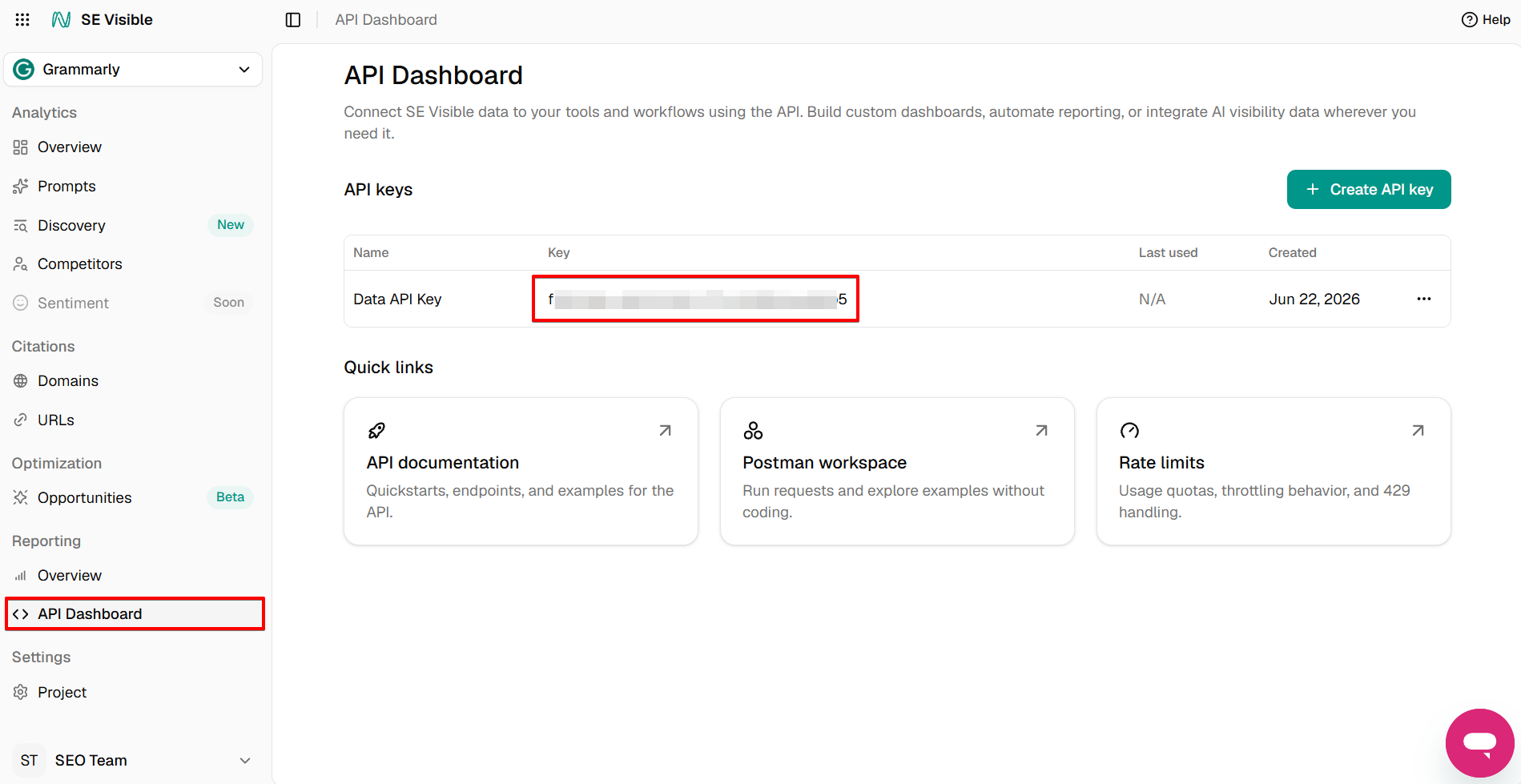
One difference worth planning for before you connect: permissions. SE Ranking’s MCP server doesn’t just read data. It can also act on it, from adding keywords to a project to updating settings or cleaning up old audits. The AI client works with the same access as your account, so keep approval prompts on and you’ll review and confirm every change before it happens. The server also accepts an API key in the X-Api-Key header instead of the interactive sign-in.
Agency teams should also note that sub-accounts on a shared workspace can’t use the sign-in button. Ask your account admin for an API key from the API Dashboard and enter it manually.
When you need both
The most productive pattern for many agency SEO leads is using MCP for discovery and the API for production.
You run a content gap analysis in Claude via MCP to find the pattern: which topic clusters you are missing, which pages need depth. Once you have confirmed the logic and validated the output, you build the same query into an automated weekly API pull that flags new gaps as they appear. MCP handled the exploration; the API handles the ongoing monitoring.
SE Ranking supports both workflows without requiring you to switch tools or manage separate data sources. The MCP server and the Data API draw from the same underlying data layer. The access method you choose depends entirely on who consumes the output and how often.
An MCP client can run headless with an API key, as Claude Code can, and the latest MCP specification adds an optional Tasks extension for long-running work. For recurring jobs where the output must be identical every time, though, a scheduled API call is still the more predictable choice.
One constraint worth highlighting: pulling large datasets through MCP — such as 12 months of rank history for 1,000 keywords — will consume significant LLM context window tokens. For requests of that size, the API is the more cost-efficient path. MCP shines when the dataset fits within a productive conversation; the API is the right call when volume exceeds that threshold.
Same task, two paths: content gap analysis via MCP and API
Running a content gap analysis via SE Ranking MCP in Claude typically takes a handful of natural-language prompts and returns synthesized findings in a single conversation. Running the same analysis via the API requires writing query logic, handling pagination, and building the comparison view yourself.
Both paths reach the same underlying SE Ranking data. What differs is who does the work and where the output lands.
Path 1: Content gap analysis via SE Ranking MCP in Claude
Start by adding the official SE Ranking connector in Claude Desktop or claude.ai, from Claude’s connector directory, then sign in to authorize it. There’s nothing extra to buy: MCP access comes with every SE Ranking plan. Once connected, SE Ranking’s tools become available in your chats. From there, the workflow is conversational.
You type something like: “Compare my content coverage to [competitor domain] across their top 20 ranking pages and identify topics they rank for where I have no content.” Claude calls the relevant SE Ranking tools during the session, pulls competitor keyword and ranking data, cross-references it against your domain, and returns a structured list of gaps with context on each one.
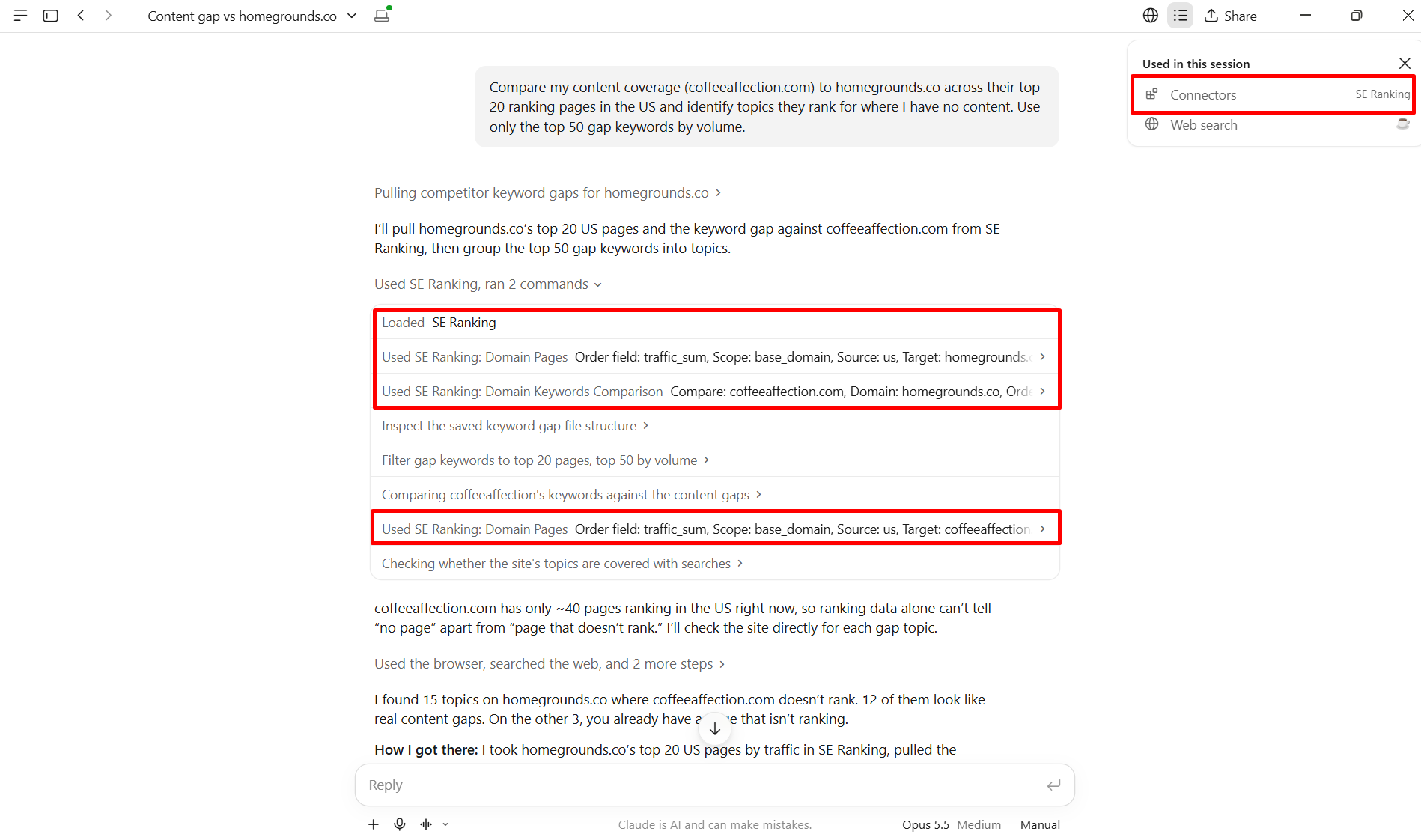
The whole process typically runs in one conversation. The result is a structured list of gaps that works as the input for a content brief.
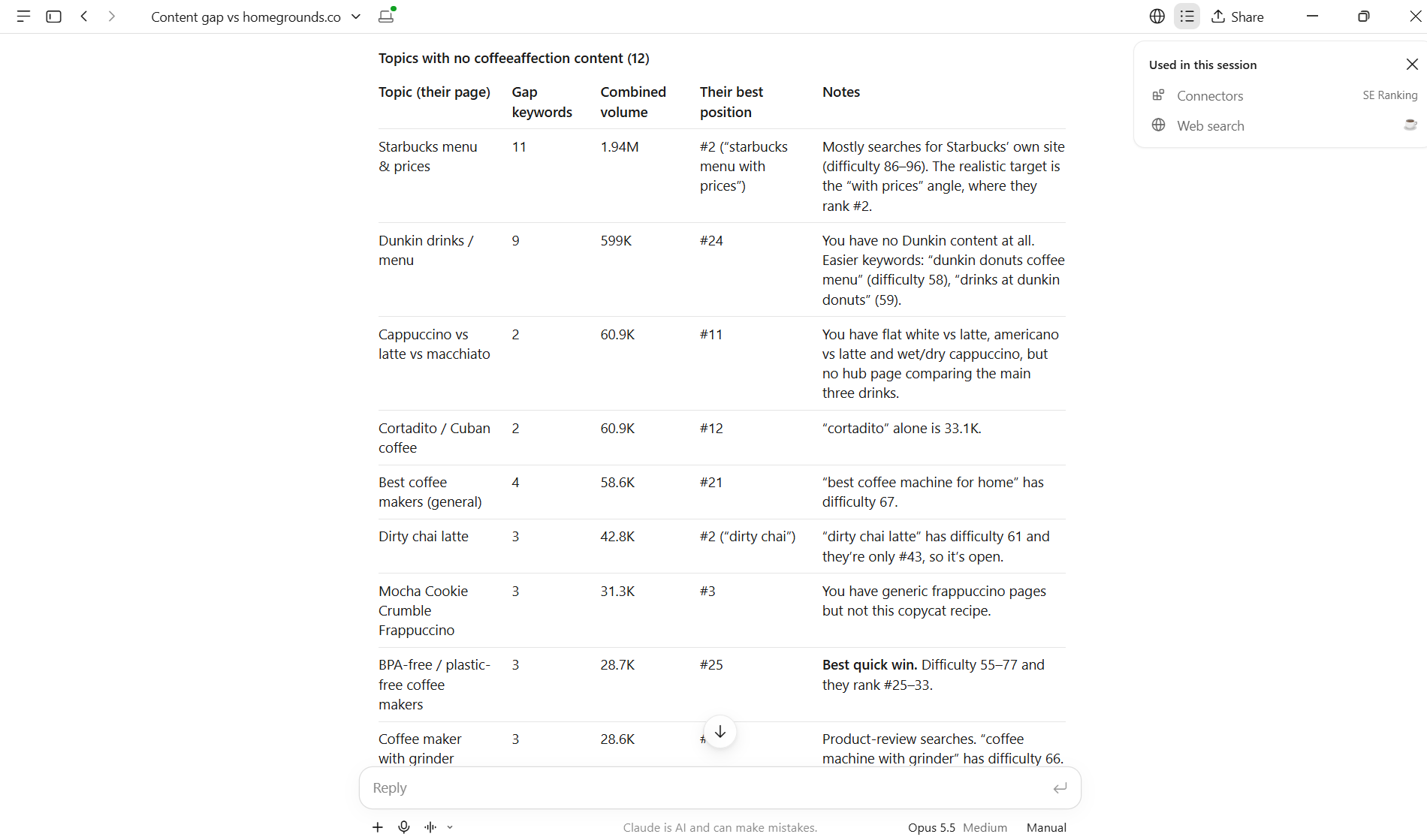
This path works best for ad-hoc, exploratory analysis where you want to think through the results with the AI before deciding what to do next.
Path 2: Content gap analysis via SE Ranking API
The API path starts with authentication. You pass your API key in the Authorization header (Token YOUR_API_KEY) and call the /v1/domain/keywords/comparison endpoint, specifying your domain, the competitor domain, and any filters you want applied (region, keyword volume floor, ranking position range).
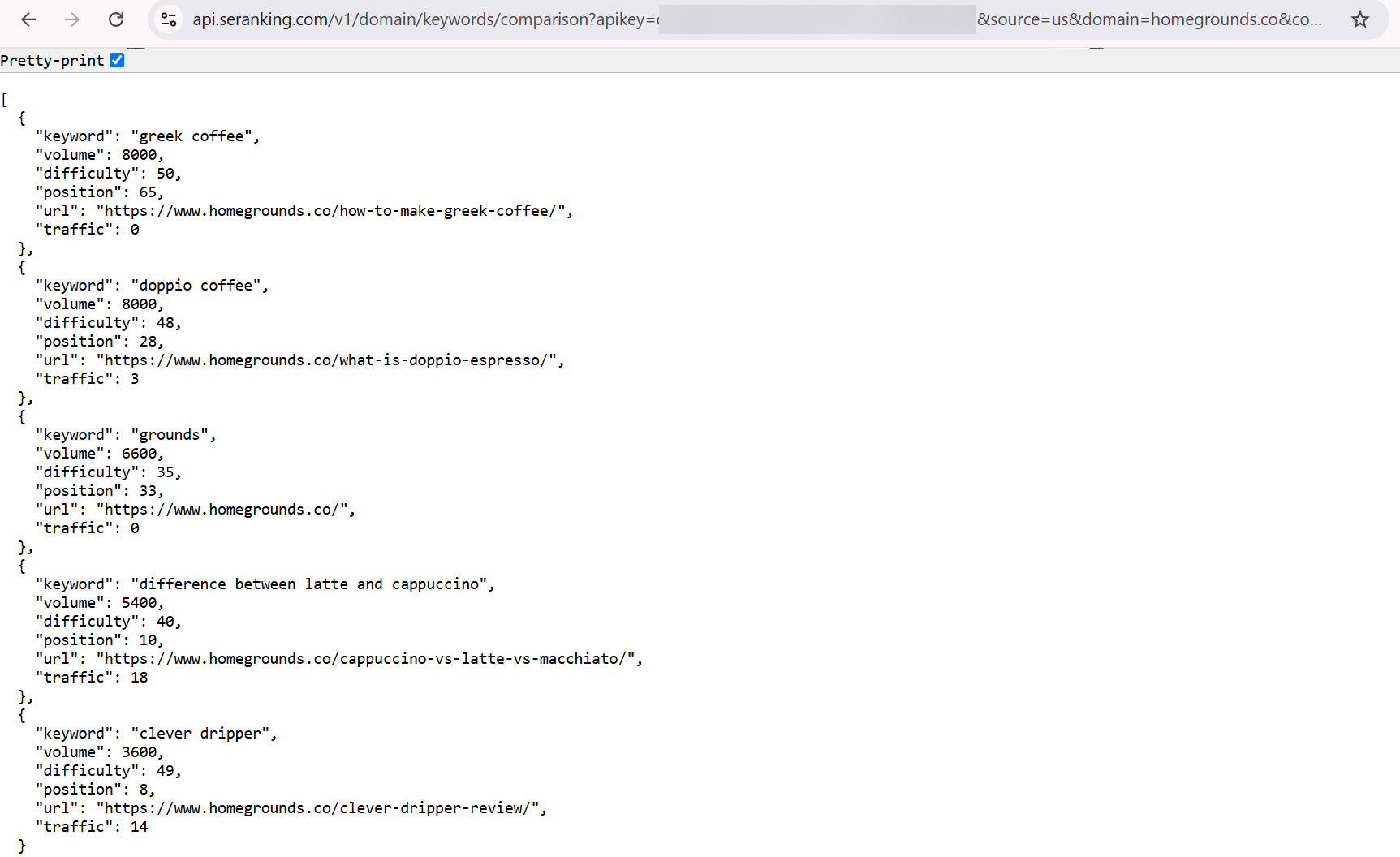
The API returns a paginated JSON response. You write logic to handle pagination, parse the keyword objects, and compare ranking positions across the two domains. From there, you pipe the structured output to a spreadsheet, a BI dashboard, or a client reporting template. Each of those steps requires either developer time or a pre-built integration.
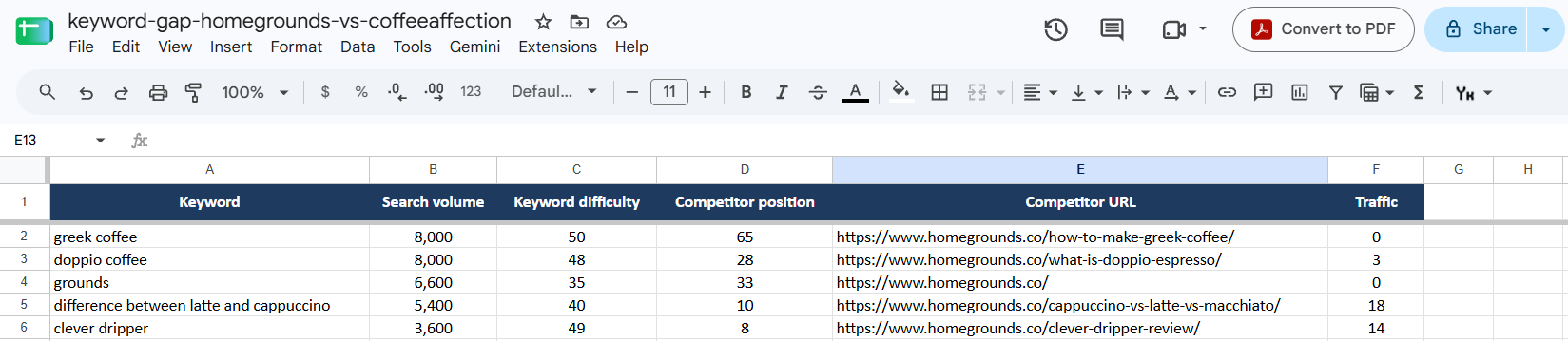
The setup is more involved upfront. Once it is built, though, it runs automatically on whatever schedule you set. If you track content gaps across 20 clients every Monday morning, the API handles that without anyone opening a chat window. For teams building repeatable automation workflows, this is the more practical path at scale.
What each path gives you that the other does not
The MCP path gives you synthesis and conversational flexibility. The AI reads across multiple data points in a single session and surfaces patterns rather than just returning rows. You can ask follow-up questions mid-analysis without writing a new query.
The API path gives you portability and automation. The data lives in your system, in your format, and refreshes without manual input. You control how it is filtered, joined with other datasets, and presented to stakeholders.
Choosing between them comes down to who consumes the output and how often they need it. A one-time competitive audit before a content planning session belongs in Claude with MCP. A weekly gap-monitoring report feeding a client dashboard belongs in the API layer.
Token cost, context windows, and the scale tradeoff
MCP’s practical limitation at scale is token cost: every tool description, function schema, and response returned through an MCP connection consumes LLM context window tokens, which adds cost when working with large datasets.
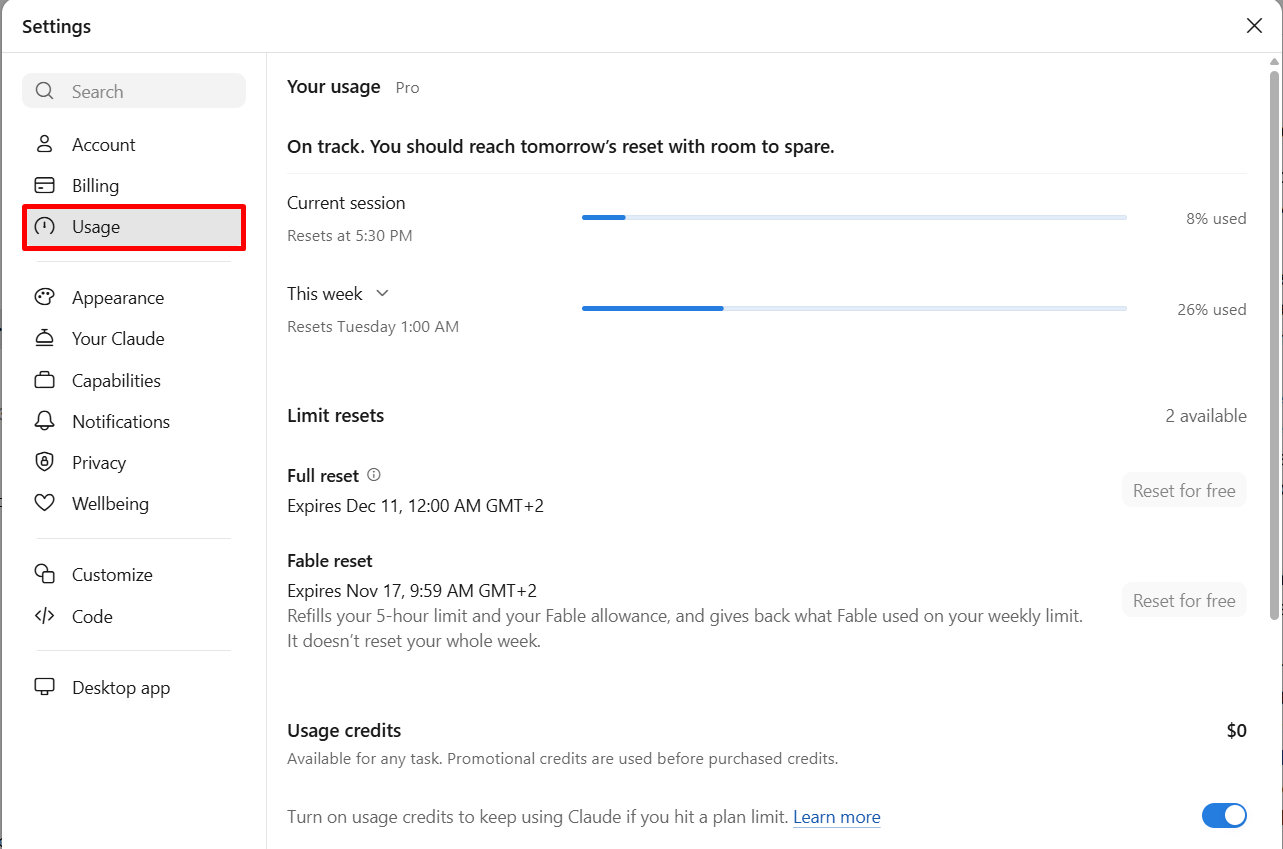
This is not a flaw in how SE Ranking has implemented its MCP server. It is a structural characteristic of how most MCP clients work by default. When your AI client connects to an MCP server, it receives tool schema definitions describing what each tool does and what parameters it accepts.
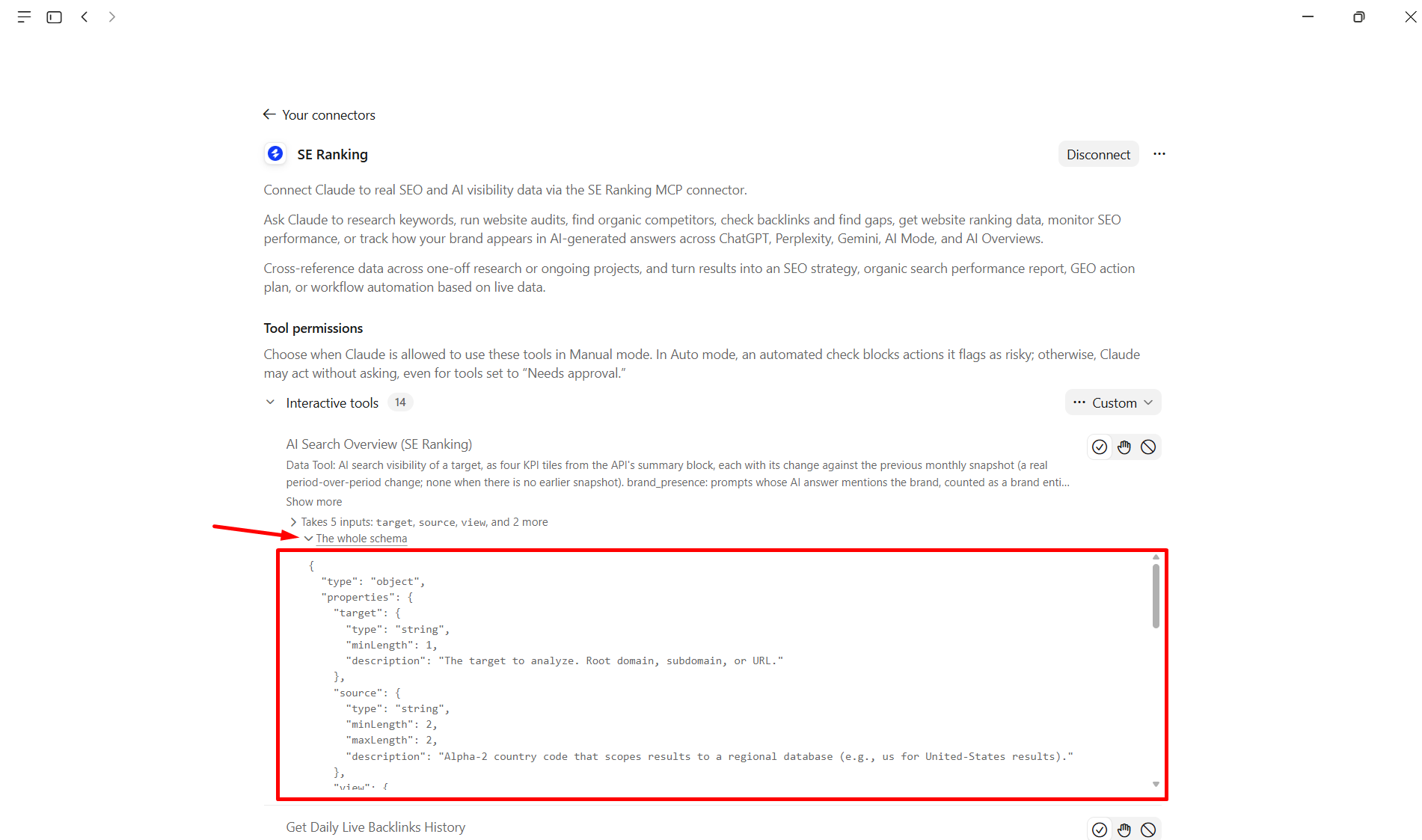
Many clients load those schemas into the context window up front, before a single query is processed. Some now load tools on demand through search-based discovery, and Anthropic’s engineering team describes code execution as a way to keep large tool sets and intermediate results out of the context window. These techniques reduce the overhead, but they depend on your client and setup.
To put a rough number on it: if each tool schema occupies approximately 500 tokens and you call 10 tools across a session, you have consumed around 5,000 context tokens before your query text or the returned results are included. That is an illustrative estimate, not an SE Ranking benchmark, and the actual cost varies by model, provider, client, and how verbose each server’s schema definitions are. With 180+ tools, a client that loads every schema up front will spend noticeably more context than one that loads tools on demand.
When MCP token costs become significant
For everyday use, this barely matters. If you ask five to ten questions in a chat and each answer covers a focused slice of data, the extra AI usage is tiny compared with the insight you get back.
The picture changes when you start pulling large result sets. Loading 12 months of rank history for 1,000 keywords, exporting a full domain backlink graph, or running a crawl audit for a site with tens of thousands of pages means the returned data will occupy substantial context. At that volume, you may hit context window size limits before the task completes, or you may complete it but at a per-session LLM cost that climbs quickly.
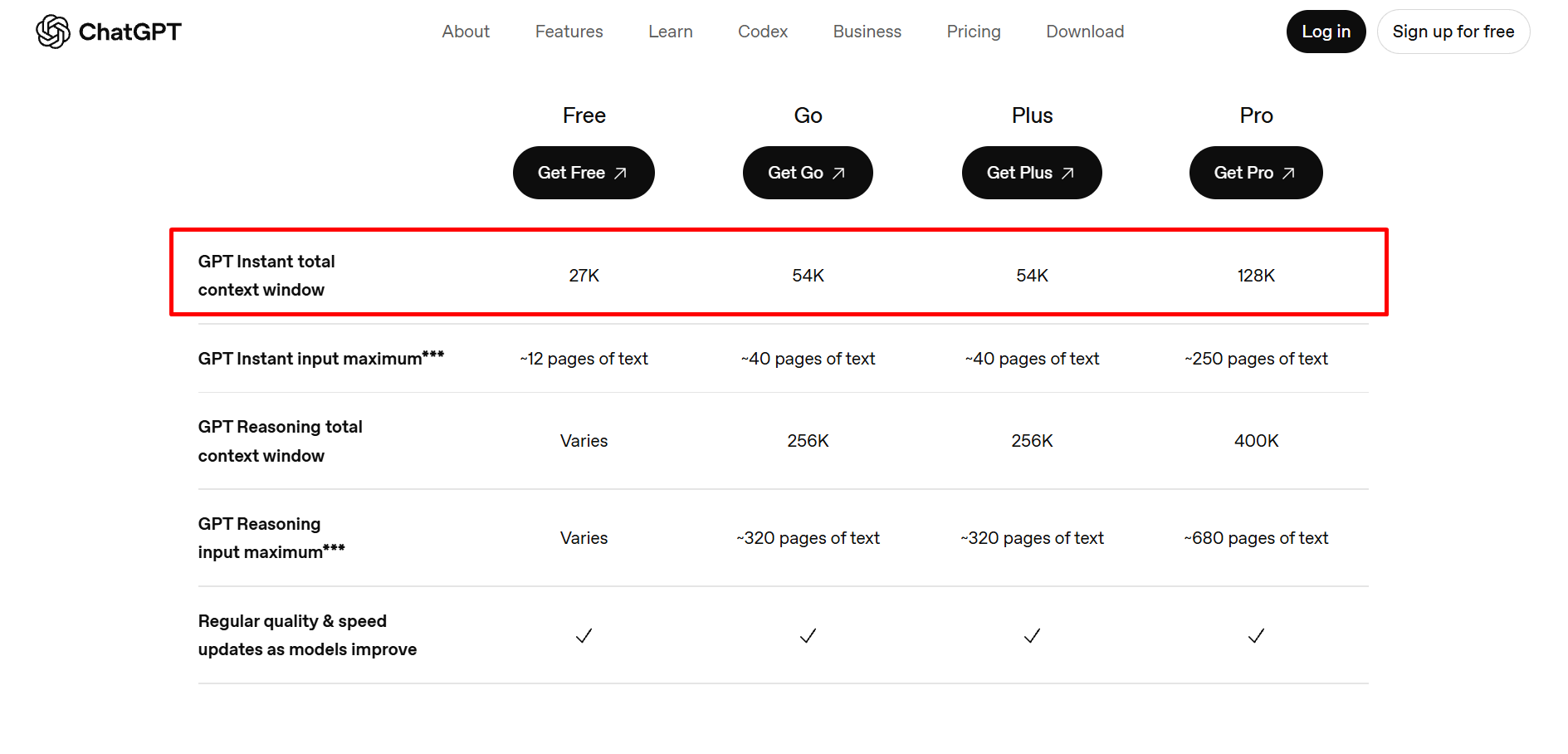
Token pricing also varies across LLM providers. Claude’s context window pricing differs from OpenAI’s, which means the same MCP workflow can cost materially different amounts depending on which AI client you use.
When to route bulk requests to the API instead
The API sends data directly to your code. There is no LLM inference step in the retrieval process, which means no context window consumption and no per-token cost associated with the data pull itself.
A useful rule of thumb: if you would not want to read the entire dataset yourself inside a single chat window, use the API. Bulk rank tracking across hundreds of domains, full backlink exports, and scheduled nightly data pulls all belong to the API layer for this reason. The API is not a workaround for MCP’s limitations. It is the architecturally correct tool for batch, automated data operations — and MCP is the architecturally correct tool for the exploratory, reasoning-heavy workflows where an LLM adds genuine value.
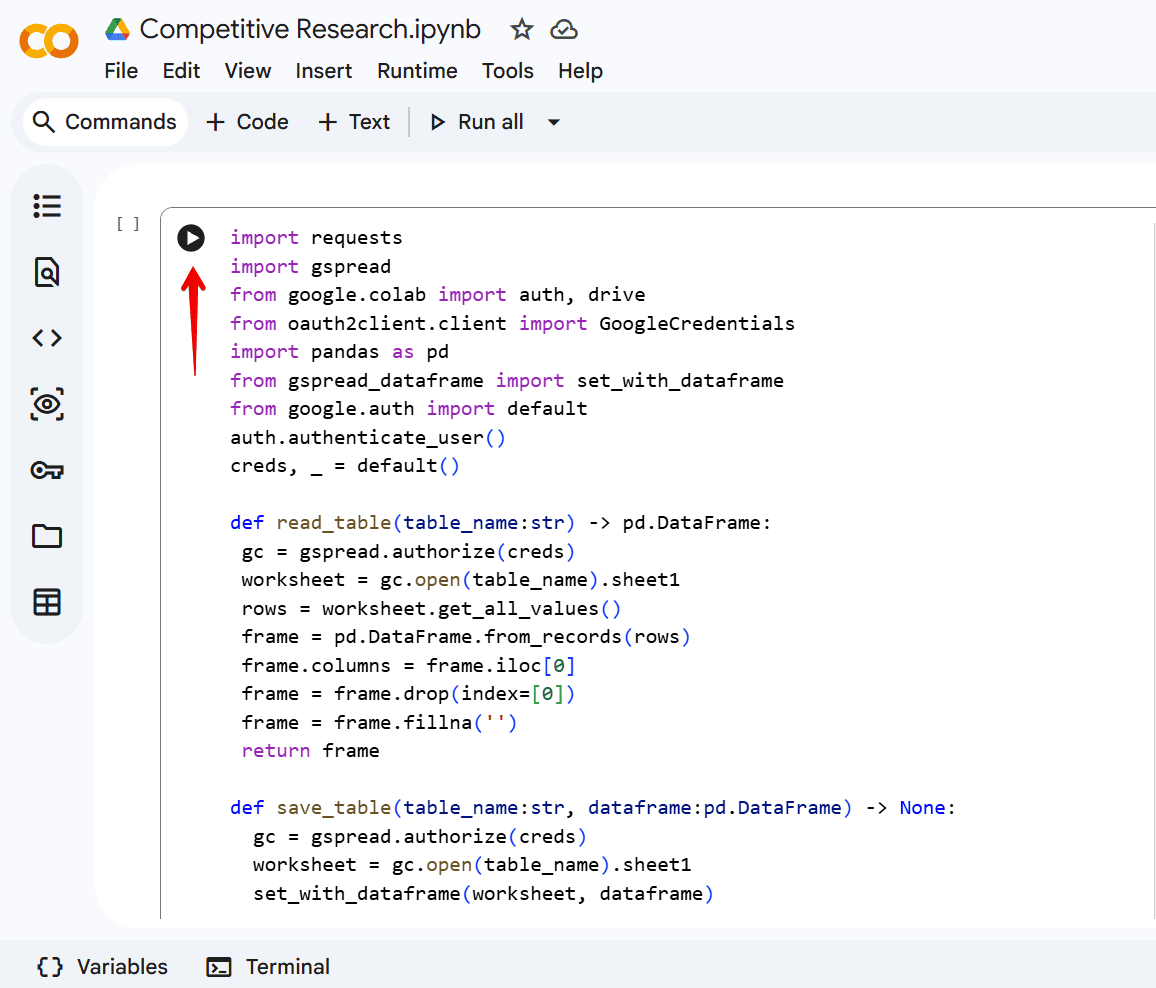
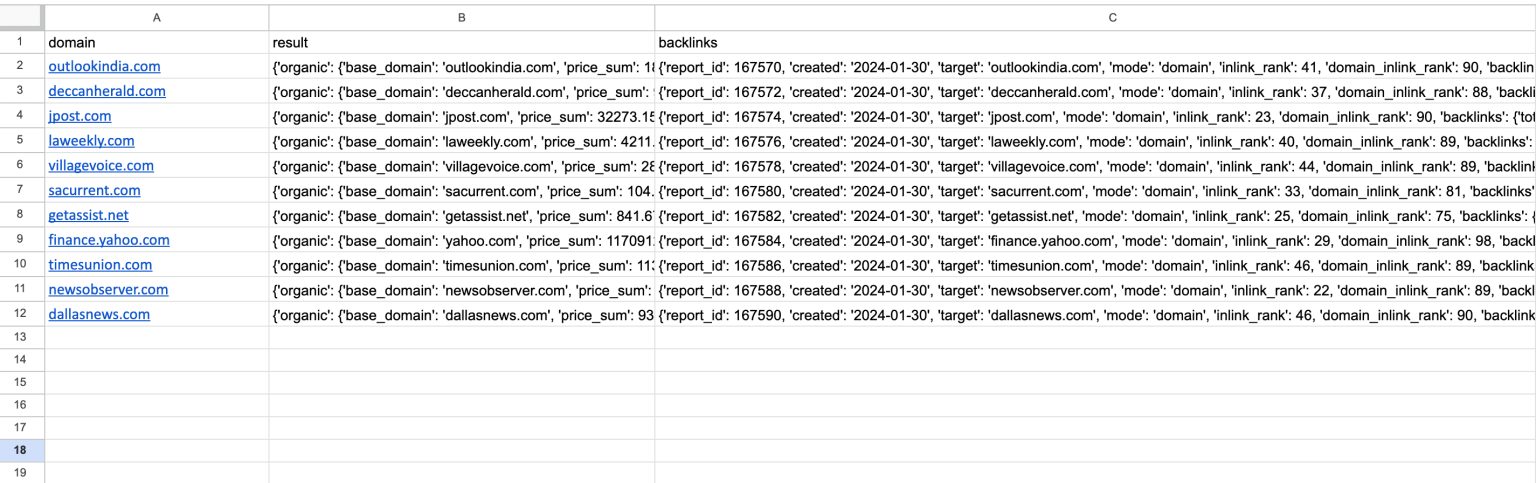
Pro tip: If you are running large-scale keyword exports or bulk audit pulls, the Data API will be more cost-efficient. MCP is the right tool when you need to think with the data, not just move it.
MCP, GEO, and AI search visibility: a connection worth understanding
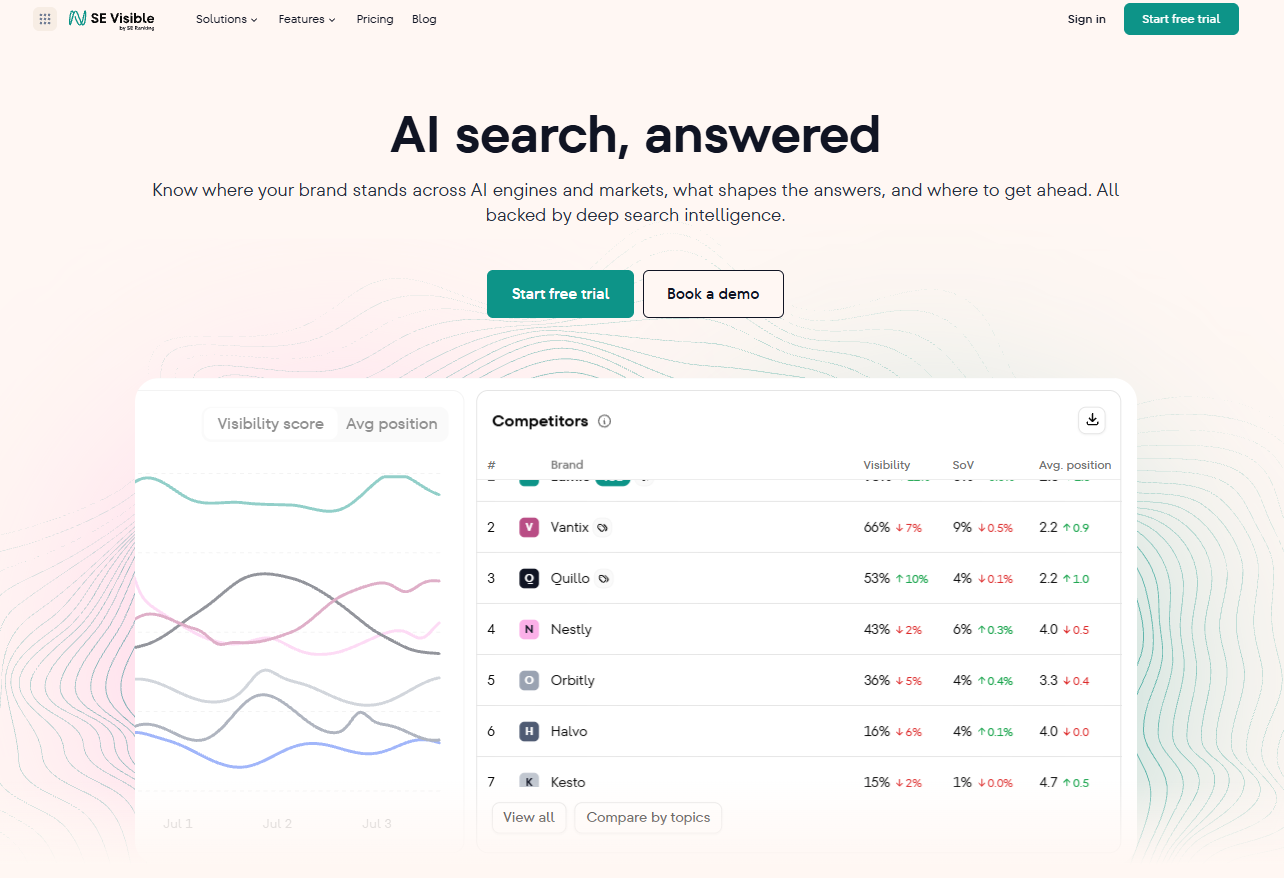
MCP is not just an interface for pulling traditional SEO data. When connected to SE Visible, it gives an AI agent real-time access to AI search visibility data across ChatGPT, Google AI Overviews, AI Mode, Copilot, Claude, and Gemini — which are the signals that GEO strategy depends on.
What GEO requires from data
GEO strategy depends on specific data: which of your pages are being cited in AI-generated answers, which models are surfacing them, which competitor pages are being cited instead of yours, and which prompts trigger each citation. That is a different data layer from rank position, and it changes on a different cycle than traditional rankings.
Without structured, queryable access to that data, GEO strategy is reactive at best. You find out a competitor is being cited when someone notices it manually. At scale, that is not a workflow.
How SE Visible’s MCP gives AI agents access to AI visibility data
SE Visible tracks brand appearances, mentions, and cited sources in LLM responses across ChatGPT, Gemini, Copilot, Claude, AI Overviews, and AI Mode for a monitored set of prompts. That data is accessible via both MCP and the Data API.
Via MCP, the access is conversational. You can open Claude Desktop and ask: “Which of my target keywords are triggering AI responses that cite a competitor instead of my domain?” Claude calls the SE Visible MCP tools, pulls the visibility data, and returns a structured breakdown in a single session. The same question answered manually means checking individual prompt by prompt.
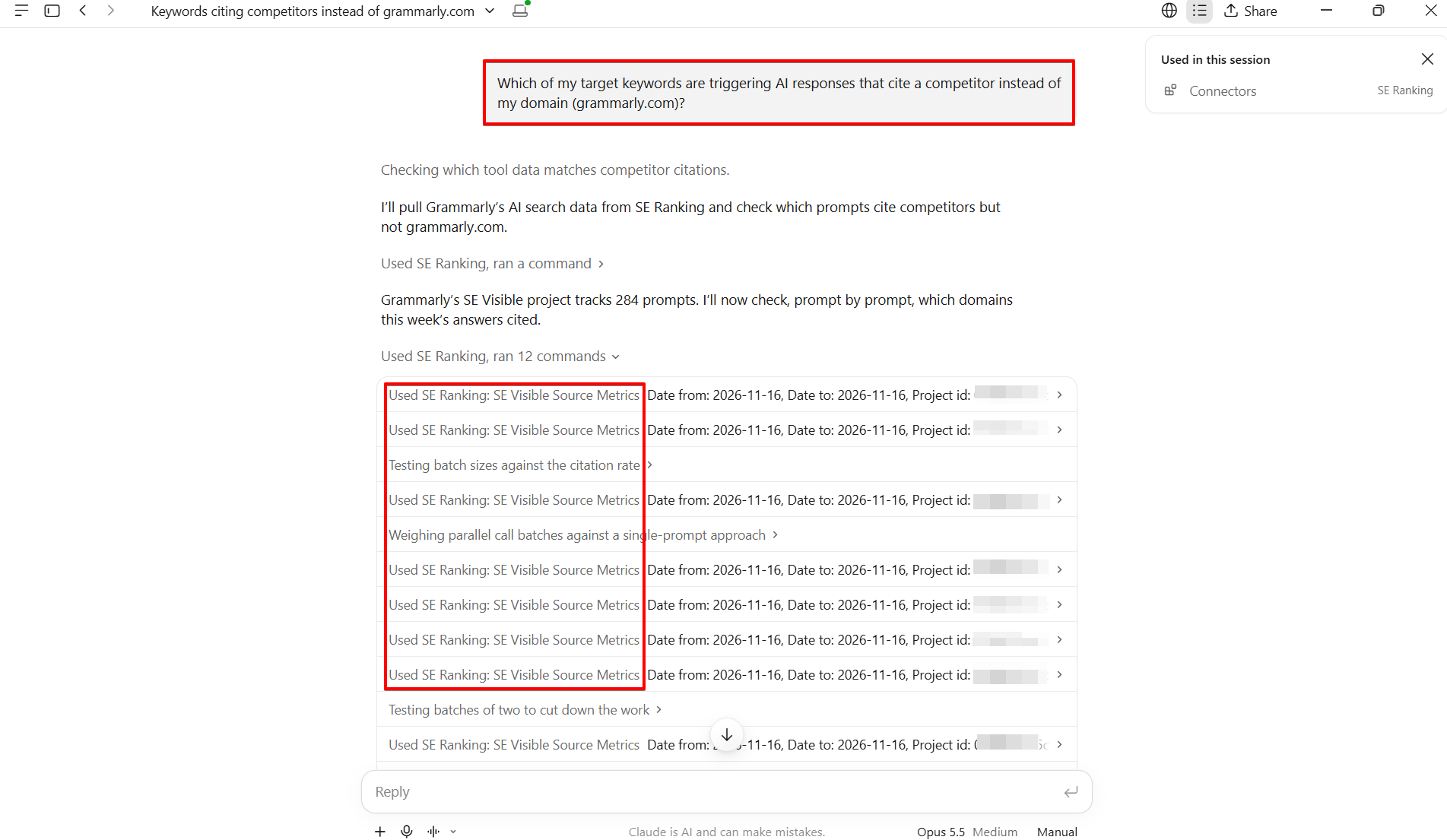
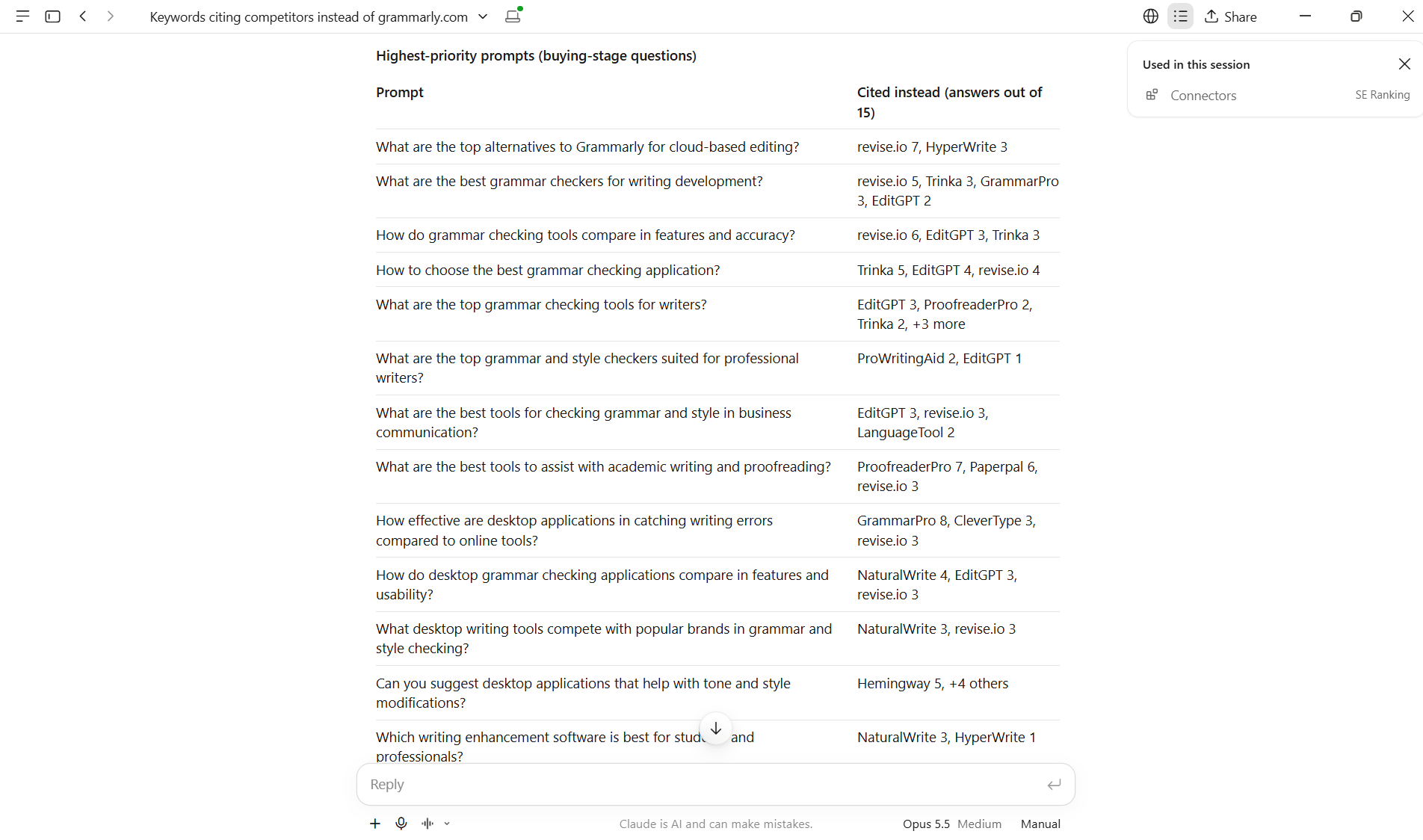
The MCP path is well-suited to GEO workflows for the same reason it works for content gap analysis: GEO analysis is exploratory by nature. You are pattern-matching across dozens of prompts and citation outcomes, and the conversational interface lets you adjust the query as you learn from each response.
Frequently Asked Questions
MCP is an AI-native interface layer that lets an AI client like Claude discover and call external tools at runtime during a conversation. An API is a set of endpoints that your code calls directly. For SEO, MCP is suited to conversational, exploratory workflows; an API is suited to scheduled, high-volume, or automated data pipelines.
MCP access is included with SE Ranking plans and with every API option (free trial, pay-as-you-go, standalone, and add-on), so there is no separate charge for the MCP server itself. MCP calls draw on the same Data API credits as direct API calls. Data API usage is measured in credits, and higher volumes are available through an add-on, pay-as-you-go credits, or a standalone plan. The 14-day free trial API plan includes 100K credits. The two are different access paths to the same underlying data.
The SE Ranking API supports nightly rank tracking across large keyword sets, scheduled backlink monitoring, bulk domain analysis, automated client report generation, and populating custom dashboards or BI tools with weekly data. If you want your workflow to cover AI search, you can combine SE Ranking and SE Visible as both have MCP connectors. Any task that runs on a schedule, processes high volumes of keywords or domains, or feeds data into a pipeline without human input is a good fit for the API.
No. MCP is designed for non-developers. You connect an MCP server to your AI client by adding it from the app’s connector directory (as in Claude or ChatGPT) or through a configuration step, then interact entirely through natural-language prompts. Using SE Ranking’s MCP in Claude requires no scripting. API does require development work because you write code to call the endpoints and handle the responses.
No. MCP is an interface layer that sits on top of an API, not a replacement for it. SE Ranking’s MCP server is built on SE Ranking’s API. The two serve different roles: MCP is the right interface for conversational, multi-step analysis; the API is the right interface for batch exports, scheduled monitoring, and building data products. Most teams need both — applied at different points in their workflow.
Agencies typically use both, for different jobs. MCP suits the analyst running ad-hoc competitive research or content gap work inside Claude, where speed and synthesis matter more than volume. The API suits the team automating weekly rank reports or building a client-facing dashboard. The deciding factor is who runs the workflow: a person asking questions, or a script running on a schedule.
MCP vs API for SEO: the verdict
The split is straightforward: use MCP when you want an AI agent to reason over SEO data in real time, inside a conversation. Use API when you need automation, batch processing, or a reporting pipeline that runs without a human in the loop.
Most SEO teams will use both. The question is which to reach for first, based on who runs the workflow and how often they need it.
As agentic AI workflows mature, the line between conversational analysis and automated execution will blur. The teams that understand both access methods now will have less to figure out when it does.
If you want to start with either path: explore the MCP server, or start a 14-day free trial with 100K credits that covers both the API and MCP.