Claude Marketing Skills
Run SEO, AI visibility, and social workflows in Claude using prebuilt Skills powered by SE Ranking and Planable data

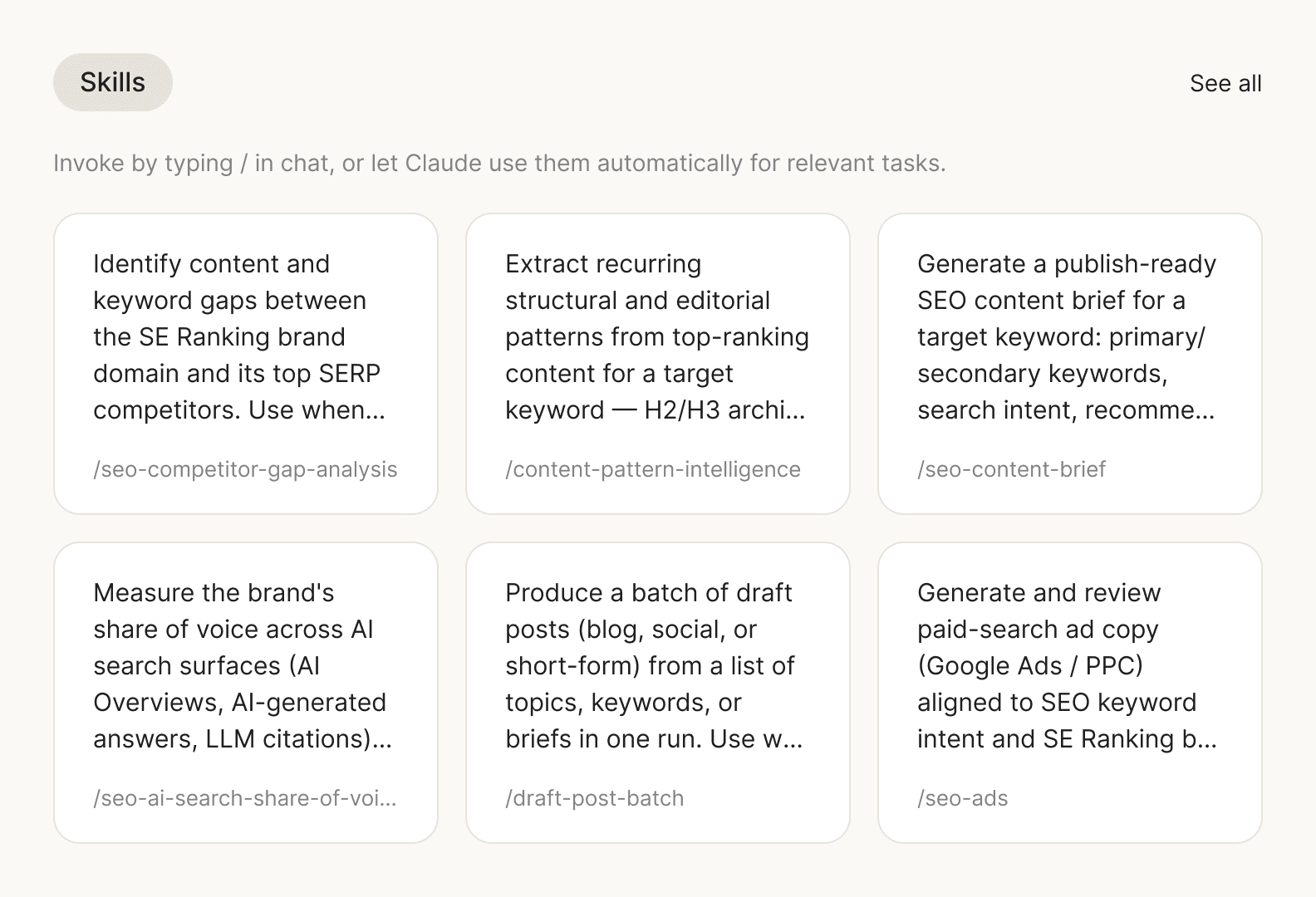
Analyze each channel separately — or connect the full marketing picture
Claude Marketing Skills help Claude analyze SEO, AI search, and social performance individually or as one connected ecosystem, turning SE Ranking and Planable data into actionable insights and deliverables.
Channel-specific insights
Use individual Skills to work on one area at a time: SEO content audits, backlink gaps, AI search share of voice, or social content reports.
Connected ecosystem view
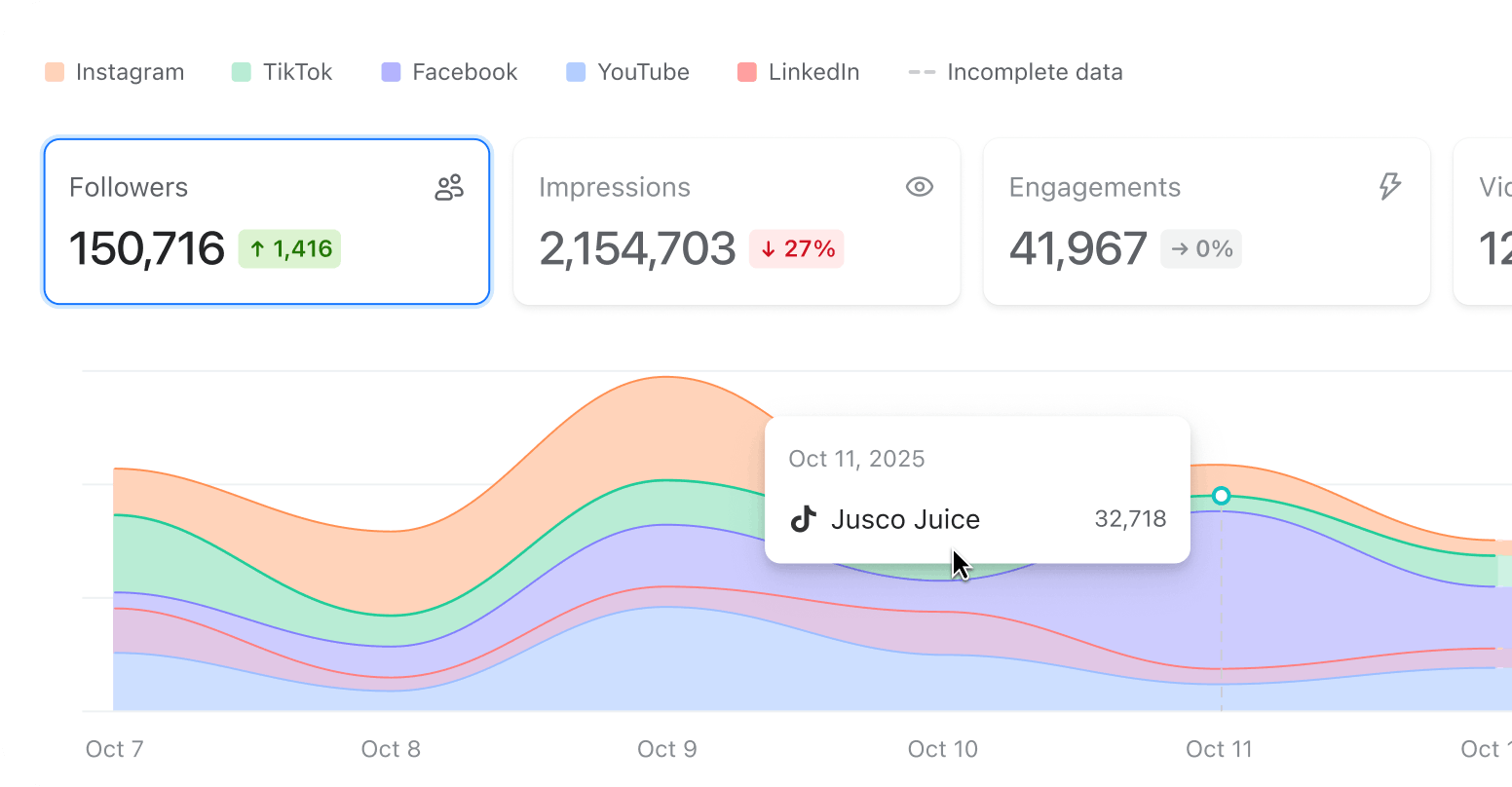
Combine SE Ranking and Planable data to understand how organic search, AI visibility, and social activity influence each other across the full marketing funnel.
Ready-to-use outputs
Turn analysis into content briefs, social media post batches, SEO-to-social campaigns, and cross-channel performance reports your team can review, share, or act on.
From marketing data to marketing action
Ask Claude what you need in plain language. It selects the right Skill, pulls the right data through MCP, and creates a structured output instead of leaving you with another raw chat response.
Prebuilt marketing workflows for the new era of search
Use ready-made workflows for recurring marketing tasks across SEO, AI search visibility, and social media operations.
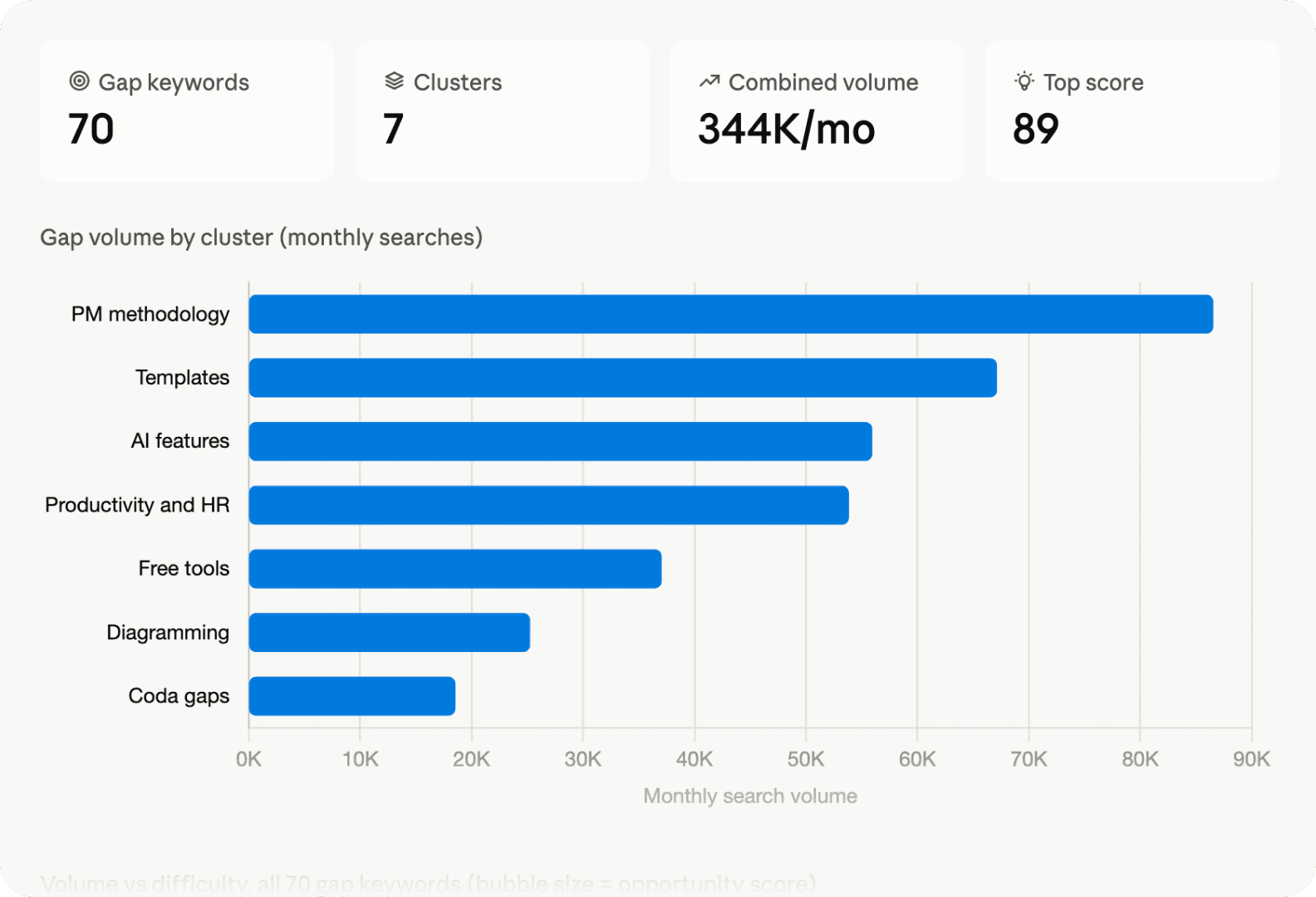
Find the keywords competitors rank for that you're missing
Compare your domain against organic competitors and surface the keywords driving their traffic that you don’t cover yet. The Skill filters opportunities by intent, volume, and difficulty, then turns the gap into a prioritized list of keywords worth targeting first.
Example prompt:
“Run a competitor gap analysis for [your-domain.com] against [competitor-1.com] and [competitor-2.com] in [target country]. Show the keywords they rank for that we don’t, filter them by intent and difficulty, and flag the opportunities worth targeting first.”
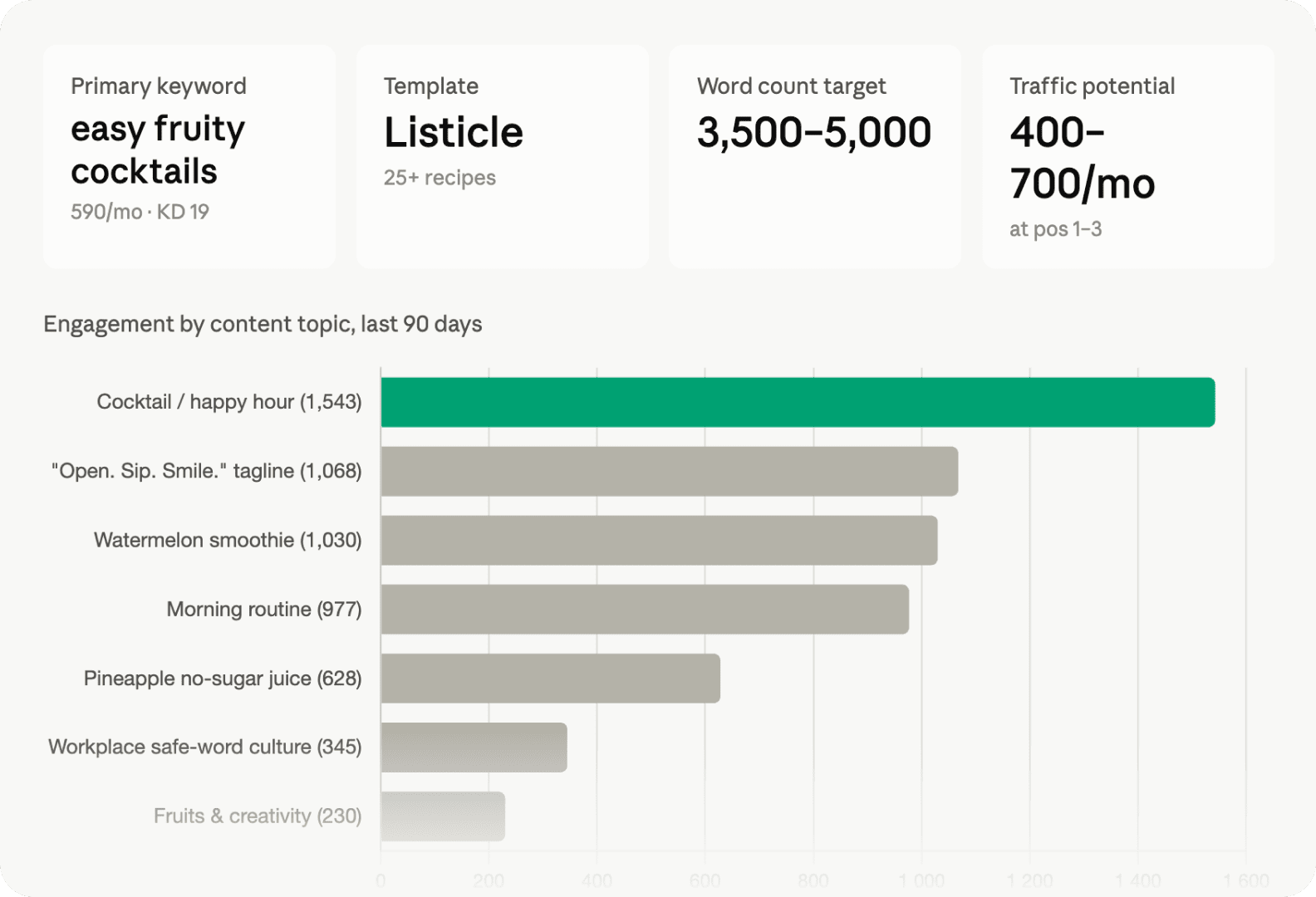
Turn high-engagement social topics into SEO briefs
Use Planable analytics to find the topics that already perform well with your audience, then validate them with SE Ranking keyword data. The Skill turns proven social engagement into an SEO content brief, so your next article is backed by both audience interest and search demand.
Example prompt:
“Find the top-performing social posts for [brand name] from [month or date range] in Planable. Choose the topic with the strongest engagement, validate it with SE Ranking keyword data, and create an SEO content brief for [your-domain.com] targeting [country or audience].”
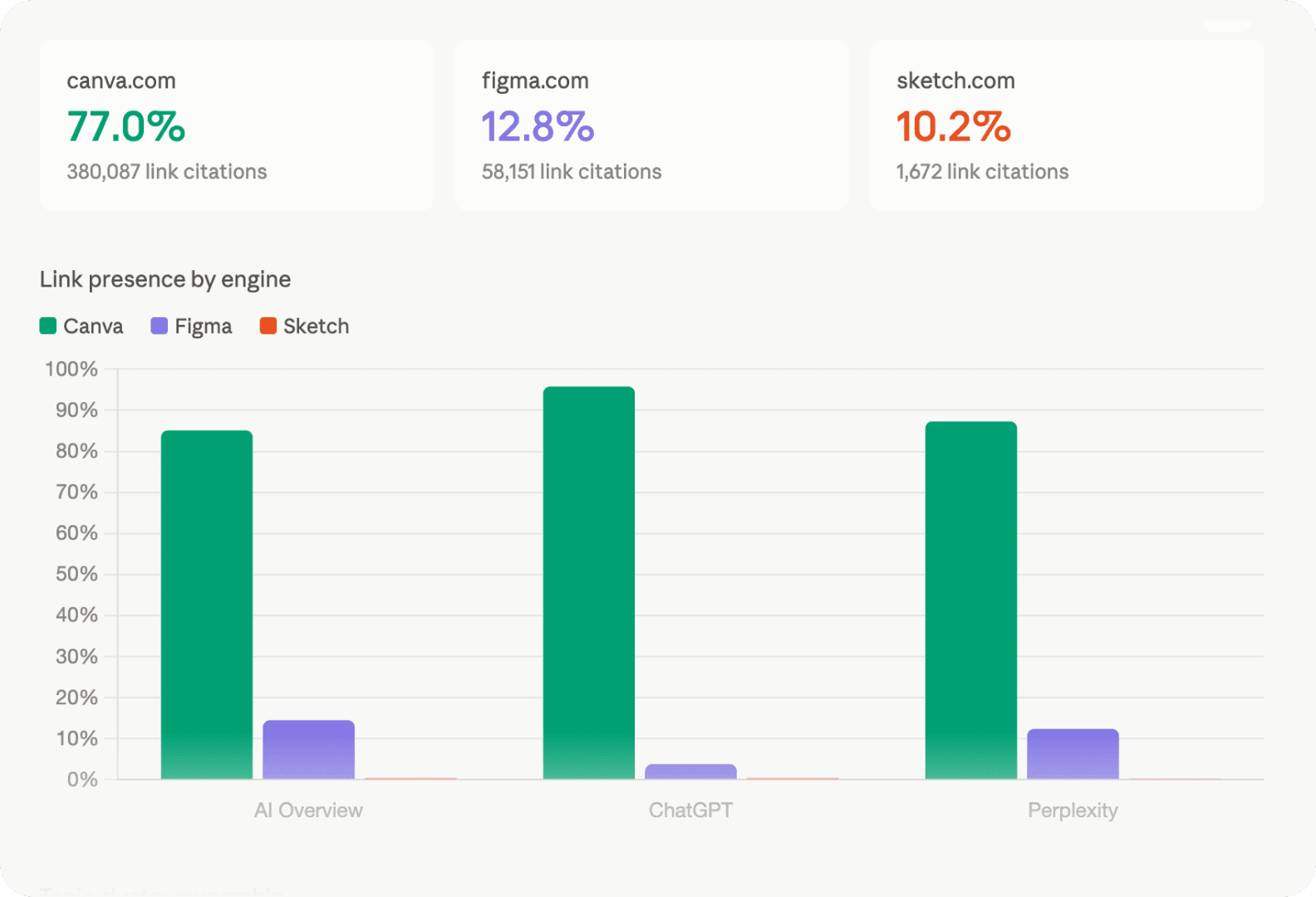
See which brands own visibility across AI search engines
Create a share-of-voice heatmap across ChatGPT, Perplexity, Gemini, AI Overviews, and AI Mode. The Skill shows how your brand compares to competitors and which topic clusters each brand owns.
Example prompt:
“Compare AI search share of voice for [your-domain.com] against [competitor-1.com], [competitor-2.com], and [competitor-3.com] in [target country]. Check ChatGPT, Perplexity, Gemini, AI Overviews, and AI Mode, then show topic-cluster ownership by brand.”
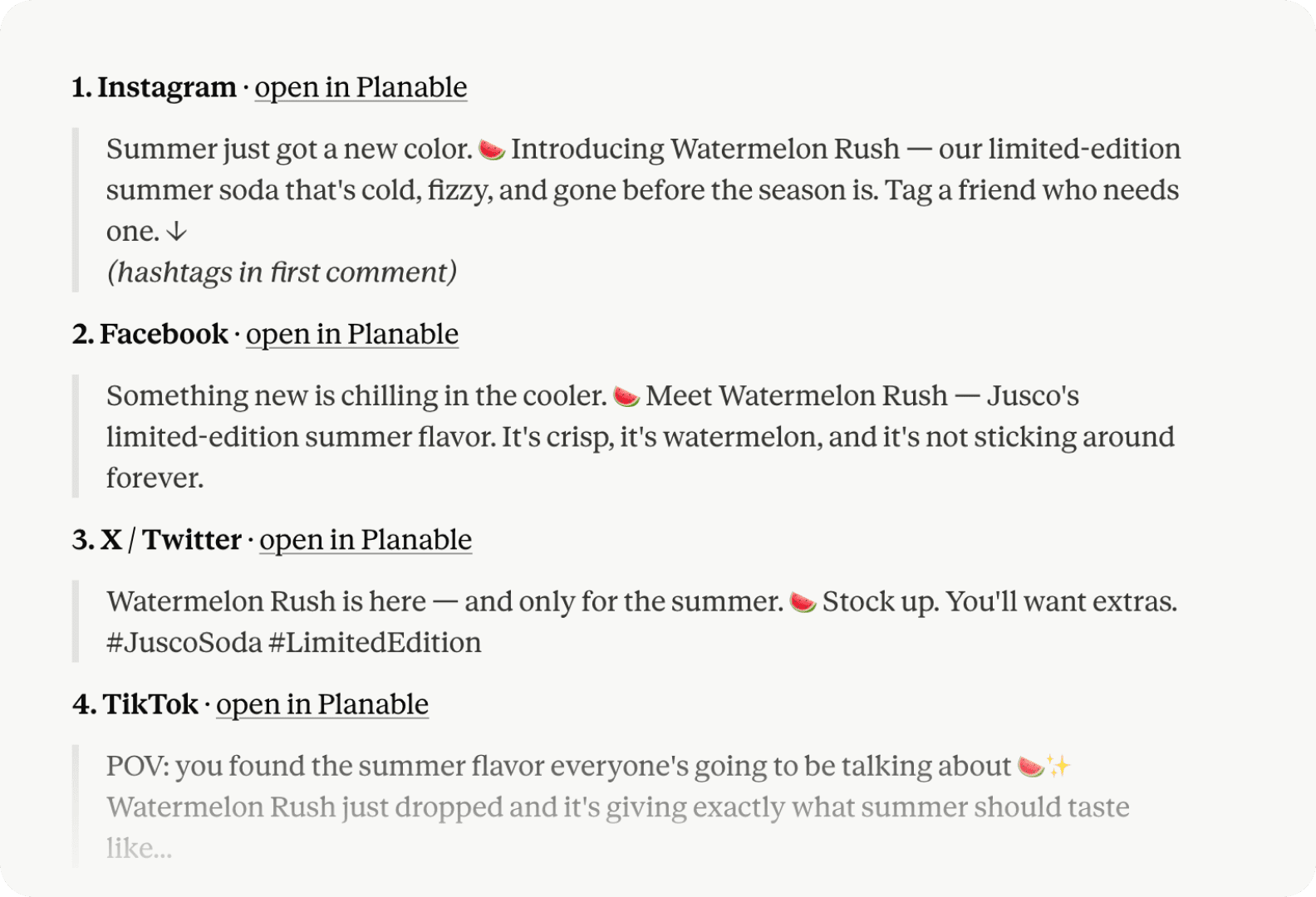
Draft a week of on-brand social media posts
Turn a topic, campaign idea, or brief into a review-ready batch of social posts. The Skill adapts the copy for the selected channels, creates the drafts in the right Planable workspace, and prepares them for team review and approval.
Example prompt:
“Draft 5 LinkedIn posts for [client or brand name] about [topic] for [target audience]. Use varied hooks, keep the copy on-brand, flag claims that need review, and add the posts to the correct Planable workspace as drafts.”
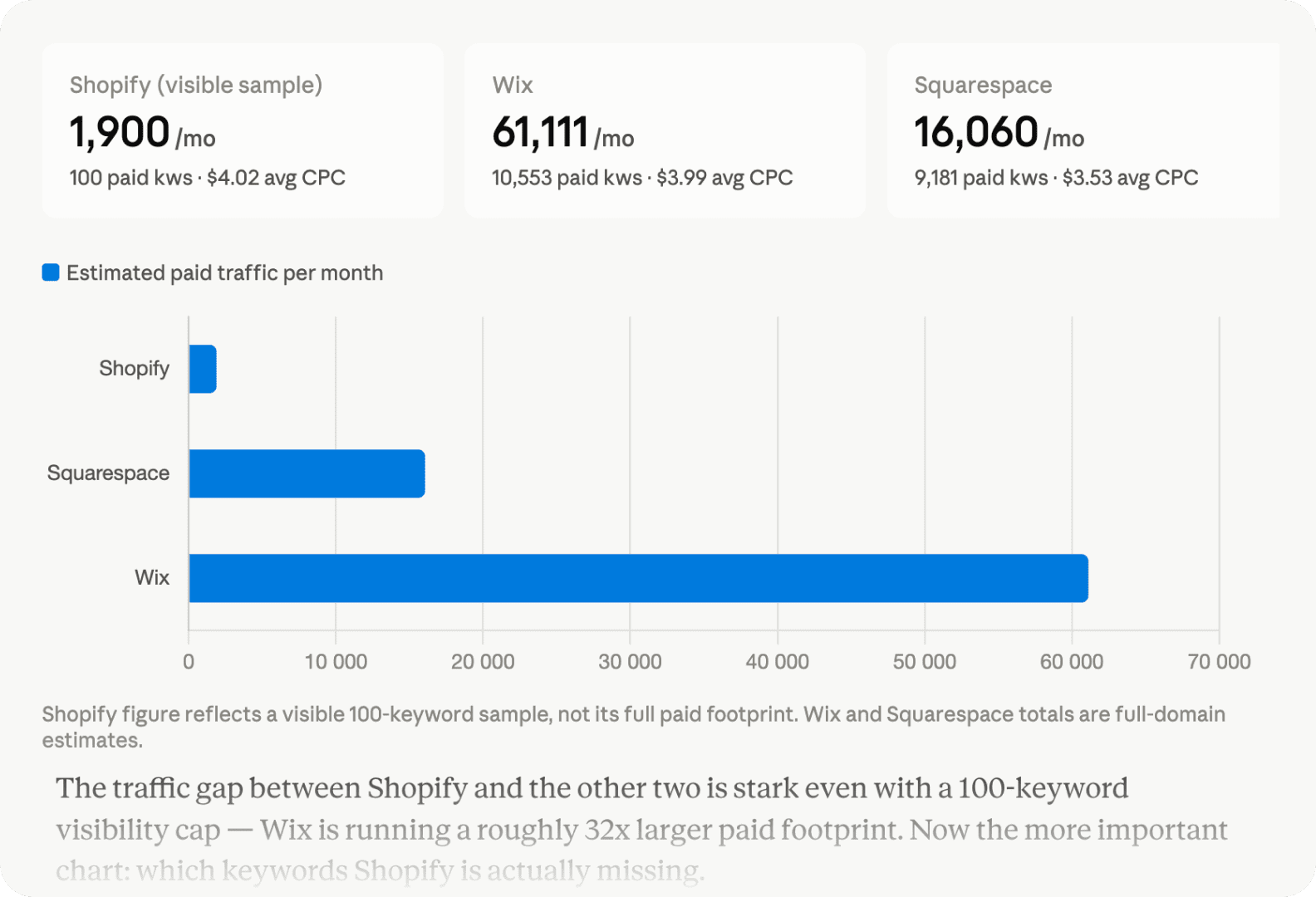
See what competitors are bidding on and how they position their offers
Analyze competitor paid-search activity across keywords, ad copy, and SERP visibility. The Skill shows who bids on your target keywords, where competitors overlap, what messaging patterns they use, and which bid keywords may be worth testing.
Example prompt:
“Run a PPC competitive analysis for [your-domain.com] against [competitor-1.com] and [competitor-2.com] in [target country]. Show who bids on our target keywords, what ad copy patterns competitors use, and which bid keywords we should consider.”
Set it up once. Run workflows anytime
Marketing Skills run structured workflows using SE Ranking and Planable data. Once the plugins and MCP connections are set up, you can ask for SEO, AI search, social, or cross-channel deliverables.
Open Customize in Claude Desktop
In Claude Desktop, open Customize in the left sidebar and go to the Plugins tab. Click + and choose Add marketplace. (In Cowork, open the Cowork tab first, then Customize.)
Add Claude Marketing Skills
Choose Add from a repository and enter seranking/marketing-automation-plugins. Once the marketplace syncs, open Browse plugins and install Marketing Skills.
Start a workflow in Claude
Ask for what you need in plain language, such as a content audit, AI search share-of-voice analysis, social post batch, SEO-driven campaign, or cross-channel report.
Complete the workflow with Planable
Use SE Ranking to understand search and AI visibility. Use Planable to manage the social content built from those insights. Claude Marketing Skills connect the two, so your team can move from analysis to execution faster.
What are Claude Marketing Skills?
Claude Marketing Skills are reusable workflows that help Claude complete SEO, AI visibility, social media, and paid search tasks more consistently. Each Skill gives Claude task-specific instructions, context, and steps to follow, so it can produce a more structured output like an audit, report, content brief, roadmap, or post batch.
How do I install Claude Marketing Skills?
Claude Marketing Skills are available in the Marketing Skills plugin, distributed through SE Ranking’s plugin marketplace. You can install it in Claude Desktop or Claude Code.
In Claude Desktop, open Customize, click Personal plugin → + Add, then choose Add marketplace, and enter seranking/marketing-automation-plugins. Once the marketplace syncs, open Browse plugins and install Marketing Skills. (In Cowork, open the Cowork tab first, then Customize.)
For Claude Code, run:
/plugin marketplace add seranking/marketing-automation-plugins
/plugin install content-skills@seranking
Can I use Marketing Skills in Claude Cowork and Claude Code?
Yes. Claude Marketing Skills can be used in both Claude Cowork and Claude Code after the plugin is installed.
Claude Cowork is better for running marketing tasks in a conversational workspace, like AI search analysis, SEO audits, social post batches, and cross-channel reports. Claude Code is better if you want to run the same Skills from the terminal or include them in a more technical setup.
Do I need both Claude Marketing Skills and MCP?
Yes. Marketing Skills define the workflow: what steps Claude should follow, which task it should complete, and what output it should create.
SE Ranking’s SEO MCP and Planable MCP provide the data behind that workflow. SE Ranking brings in SEO and AI visibility data, while Planable adds social content, calendar, approval, and analytics context. Together, they let Claude move from a general prompt to a structured, data-backed deliverable.
Can Claude combine SEO and social media data in one workflow?
Yes. Claude Marketing Skills can connect SE Ranking and Planable data to show how organic search, AI visibility, and social content performance relate to each other. This is useful for cross-channel reports, SEO-driven social campaigns, and broader visibility analysis.
Do I need SE Ranking and Planable subscriptions to use Claude Marketing Skills?
No for the skills themselves, but yes for the data.
Claude Marketing Skills can run without subscriptions, but to access real SEO, AI visibility, social content, and analytics data, you need active SE Ranking and Planable subscriptions with MCP access.
SE Ranking offers MCP access on every plan. For Planable, MCP access is available on the Team plan and higher. The Planable Analytics add-on is required for social analytics data in the reports.