Website Audit API
Run technical audits programmatically with SEO Audit API. Launch crawls, pull health scores, and route every issue into your team's workflow.
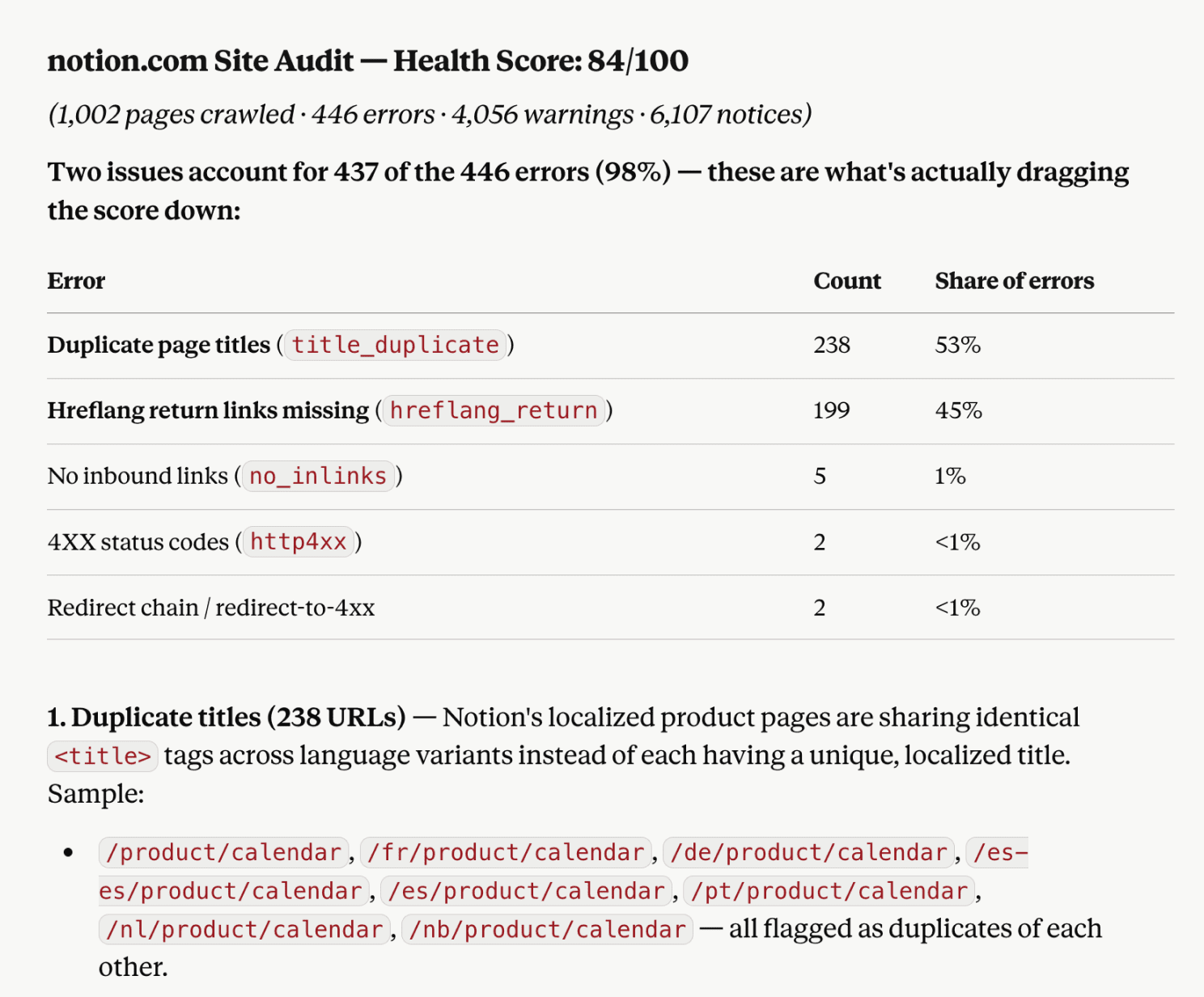
Let Claude run site audits for you
Launch a crawl from your Claude chat without writing API requests. SE Ranking's MCP server connects AI assistants to the same endpoints that this API exposes.
One MCP, same endpoints
Create audits, check crawl status, and pull health scores, issues, and affected pages as MCP tools on the Website Audit API.
Answers in the flow of work
Launch an audit and review the issues mid-conversation or inside a pipeline, without writing request-handling code.
Skip the integration work
Point your agent at the MCP server and skip the auth, async status polling, and response parsing a direct build needs.
Every audit check, structured and ready for your stack
Complete site audit data in every report
The Website Audit API runs the same crawler behind SE Ranking's audit tool with 115+ technical checks per crawl. It returns the results as JSON you can query from every angle: by score, by issue, by page, or by link.

Health score:
A 0–100 score per audit to benchmark sites and track progress between crawls

Issues by severity and category:
Errors, warnings, and notices across security, crawling and indexing, redirects, meta tags, content, speed, links, and mobile

Pages by issue:
Every URL affected by a specific check, turning an audit into a to-do list

Crawled pages:
The full crawl list with per-page metrics and HTTP status codes

Found links:
Internal and external links with their attributes, for internal linking and dofollow/nofollow analysis

Audit history:
Reports by date, so you can compare crawls and verify that fixes actually landed
Built to run audits as a process, not a one-off report
The audit runs asynchronously. Kick off the crawl, check on it, then pull the report when it's done:

Set up audits for any domain:
standard for quick starts, or advanced with your own crawl settings

Async by design:
Create the audit, poll status while the crawler works, then pull the report

Scheduled and repeatable:
Set recurring weekly or monthly crawls, or re-run with the recheck endpoint after each fix cycle and compare crawl over crawl
Audits that match how you need to crawl
Control the crawl scope instead of accepting a default, so you audit exactly the sections you maintain:

Point the crawler where it matters:
Audit from sitemaps or your own custom page lists
Scope every crawl:
Set allow/disallow paths, depth, page, and speed limits, and switch the user agent

Crawl large sites in one audit:
Run deep crawls with the limits you set, tuned to the site in front of you

Manage audits programmatically:
Turn off checks you don't need, and handle titles, settings, and lifecycles across every site you run

Query SE Ranking data from any AI assistant
Connect via MCP and work with your audit data, SEO, and GEO metrics inside Claude, ChatGPT, Cursor, or any other AI tool. 1-minute setup, no exports, no code.
Use cases for the Website Audit API

Turn audits into tickets automatically
Pull every URL affected by each issue type and pipe them into Jira, Asana, or your own queue. All grouped, prioritized, and assigned. Close the gap between finished audits and started fixes — go from manual sorting to a scheduled job.

Audit your whole client portfolio on schedule
Run crawls across every client site on a weekly or monthly schedule, then pull health scores and top issues into one dashboard. You see which sites need attention this week without opening each project, and clients get summaries built from live data.

Verify fixes and prove progress
Recheck a site after each fix cycle and compare reports by date: issues closed, health score movement, pages recovered. Release regressions show up in the next crawl instead of the next traffic drop, and progress becomes something you can report.
Wire audit data into the tools you already use
Connect SE Ranking to the tools your team already works in, without custom development or changing how your team already works.
n8n
Open-source automation with a visual workflow builder.
Plug SE Ranking into your stack so n8n can launch scheduled crawls, pull affected URLs, and trigger SEO and GEO reports automatically.
Data Studio
Live dashboards that blend SEO, GEO, GA4, and GSC.
Feed health scores, top issues from every crawl, and other metrics into Data Studio dashboards so your clients can access project information directly.
Make
No-code automation that connects your stack.
Use Make to route audit data into ticketing tools, project management, Slack, and more. Connect your tools without writing code.
What SEO pros say about building on SE Ranking’s API

We use SE Ranking to build winning SEO strategies for our clients. Their suite of tools allows for robust market research, competitive analysis, and website audits—all of which serve to inform our SEO campaign roadmaps.

We use SE Ranking to overcome many SEO-related challenges, from researching keywords to conducting granular analyses of various client-related issues that ultimately help us save a significant amount of time and streamline processes.

Because SEO is time-consuming, SE Ranking’s tools are a great help here. We use it for detailed audits, keyword research, performance monitoring, and reporting. But apart from the actual SEO workflow we do for clients, we also use SE Ranking for our sales process. It helps us build trust with current and potential customers as we can give them a comprehensive overview of the current situation and advise on the next steps.
Discover all the gems in SE Ranking’s powerful toolbox
Flexible, usage-based pricing
Try it free with 100K credits and scale credits as you grow. Only pay for what you use
From
- Backlinks API
- Domain Research API
- Keyword Research API
- Website Audit API
- AI Search API
- Project Management API
What data does the Website Audit API return?
Each audit returns a site health score, all detected issues grouped by severity (errors, warnings, notices) and category, the full list of crawled pages with per-page metrics and HTTP status codes, internal and external links with their attributes, the pages affected by each specific issue, and domain details. All as structured JSON.
How do I run an SEO audit via API?
Create an audit for the target domain with the create audit endpoint (standard for HTML crawling or advanced with JavaScript rendering for SPAs and dynamic sites. The crawler runs asynchronously: poll the status endpoint until it completes, then pull the report. To re-audit after fixes, call the recheck endpoint on the same audit.
Is this the same as a site audit API?
Yes. Website audit API, site audit API, and SEO audit API all describe the same thing here: programmatic access to SE Ranking’s technical audit tools. It runs 115+ checks covering crawling and indexing, meta tags, content, speed, security, links, and mobile.
Can I audit a single page instead of a whole site?
Yes. Scope the crawl to a custom page list, or use the issues-by-URL endpoint to pull every problem found on one specific page. This is helpful for page-level QA and pre-publish checks.
Can I audit any website, or only my own?
Any site you are able to crawl. Run audits on competitor domains to benchmark their technical health against yours, or audit prospect sites before a pitch. The crawler doesn’t require site ownership or verification.
How do I get all pages affected by a specific issue?
Use the pages by issue endpoint with the issue code you care about. The reference section of the docs lists every site audit issue code. It returns each affected URL, making automated ticketing and bulk-fix workflows practical.
Can I control what gets crawled?
Yes. Point the crawler at specific sitemaps or your own page lists, set allow/disallow paths, depth, and page limits, switch the user agent, and turn off checks you don’t need, so each crawl covers exactly the sections you maintain.
What are the rate limits for the Website Audit API?
Up to 10 requests per second per API key by default. Since audits run asynchronously, the practical pattern is: create the audit, poll status at a modest interval, then fetch the report—well within limits even across a large portfolio. Contact SE Ranking’s team if you need higher throughput for site audit API.
How is this different from the Website Audit tool in the platform?
Same crawler, same checks, same reports, but different delivery. The platform tool is built for working through issues interactively. The API is built for automation: scheduled portfolio-wide audits, custom dashboards, ticketing integrations, and fix verification pipelines that run without anyone logging in.