SEO Skills for Claude, Built by SE Ranking
7 Skills that turn common SEO and GEO tasks into guided workflows Claude can run with live SE Ranking data

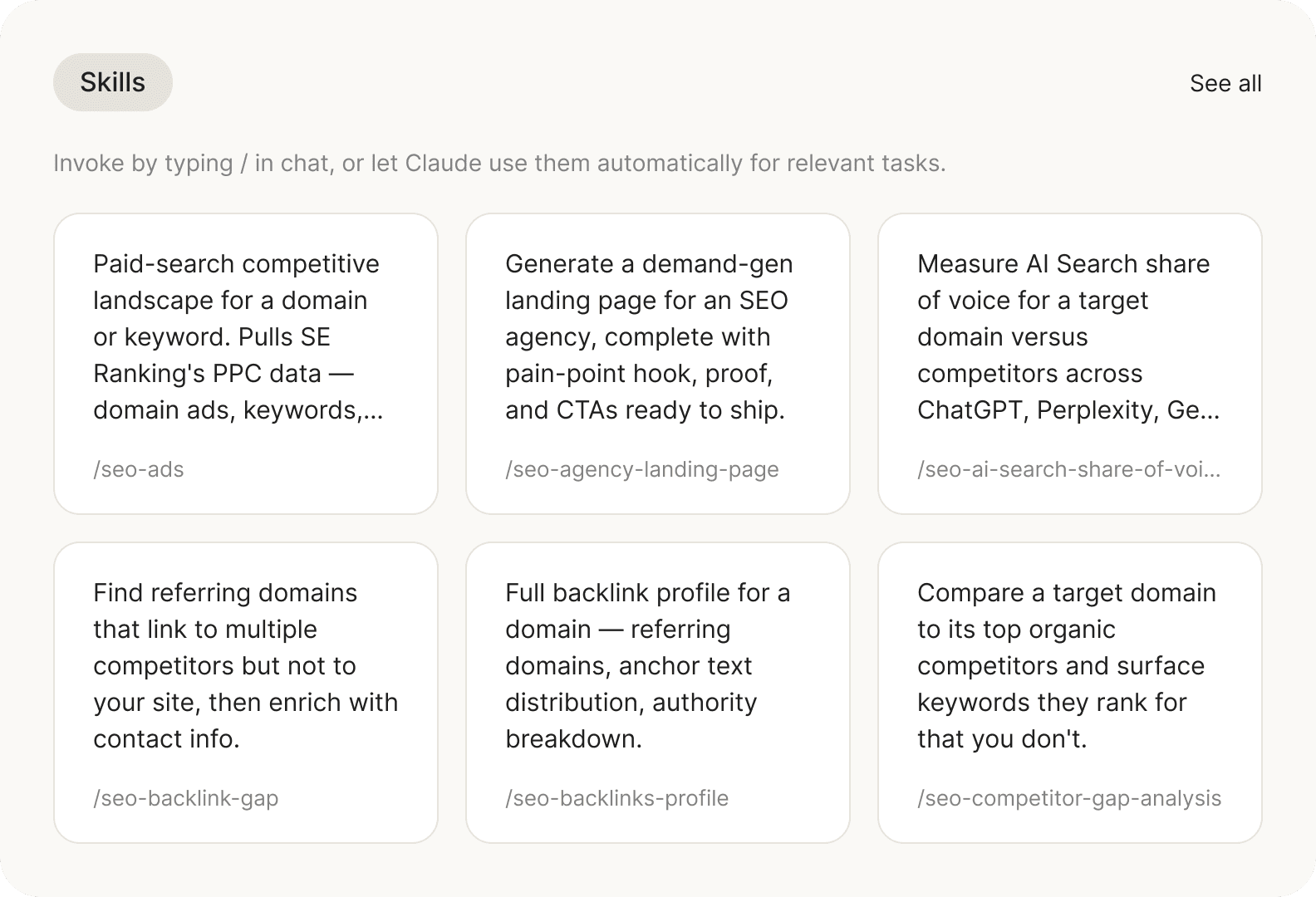
SEO & GEO workflows, fully set up and ready to run
Each Skill guides Claude through a specific SEO task. It defines which SE Ranking MCP tools to use, what order to run them in, and what deliverable to create.
Guided from start to finish
All Skills come with the workflow already mapped out. Claude follows the defined steps instead of deciding the process from scratch.
Powered by live data
Claude uses the SE Ranking MCP server to access 180+ tools for keyword research, backlink analysis, domain analysis, website audits, AI search visibility, and more.
Saved as formatted files
The result is not just a chat response. Depending on the workflow, Claude creates formatted files like content briefs, audit reports, backlink lists, and more, so your team can easily open, review and share them.
Skills give Claude the process. SE Ranking MCP gives it the data.
Connect the MCP once, and Claude can use SE Ranking data for keyword research, backlinks, domain analysis, audits, AI search visibility, and more — then turn it into structured files through the Skills.
Describe the work. Claude picks the Skill.
In Claude Desktop or Claude Code, trigger a Skill by name or describe the outcome you need in plain language. Claude selects the right workflow, calls the SE Ranking MCP tools behind it, and saves the result as a structured file. Here are a few workflows your team can run right away.
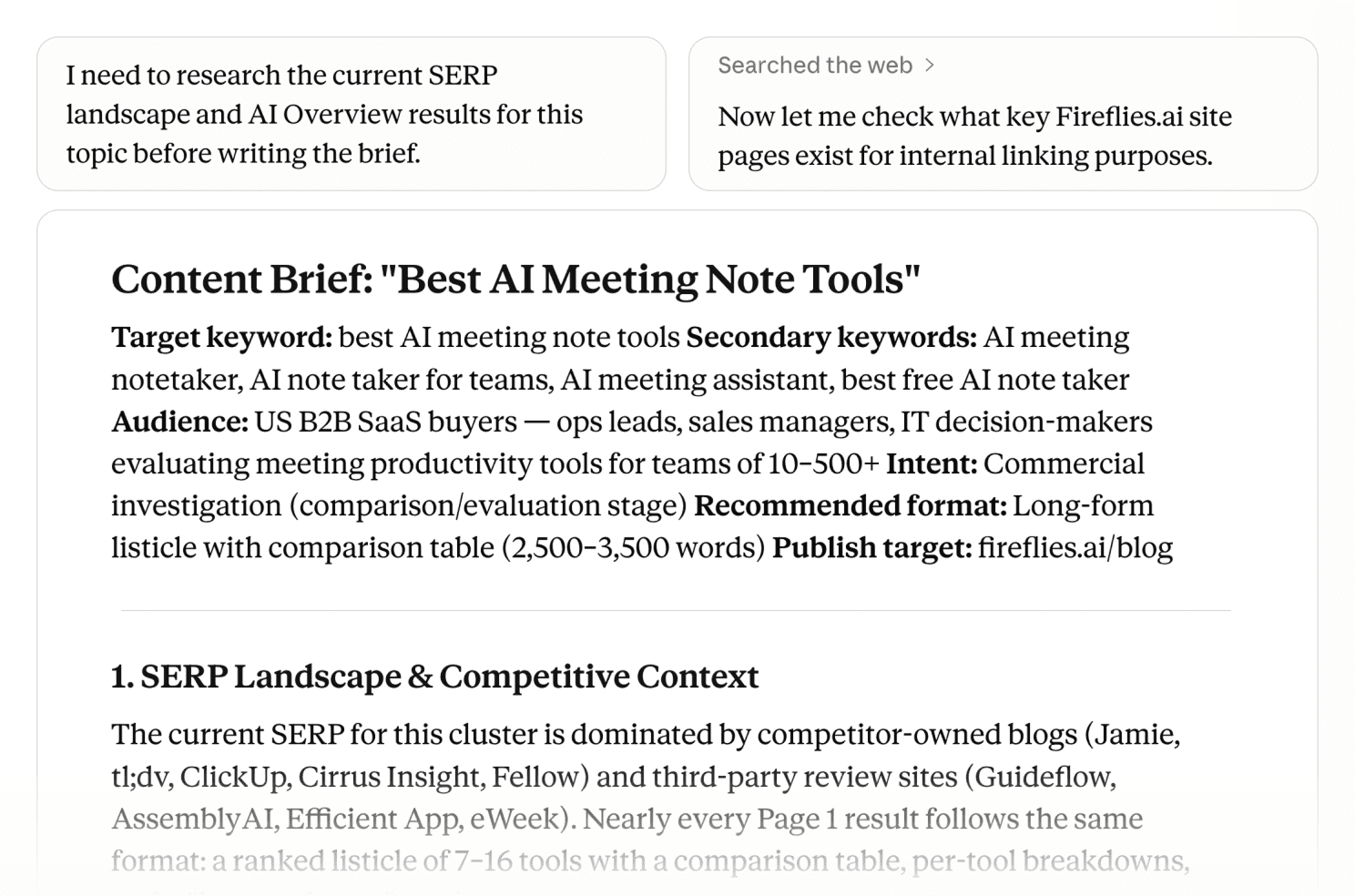
Turn a topic into a writer-ready SEO brief
Create a content brief grounded in live SERP and keyword data. The Skill combines keyword research, competitor content analysis, SERP data, internal linking opportunities, and an AI search angle into a structured brief writers can start from.
Example prompt:
“Write a content brief for [target topic] targeting [country or audience]. Show what to cover, where [your-domain.com] could earn citations in AI Overviews, and which pages on our site should be used for internal links.”
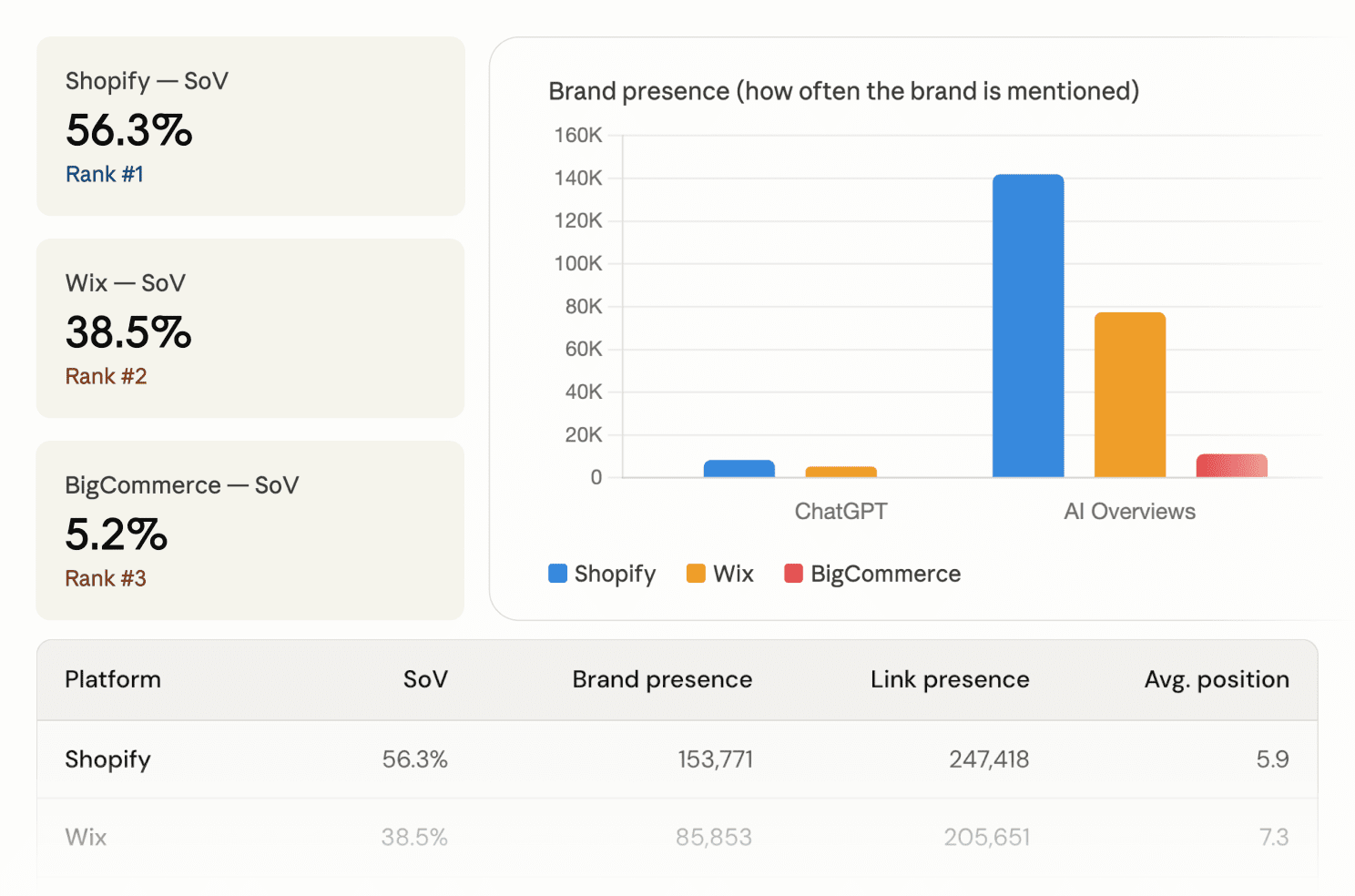
See who AI engines are citing, and where your brand is missing
Run analysis across ChatGPT, Perplexity, Gemini, Google AI Overview, and/or AI Mode. The Skill shows which brands are cited by topic clusters, where competitors are visible, and which gaps could become your next GEO content opportunity.
Example prompt:
“Compare AI Search share of voice for [your-domain.com], [competitor-1.com], and [competitor-2.com] across ChatGPT, Perplexity, and Google AI Overviews for [target topic]. Show who gets cited, which queries they appear for, and where our domain is missing.”
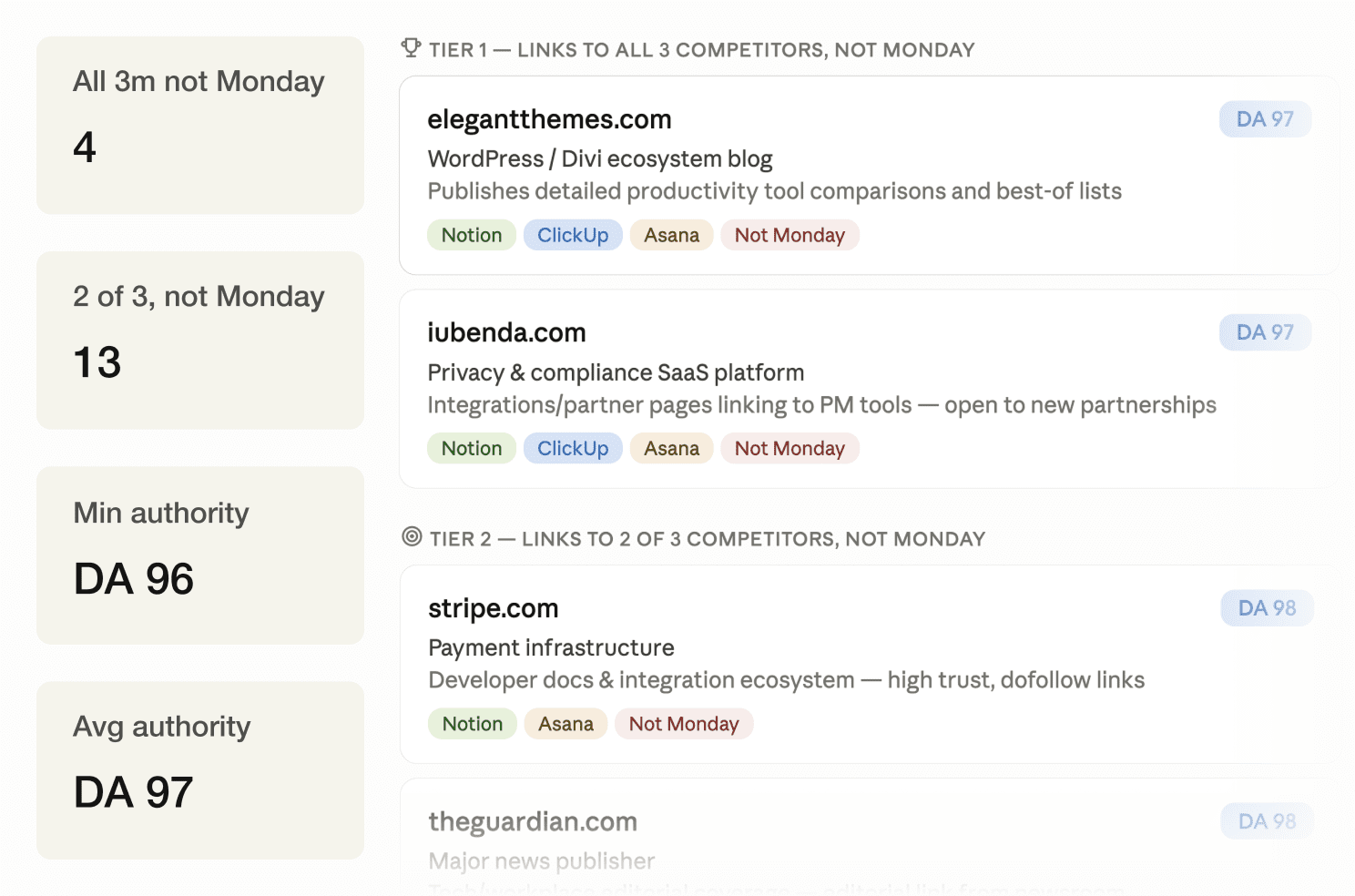
Find domains linking to your competitors, but not to you
Compare your backlink profile against multiple competitors and surface referring domains they have in common. The Skill turns backlink overlap into a prioritized prospect list with authority signals, anchor examples, and outreach angles.
Example prompt:
“Find domains linking to [competitor-1.com], [competitor-2.com], and [competitor-3.com] — but not to [your-domain.com]. Sort by authority and show the best link building opportunities.”
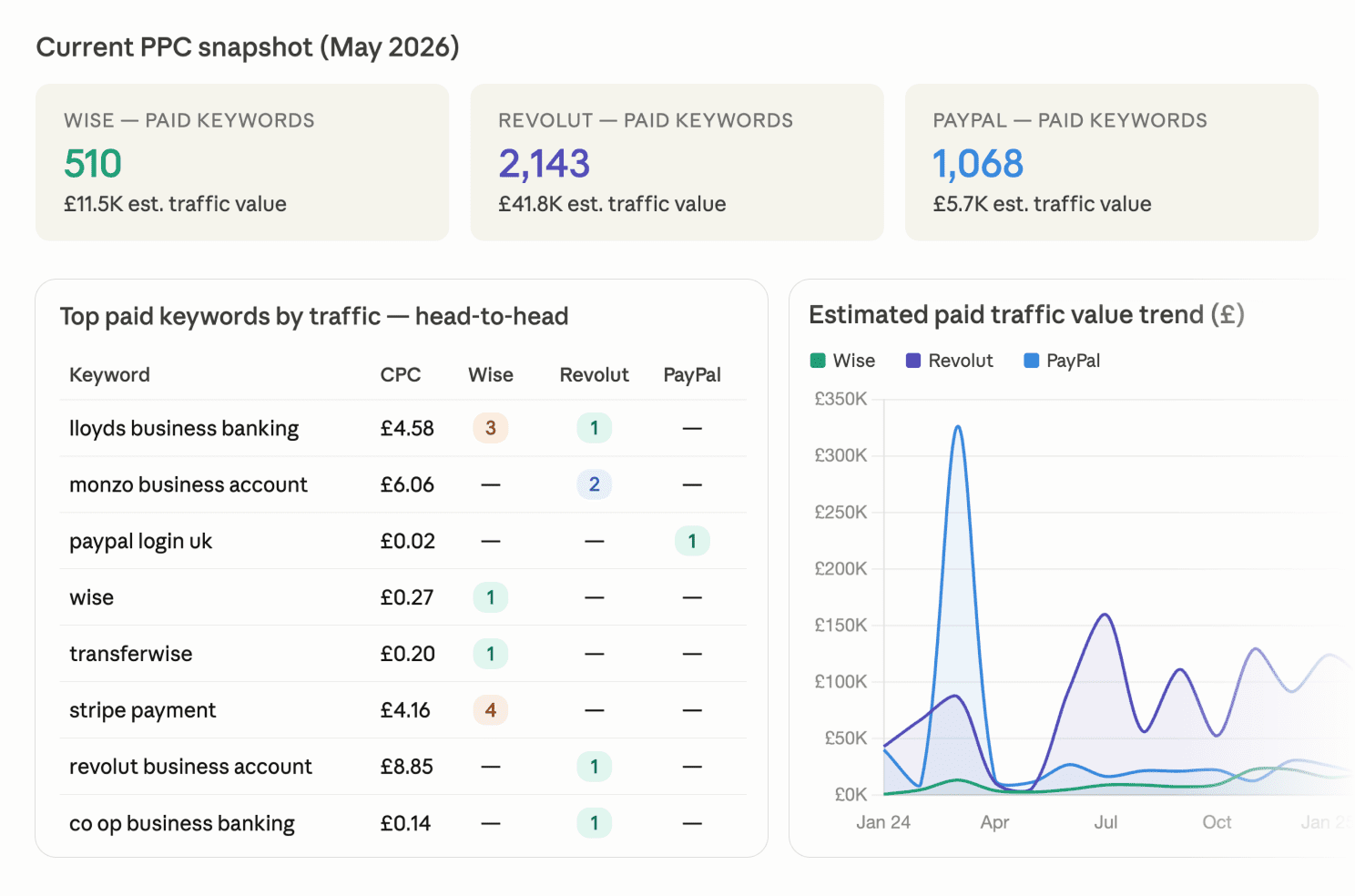
See what competitors are bidding on and how they position their offers
Analyze competitor paid-search activity across keywords, ad copy, and SERP ad visibility. The Skill shows which domains are active in paid search, where bids overlap, what messaging competitors use, and which keywords may be worth testing.
Example prompt:
“Run a PPC competitive analysis for [your-domain.com] against [competitor-1.com] and [competitor-2.com] in [target country]. Show who bids on our target keywords, what ad copy patterns competitors use, and which bid keywords we should consider.”
Get started in Claude Desktop. No terminal needed.
The SE Ranking SEO Skills plugin can be installed through Claude Desktop’s marketplace flow. Add the marketplace, install the plugin, and start asking Claude for SEO deliverables in plain language.
Open Customize in Claude Desktop
In Claude Desktop, open the sidebar and go to Customize. Choose Personal plugin, then click + Create plugin to open the plugin setup flow.
Add the SE Ranking Skills marketplace
Click Add marketplace and enter seranking/seo-skills. Once the marketplace loads, install the plugin. The skills become available in your next Cowork session.
Run SEO workflows from Claude
Once installed, ask Claude for the SEO task you need (like generating content briefs or performing backlink gap analysis) without re-explaining the context.
What are Claude Skills?
Claude Skills are reusable instructions that help Claude complete specific types of work. A Skill can define when it should be used, what steps Claude should follow, what context or reference files to use, and what kind of output to create. Instead of relying on a long prompt every time, a Skill gives Claude a repeatable process. This helps make complex tasks easier to run again and again.
What is the SE Ranking MCP?
SE Ranking MCP is the connection that lets Claude access SE Ranking data for keyword research, backlink analysis, domain analysis, website audits, AI search visibility, and more. The MCP acts as the data layer behind the workflows. Without it, Claude can still follow instructions, but it cannot use live SE Ranking data inside those workflows.
Why do I need both Claude Skills and SE Ranking MCP?
Skills and MCP do different jobs. Skills define the workflow: what Claude should do, what steps to follow, and what output to create. MCP provides the live SE Ranking data that the workflow needs. Together, they let Claude move from a simple request to a structured SEO deliverable based on real data.
How do I install SE Ranking’s SEO Skills for Claude?
You can install SE Ranking’s SEO Skills in Claude Desktop or Claude Code.
In Claude Desktop, open Customize, click Personal plugin → + Create plugin, then choose Add marketplace and enter seranking/seo-skills. Once the marketplace loads, install the plugin, and the Skills will be available in your next Cowork session.
For Claude Code, run two terminal commands: first add the marketplace with /plugin marketplace add seranking/seo-skills, then install the plugin with /plugin install seo-skills@seranking.
Can I use Skills in Claude Code?
Yes. Claude Code lets you run the installed Skills from the terminal with slash commands like /seo-content-brief, /seo-ads, or /seo-backlink-gap. You do not need to add a seo-skills: prefix before the command. You can also describe the SEO task in plain language, and Claude can choose the right Skill for you.
Do SE Ranking’s SEO Skills for Claude return chat answers or files?
Skills create formatted files, not just text replies in the chat. Depending on the workflow, that can mean a Markdown brief, audit report, SEO plan, keyword CSV, backlink prospect list, or research snapshot. This makes the result easier to review, share, compare, and hand off. It also helps your team keep outputs consistent across repeated runs.
Do I need to know how to code?
No, you do not need to know how to code to use Claude SEO Skills in Claude Desktop. You can install the Skills through the plugin marketplace flow and ask for SEO tasks in plain language. If you use Claude Code, you can install the same Skills in the terminal and run them with slash commands like /seo-content-audit or /seo-keyword-cluster. Claude Desktop is the simpler option for non-technical users, while Claude Code is useful for teams that prefer terminal-based workflows.
Turn Claude into an SEO workflow assistant
Make repeat SEO work a one-request process. Claude follows the Skill, SE Ranking provides the data, and you get the full process handled for you.