Your Step-By-Step Guide to Conducting a Bulk Domain Analysis With SE Ranking’s API
Analyzing thousands of domains for SEO can be tiresome. It often requires significant time and resources, but API technology makes bulk domain checks more accessible and efficient, which makes it easier to analyze competitive niches and find better guest blogging opportunities.
In this article, we’ll look at how SE Ranking’s API supports comprehensive domain analysis at scale, and how that data can improve your SEO workflow and results. We’ll also cover the different ways you can add this API to your SEO routine.
Let’s jump right in!
-
To get domain data for multiple websites, use SE Ranking’s API, specifically the Domain Analysis and Backlinks API. These APIs return organic traffic, keyword counts, domain trust scores, referring domains, backlinks, and more.
-
To get domain analysis data with Python, run the provided code in Google Colab. Once it finishes, the results appear in Google Sheets, where you apply a formula to pull out each metric you need.
-
This data supports quick competitive and niche analysis, backlink profile checks on any domain, and other SEO analysis at scale.
-
If you’d rather skip scripting altogether, SE Ranking’s MCP server lets you pull the same domain and backlink data by simply asking an AI assistant like Claude or ChatGPT to put it in a table.
An overview of APIs: what are they and how do they work?
The SE Ranking team built API to simplify work with large-scale domain data analytics and other SEO tasks. You can retrieve raw data without manually logging into the SE Ranking platform, which is useful for companies that manage large volumes of data and accounts, such as SEO agencies.
This API access is available with both Core and Growth subscriptions.
To analyze domains in bulk with SE Ranking, use the following two APIs: Domain Analysis and Backlinks.
The Domain Analysis API presents a convenient format for accessing domain statistics from both organic and paid search results, including traffic, keywords, and other metrics. Meanwhile, the Backlinks API provides data that you can use to conduct backlink profile analyses. Both of these APIs combined offer nearly all the numeric metrics available on the platform versions of these tools.
Here are some of the key metrics available.
Domain Analysis API:
- Total domain traffic within the specified location
- Number of keywords a domain ranks for in the specified location
- Number of newly acquired keywords
- Number of keywords that have dropped from the SERPs
- Number of keywords with consistent ranking positions
- Number of keywords with improved ranking positions
- Number of keywords with decreased ranking positions
- Total number of keywords ranked in positions 1-5, 6-10, and 11-20
- And more
Backlinks API:
- Domain Trust score
- Total number of backlinks for the URL
- Total number of referring domains for the URL
- Total number of dofollow/nofollow backlinks
- And more
This isn’t the complete list. You can find all parameters in our Backlinks API and Domain Analysis API documents.
How to optimize your workflow with our API
There are two ways to run this workflow: a no-code path through the SE Ranking MCP server, or a scripted path through Python and Google Colab. The MCP path is covered first below. The Python and Colab path that follows is the reference for teams that want a fully scripted, repeatable pipeline.
Skip the code: the SE Ranking MCP server
The SE Ranking MCP server is a hosted, remote server that lets an AI assistant call SE Ranking’s Data API on your behalf, so you get the same domain and backlink data covered in this article without opening Google Colab or writing Python. It’s centrally hosted and managed, with nothing to install locally: no Docker or terminal setup involved.
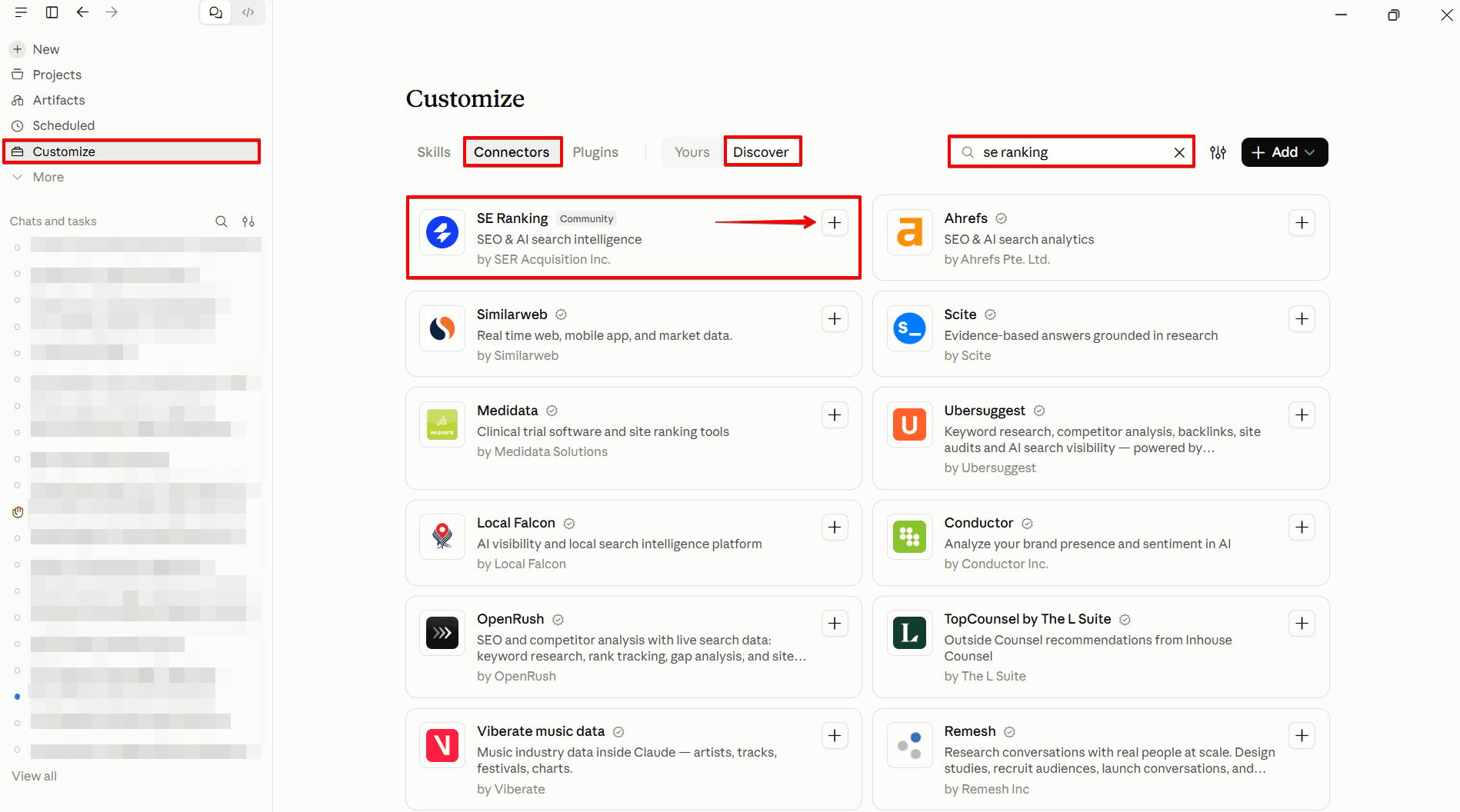
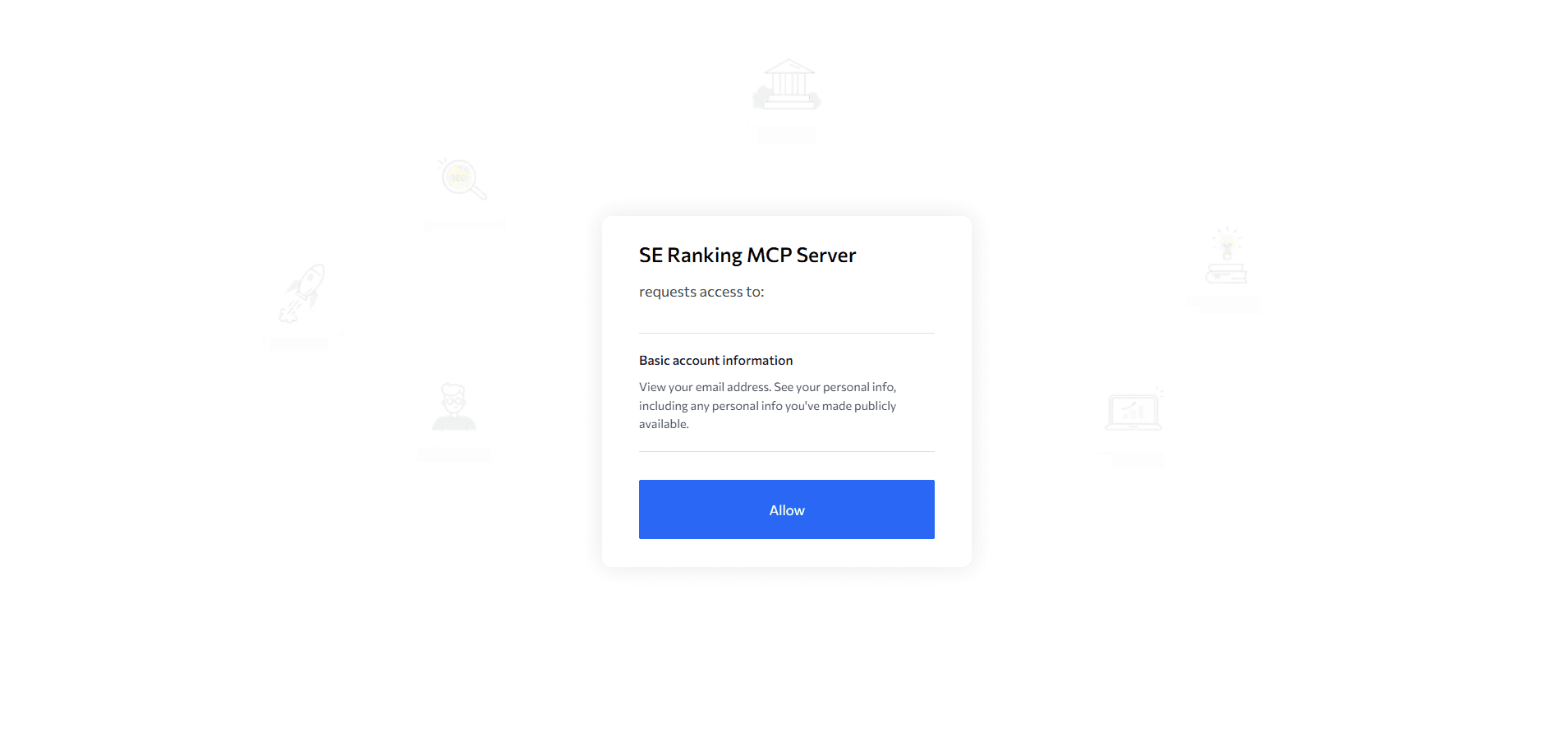
To connect it in Claude, add SE Ranking as a custom connector at claude.ai/customize/connectors, or in Claude Desktop under Customize > Connectors: name it “SE Ranking,” set the server URL to https://api.seranking.com/mcp, then authorize through OAuth. In ChatGPT, open Apps, search for SE Ranking, and select Connect.
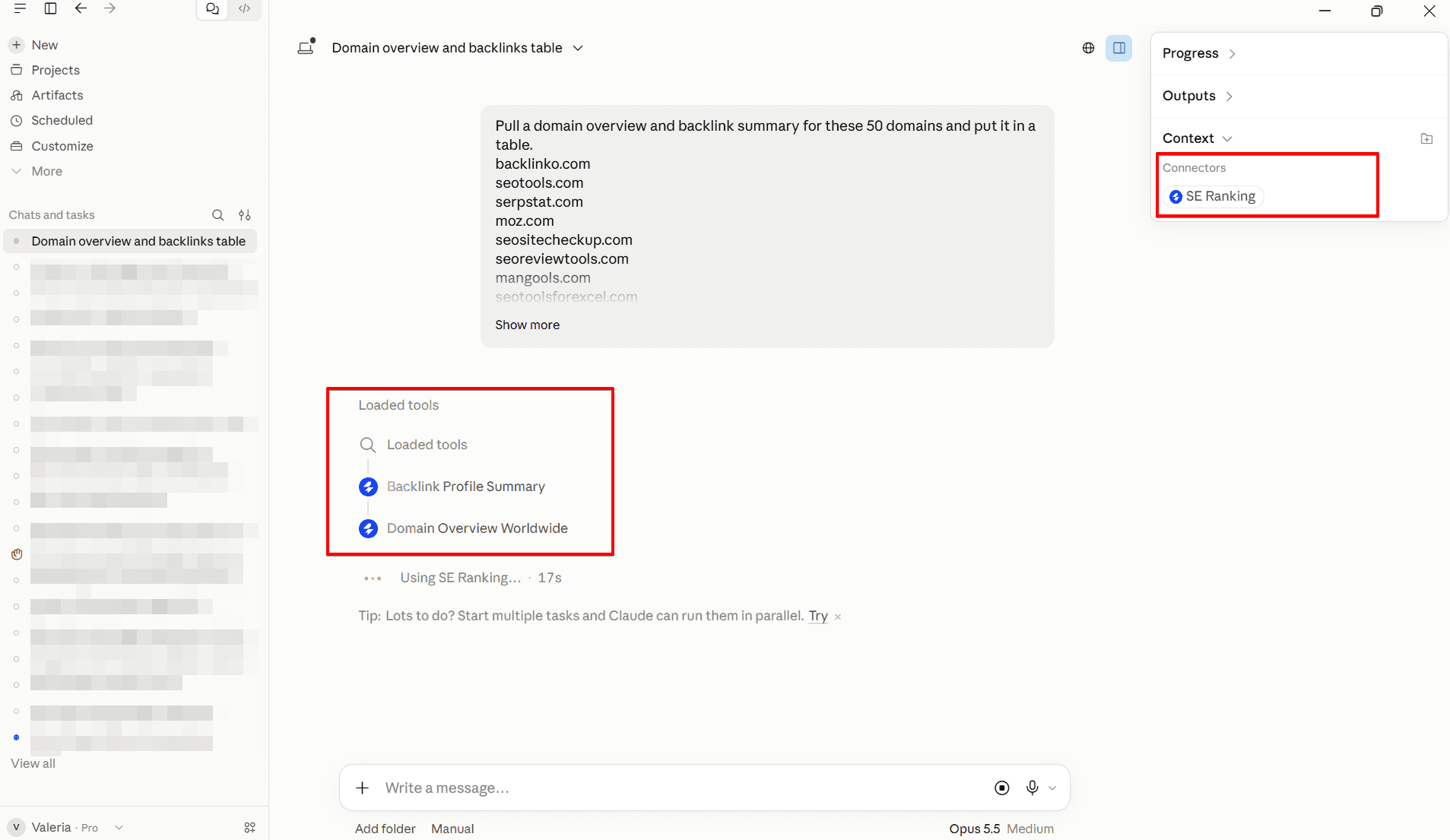
Once it’s connected, you’re calling the same endpoints this article’s Python scripts already use: the Domain Analysis API’s domain overview endpoints, and the Backlinks API’s “Get backlink summary” endpoint, which supports batching up to 100 targets in a single request. Only the invocation method changes.
Install the SE Ranking MCP server in Claude or ChatGPT, then ask something like: “Pull a domain overview and backlink summary for these 50 domains and put it in a table.” The LLM calls the same API endpoints described below, without you writing any code.
How many underlying API calls that one prompt turns into isn’t documented, so don’t assume a single prompt always maps to a single API call when you’re estimating usage. Data API access, and MCP access with it, is credit-based: it’s included with paid plans, and a 14-day trial adds 100,000 free API credits, but MCP draws on the same credit balance as the script path, not a separate one.
As a reference point, backlink summaries alone run roughly 100 credits per domain, so a 50-domain pull is roughly 5,000 credits for that piece alone. Domain overview cost per record isn’t confirmed here, so check your API Dashboard’s Unit costs table before running this at scale.
The output is conversational. You can ask the assistant to format results in a table, but that’s not the same as the persistent, formula-editable Google Sheet the Colab script below produces. For a recurring, repeatable reporting pipeline, the Python and Colab path that follows is still the better tool. SE Ranking’s MCP connector is an active area of development, so treat this as the current state rather than a finished feature set.
Available codes
You can conduct a domain analysis using one of the following two scripts.
1. Domain Analysis + Backlinks API
Pros: You get more data from two modules at once.
Cons: You still spend Backlinks API credits. Due to the large amount of data to process, the code operates slower.
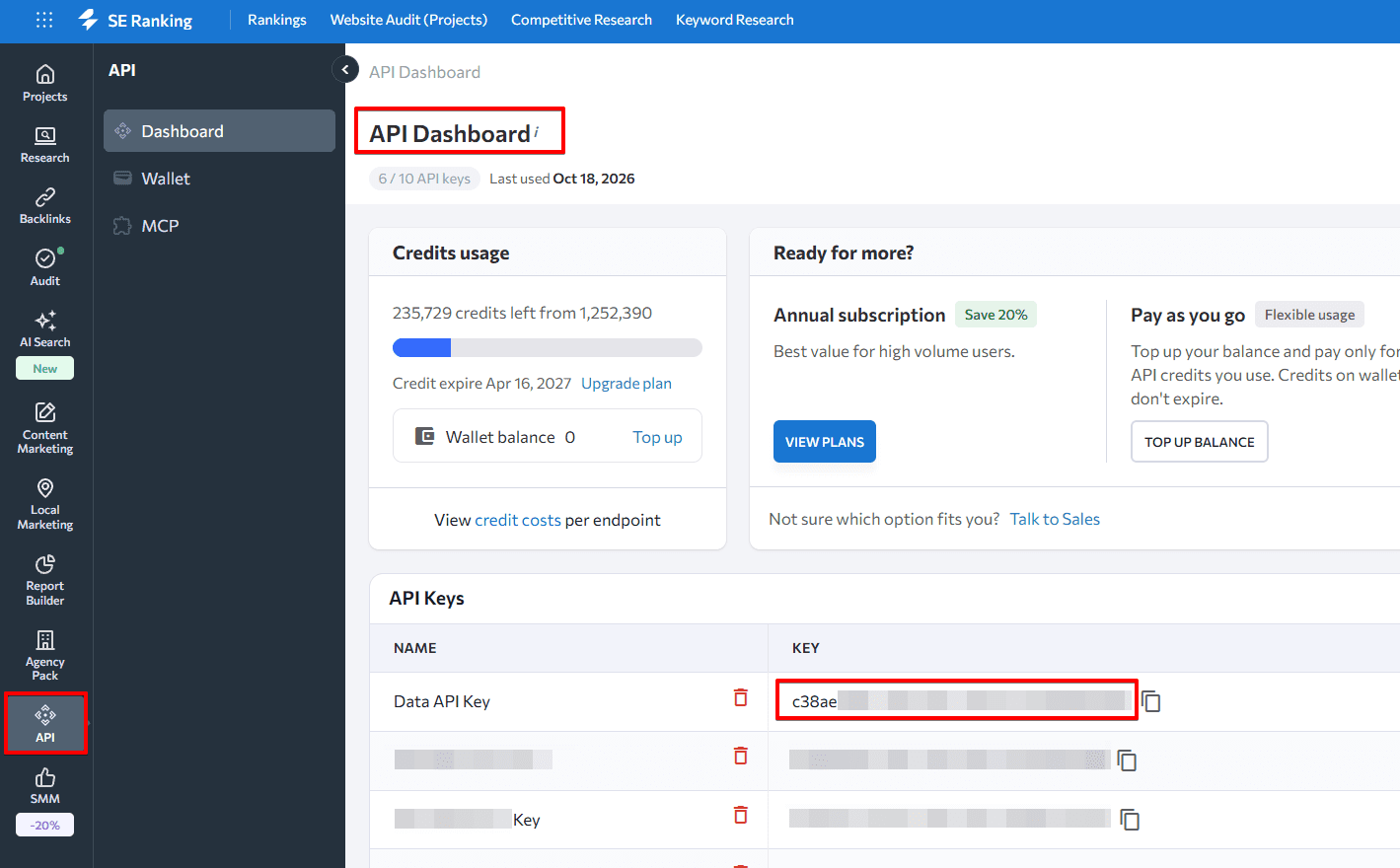
You will need to copy and paste the code below into Google Colab. But please note that you must add your API key to the api_key parameter. This can be found within the API section of SE Ranking’s Settings.
Domain Analysis + Backlinks API code:
import requests
import gspread
from google.colab import auth, drive
from oauth2client.client import GoogleCredentials
import pandas as pd
from gspread_dataframe import set_with_dataframe
from google.auth import default
auth.authenticate_user()
creds, _ = default()

def read_table(table_name:str) -> pd.DataFrame:
 gc = gspread.authorize(creds)
 worksheet = gc.open(table_name).sheet1
 rows = worksheet.get_all_values()
 frame = pd.DataFrame.from_records(rows)
 frame.columns = frame.iloc[0]
 frame = frame.drop(index=[0])
 frame = frame.fillna('')
 return frame

def save_table(table_name:str, dataframe:pd.DataFrame) -> None:
  gc = gspread.authorize(creds)
  worksheet = gc.open(table_name).sheet1
  set_with_dataframe(worksheet, dataframe)

def request_to_api(research:pd.DataFrame) -> list:
   result = list()
   for index, row in research.iterrows():
       domain = row['domain']
       research_result = get_research_api_result(domain)
       backlinks_result = get_backlinks_api_result(domain) if (row['backlinks'] == '') else row['backlinks']
       result.append([domain, research_result, backlinks_result])
   return result

def get_api_headers() -> str:
   api_key = 'ADD YOUR API KEY'
   return dict(Authorization=api_key)

def get_research_api_result(domain:str) -> str:
   params = dict(domain=domain)
   api_url = 'https://api4.seranking.com/research/uk/overview/?'
   result = requests.get(api_url, params=params, headers=get_api_headers())
   return result.json()

def get_backlinks_api_result(domain:str) -> str:
   report = create_backlink_checker_report(domain)
   report_id = str(report.get('report_id'))
   api_url = 'https://api4.seranking.com/backlink-reports/' + report_id + '/overview'
   result = requests.get(api_url, headers=get_api_headers())
   delete_backlink_checker_report(report_id)
   return result.json()

def create_backlink_checker_report(domain:str) -> str:
   params = dict(mode='domain', target=domain)
   api_url = 'https://api4.seranking.com/backlink-reports'
   result = requests.post(api_url, json=params, headers=get_api_headers())
   return result.json()

def delete_backlink_checker_report(report_id:str) -> None:
   api_url = 'https://api4.seranking.com/backlink-reports/' + report_id
   requests.delete(api_url, headers=get_api_headers())

def main():
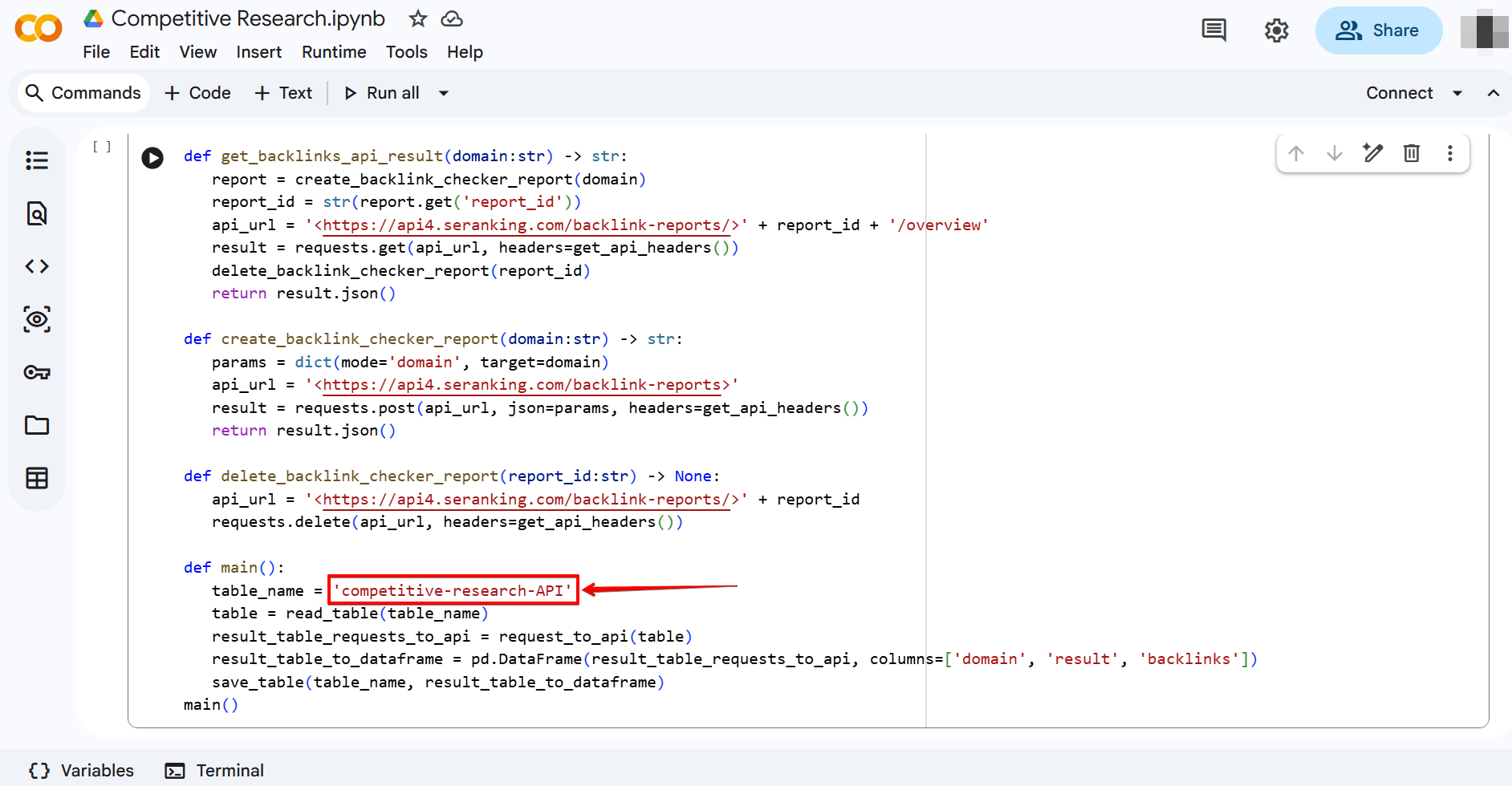
   table_name = 'competitive-research-API'
   table = read_table(table_name)
   result_table_requests_to_api = request_to_api(table)
   result_table_to_dataframe = pd.DataFrame(result_table_requests_to_api, columns=['domain', 'result', 'backlinks'])
   save_table(table_name, result_table_to_dataframe)
main()
2. Domain Analysis API
Pros: The script operates faster, and you don’t use up credits.
Cons: You acquire less data and do not receive information on domain trust (domain authority), number of backlinks, referring domains, etc.
Domain Analysis code:
Don’t forget to input your API key into the api_key parameter.
import requests
import gspread
from google.colab import auth, drive
from oauth2client.client import GoogleCredentials
import pandas as pd
from gspread_dataframe import set_with_dataframe
from google.auth import default
auth.authenticate_user()
creds, _ = default()

def read_table(table_name:str) -> pd.DataFrame:
 gc = gspread.authorize(creds)
 worksheet = gc.open(table_name).sheet1
 rows = worksheet.get_all_values()
 frame = pd.DataFrame.from_records(rows)
 frame.columns = frame.iloc[0]
 frame = frame.drop(index=[0])
 frame = frame.fillna('')
 return frame

def save_table(table_name:str, dataframe:pd.DataFrame) -> None:
  gc = gspread.authorize(creds)
  worksheet = gc.open(table_name).sheet1
  set_with_dataframe(worksheet, dataframe)

def request_to_api(research:pd.DataFrame) -> list:
   result = list()
   for index, row in research.iterrows():
       domain = row['domain']
       research_result = get_research_api_result(domain)
       result.append([domain, research_result])
   return result

def get_api_headers() -> str:
   api_key = 'ADD YOUR API KEY'
   return dict(Authorization=api_key)

def get_research_api_result(domain:str) -> str:
  params = dict(domain=domain)
  api_url = 'https://api4.seranking.com/research/uk/overview/?'
  result = requests.get(api_url, params=params, headers=get_api_headers())
  return result.json()

def main():
  table_name = 'competitive-research-API'
  table = read_table(table_name)
  result_table_requests_to_api = request_to_api(table)
  result_table_to_dataframe = pd.DataFrame(result_table_requests_to_api, columns=['domain', 'result'])
  save_table(table_name, result_table_to_dataframe)
main()
Here are a few key parameters to pay attention to:
- This is how your API key appears in the code (see the api_key parameter above).

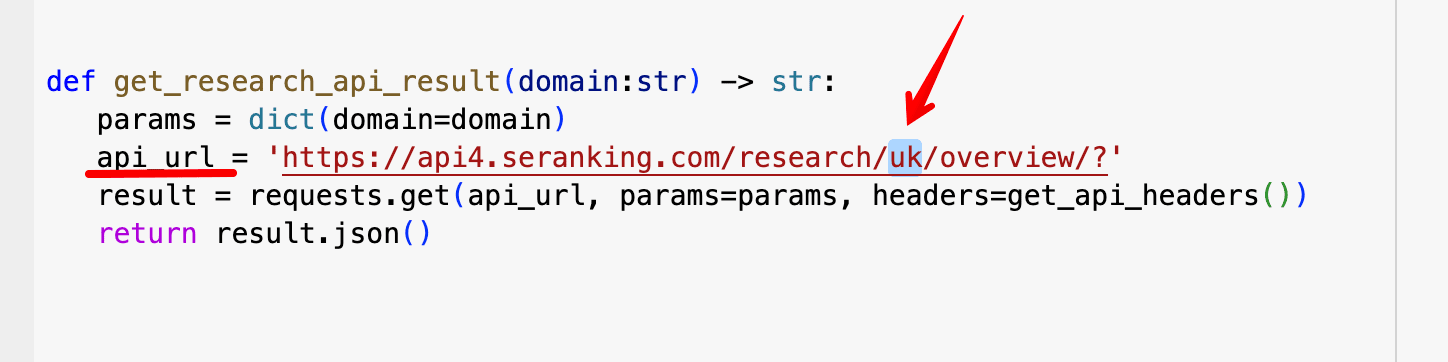
- In api_url, you can change the location from which to retrieve traffic/keyword data.
- These are the columns in your Google Sheets file: domain, result, and (for the combined script) backlinks.

Now, let’s move on to our step-by-step guide to utilizing these codes.
How to use it
If you skipped the no-code MCP option above, here’s how to run the Python script yourself:
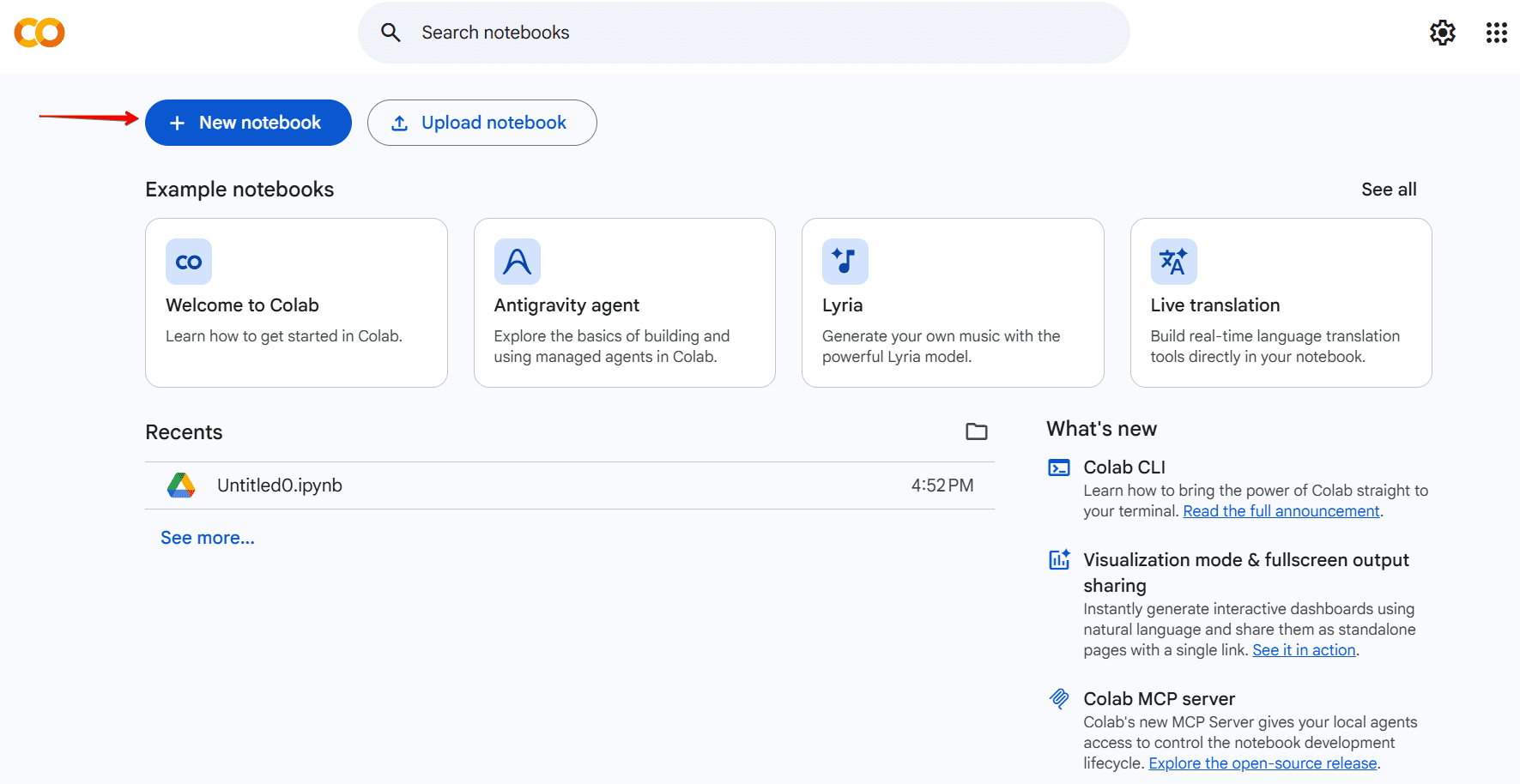
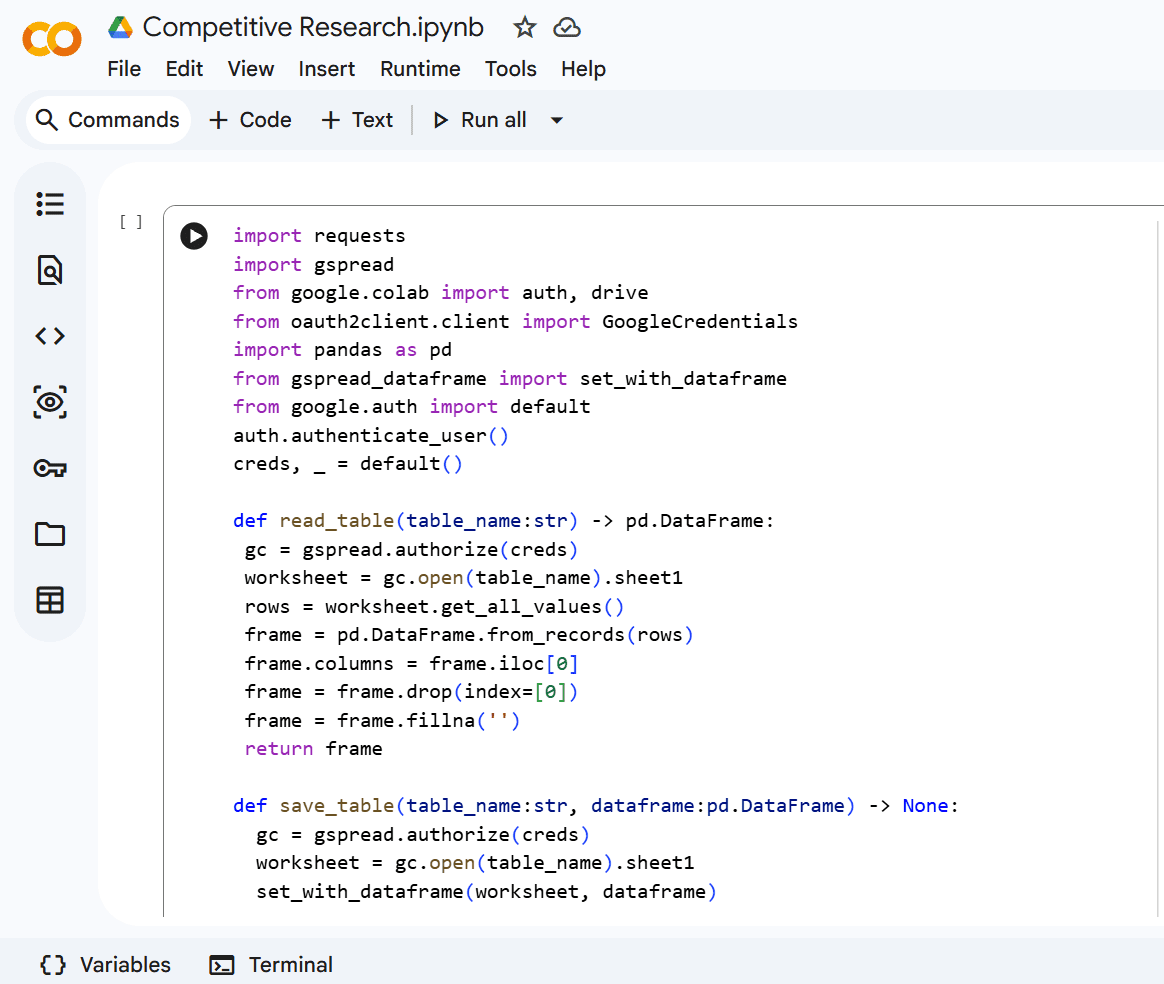
Step 1. Open Google Colab, create a new notebook and paste one of the two codes provided in the previous section.
Step 2. Open the Colab Notebooks folder in your Google Drive and create a Google Sheet file.
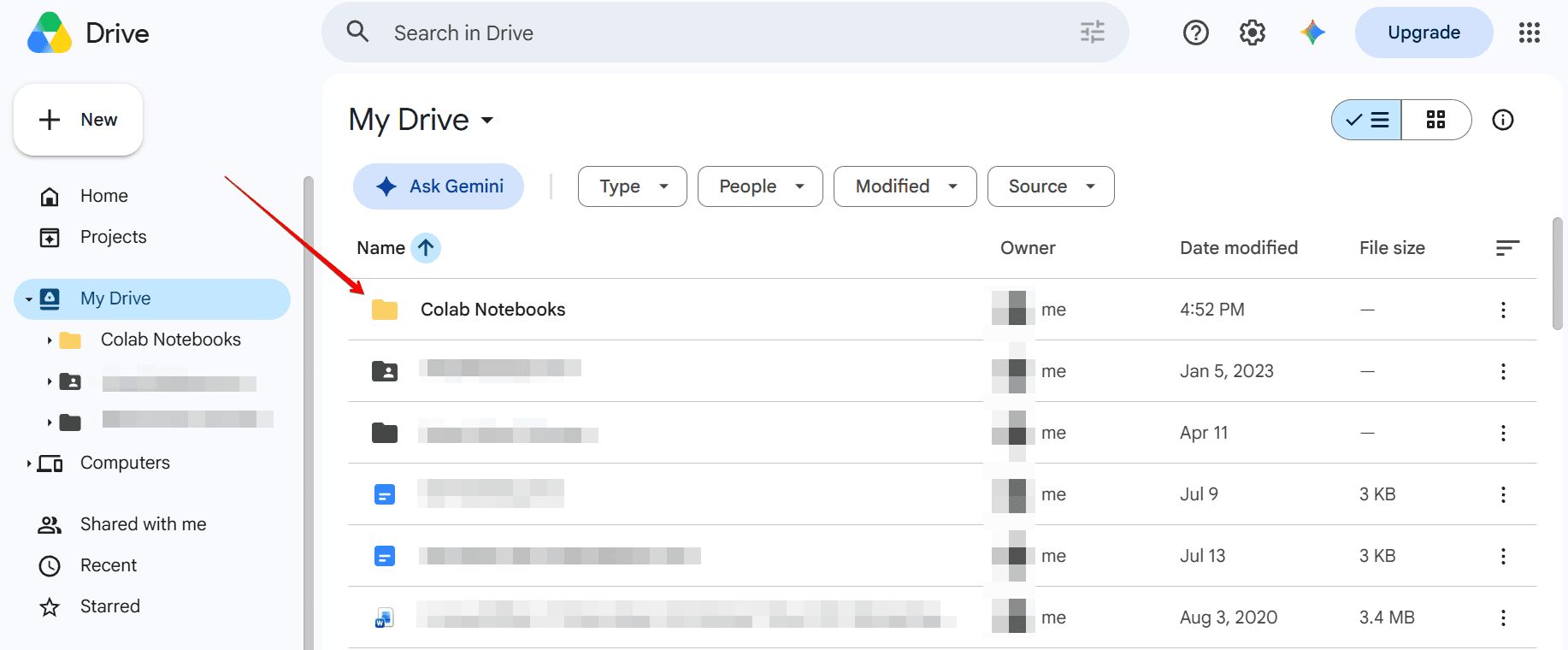
Note: Ensure that the file name is an exact match with the table_name in the code.
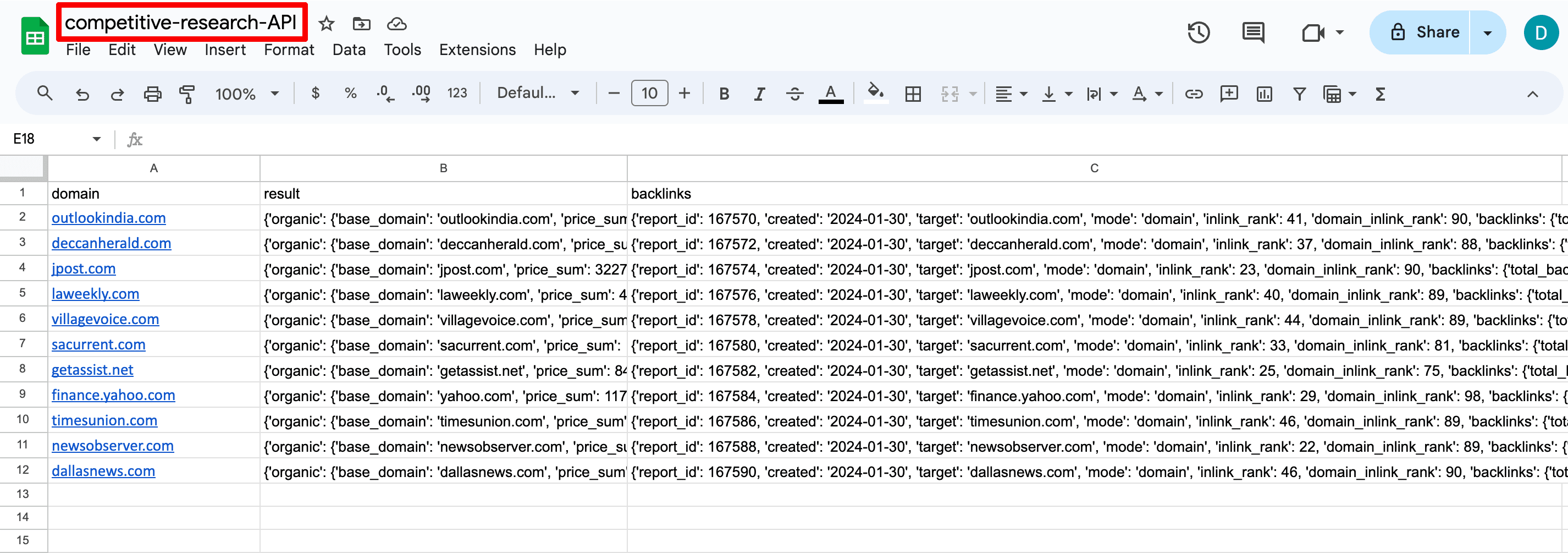
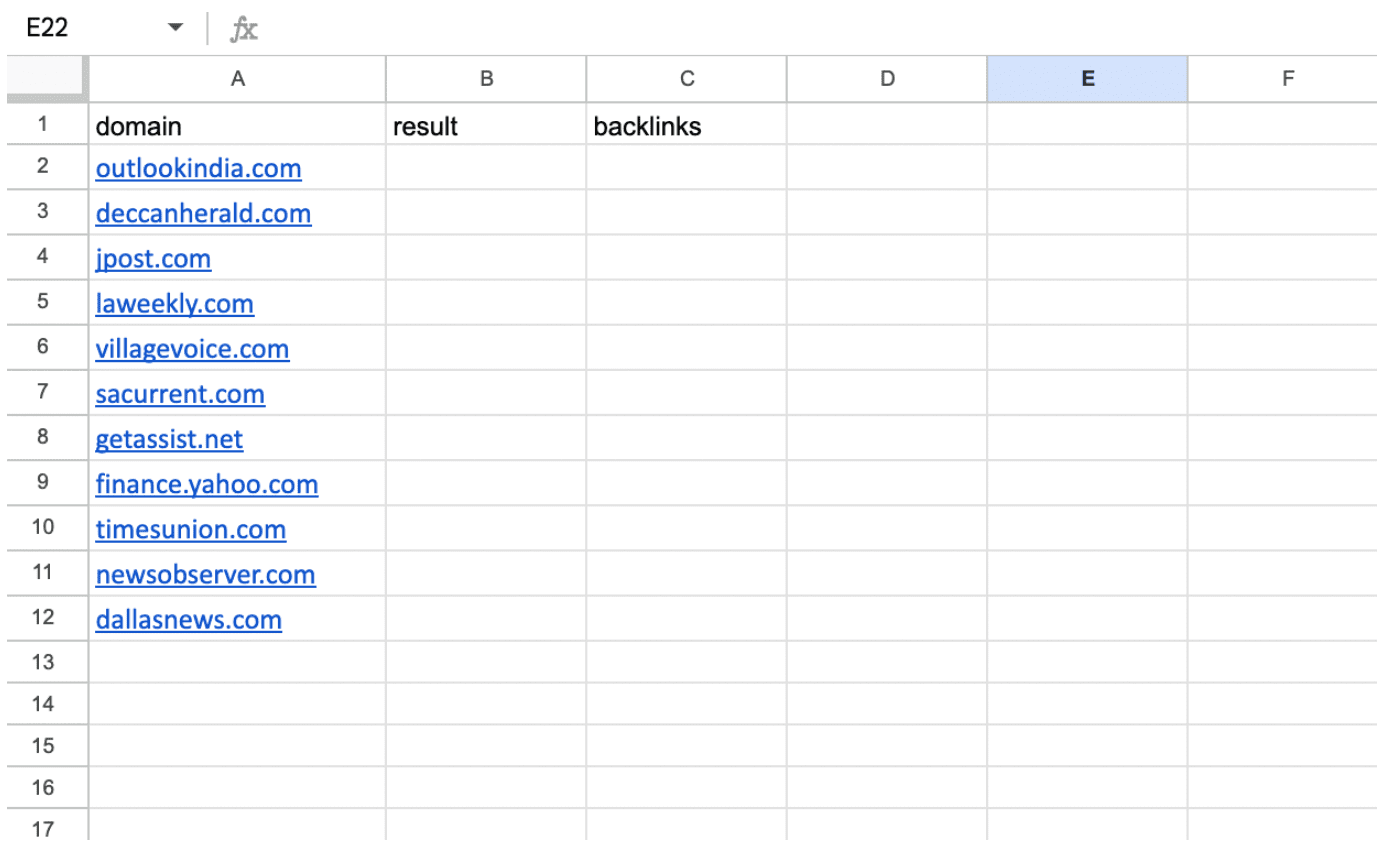
Step 3. Assign names to the columns based on the script being used. If using the Competitive Research API script exclusively, columns A and B should be called domain and result, respectfully. For the Competitive Research and Backlink Checker API scripts, in addition to the domain and result columns, you need to add a third column called backlinks. If necessary, you can rename the columns and update the code accordingly. Then, enter your domains in the first column without http:// and www.
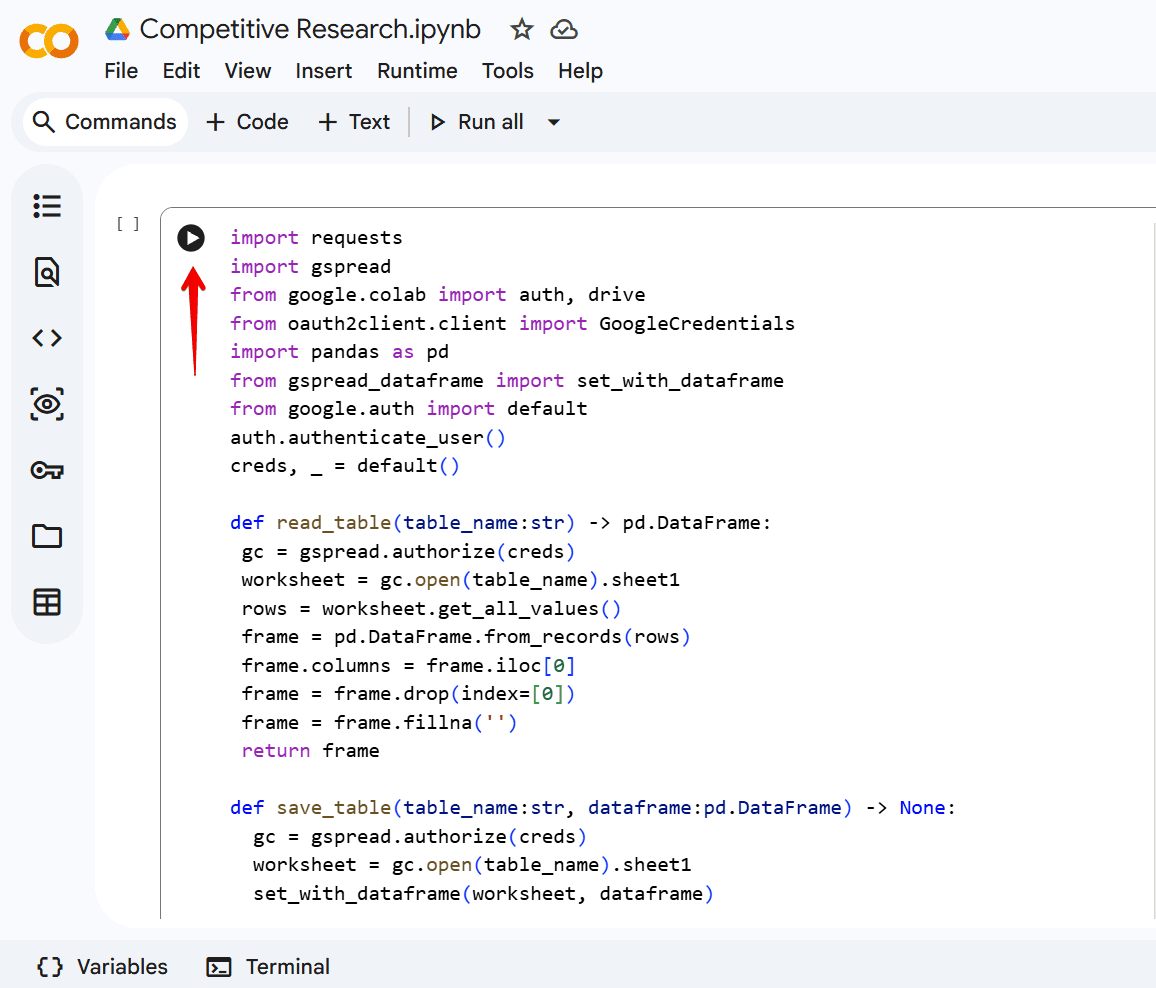
Step 4. Go to Colab, click the button to run the code, and grant access if required.
Step 5. After the script finishes running, check back into the Google Sheets file at a later time to get the results.
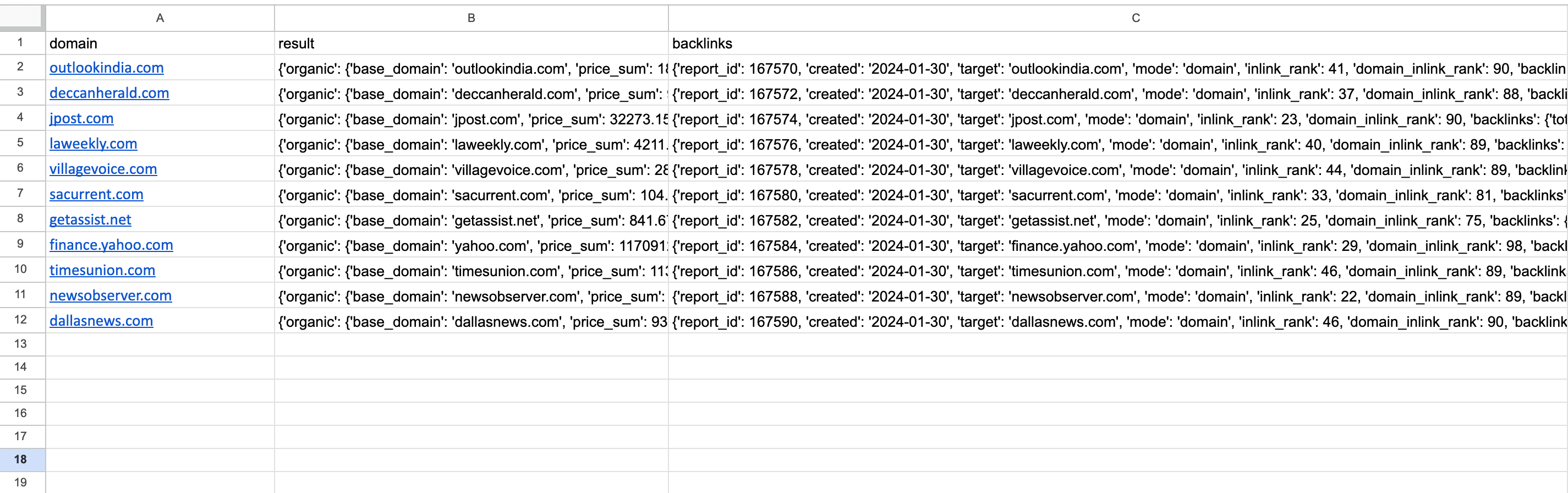
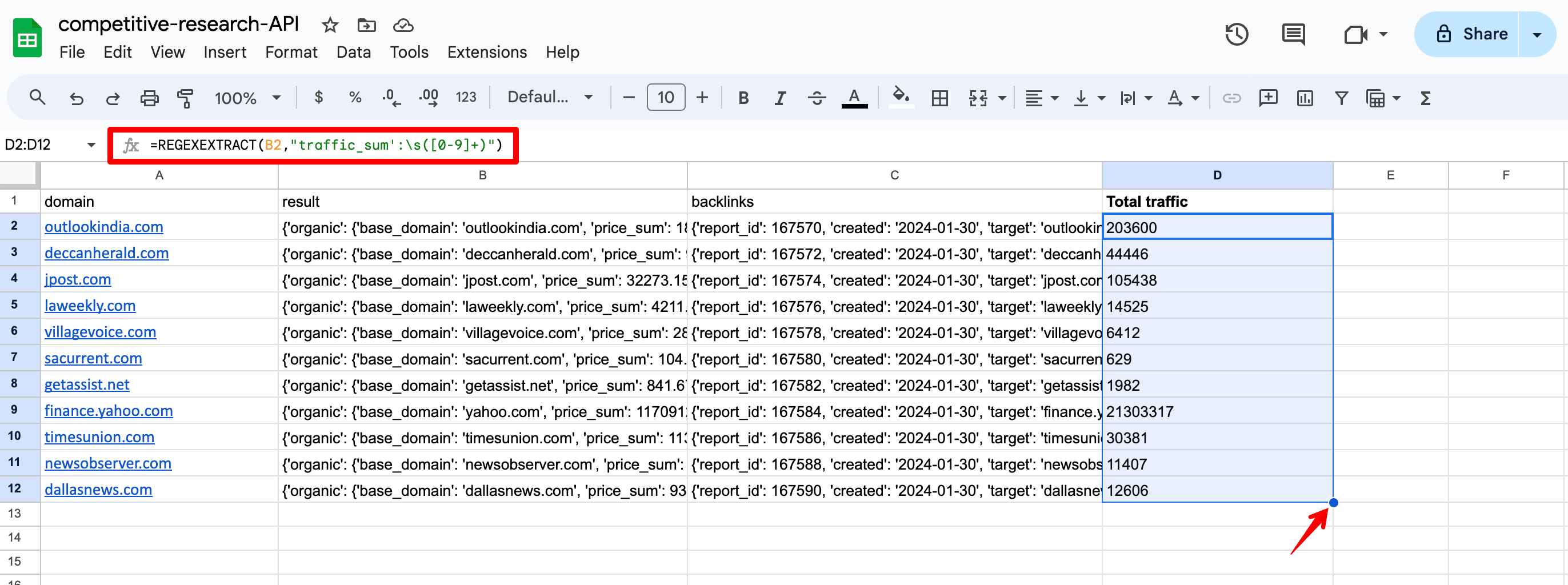
Step 6. To isolate the metric you specified, extract it from the JSON data. Just input the =REGEXEXTRACT function or come up with your own solution. Below is the formula for accessing the traffic_sum parameter, which represents the total organic traffic in a specified location:
=REGEXEXTRACT(B2,”traffic_sum’:\s([0-9]+)”)
- B2 is the column containing your JSON data (i.e., your result column). If you need data from another column, you can change it in the formula.
- traffic_sum is the metric of interest. If you want to retrieve other data, you can change this parameter in the formula.
- \s([0-9]+) is the regular expression that searches for sequences where the whitespace character is immediately followed by one or more digits. You don’t need to change it.
Step 7. Once you have entered the formula into the first cell, drag it down to copy the formula to all cells. Be sure to obtain data from each domain on the list.
Here is a list of key metrics that you can use in formulas to obtain important domain data:
- keywords_count — Total number of keywords a domain ranks for in the specified location.
- top1_5 — Total number of keywords that rank in the top 1-5.
- keywords_new_count — Total number of new keywords.
- domain_inlink_rank — Domain Trust score.
- total_domains — Total number of referring domains for a URL.
- total_backlinks — Total number of backlinks for a URL.
You can find each of these metrics in JSON format in our Backlinks API (for the backlinks column) and Domain Analysis API (for the result column) documents.
Exploring API use cases
Wondering how can this data benefit you? Let’s explore some areas in SEO where you can benefit from API.
- Competitive and niche analysis
You can assess the strength of your competitors (or domains in your niche) based on factors such as organic traffic, number of keywords, backlinks, and domain trust. This helps you gauge the overall competitiveness of the niche and where you stand compared to these websites.
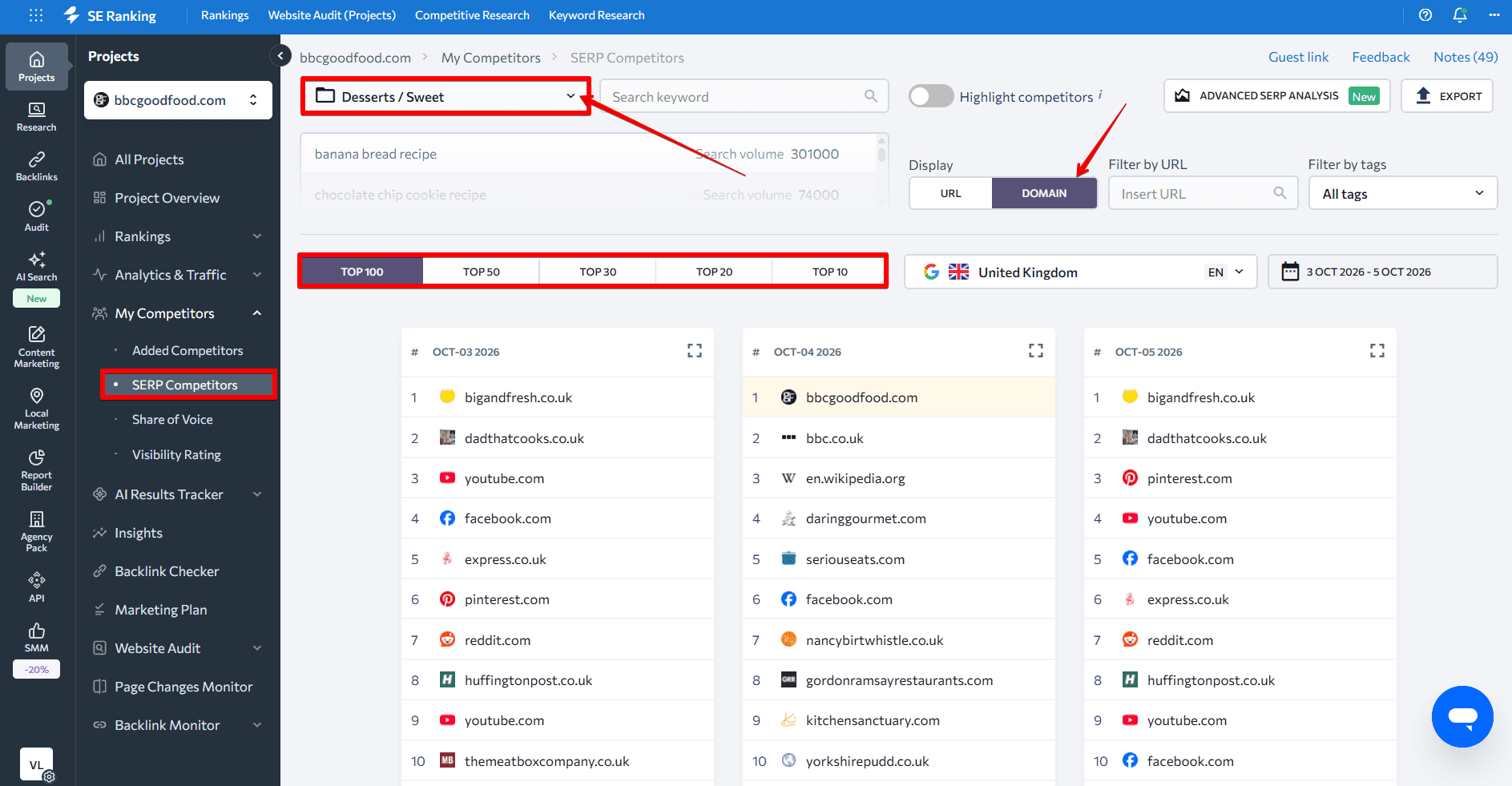
To expand your domain list and find more websites from within your niche, you can get SERP results for the keywords in your niche. Just use SE Ranking’s SERP Competitors feature under the My Competitors tab to get this information.
Here’s how:
- Select the desired keyword group from the dropdown menu (ensure that you have previously added all necessary keywords to a single group within the project).
- Choose how many results from the SERP you need (100/50/30/20/10).
- Select the Domain mode.
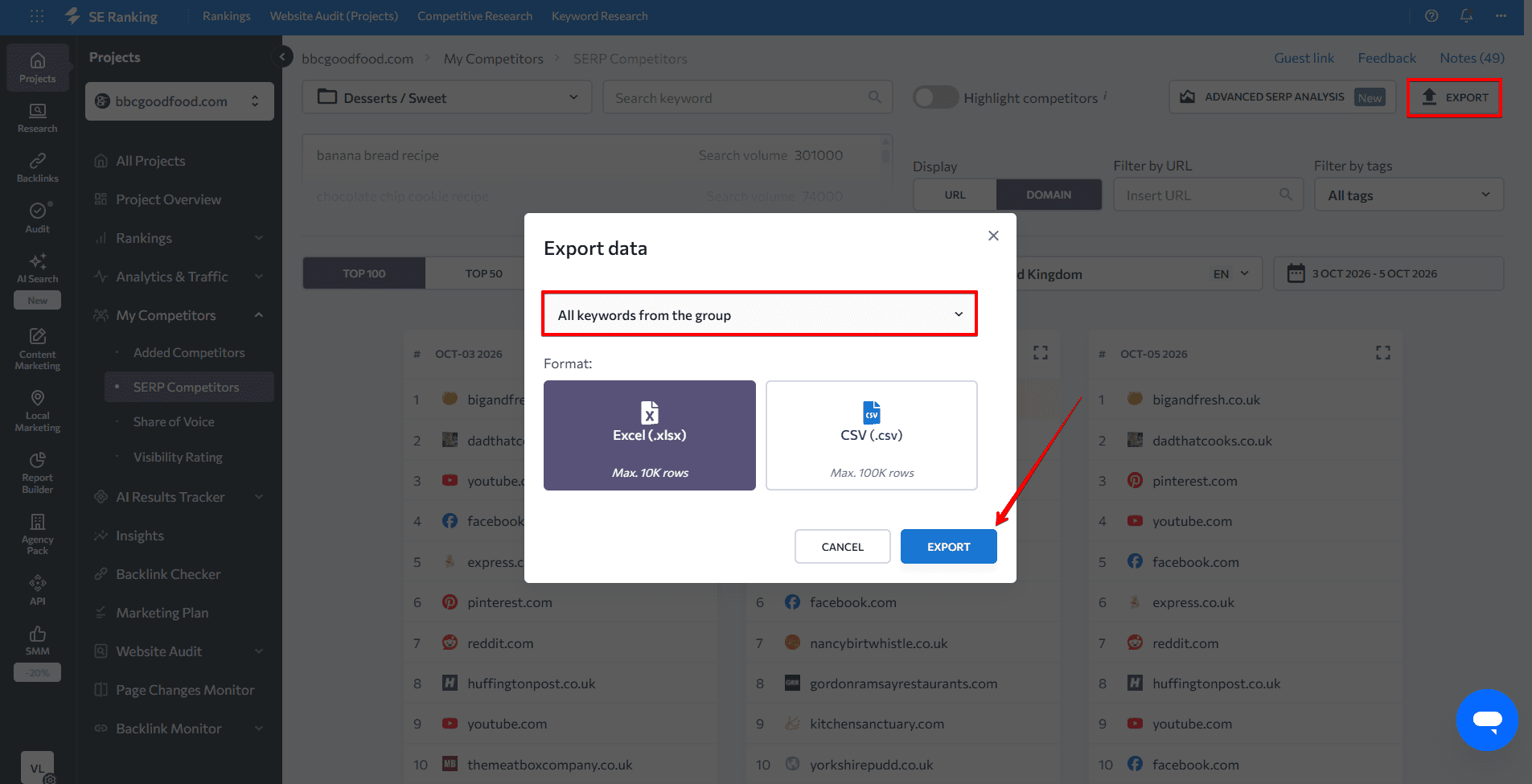
Then, export data. Select the All keywords from the group option to obtain a list of domains that rank in the top 10-100 for the keywords you want to examine.
After you have chosen the websites you want to examine, add them to the Google Sheets file and conduct a domain SEO analysis. It will compare the organic traffic, number of keywords, backlinks, referring domains, and domain trust scores of these sites. This can provide valuable insights into your niche’s competitive landscape.
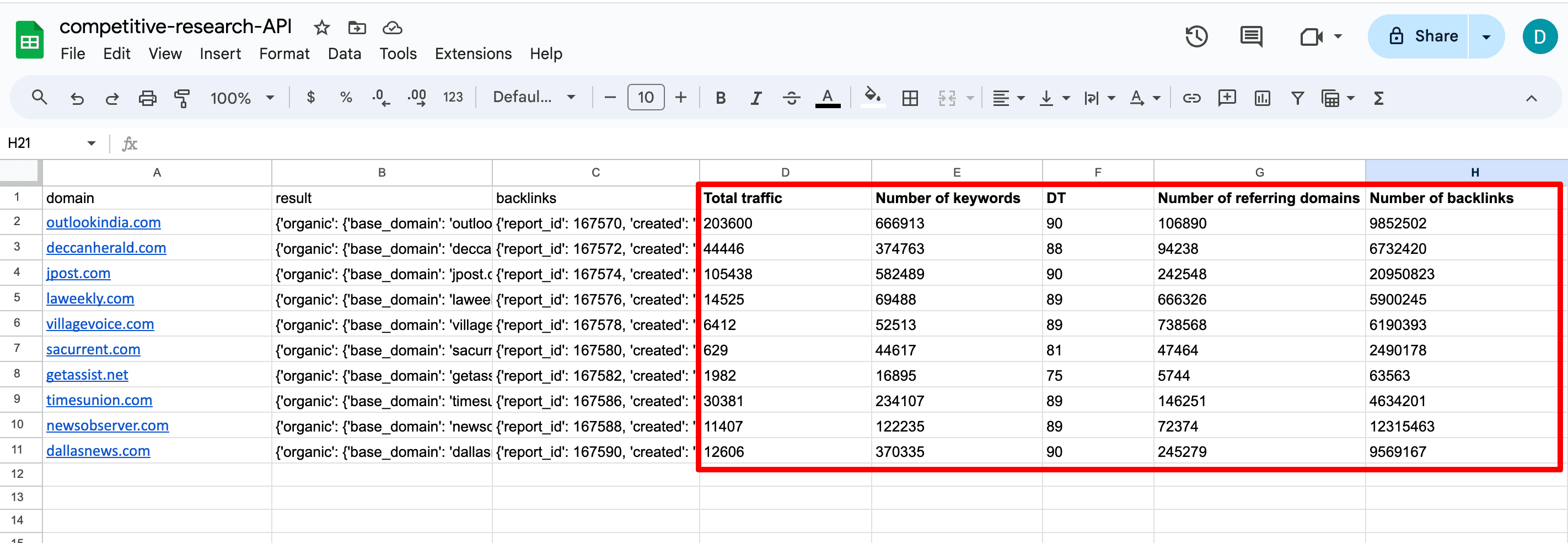
To conduct an in-depth competitive analysis, use specialized tools like SE Ranking’s Competitive Research and Backlink Checker.
- Guest blogging and digital PR
You can also streamline your link building efforts by pinpointing the most relevant domains to contact for potential collaboration opportunities. Conducting a quick initial research study with API helps you evaluate domain quality before committing to investing in further resources.
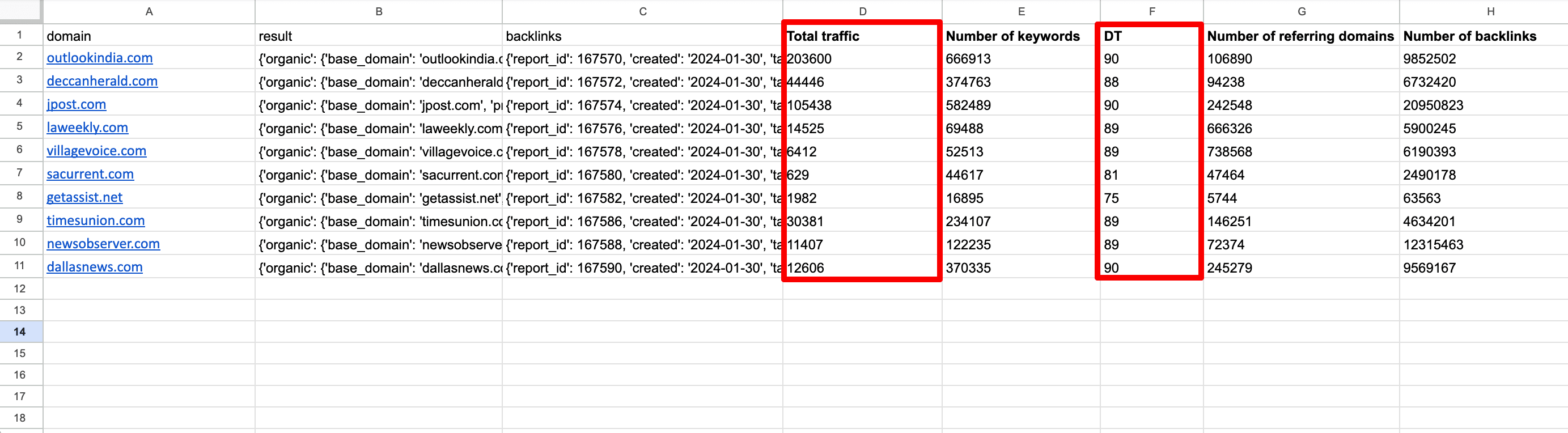
For instance, you can assess their organic traffic and Domain Trust scores to pinpoint potential sources for deeper analysis and further collaboration outreach. While this approach may not offer insights into site relevance and other important qualitative metrics, it is a good starting point for your campaign.
Wrapping up
SE Ranking’s API functionality is an ideal solution for businesses managing multiple large-scale projects at once. It smoothens the process of analyzing huge datasets and automating SEO processes.
We hope that the API codes and guide we provided help simplify your bulk domain analysis efforts. We designed our APIs, and the no-code MCP server that sits on top of them, for everyone, whether or not you know how to code.