Claude Code for SEO: 3 workflows with SE Ranking’s MCP
SEO in 2026 is a bigger job than it used to be. The scope has expanded, but the time and headcount haven’t. If anything, teams are expected to do more with less. And on top of that, there’s pressure from leaders, clients, and stakeholders to actually use AI and automate processes.
The problem is that real adoption takes time and experimentation.
Claude Code, paired with SE Ranking’s MCP, is a good place to start. It picks up where the chatbot stops, and the three workflows below will give you something concrete to experiment with right away.
You might be using Claude the hard way
Most people using Claude for SEO work are using it as a chatbot. Ask a question, get an answer, copy it somewhere, ask the next question. It works but up to a point.
The problem is the mode. Chat-based AI is built for conversation, not execution. And there’s a hard ceiling on what you can get done one prompt at a time.
Here’s the distinction that matters:
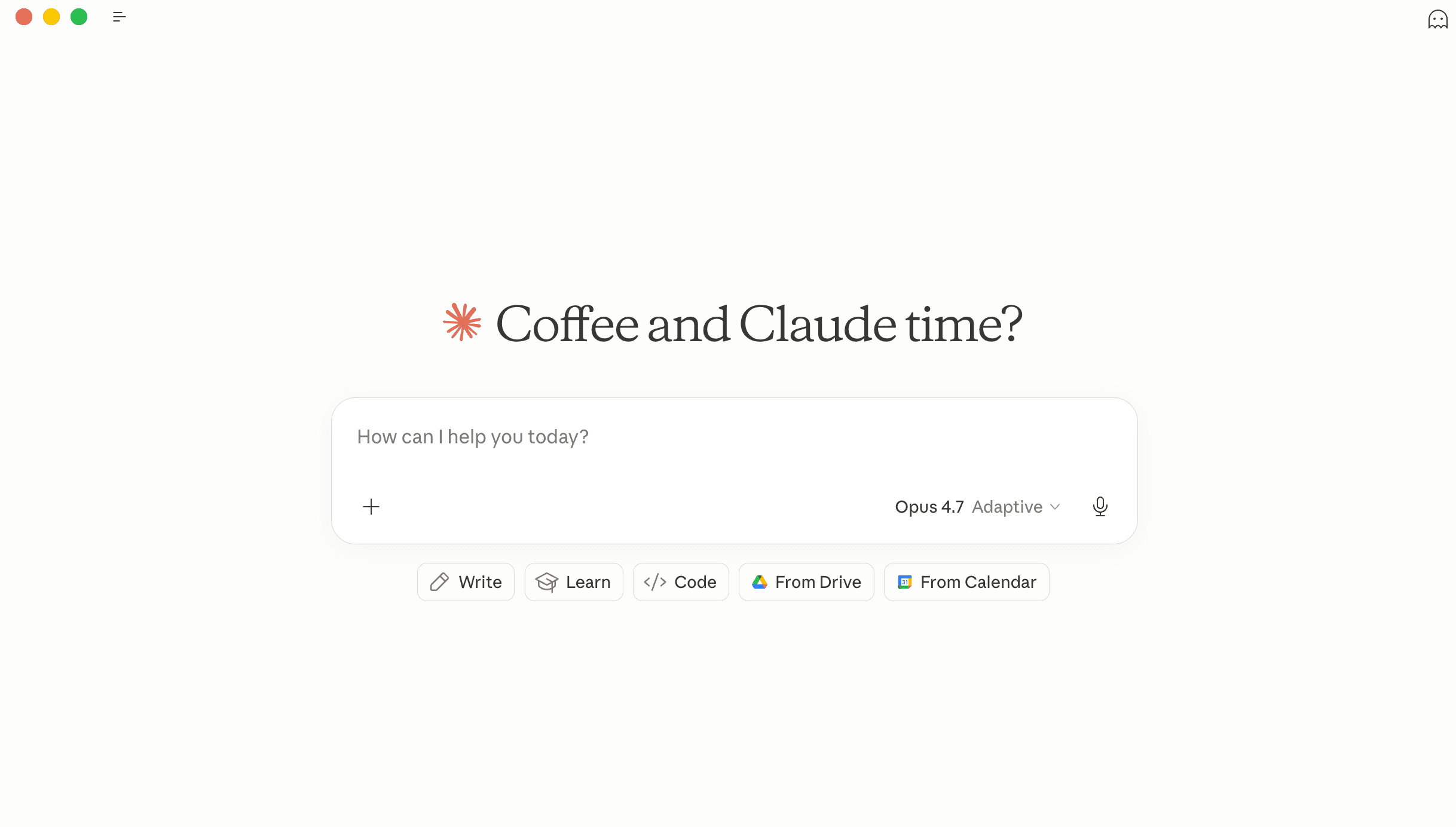
- Claude Desktop is a chat interface with tool access. You prompt, it responds. One task at a time. At some point, it starts forgetting what you said at the beginning, and you end up copy-pasting your own results back into the chat to keep it on track. It’s fine for a quick question, but it falls apart for a 10-step SEO research workflow.
- Claude Code is a terminal-based execution agent. You give it one objective, and it plans the steps, executes them, reads and writes files as it goes, calls APIs, and keeps working until the job is done. It saves intermediate results to files instead of holding everything in memory, and never loses context. You review the final output.
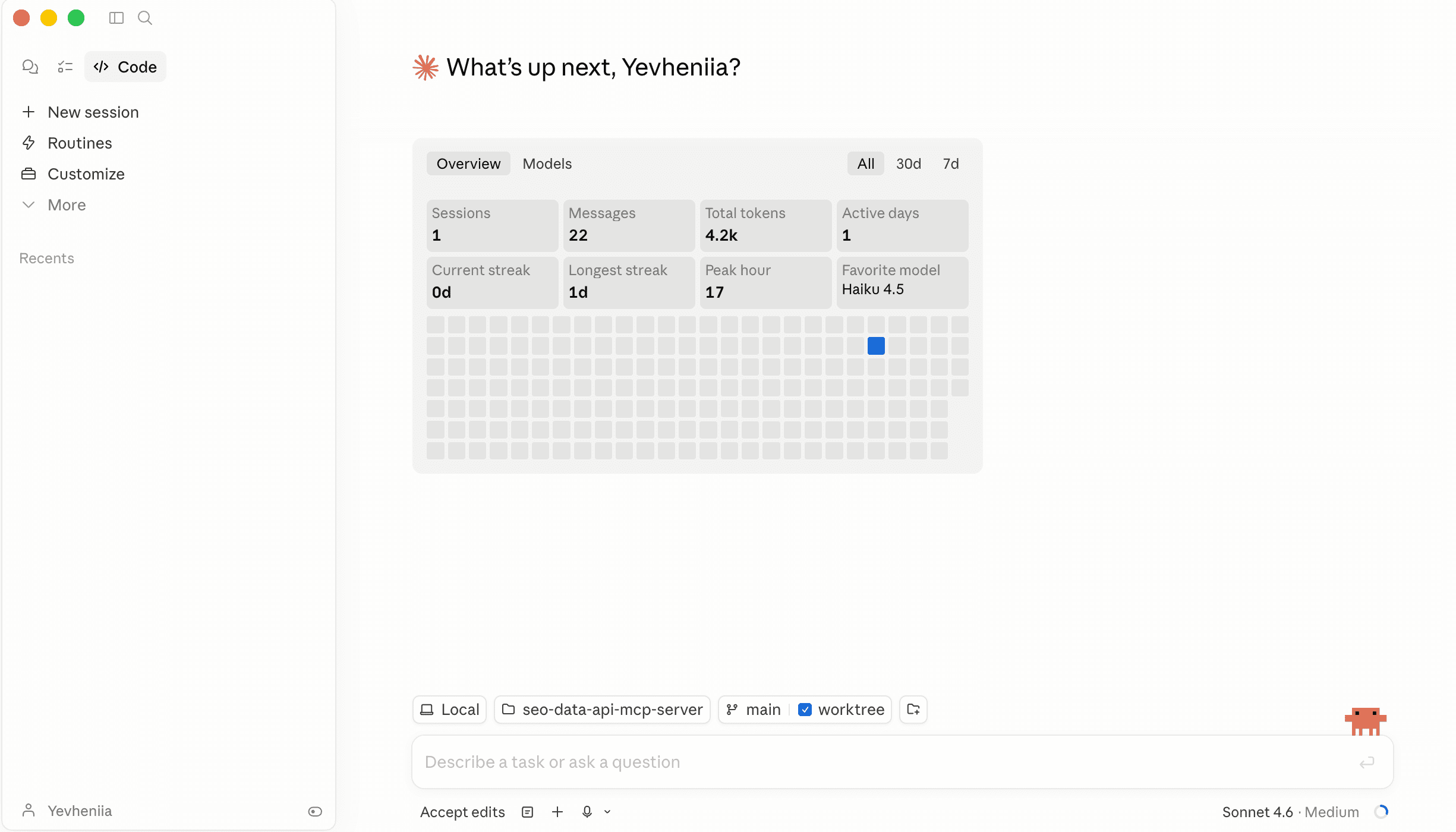
The difference: Desktop is a conversation. Code is delegation.
Claude Code
Set an objective, AI plans the path
Claude Code
“I want this result. Figure it out.”
Claude Code
You review the final output
Claude Code
Saves to files, manages its own memory
Claude Code
Reads, writes, executes. End-to-end
Set an objective, AI plans the path
“I want this result. Figure it out.”
You review the final output
Saves to files, manages its own memory
Reads, writes, executes. End-to-end
Anthropic also released Claude Cowork. It has the same agentic foundation as Claude Code, but without the terminal. You give it access to a folder on your computer, and it can read, edit, and create files. No command line required.
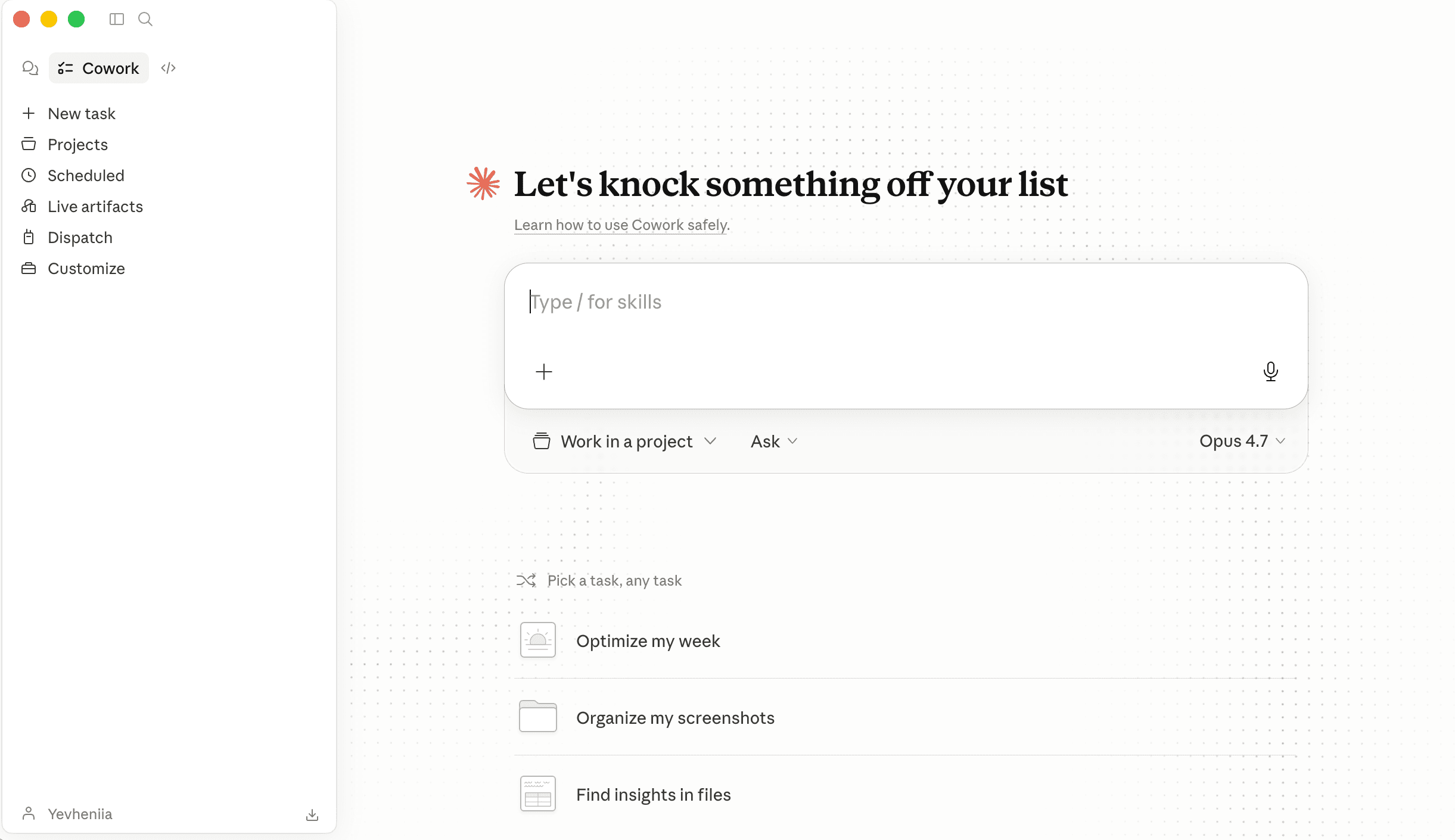
If Claude Code feels intimidating, Cowork is the friendlier on-ramp to the same capabilities.
What MCP actually does (and why it matters)
MCP is a bridge between Claude Code and live data. SE Ranking’s MCP server connects Claude Code to your SE Ranking account, giving you access to keyword data, backlink analysis, competitive research, and AI search visibility in real time.
The most common concern is whether it’s actually usable for non-technical SEOs, or it’s more of a developer playground.
The answer to this is that the process is pretty straightforward, and the setup takes about 10 minutes. Once it’s connected, you’re talking to Claude in plain English. The prompts in the workflows below contain no code, just descriptions of what you want. For example, “Find keyword gaps. Propose article ideas. Save everything to files.” Claude and the MCP handle everything else. You don’t need to know what an API endpoint is.
A few things worth knowing:
- The data you get through the MCP is the same data available in the SE Ranking API and web app. It’s not sampled or cached.
- Claude Code runs in a sandboxed environment. Every time it wants to write a file, run a command, or do anything potentially destructive, it asks you first. You see exactly what it’s about to do and approve or deny it.
- SE Ranking’s MCP is read-only on your account data. It queries your data and runs analysis, but doesn’t modify your projects, campaigns, or settings.
What makes SE Ranking’s MCP specifically useful right now is that it combines classic SEO data (rankings, backlinks, keyword research, competitive analysis) with AI search data (brand mention rates across ChatGPT, Gemini, Perplexity, AI Overviews, and AI Mode). This way, you get a multi-layered picture of performance across the search ecosystem and can see how jumps or drops in one are linked to those in the other.
3 SEO workflows with Claude Code and SE Ranking’s MCP
We’ve been experimenting with Claude Code for a while and found these three workflows useful for SEO. Below, we’ll describe what they are, how they work, and what you get at the end.
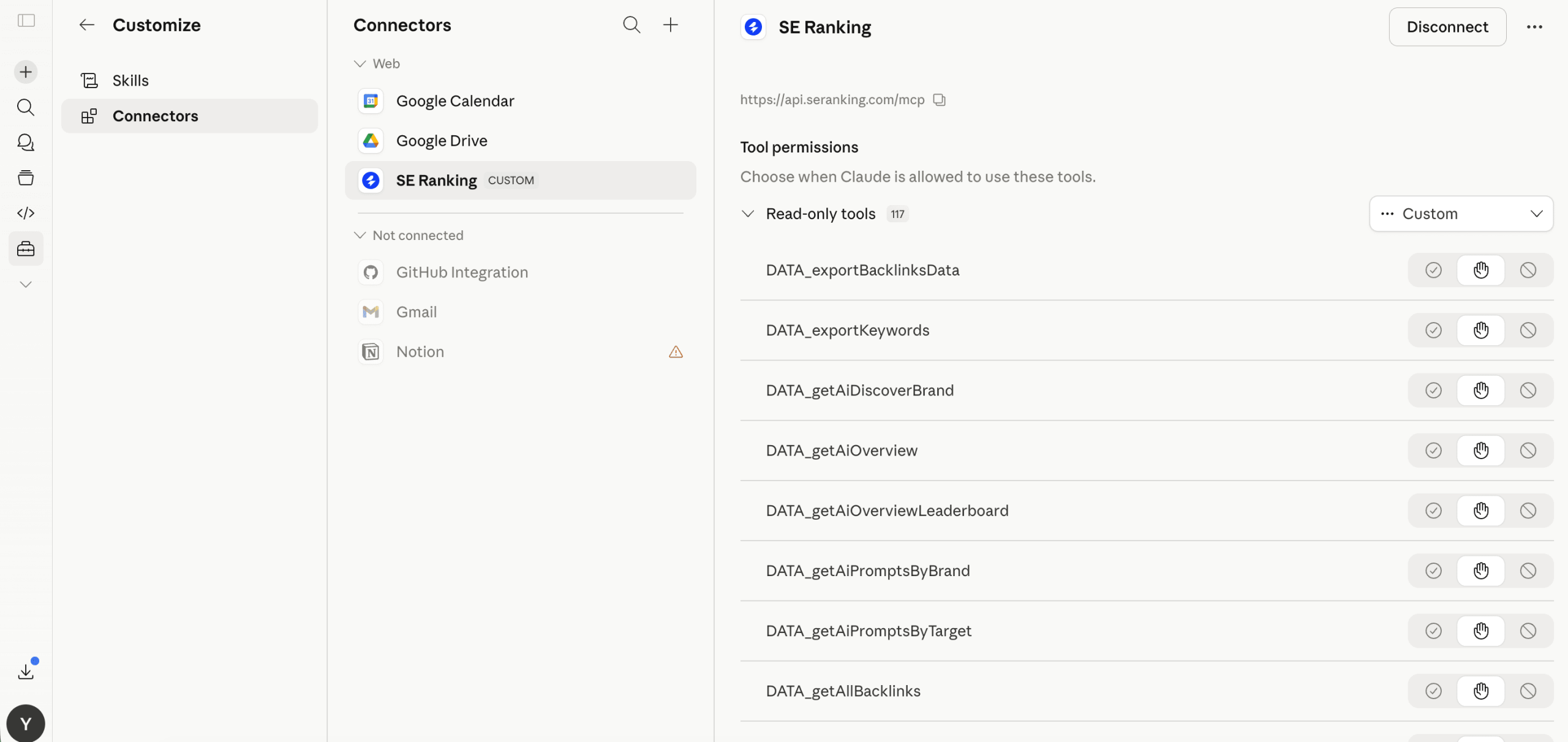
But first, a brief checklist of what you need to get started:
- SE Ranking API key: Any SE Ranking plan with API add-on, or a standalone API subscription. Once you’re logged in, go to API in the left sidebar, then API Dashboard, and create your key.
- Claude Code: Anthropic Max subscription ($100/mo) or Claude Pro + API credits ($20/mo + usage). For these workflows, the terminal version gives you full control and lets you see exactly what’s happening.
- SE Ranking MCP server: This is what gives Claude direct access to SE Ranking’s data. You can install it via Connectors directly in Claude.
Now, to the things we did, and you can too.
Workflow 1: Building a content brief from a single objective
This is the use case most content and SEO teams will reach for first.
The objective: find the best blog post opportunity for a brand and produce a writer-ready brief with title options, keyword targets, H2/H3 structure, content gaps, and internal linking suggestions.
To give you a sense of the baseline: a thorough content brief with domain analysis, competitor research, keyword gaps, SERP analysis, and content gap work takes a senior SEO specialist somewhere between three and four hours. That’s assuming they know what they’re doing, aren’t starting from scratch, and don’t hit dead ends along the way.
With Claude Code and SE Ranking MCP, the same brief runs in under 10 minutes.
Here’s the prompt we used. The target is Notion.com, but you can swap in any domain and market:
You are a senior SEO content strategist. Notion (notion.com) wants to publish a new blog post to capture organic traffic they're currently losing to competitors. Your job: find the best topic opportunity and deliver a complete content editor brief a writer can start from tomorrow.

Using SE Ranking MCP:
  1. Pull Notion's domain overview and top organic keywords in the US market.
     Save to `notion-content-brief/01-domain-overview.md`
  2. Identify Notion's top 5 organic competitors. Save to
     `notion-content-brief/02-competitors.md`
  3. Run a keyword gap analysis — find high-value keywords competitors rank
     for that Notion doesn't. Focus on informational intent, volume >1,000/mo,
     keyword difficulty <40. Save to `notion-content-brief/03-keyword-gaps.md`
  4. From the gaps, pick the single best topic cluster for a blog post.
     Explain your reasoning (traffic potential, difficulty, relevance to
     Notion's product).
  5. For that chosen topic:
     a. Pull SERP results — who currently ranks and what type of content wins
     b. Get related keywords and long-tail variations
     c. Get question-based keywords people are asking
     d. Check AI Search — are LLMs mentioning any brands for this topic?
     Save all raw data to `notion-content-brief/04-serp-and-keywords.md`
  6. Analyze the top 3 ranking articles: what subtopics do they all cover?
     What do they miss? Where can Notion's post be better?
     Save to `notion-content-brief/05-content-analysis.md`
  7. Find 5 existing Notion pages/posts that rank well and could serve as
     internal linking sources for this new post. Save to
     `notion-content-brief/06-internal-links.md`
  8. Deliver a final Content Editor Brief in `notion-content-brief/BRIEF.md`:
     - Recommended title (3 options)
     - Target keyword + secondary keywords with volumes
     - Suggested H2/H3 structure with what to cover in each section
     - Content gaps the current top results miss (Notion's angle)
     - Internal linking plan (which existing pages, with anchor text)
     - AI Search insight — how to get mentioned by LLMs
     - Estimated word count and traffic potential
     - Format it so a freelance writer can start immediately
What Claude Code does with this:
- Phase 1: Domain overview
Claude Code will pull Notion’s domain overview and top organic keywords. Then, it’ll identify the top five organic competitors. Both get saved as separate markdown files. This is the foundation everything else builds on, and because it’s saved to files, Claude Code can reference it at any later step without burning the context window.
- Phase 2: Keyword gap analysis
It runs a keyword gap analysis between Notion and its competitors, filtered for informational intent, monthly volume above 1,000, and keyword difficulty below 40. This is where the opportunity pool comes from.
- Phase 3: Topic selection
This is the step worth paying attention to. Claude Code doesn’t just pull the highest-volume keyword from the gap list. It weighs traffic potential against difficulty against relevance to Notion’s actual product, then explains its reasoning.
- Phase 4: Keyword deep-dive
For the chosen topic, it pulls related keywords, long-tail variations, and questions people are asking. It also checks AI Search to see whether LLMs currently mention any brands for this topic in ChatGPT, Perplexity, or Gemini. This step uses SE Ranking’s AI search endpoints, which no other MCP provides. It’s a standard part of a thorough brief because AI search is now part of where traffic comes from.
- Phase 5: Content analysis
It analyzes the top three ranking articles: what they all cover, what they miss, and where a new post can be genuinely better. This is where most briefs fail because anyone can find keywords, but identifying what the existing content gets wrong is what makes a brief actionable.
- Phase 6: Internal links
It finds five existing Notion pages that rank well and could link to the new article. Most briefs skip this entirely. Internal linking is how you transfer authority, and having it baked into the brief means it actually gets executed.
- Phase 7: Final brief
Everything above comes together in a single BRIEF.md file: three title options, target and secondary keywords with volumes, H2/H3 structure with notes on what to cover in each section, content gaps to exploit, an internal linking plan with suggested anchor text, AI Search insight, and an estimated word count. A freelance writer could open this file and start working immediately.
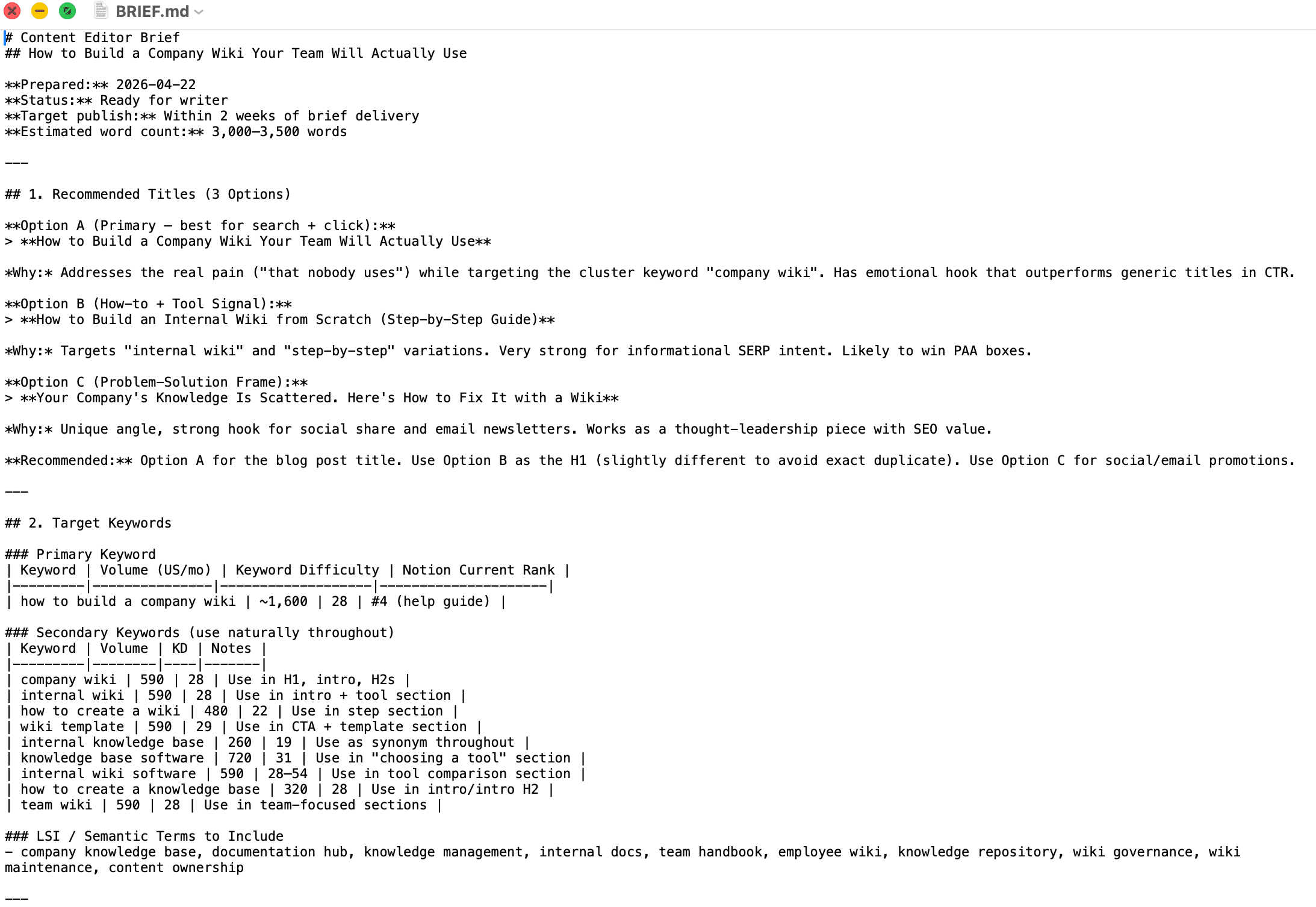
Claude Code produces seven separate research files organized in a project folder, plus a final BRIEF.md that a writer can open and start from without any back-and-forth.
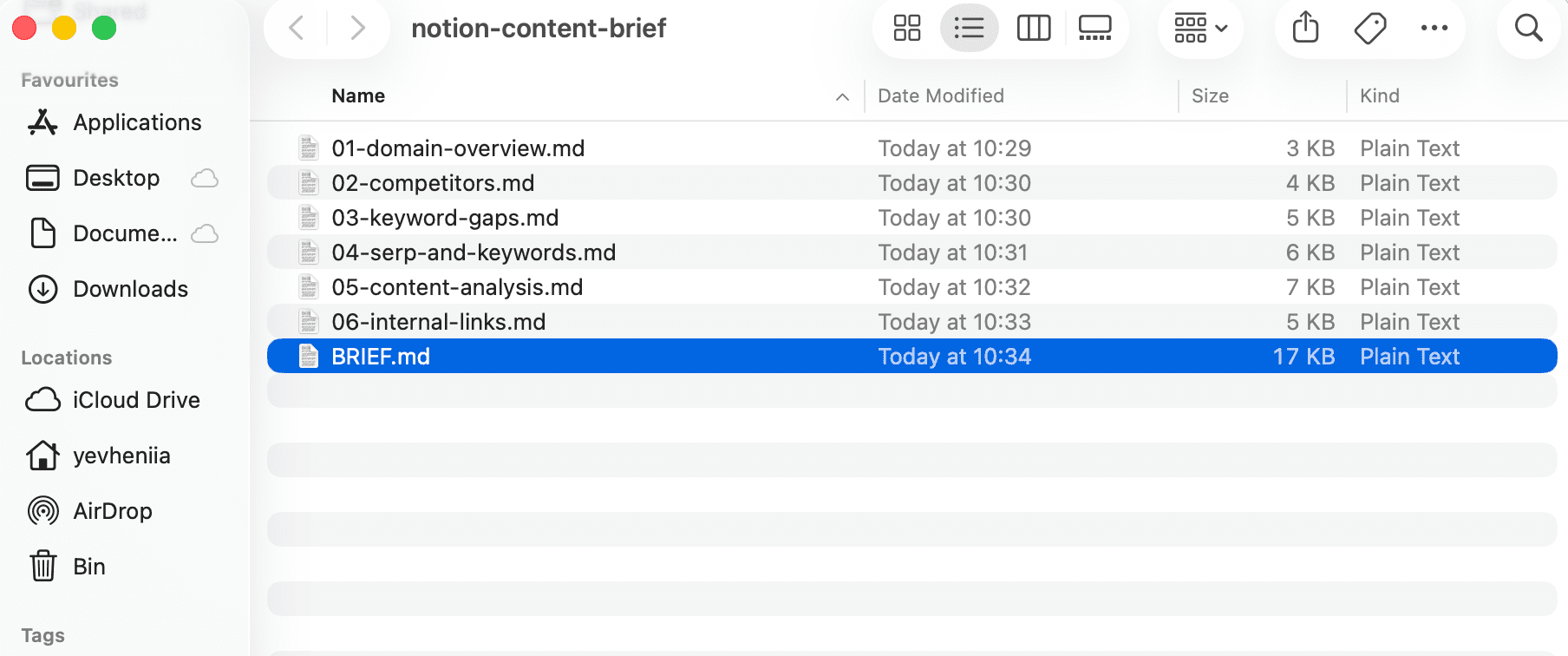
The file tree mirrors exactly how a senior analyst would organize research: domain overview first, competitors second, keyword gaps third, and so on. Each file acts as memory that Claude Code can reference later without burning context.
One important note! The brief is a starting point, not a finished product. The data needs verification, the structure might need adjusting for your specific context, and the content itself still needs human thinking to be genuinely useful. What the workflow removes is the research layer. The strategic and editorial judgment still belongs to you.
Workflow 2: Building an AI search visibility report
This is the use case most SEO teams don’t have good tooling for yet.
When someone asks ChatGPT, Perplexity, or Gemini to recommend a website builder, a project management tool, or an SEO platform, a recommendation comes back. Some brands are in it, others aren’t. And unlike Google rankings, where you can see exactly where you stand, AI search visibility is not that transparent.
This workflow runs a competitive AI search analysis across all major LLM engines (ChatGPT, Perplexity, Gemini, AI Overviews, AI Mode) and surfaces who dominates which conversations, where the gaps are, and what you’d need to do to close them.
You’d use this when onboarding a new client and want to show them their AI search standing versus competitors. Or when you suspect your brand is losing ground in AI recommendations but can’t quantify it. Or when you want to build the AI search section of a competitive strategy and need the data to be defensible.
The prompt below runs a competitive AI search analysis for Wix against four competitors across all major LLM engines. Swap in your own brand and competitors to run it for any industry:
Using SEO MCP, compare AI search visibility for website builders across all major LLM engines (ChatGPT, Perplexity, Gemini, AI Overview, and AI Mode) in the US market.

Target: wix.com (brand: "Wix")
Competitors:
- weebly.com (brand: "Weebly")
- hostinger.com (brand: "Hostinger")
- squarespace.com (brand: "Squarespace")
- webflow.com (brand: "Webflow")

Use base_domain scope. First, get the leaderboard. Create a heatmap here. Then, for each domain (target and all competitors), pull 20 ChatGPT prompts: 10 where the domain appears as a source (link mention) and 10 where the brand is mentioned by name. Show query text and sources to validate results.

Analyze the topics across all prompts. Summarize: Who dominates AI search
in the website builder space? What topic clusters does each brand own?
Where does each have strong presence, and where are the gaps?
What Claude Code does with this:
- Leaderboard phase
It pulls the AI search leaderboard across all five LLM engines, showing you how visible each brand is when people ask AI assistants about website builders. Think of it as a SERP ranking, but for LLMs.
- Prompt analysis phase
For each brand, it pulls prompts from LLMs. This includes the ones where the domain appears as a source (link presence) and the ones where the brand is mentioned by name (brand mention). These are two distinct signals. A brand might have high link authority in ChatGPT but low brand recall, or the opposite. Understanding which gap you have shapes what you prioritize.
- Topic clustering phase
Claude Code clusters the prompts by topic to show which brand owns which conversation. If you can see that a competitor owns a conversation topic you’re absent from, that’s a gap with a clear content response.
- Gap analysis phase
It collects topics where a brand is completely absent from AI recommendations. This is the AI search equivalent of a keyword gap analysis.
As a result, you get a heatmap across engines, topic clusters per brand, prompt-level deep dives. Collecting all this manually by scraping AI responses and categorizing them would take an analyst a full day. Claude Code does it with live data from SE Ranking’s AI Search API in a few minutes, and outputs it as a shareable HTML file or structured analysis your team can act on immediately.
One extension worth knowing about! You can go deeper into brand perception. Beyond where you’re mentioned, you can analyze the language LLMs use when they talk about you, what adjectives appear most often, whether you’re described as affordable or premium or the beginner option, and compare that positioning against competitors. It’s a brand perception audit that doesn’t require surveys.
Workflow 3: Generating a backlink analysis script and client-ready deck
This workflow shows that Claude Code and the MCP can write working code against a live API without you specifying a single endpoint or parameter, then turn the output into something you can actually share with your client.
The result is a Python script that pulls backlink data on demand, plus a slide deck summarizing the findings. Think of it as the data and presentation layer you’d build a client-facing tool on top of later.
It’s useful any time you need a quick backlink snapshot for a prospect you’re evaluating, a domain you’re researching, or a client you’re about to brief.
Here’s the prompt we used:
Using the SEO Data API MCP server:

  1. First, check the available MCP tools to find the backlinks summary endpoint
  2. Retrieve the backlinks summary for notion.com
  3. Write a Python script that displays the results in a clean, readable format — domain authority, total backlinks, referring domains, and any other key metrics returned. Save the script as backlinks-analysis.py and run it.
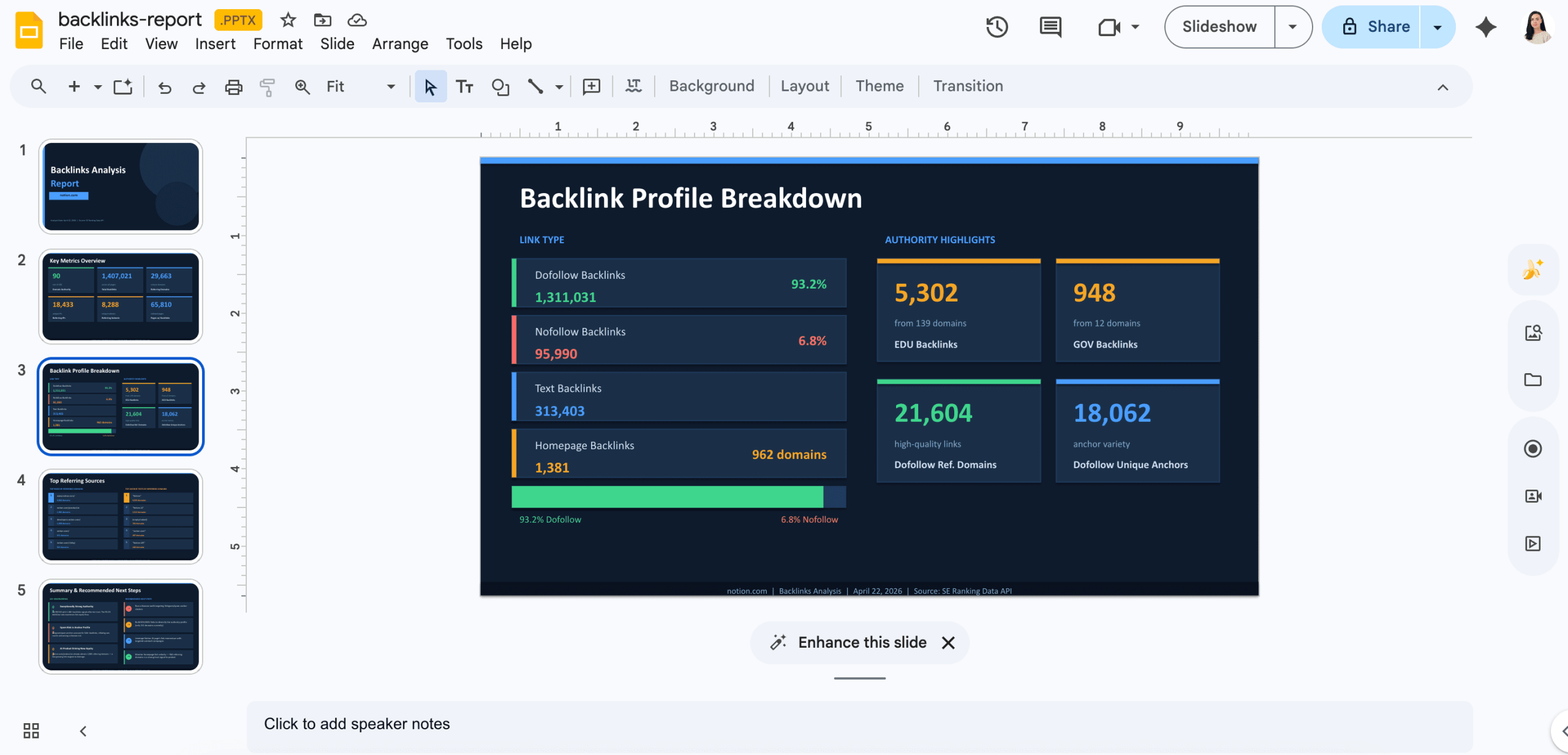
4. Using the data returned, create a PowerPoint deck with the following slides:
- Cover slide: domain name and date of analysis
- Overview slide: key metrics (domain authority, total backlinks, referring domains)
- Backlink profile slide: breakdown by type or category if available
- Top referring domains slide: highest authority sources linking to the domain
- Summary slide: 3 observations based on the data and suggested next steps
Save the deck as backlinks-report.pptx
Optional: Apply your brand style. If you’re building this for client use, you can take the deck one step further. Upload a branded presentation (your agency template or a client’s existing deck) and add this to the prompt:
Use the uploaded presentation as a style reference. Match the fonts, colors, and slide layout in the output deck.
Claude Code will apply the visual style to the generated slides automatically. This is useful for agencies that need every deliverable to look like it came from the same place, without configuring the formatting manually each time.
What Claude Code does with this:
- It reads the MCP to understand what tools are available, finds the backlinks endpoint, and checks the parameters, without you specifying any of them.
- It writes a Python script, runs it, and then uses the data returned to build a structured PowerPoint deck.
What you end up with is two files: a reusable script you can run against any domain by swapping the URL, and a deck you can open, review, and send to a client as-is or after light editing.
The deck is also a useful preview of what a fully built client-facing tool would contain. By the way, you could also turn it into an internal tool for your team or a lead magnet for potential clients by wrapping this in a web interface (a landing page where someone enters a domain, gets the report, and leaves their email). Claude will be happy to assist here as well.
A few more tips on Claude Code
Understanding a few principles behind our prompts will help you adapt them and build your own.
- Describe outcomes, not steps
If your prompt includes phrases like “call the domain overview endpoint with these parameters, then call the keywords endpoint with filter X,” you’re doing Claude’s job for it. A better version is “I want to find five article opportunities where my competitors rank and I don’t, focus on low difficulty, save everything to files.” You describe what you want and why. Claude Code figures out the how.
- Add the process steps you’d normally follow
There’s a difference between specifying API endpoints and specifying your own workflow logic. If you’d normally do competitive research before keyword research before SERP analysis, include that sequence. It gives Claude Code a quality baseline that mirrors how a senior SEO would actually work, and you control the output structure better.
- Use CLAUDE.md as your team’s standard operating procedure
CLAUDE.md is a file you put in your project folder that Claude reads at the start of every session. Lock in the baseline: “always use the US market,” “always save files in this folder structure,” “always include AI Search data.” The prompt handles the specific ask. CLAUDE.md handles the quality standard. Everyone on the team gets consistent output without having to remember to include context each time.
- One folder per client for context separation
Claude Code works within whatever directory you launch it from. Each client folder can have its own CLAUDE.md with client-specific instructions (their domain, competitors, target market). Switching folders switches context. Nothing carries over between sessions unless you put it there deliberately.
- Start simpler than you think you need to
The fastest way to understand how this works is a domain overview first. Connect the MCP, type “give me a full overview of [your domain] in the US market,” and see what comes back. Two minutes, a real deliverable, and everything else will make more sense. From there: competitor comparison, then keyword gap, then full brief. Don’t start with a 15-step workflow on day one.
- Manage model selection for cost control.
Claude Code gives you access to Opus, Sonnet, and Haiku. A practical approach: use Opus for planning (setting the objective and letting Claude map the route), then switch to Sonnet or Haiku for execution.
Closing
None of these workflows replaces the thinking. Claude Code handles the research layer. What you do with it still depends on someone who understands the client, the brand, the audience, and the moment.
Pick a workflow, swap in your own domain, and see what comes back. Then iterate. And share your insights with us.