What is keyword cannibalization, and how do you fix it?
Keyword cannibalization is an SEO problem that occurs when two or more pages on your site compete for the same keyword and search intent. Search engines can’t decide which page to rank, so authority gets split, positions fluctuate, and neither page performs as well as one consolidated page would.
The fix depends on what’s causing it: you may need to redirect, add a canonical tag, adjust your internal links, or simply rewrite one page to serve a different intent.
This article covers how to identify it across your full site, including a one-prompt MCP shortcut, and which fix applies to each type of overlap.
-
Keyword cannibalization occurs when multiple pages compete against each other for the same keyword and search intent.
-
It confuses search engines about which page to prioritize, lowers page authority, and splits clicks and conversions across pages.
-
To fix keyword cannibalization, you can consolidate overlapping content, apply 301 redirects and canonical tags, and align pages to specific user intents to reduce competition among them.
-
Ongoing monitoring and strategic keyword distribution can prevent future cannibalization issues.
What is keyword cannibalization?
Keyword cannibalization happens when content on different pages of your site ranks for the same keyword cluster and has the same search intent. Keywords “eat each other,” reducing performance and preventing your pages, and your website overall, from driving real results.
Too often, multiple pages get optimized for the same keyword regardless of content type or user goal. This tells search engines your pages are essentially the same thing and forces them to pick a winner. And they’ll choose one, which isn’t always the page you want to win.
No amount of optimization fixes that conflict. Until you differentiate the pages, they’ll keep competing with each other instead of with your actual competitors.
Why SEO keyword cannibalization is harmful
Here are five of the most common consequences of optimizing several pages for the same keyword.
Search engines get confused
A common misconception is that targeting the same keyword across multiple pages increases your chances of appearing at the top of the SERP. It doesn’t. It just means you’re fighting your competitors and yourself for the same positions.
When multiple pages on your site target the same query, search engines can’t easily determine which is most relevant. Instead of rewarding all of them, they’ll surface the one they judge to be the strongest. And they may switch between them over time, making it nearly impossible for any single page to hold stable performance.
It weakens off-page optimization
Backlinks are crucial for SEO, but getting them takes significant effort. When two similar pages split your backlink profile, each one ends up weaker than if all those links pointed to a single page.
Imagine you have two pages, each with three high-quality backlinks from authoritative sources. Their combined value doesn’t add up to what one page with six strong links would have. If a competitor has that consolidated profile, they rank above both your pages, even though your total link count is the same.
Internal linking weight diminishes
Internal links help users and crawlers navigate your site, and they signal content importance. When multiple pages are optimized for the same keyword and each has internal links pointing to it, link equity gets distributed across all of them rather than flowing to one authoritative page.
As Google’s John Mueller has noted, internal linking is one of the most effective ways to communicate to Google which pages matter most. When cannibalization exists, that signal becomes noise.
User behavior gets worse
When a customer searches for ‘buy ash wood kitchen cupboard’ and lands on a blog post about measuring kitchen spaces, they’re likely to leave immediately. That behavior signals to Google that the page didn’t meet their needs, which further hurts rankings.
Two patterns to watch for:
- Someone sees your page in the SERP but doesn’t click it because the title and meta description don’t match their intent. CTR drops.
- Someone clicks, doesn’t find what they need, and returns to the SERP. Dwell time drops, and the engagement signal works against you.
Both scenarios stem from the wrong page winning. Cannibalization puts you in a position where your own content undermines itself.
Crawl budget gets wasted
Crawl budget is how often and how deeply search engine crawlers visit your site. Two similar pages targeting the same query consume twice the budget for what should be a single page’s job.
For smaller sites, this is a minor concern. For ecommerce sites with thousands of pages, it’s a real problem. Some pages may not get crawled or indexed at all. Once Google detects substantial duplicate content, it may also reduce crawl frequency for subsequent visits.
Is keyword cannibalization always bad?
Not necessarily. Multiple pages can target the same keyword without cannibalizing each other if they serve different search intents.
Someone searching for “wooden chair” might want assembly instructions (informational intent) or want to buy one (transactional intent). Two pages targeting the same keyword but serving these different intents are serving different users. Content can also rank for different secondary keywords, which may naturally differentiate pages that share a primary keyword.
But these are specific cases. In most situations, keyword cannibalization is worth fixing because it consistently leads to diluted authority, ranking volatility, and lost clicks.
What to look for: keyword cannibalization red flags
Here are the clearest signs that cannibalization is happening on your site.
URL rankings constantly change
If one URL ranked for a keyword last week, another replaced it two days ago, and a third is showing up today, that’s cannibalization in action. Your pages are competing with each other, and Google is switching between them because it can’t determine which is most authoritative.
It’s common for two URLs (often a blog post and a commercial page) to trade positions on the SERP repeatedly without either establishing a stable ranking.
Ranking fluctuations
Drops, plummets, or inconsistent movement for a given keyword often signal internal competition. Pages may fall 5–15 positions and then recover, only to drop again. The pattern is random because the pages aren’t properly differentiated and the position Google assigns them reflects confusion.
Rankings that don’t progress despite optimization
If a target keyword isn’t moving despite active work, multiple pages may be absorbing the optimization effort without consolidating it. Every improvement you make to one page gets partially offset by the competing page pulling in the same direction.
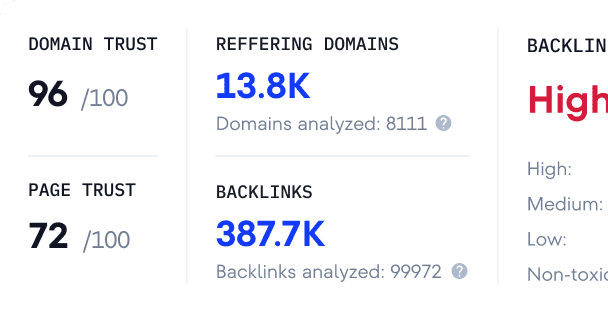
Diluted backlinks play a role here too. Spreading referring domains across two similar pages gives neither enough authority to break through even when your total link count would have been sufficient for one strong page.
The wrong URL is ranking for the right keyword
When you check the SERP for your target keyword and find a page ranking that you didn’t intend, the unintended page is likely drawing crawler attention away from the correct one. It’s absorbing relevance signals that should be concentrated elsewhere.
How to catch keyword cannibalization issues
Use SE Ranking to spot keyword cannibalization
SE Ranking offers several tools for identifying cannibalization: from automated detection to a one-prompt shortcut via MCP.
Detecting cannibalization with the Insights tool
The Insights tool processes your project data and surfaces SEO insights you can act on, including a dedicated keyword cannibalization section that flags competing pages automatically.
To open the report: choose your project, navigate to the Insights tool in the left-side menu, and scroll to the Keyword cannibalization section.
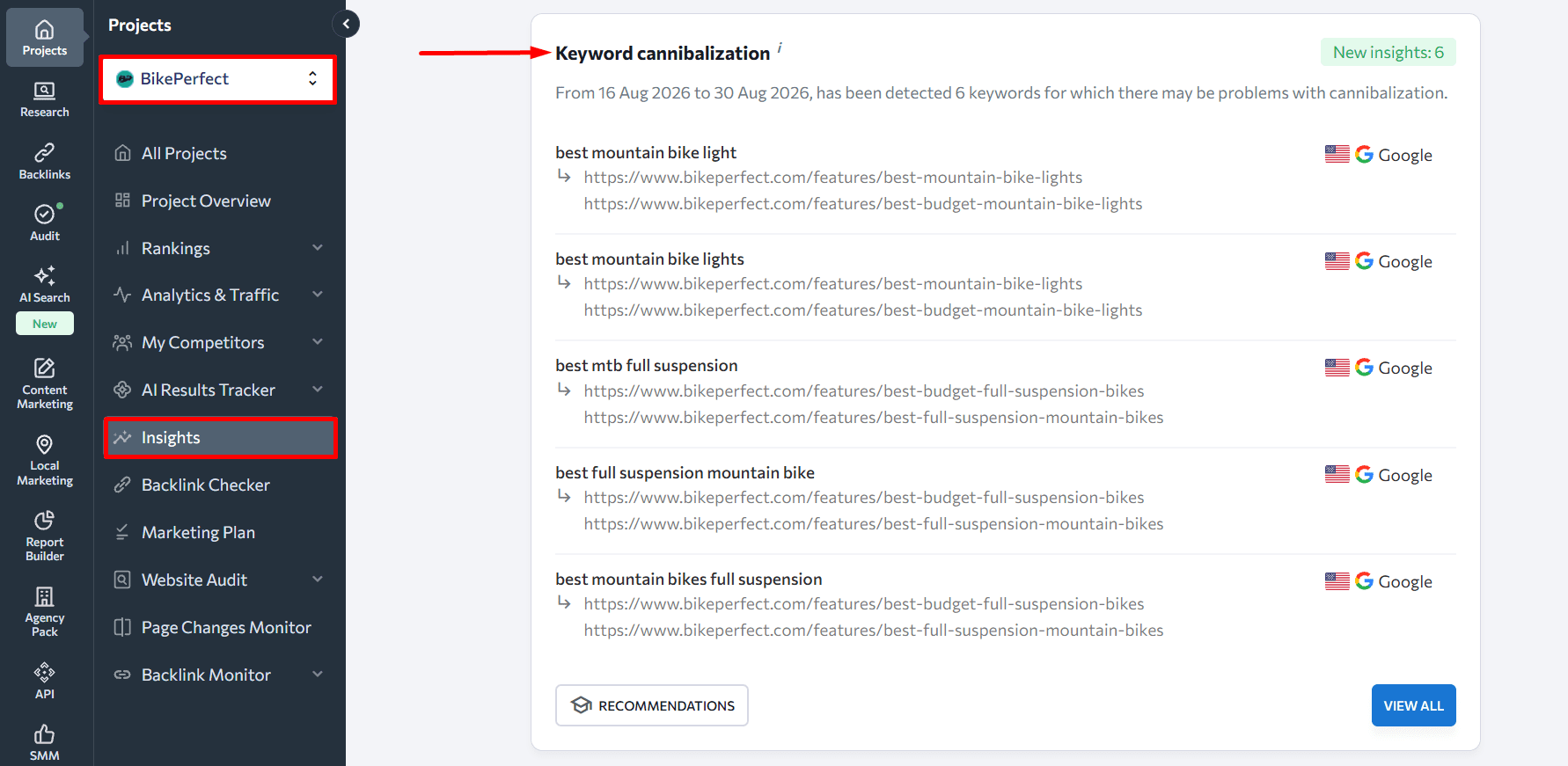
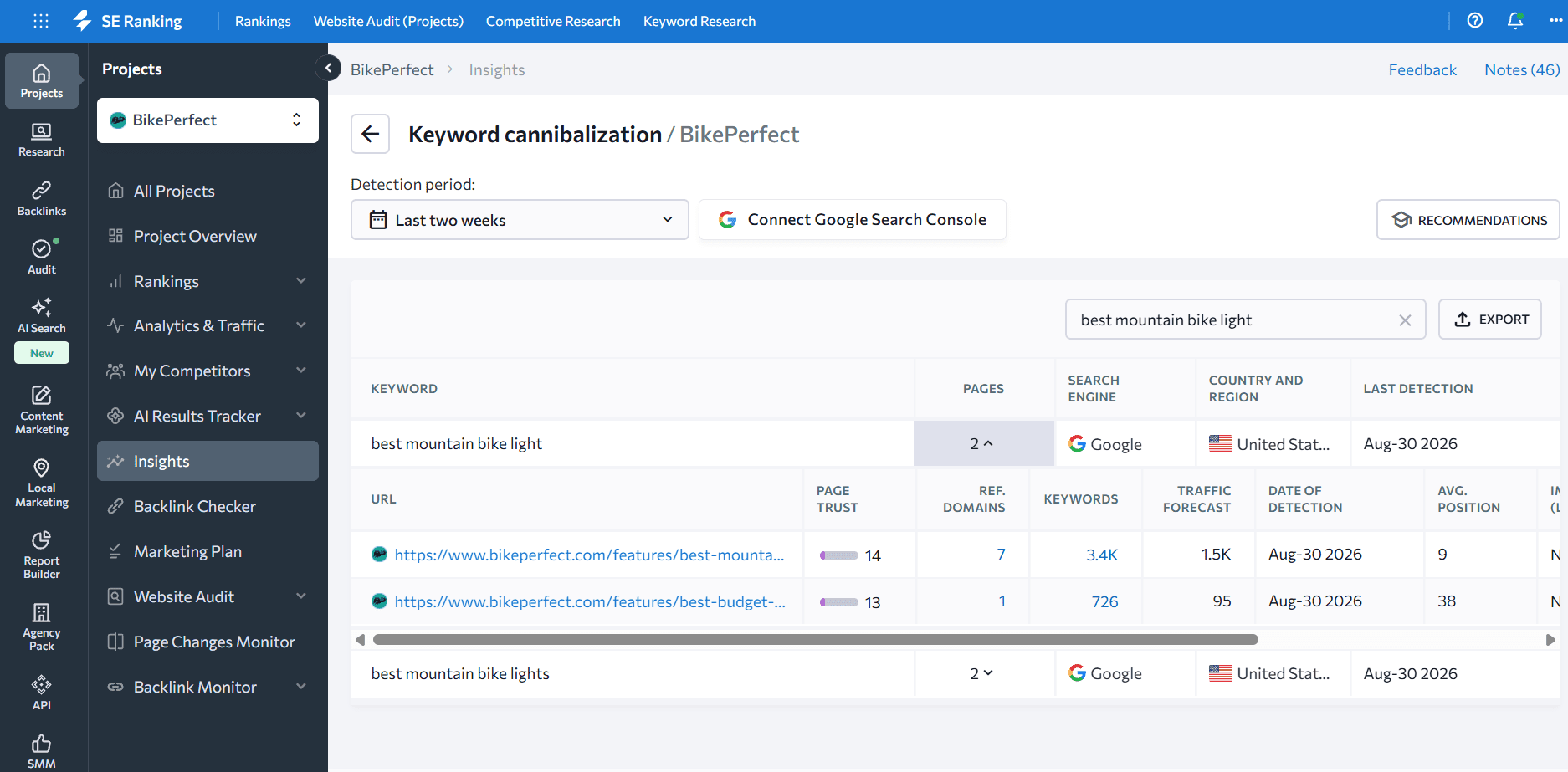
The tool analyzes 30 keywords from your project with the highest search volume and detects pages competing with each other for specific queries. Click any keyword to see details: competing page URLs, page trust, referring domains, traffic forecast, and average position.
To see the full picture across all affected keywords, hit View All to open the complete cannibalization report. If your Google Search Console is linked to the project, you’ll also see click and impression data per URL.
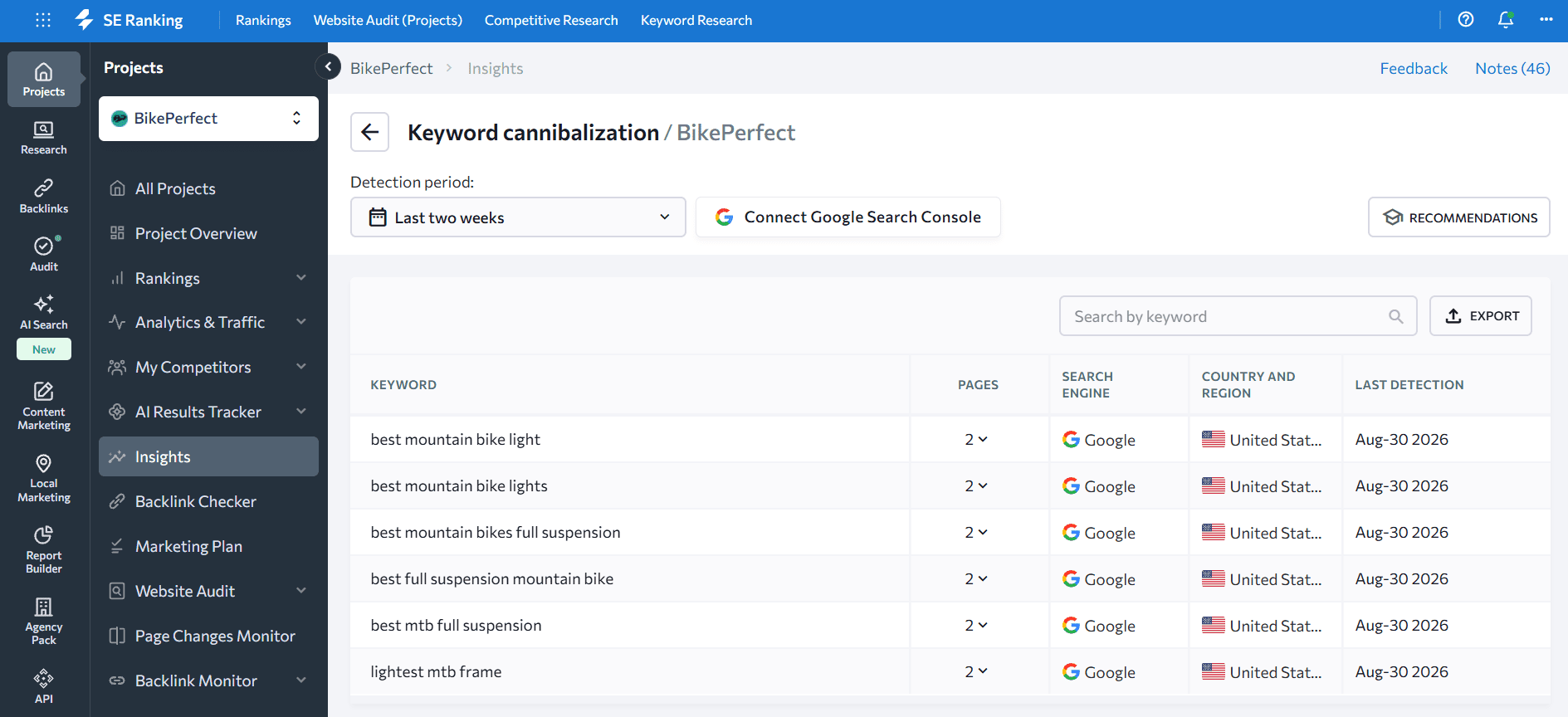
The tool includes fix recommendations alongside the data, and you can export everything to CSV or Excel.
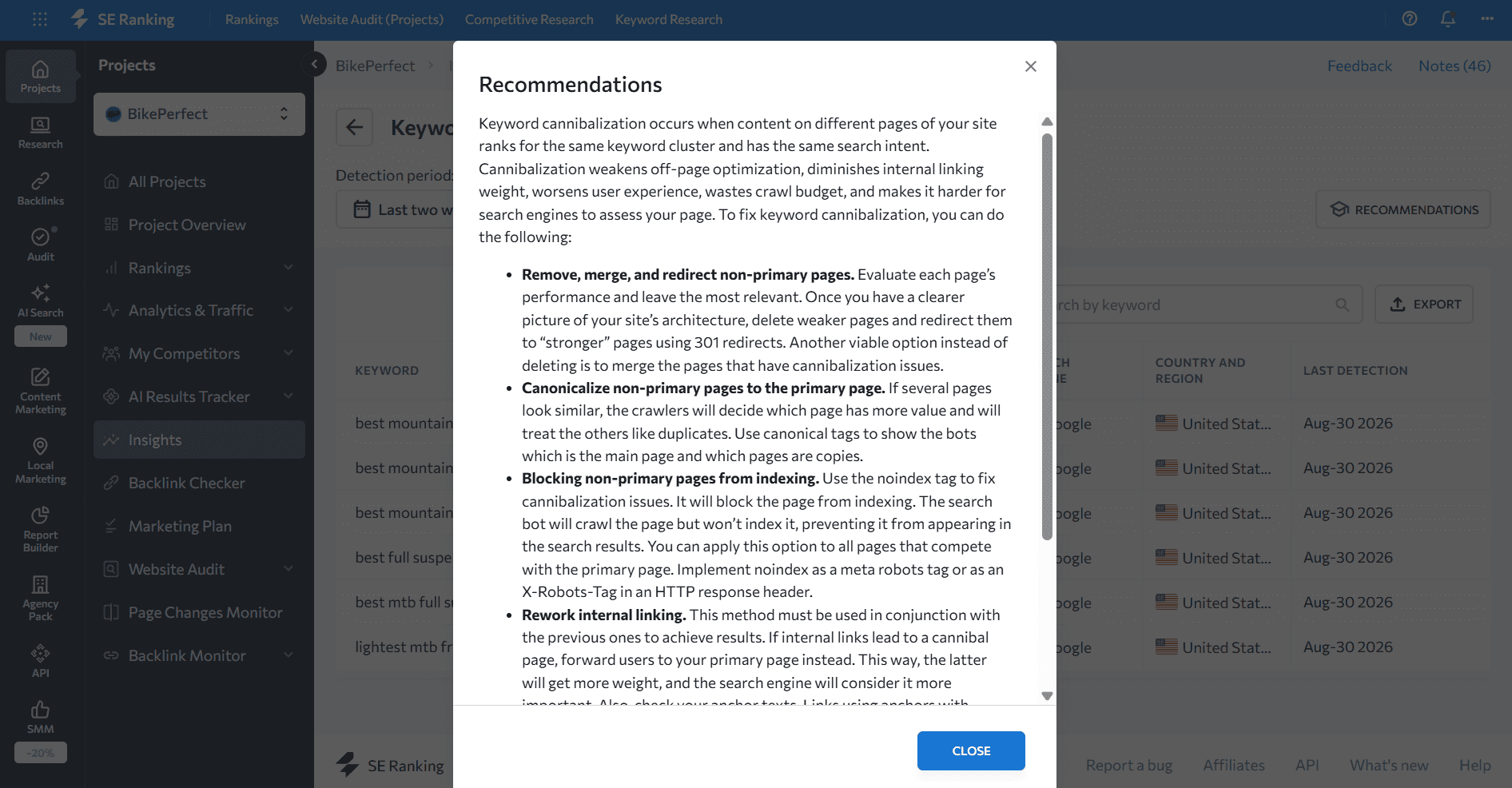
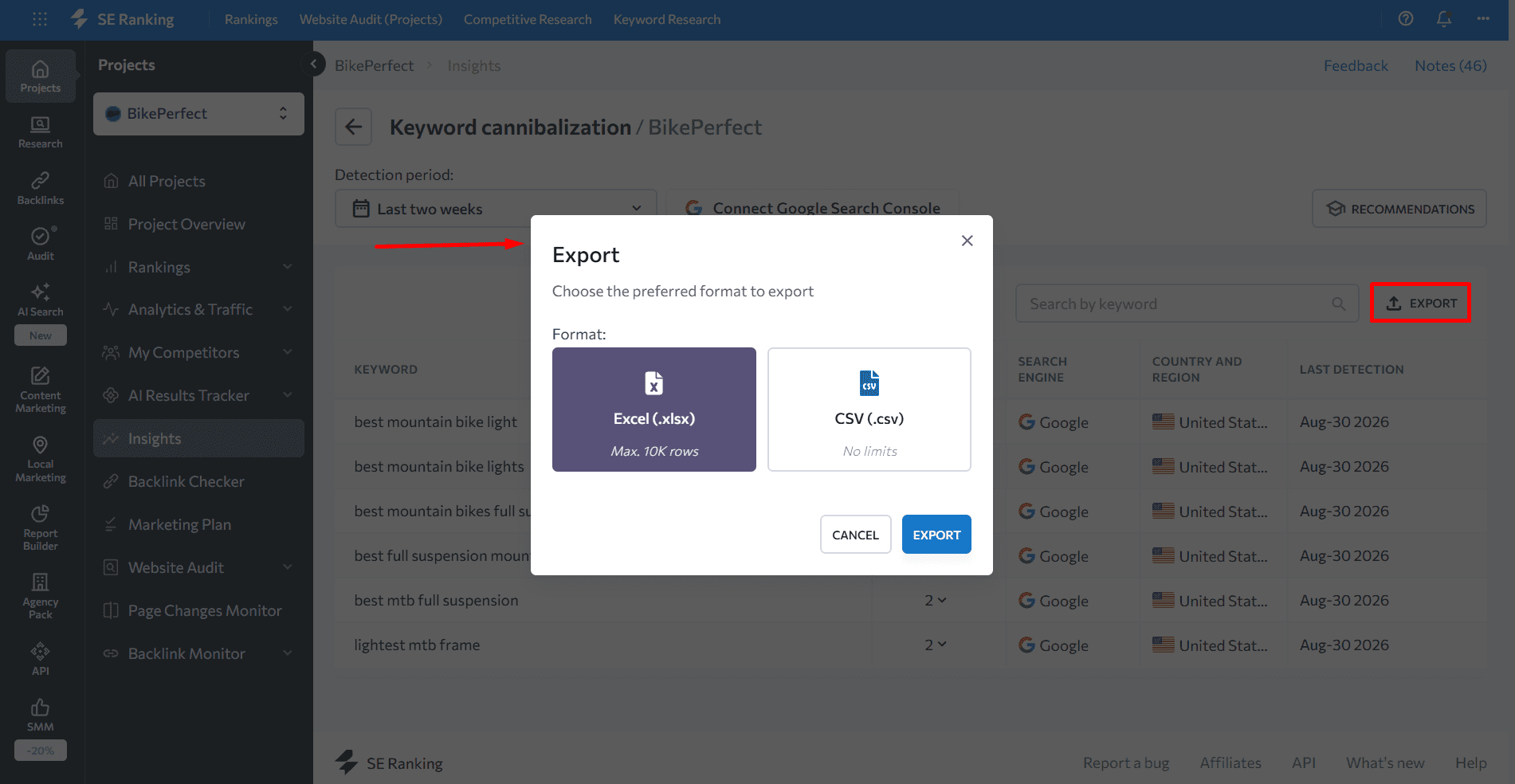
For cannibalization issues beyond the top-30 high-volume keywords, the Rank Tracker below covers the rest.
Detecting cannibalization with the Website Rank Tracker
SE Ranking’s Website Rank Tracker tracks how major search engines rank your keywords and will surface instances where multiple pages compete for the same query.
Here’s the workflow:
- Choose the project from the dropdown menu.
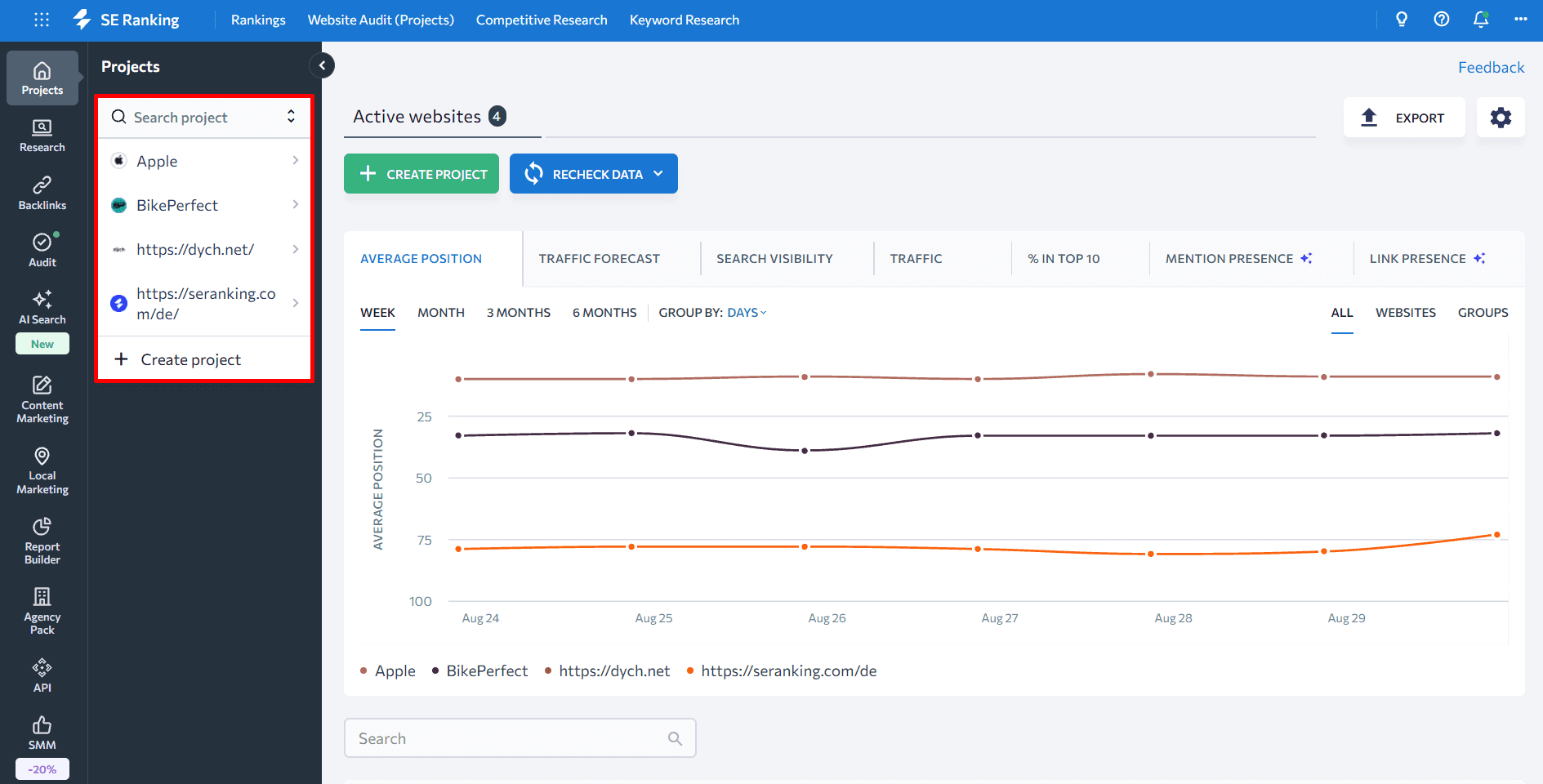
- Go to the Rank Tracker’s Detailed tab to see keyword rankings by location, device, language, and search engine.
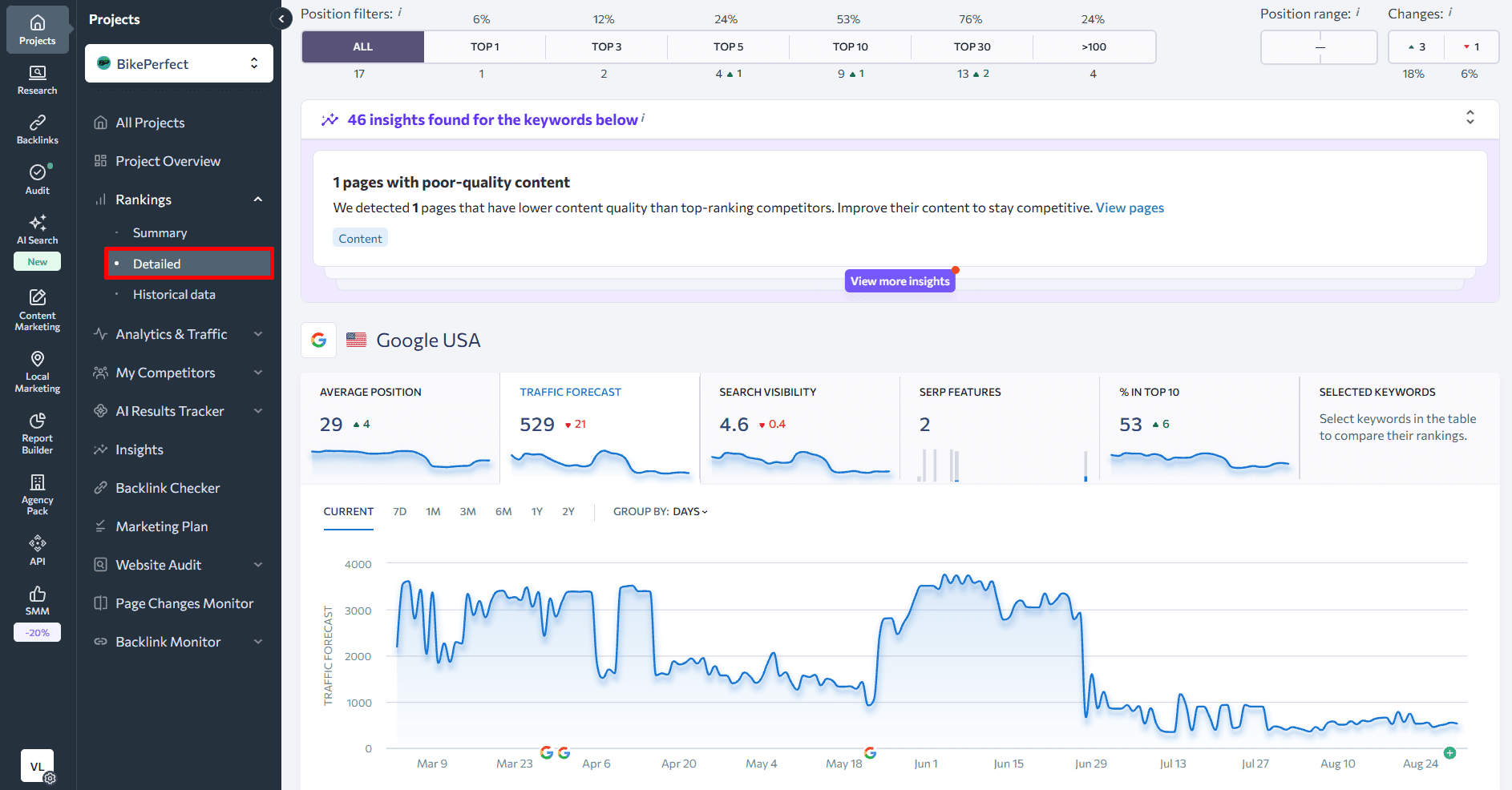
- Scroll to the Keywords section and check the URL column.
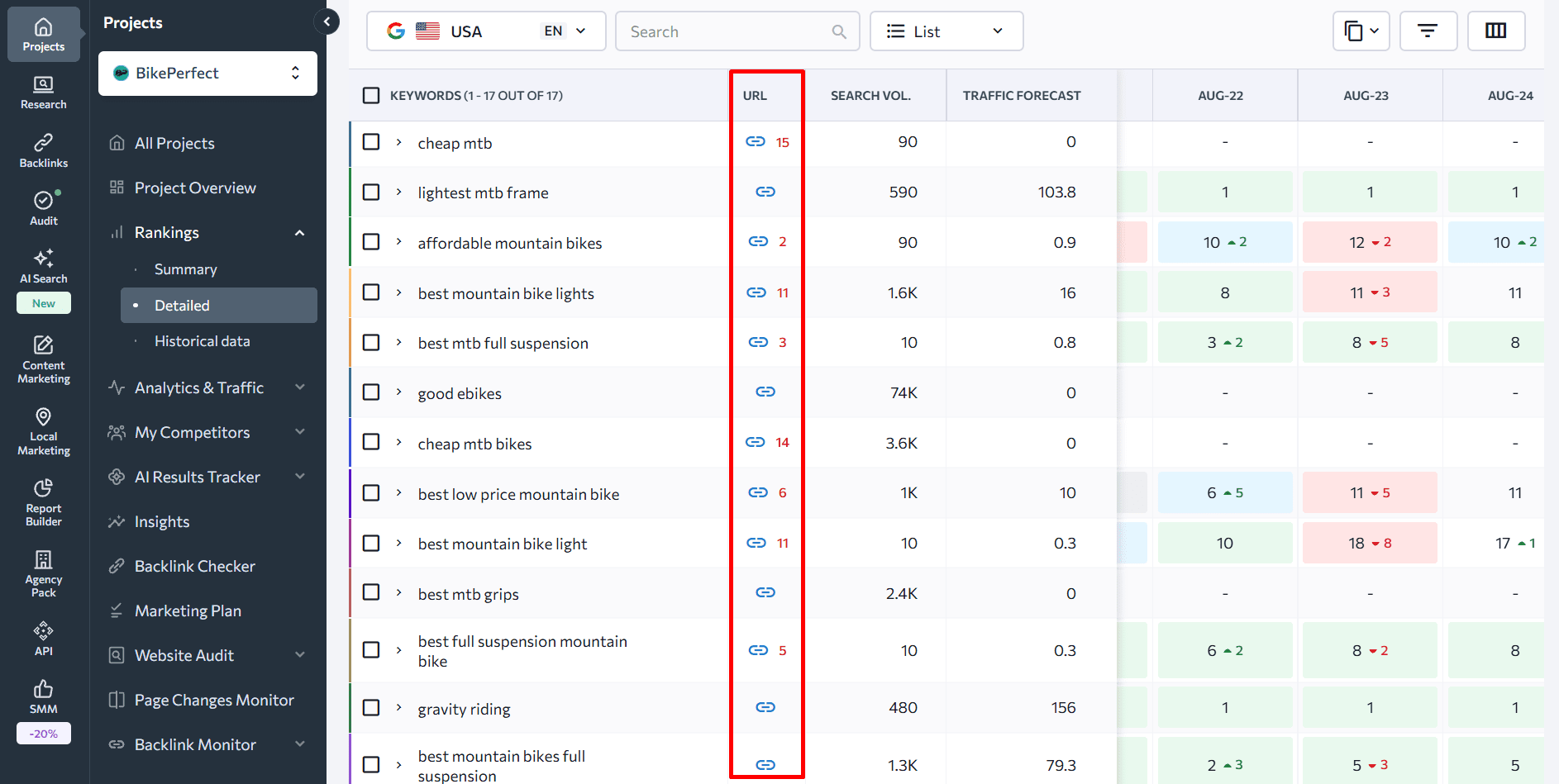
If you see only a blue link icon next to a keyword, one page is showing for that query. That’s no cannibalization issue. Hover over the icon to see which page it is.
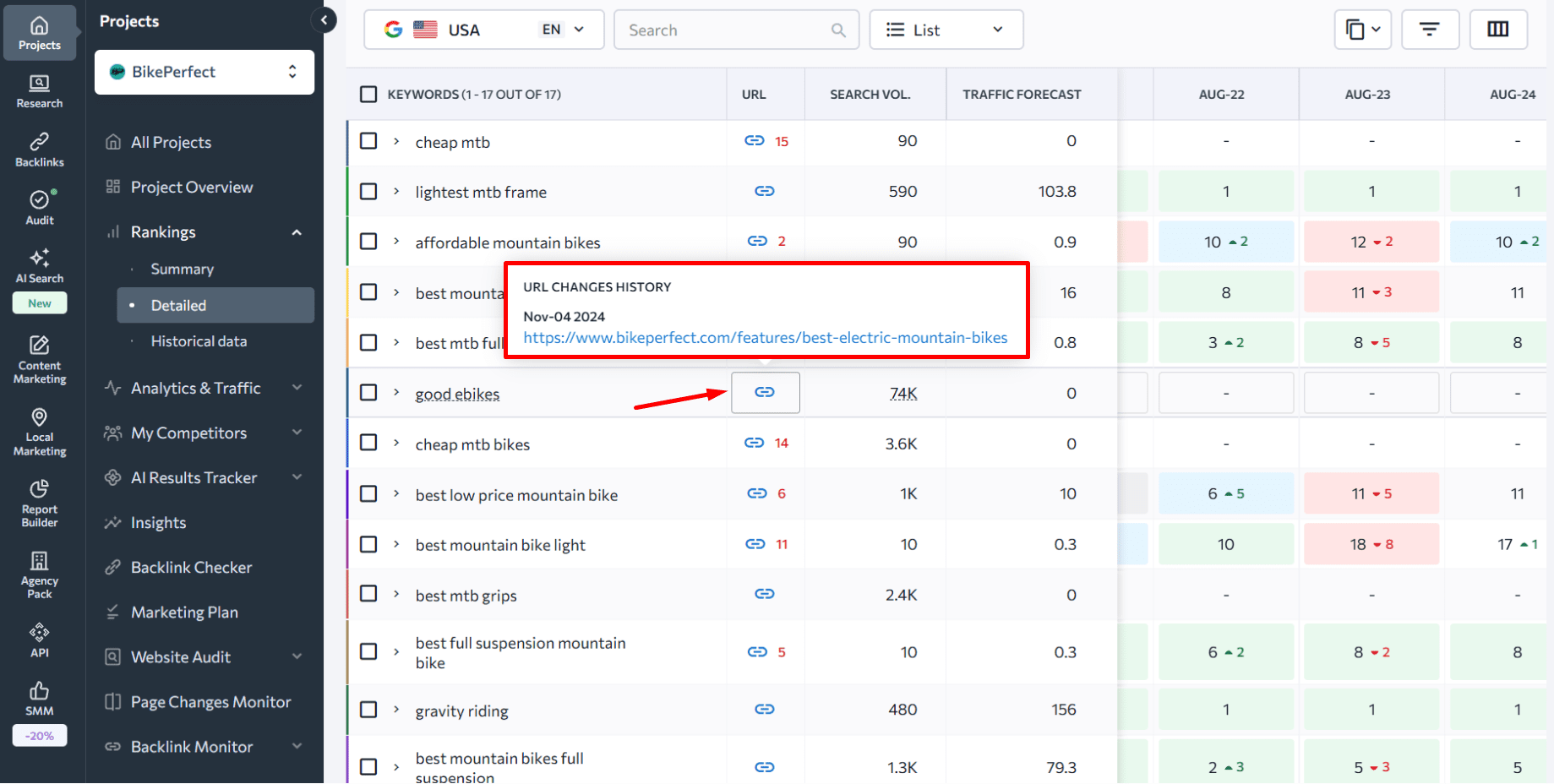
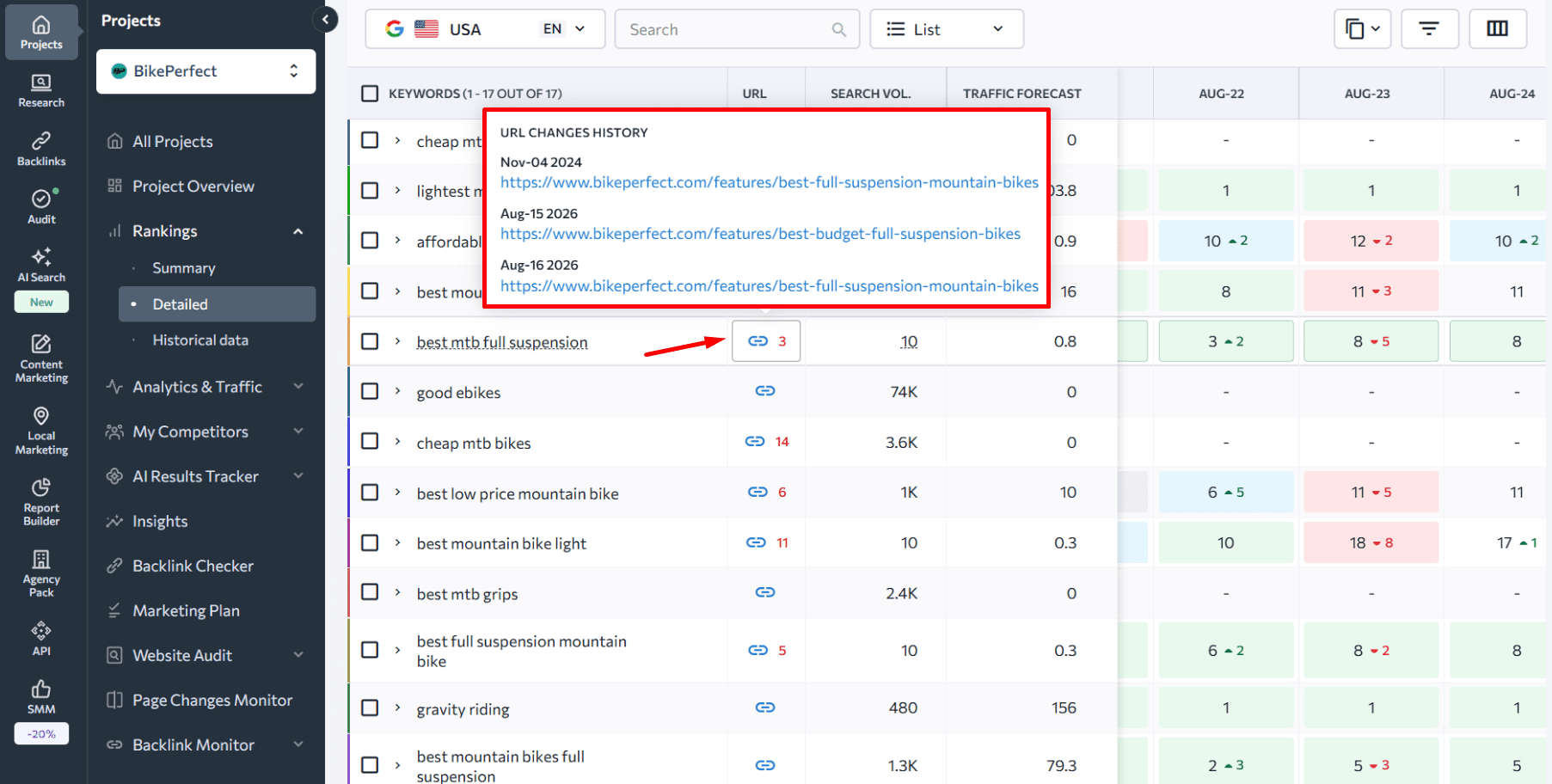
If you see a red number next to the icon, multiple pages are ranking for that term. You can see which pages they are and when each replaced the other in the SERP.
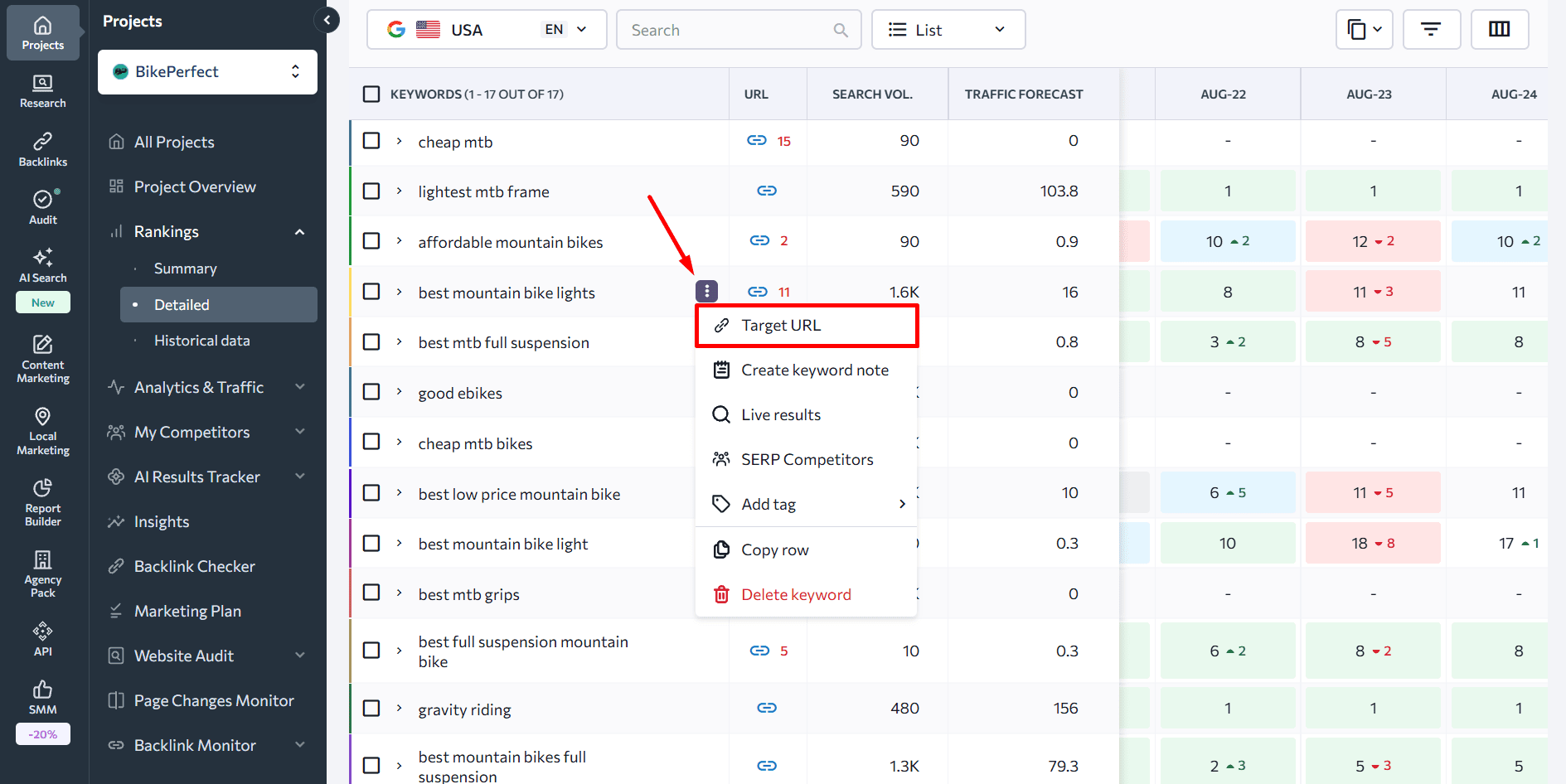
You can also assign a Target URL to any keyword. This lets you immediately identify when a different page is showing in the SERP instead of the intended one. The data turns red if there’s a mismatch.
The one-prompt shortcut: SE Ranking’s MCP
With SE Ranking’s MCP connected to Claude, you can run one prompt and get a list without any manual GSC filtering. Ask:
“Find all keywords where two or more of my URLs rank in the top 20 — flag potential cannibalization candidates with recommended consolidation.”
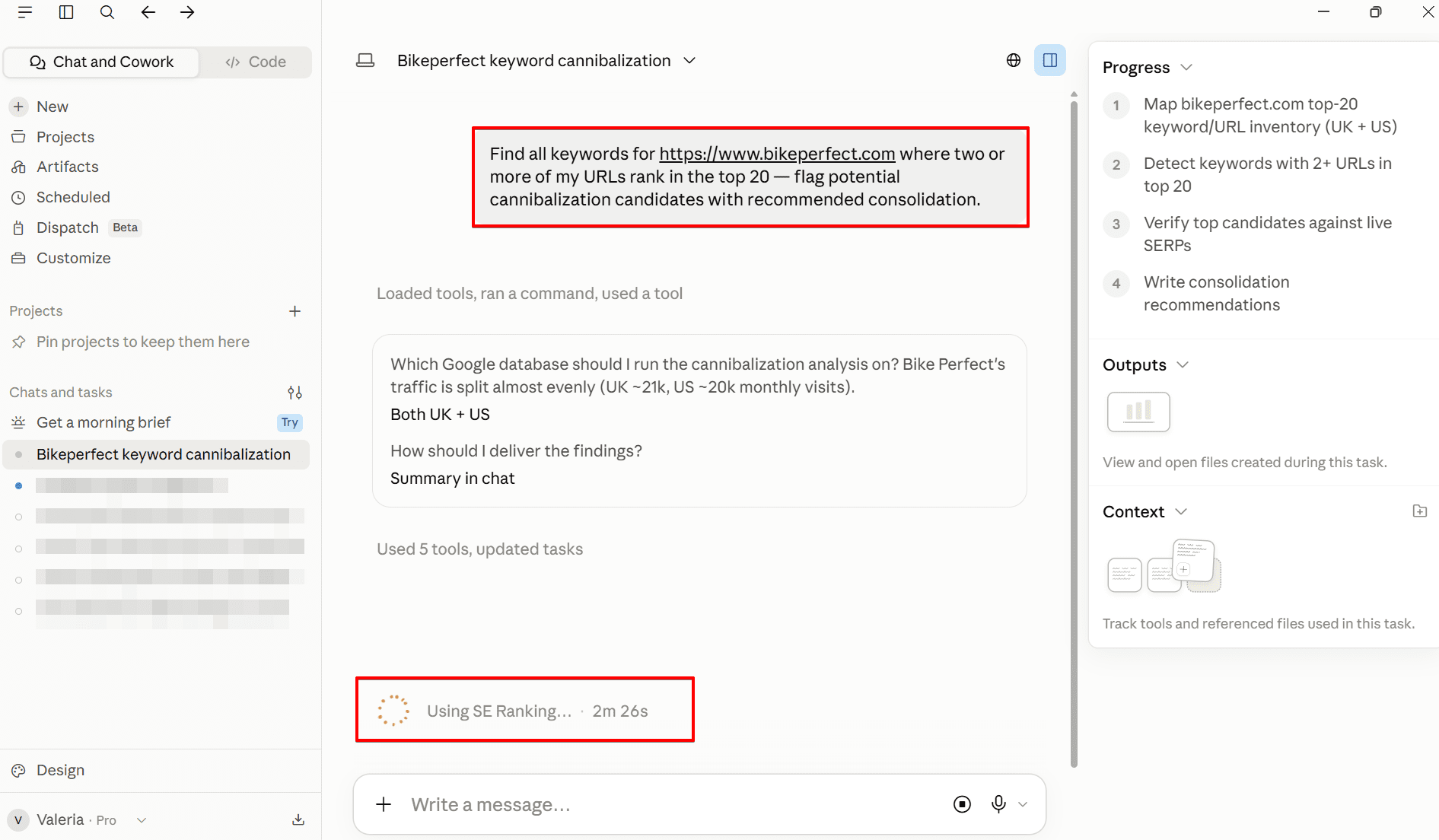
Claude queries SE Ranking’s Rank Tracker data via MCP and returns a prioritized list showing the competing URLs, their positions, and a recommended action for each: consolidate, redirect, or differentiate intent. No spreadsheet export, no query-by-query GSC filtering. The same process that typically takes 30–60 minutes of manual work runs in under two minutes.
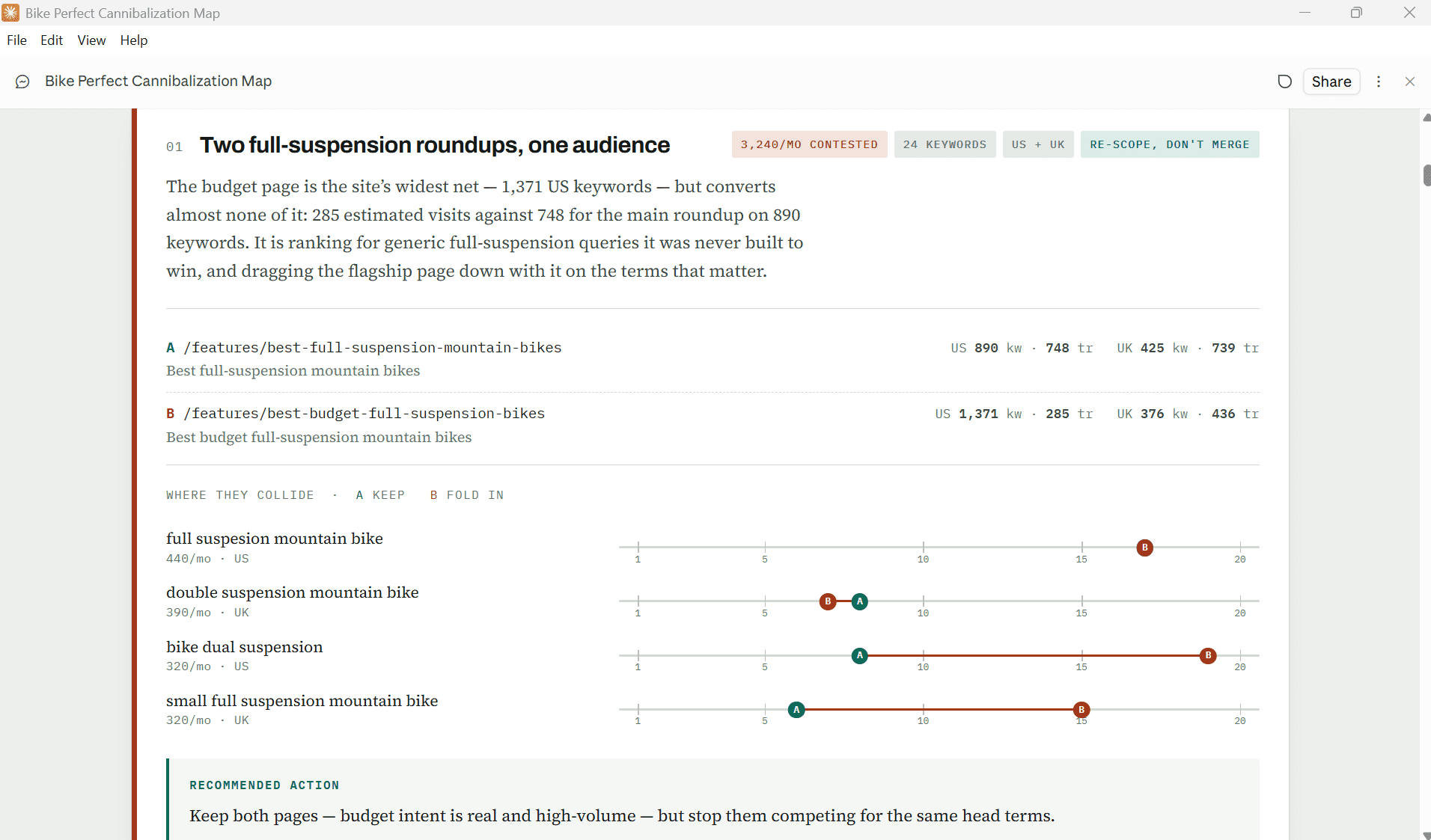
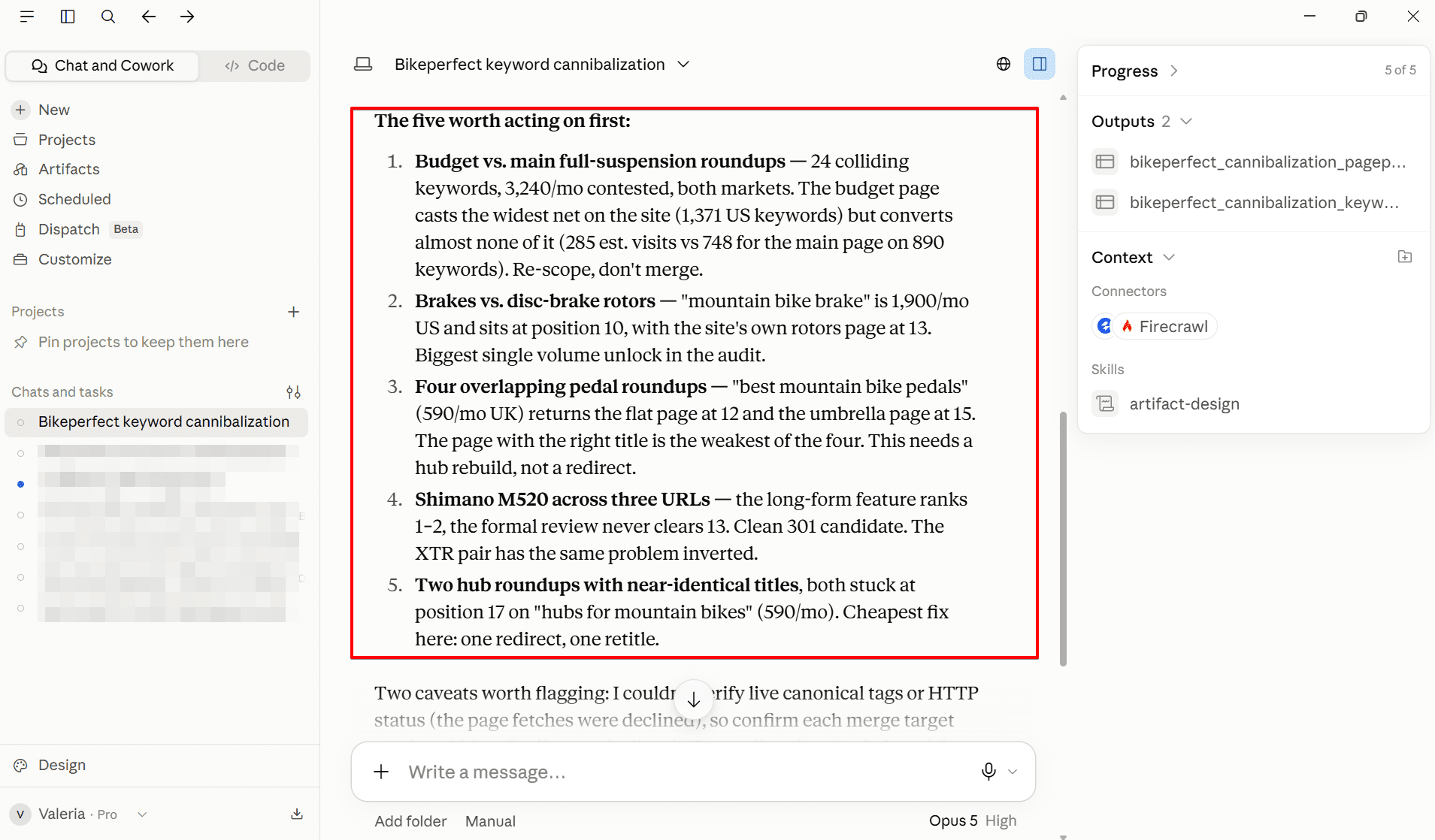
SE Ranking’s MCP is included in Core and Growth plans.
Use Google Search Console to find keyword cannibalization
Google Search Console is a free option for identifying whether multiple pages are competing for the same keyword, though it requires more manual filtering than SE Ranking’s tools.
Here’s the process:
- Open the Search Results tab under Performance.
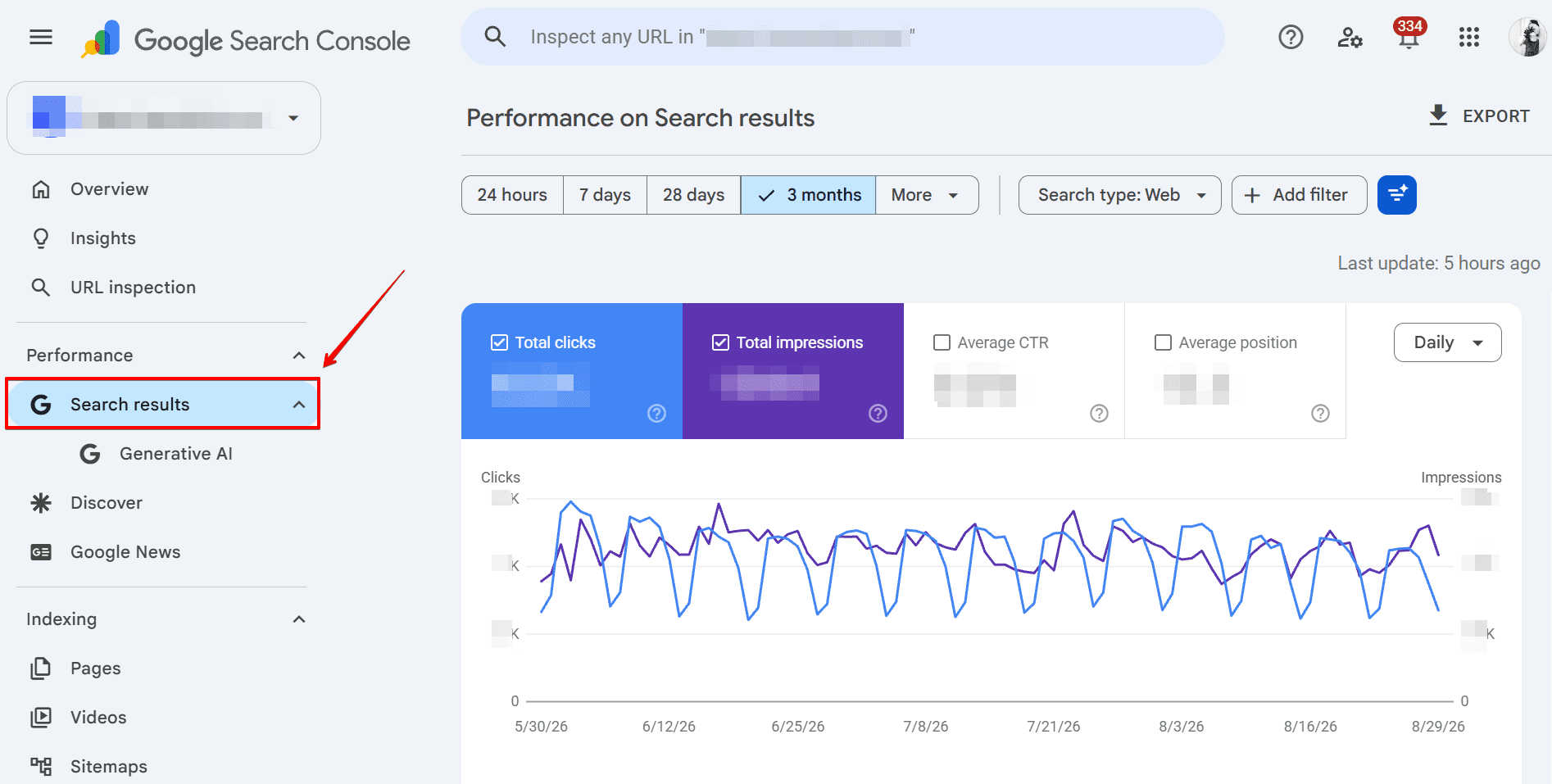
- Select Add filter, click Query, enter the term you’re investigating, and click Apply.
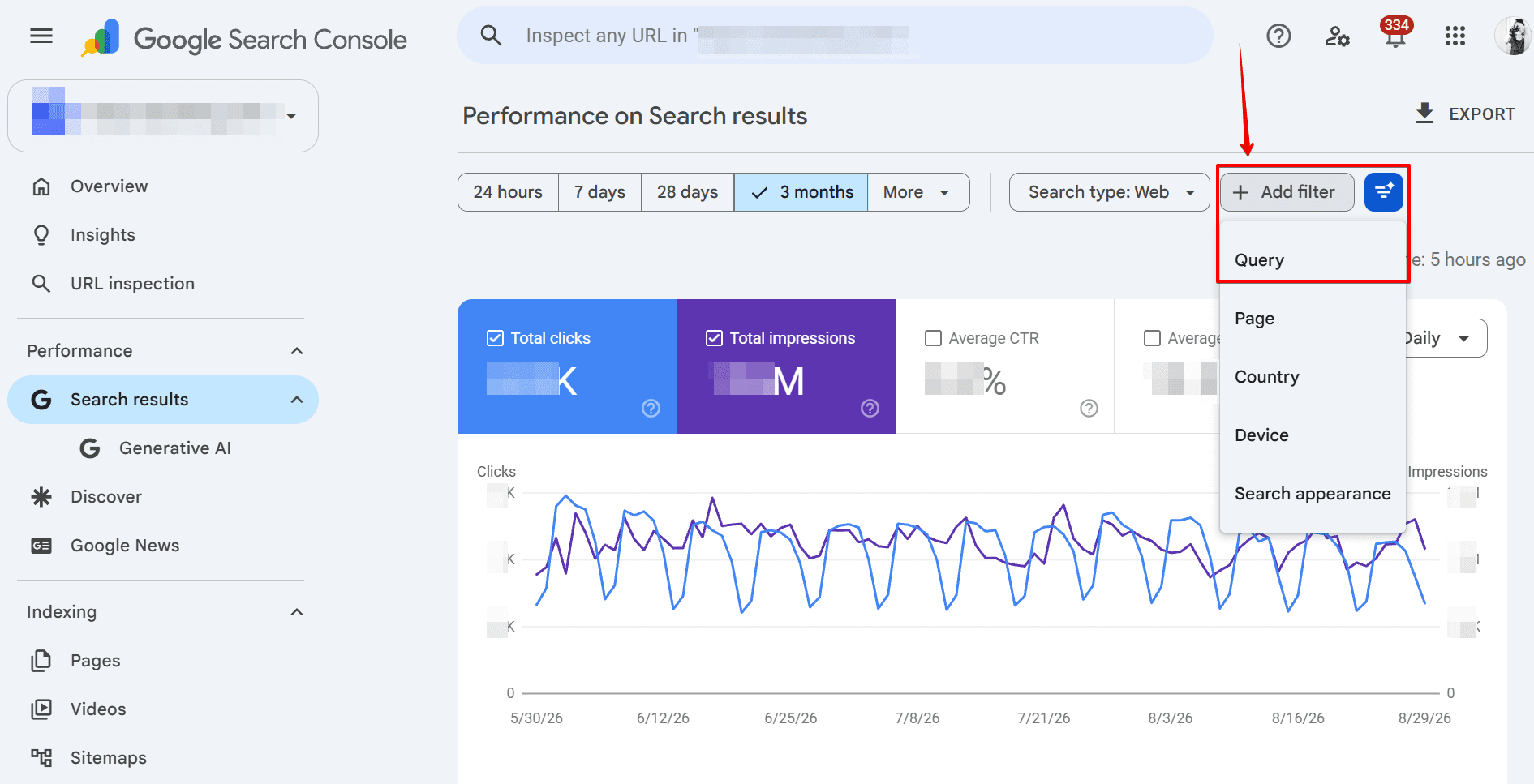
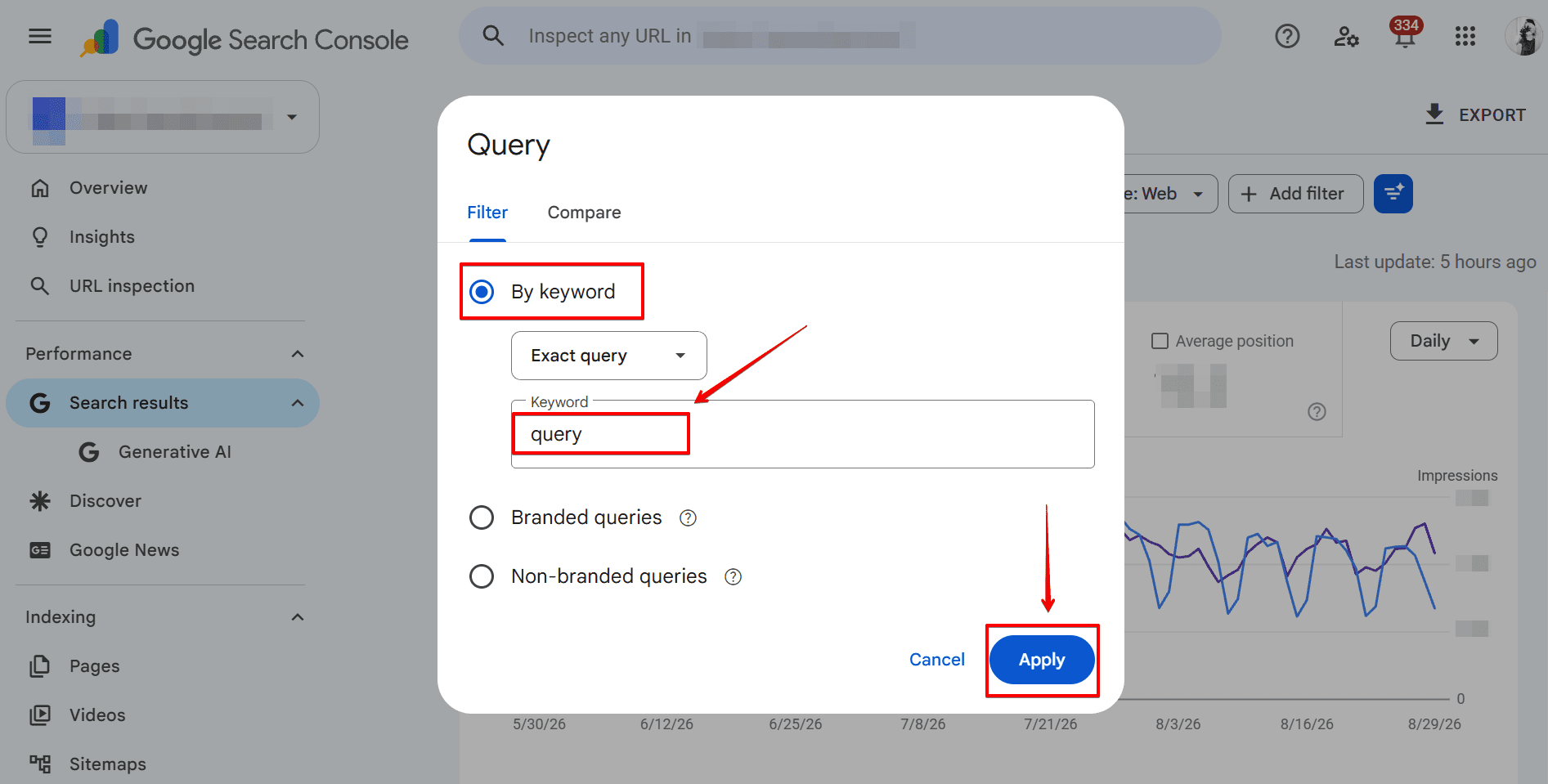
- Switch to the Pages tab to see all URLs earning impressions and clicks for that query.
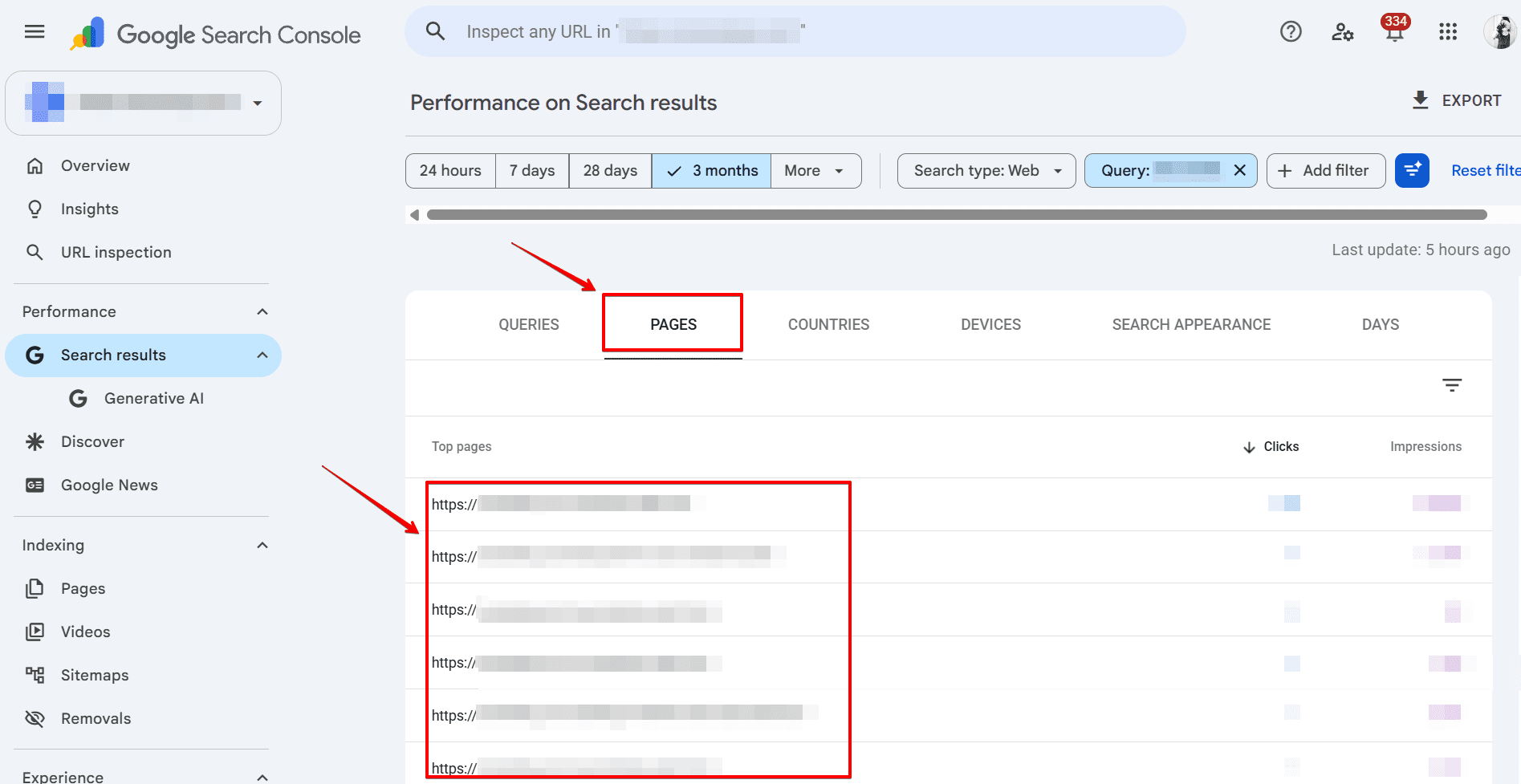
If two or more pages are receiving meaningful impressions or clicks for the same query, that’s a cannibalization signal.
How to fix keyword cannibalization
The principle behind every fix is the same: identify one preferred page for each affected keyword, then make it unambiguous to Google which page that is.
Best for
Duplicate or near-duplicate pages you don’t need
Keeps page?
No
Best for
Duplicate pages you need to keep accessible
Keeps page?
Yes
Best for
One page overshadows a more relevant page
Keeps page?
Yes
Best for
Multiple thin posts covering the same topic
Keeps page?
One combined
Best for
Tag/parameter pages with no backlinks or traffic
Keeps page?
Yes (hidden)
Best for
Two pages targeting same keyword, different intent
Keeps page?
Yes (both)
Duplicate or near-duplicate pages you don’t need
No
Duplicate pages you need to keep accessible
Yes
One page overshadows a more relevant page
Yes
Multiple thin posts covering the same topic
One combined
Tag/parameter pages with no backlinks or traffic
Yes (hidden)
Two pages targeting same keyword, different intent
Yes (both)
Remove, merge, and redirect non-primary pages
Before deleting a page, analyze it carefully. It may have value in a different form. Check its performance metrics relative to other pages on the site, review its backlink profile, and identify whether its content could be absorbed into a stronger page.
Once you’ve identified the primary URL (the one with the strongest SEO potential based on rankings, traffic, and backlinks) you can:
- Delete weaker pages and redirect them to the primary URL using 301 redirects
- Absorb content from weaker pages into the primary page before redirecting
If you delete a page without redirecting it, you lose any link equity it has accumulated. Applying 301 redirects passes that equity to the primary page. You can also repurpose content from weak pages by reformatting it into guides, video scripts, newsletters, or social content rather than simply discarding it.
Canonicalize non-primary pages to the primary page
When you need to keep a page accessible but don’t want it competing with the primary page in search, canonical tags tell crawlers which version is authoritative.
Use cases include:
- Dedicated PPC landing pages that share content with organic pages
- Multiple URL paths to the same product category (e.g.,
/accessories/socks/and/footwear/socks/) - Pages with complex URL parameters
Add <link rel="canonical" href="<https://example.com/primary-url>"/> to the head block of the non-primary page. This consolidates ranking signals without removing the page from user navigation.
Block non-primary pages from indexing
The noindex tag prevents a page from appearing in search results entirely. The crawler still visits the page, but doesn’t index it. Add <meta name="robots" content="noindex"> to the head section of any page you want to keep for users but remove from search.
Alternatively, use the X-Robots-Tag in the HTTP response header:
HTTP/1.1 200 OK
X-Robots-Tag: noindex
Use this option selectively. Noindex doesn’t pass any link equity to other pages the way a redirect does.
Optimize links internally
When a more authoritative page is overshadowing the page you actually want to rank, internal linking can help correct the signal. Build a link from the overshadowing page to the preferred page, using the target keyword as anchor text.
Check your anchor texts carefully. Links using anchor text with cannibalizing keywords can help the wrong page rank.
Do keyword research to identify the most relevant anchors for each page, and update internal links across the site to consistently point to the primary URL.
Differentiate the intents of your content
Sometimes the fix is about the content itself. If two pages target the same keyword because neither is clearly differentiated, creating genuine intent separation resolves the conflict at the source.
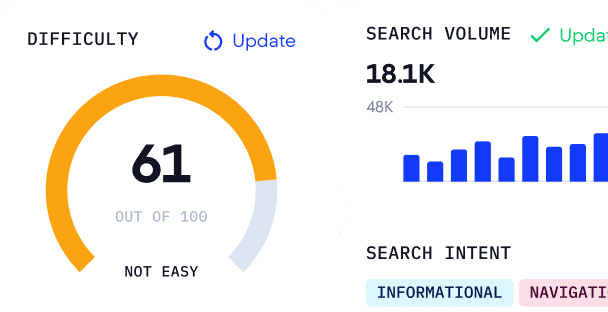
There are six search intent types to work with:
- Informational: user wants to learn something; queries often contain who, what, how, why
- Navigational: user is looking for a specific site or page they already have in mind
- Transactional: user is ready to buy, subscribe, or complete an action
- Commercial: user is comparing options before making a decision
- Local: user is looking for a nearby product, service, or business
- Generative AI: user wants an AI tool to produce an output: draft content, generate code, solve a problem, or calculate something
Two pages targeting the same keyword only create cannibalization when they serve the same intent. A blog post answering “how to choose an oak bed” (informational) and a product page selling oak beds (transactional) can coexist targeting the same keyword because they serve different users at different stages.
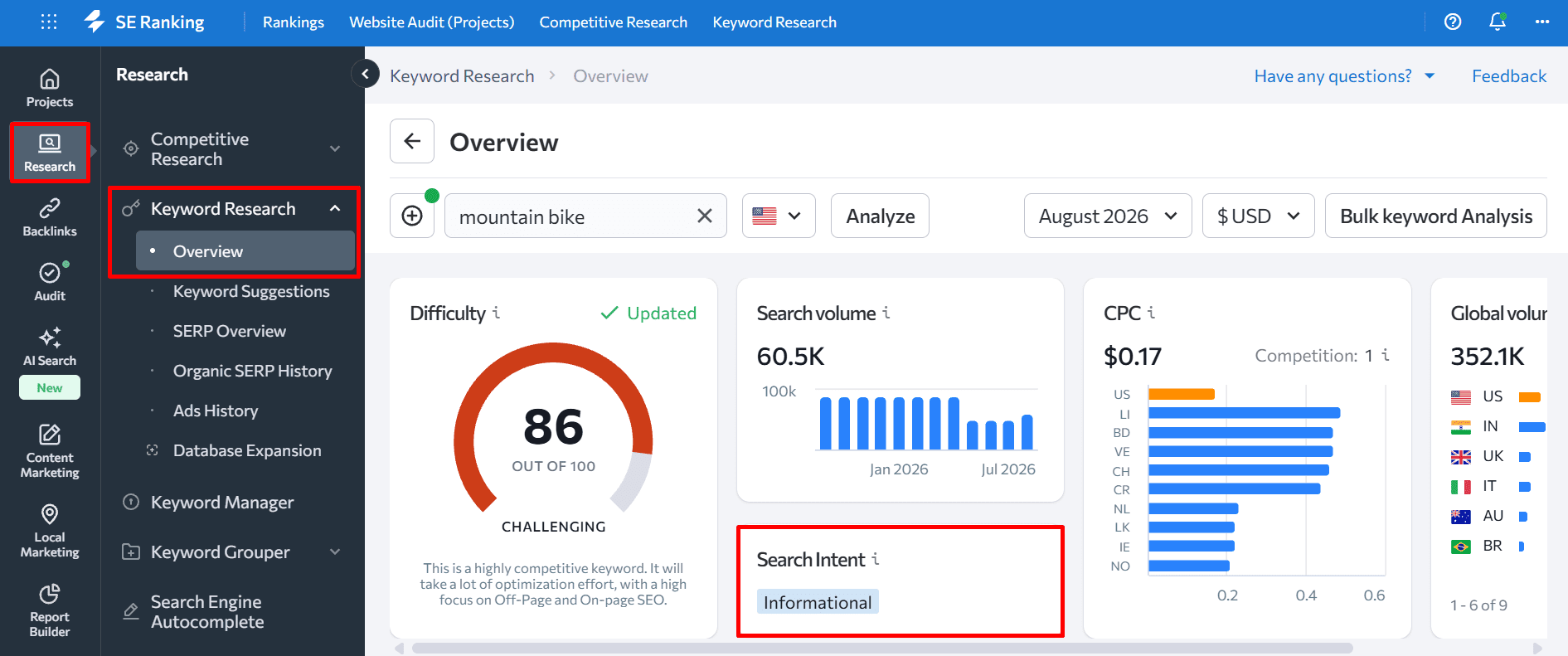
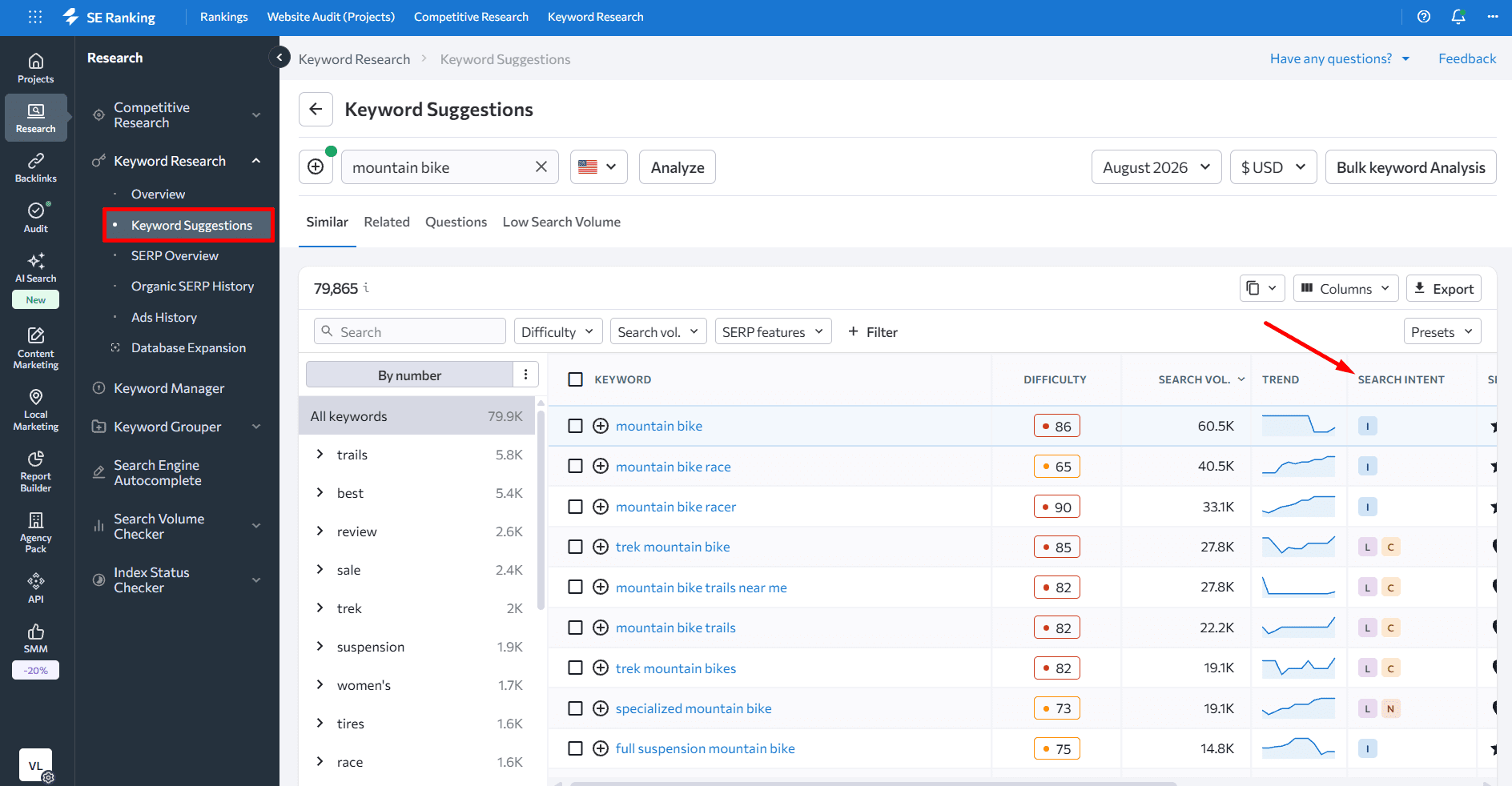
Use SE Ranking’s Keyword Research Tool to verify intent before optimizing any page. The tool shows the assigned intent for any keyword directly in the overview, and lets you filter keyword lists by intent type.
How to avoid keyword cannibalization in the future
Fixing existing cannibalization is one problem. Preventing new instances is a different discipline.
- Create a project in SE Ranking and assign target URLs to all target keywords. The URL indicator in the Rank Tracker turns red if a different page appears in the SERP for a keyword.
- Check the SERP regularly. Before publishing new content, search the keyword you’re targeting and review what’s already ranking.
- Update and expand your keyword list. Research new keyword opportunities and cluster them into groups using the keyword grouper.
- Create intent-focused content. Identify the queries that bring visitors to your site, divide them by intent, and make sure each page serves one primary intent cleanly.
- Use long-tail keywords to differentiate pages. They naturally separate pages by user context — awareness-stage content, consideration-stage content, and conversion-focused content can each have distinct keyword targets.
- Use SE Ranking’s MCP for ongoing audits. Connect SE Ranking to an AI assistant via MCP and run a weekly or monthly cannibalization scan as a single prompt. Because MCP queries live Rank Tracker data, you get an up-to-date view without logging in or exporting reports.
Keyword cannibalization FAQs
How is keyword cannibalization different from keyword stuffing?
Keyword stuffing is adding excessive keyword density to a single page to manipulate rankings. It violates Google’s spam policies and can result in manual penalties. Keyword cannibalization is a site architecture problem when multiple pages target the same keyword unintentionally and compete with each other. It’s not a Google spam violation, but it consistently hurts rankings because it fragments authority that should be concentrated.
How do you handle keyword cannibalization when selling similar products?
Focus on differentiating product content: distinct titles, descriptions, and specifications that reflect what actually makes each product different. For high-level category terms that multiple products share, create a category page that targets that keyword and links to the individual product pages.
Which sites are most vulnerable to keyword cannibalization?
Ecommerce sites with large product catalogs are particularly exposed, because similar products naturally share keyword territory. News and media sites face similar risks as topic coverage expands over time. The practical answer is to check for cannibalization more frequently as your site grows. At least monthly for active sites, or bi-weekly if you’re publishing at a high rate or have noticed ranking volatility.
Wrapping up
Keyword cannibalization is a real problem. It interferes with your SEO strategy and prevents your site from reaching the top positions on the SERP.
Follow the tips provides in this post to identify and cure problem areas and avoid similar situations in the future.
At SE Ranking, we recommend that you check your site for cannibalization issues once per month. If you suspect that some pages are competing or are at risk of competing with one another, check them every two weeks. It’ll help you respond to the problem before it’s too late.