How to find competitor backlinks: 4 methods + one-prompt AI workflow
The most efficient link building lists start with your competitors’ backlinks. Any domain that already links to a rival is invested in your topic, and is far more likely to engage with a relevant pitch than a cold approach from a site they’ve never encountered.
Competitor backlink analysis means examining the referring domains and pages that link to your rivals and comparing that picture to your own profile. The goal is to identify where they’re earning authority signals that you’re not, then determine which of those sources you can realistically pursue. It sits at the foundation of any link building strategy built on evidence rather than guesswork.
This article covers four ways to find those links, how to evaluate which ones are actually worth pursuing, what to do with them once you have the list, and how to compress the entire workflow into a single AI prompt using SE Ranking’s MCP integration.
Key takeaways
- Identify your main competitors before analyzing their backlinks. Look at SERP rivals for your target keywords, not just direct industry competitors.
- Use SE Ranking’s Backlink Checker to pull a full backlink profile for any competitor domain: active links, new links, lost links, and the key quality metrics for each.
- Use the Backlink Gap Analyzer to identify referring domains your competitors share that aren’t linking to you.
- Filter by Domain Trust and link type before you build your outreach list. Not every competitor backlink is worth pursuing.
- Bing Webmaster Tools offers a free secondary source for competitor backlink data, useful for validating gaps or finding links your primary tool may have missed.
- Track new competitor mentions with Google search operators and Google Alerts. Fresh mentions are often easier to convert into links than well-established placements.
- Once you’ve found and evaluated your gaps, SE Ranking’s MCP integration lets you automate the entire workflow: finding, filtering by DT and link type, and pulling contact data. In a single AI prompt.
How to find competitor backlinks
Before you analyze anyone’s backlinks, confirm you’re looking at the right competitors. The sites ranking for your target keywords in organic search are your actual SERP competitors. They’re not necessarily the brands you think of as direct rivals. For a full guide to identifying them, see our guide to finding competitor websites.
Once you have your list (typically five domains) you’re ready to examine their link profiles.
Method 1: SE Ranking’s Backlink Checker
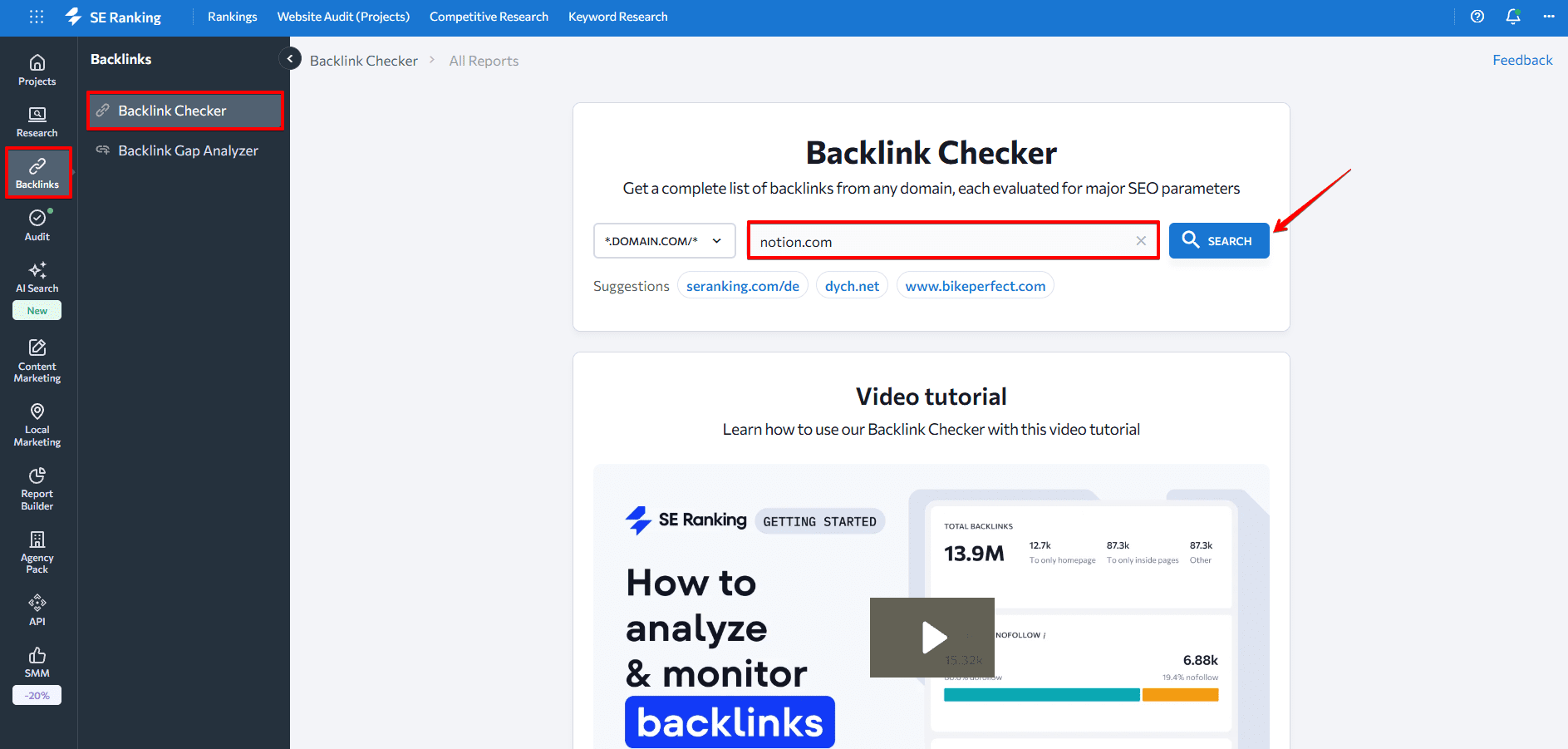
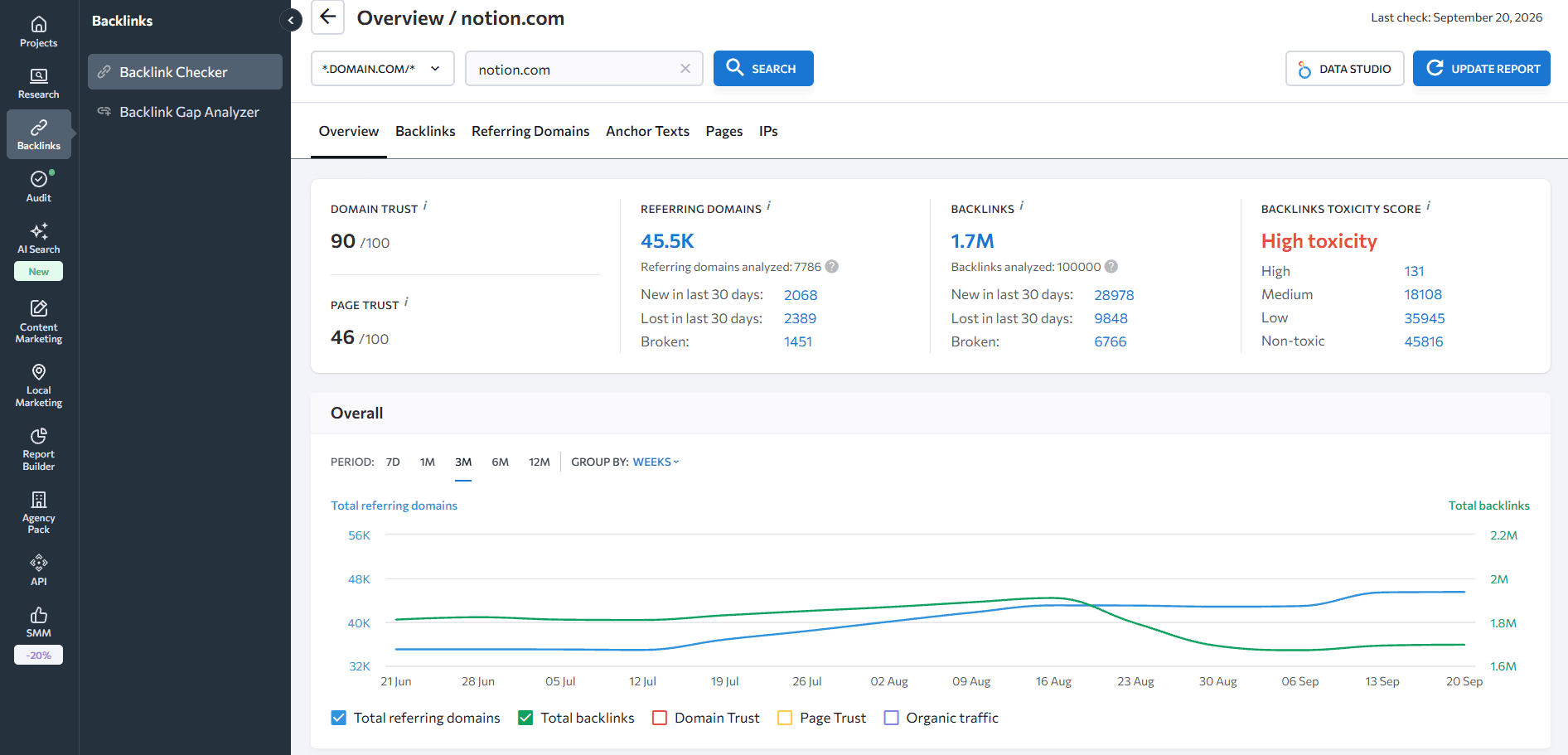
SE Ranking’s Backlink Checker lets you pull a complete backlink profile for any domain, including active links, new links, lost links, anchor text distribution, Domain Trust scores, toxicity signals, and referring domain counts.
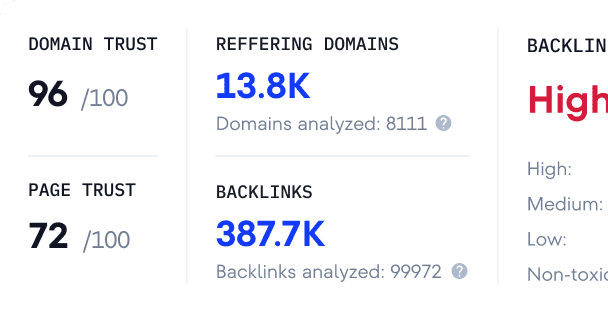
Enter the competitor’s domain to generate a full overview.
The summary view shows top-line metrics: Domain Trust score, total backlinks, referring domains, anchor distribution, and toxicity rating.
To get to the individual links, navigate to the Backlinks tab. Each entry includes the referring page URL, the Domain Trust and Page Trust scores of the source, the estimated traffic of the referring page, the anchor text used, the target URL on your competitor’s site, and whether the link is dofollow or nofollow.
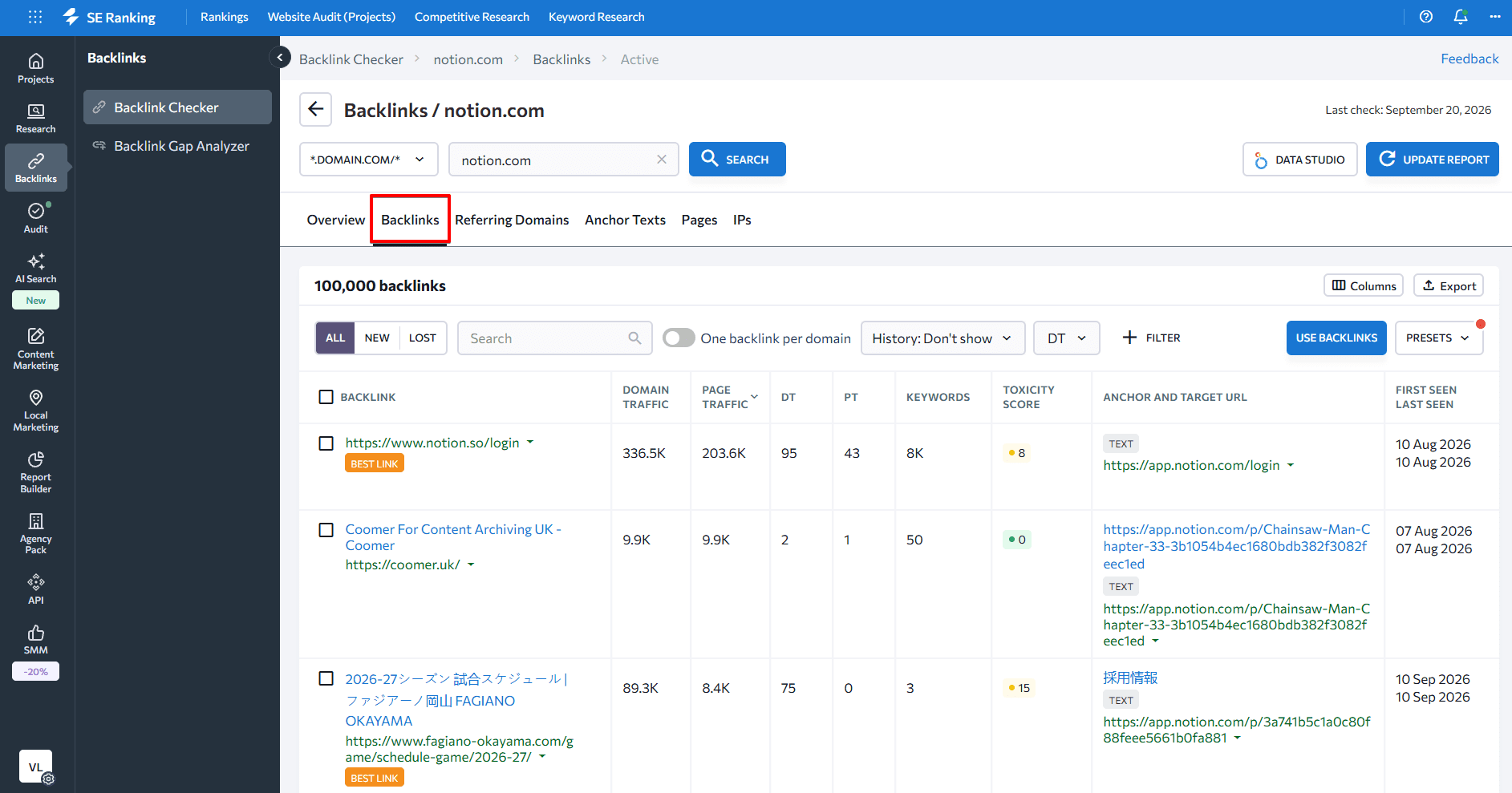
This is where you move from a high-level view to the actual prospecting data. A link from a high-DT editorial source in your niche is a fundamentally different opportunity than a directory listing. Both appear in the same list but require different approaches.
By default, the tool shows active backlinks. You can switch to New to see recently acquired links (a signal of what’s working for your competitor right now) or Lost to identify links they’ve dropped (a potential broken link building opportunity).
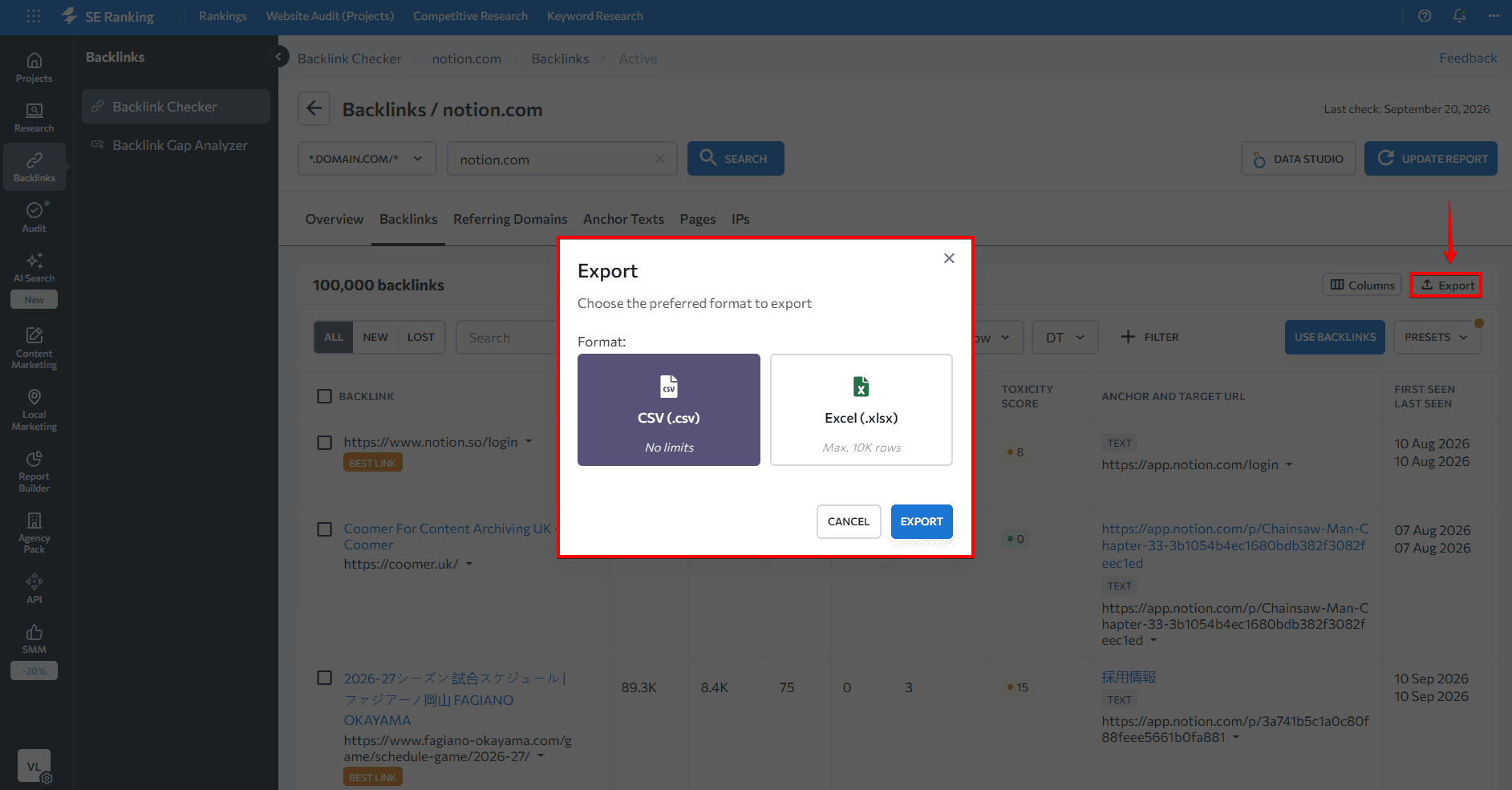
Export the list with a single click when you’re ready to work with it.
Method 2: SE Ranking’s Backlink Gap Analyzer
The Backlink Gap Analyzer answers the specific question: which domains link to my competitors but not to me?
Enter your domain and up to five competitor URLs, then run the analysis.
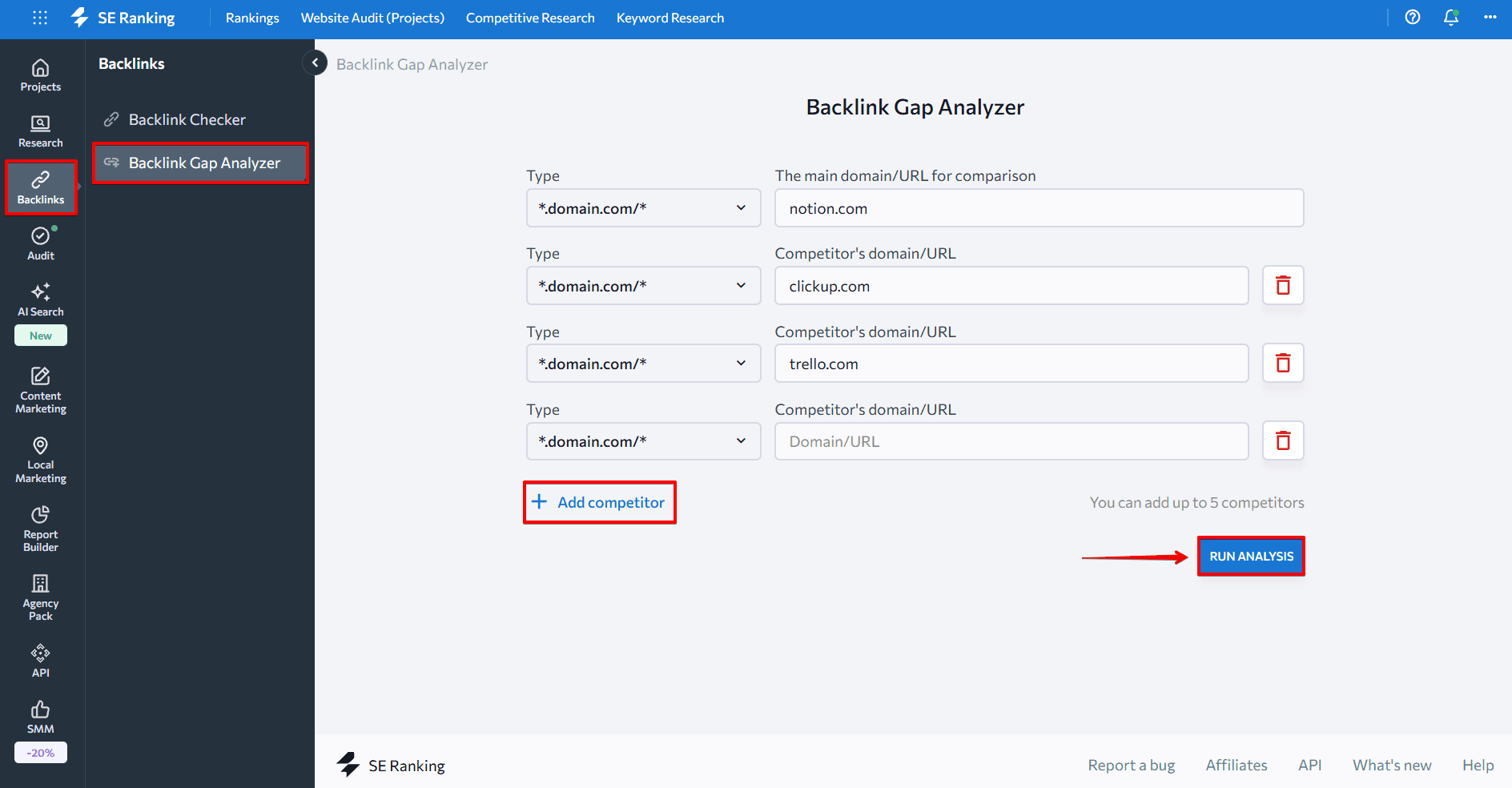
The tool returns every referring domain that links to at least one of your competitors and doesn’t currently link to you. You can filter the results by DT score, link type, and number of competitors sharing the link. That last filter is particularly useful for prioritizing: a domain that links to four of your five competitors is a warmer prospect than one that links to a single rival.
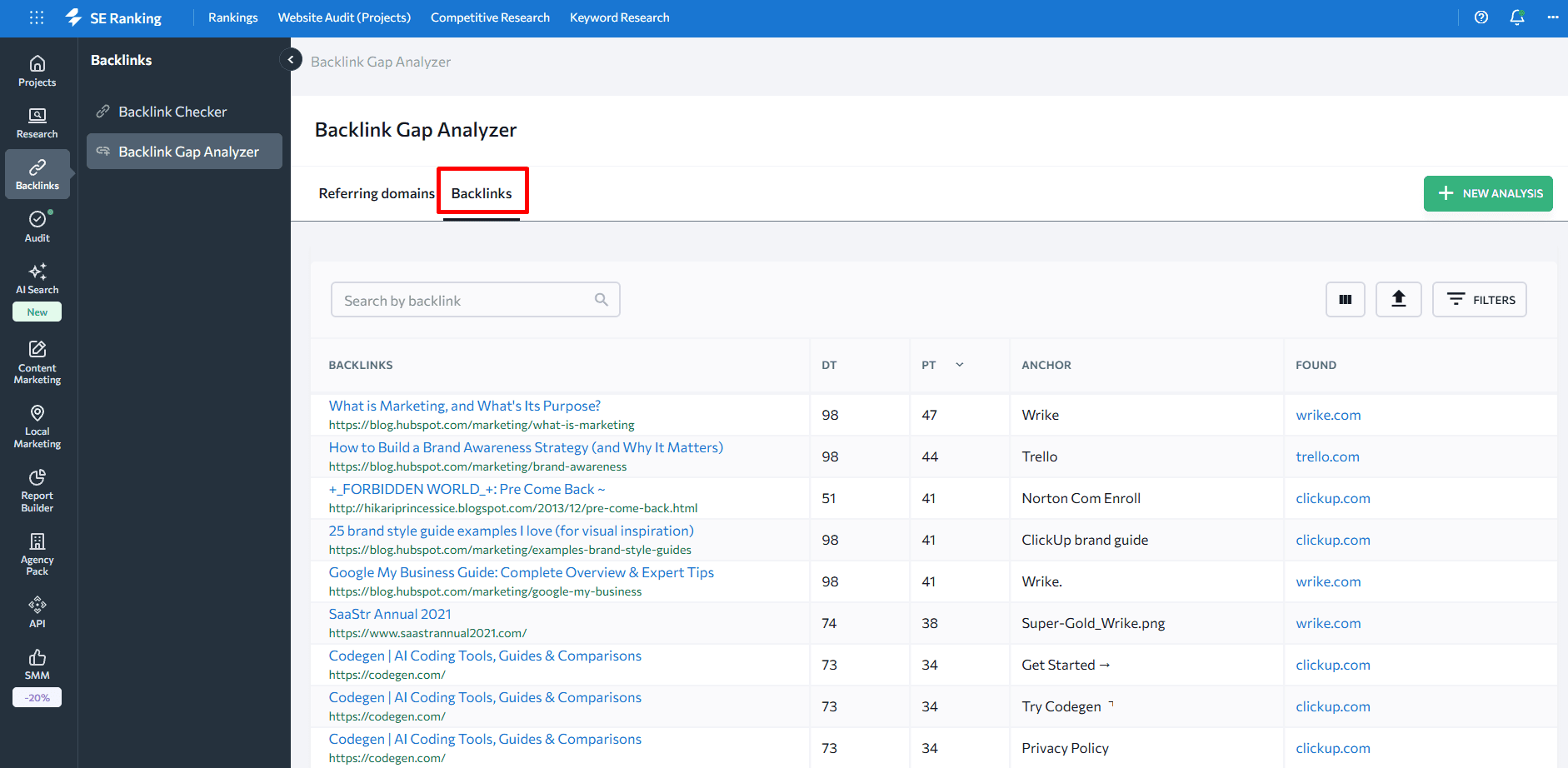
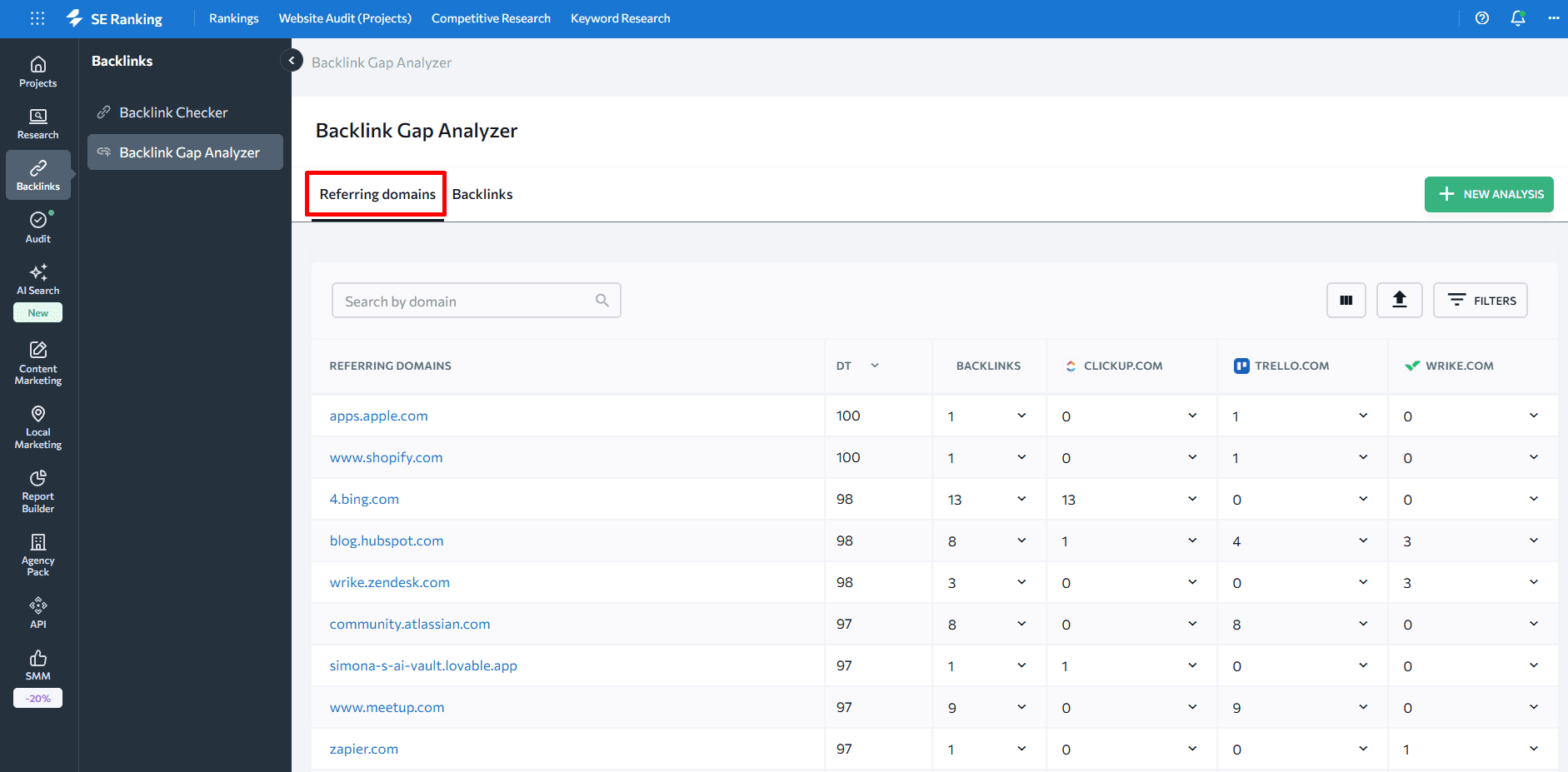
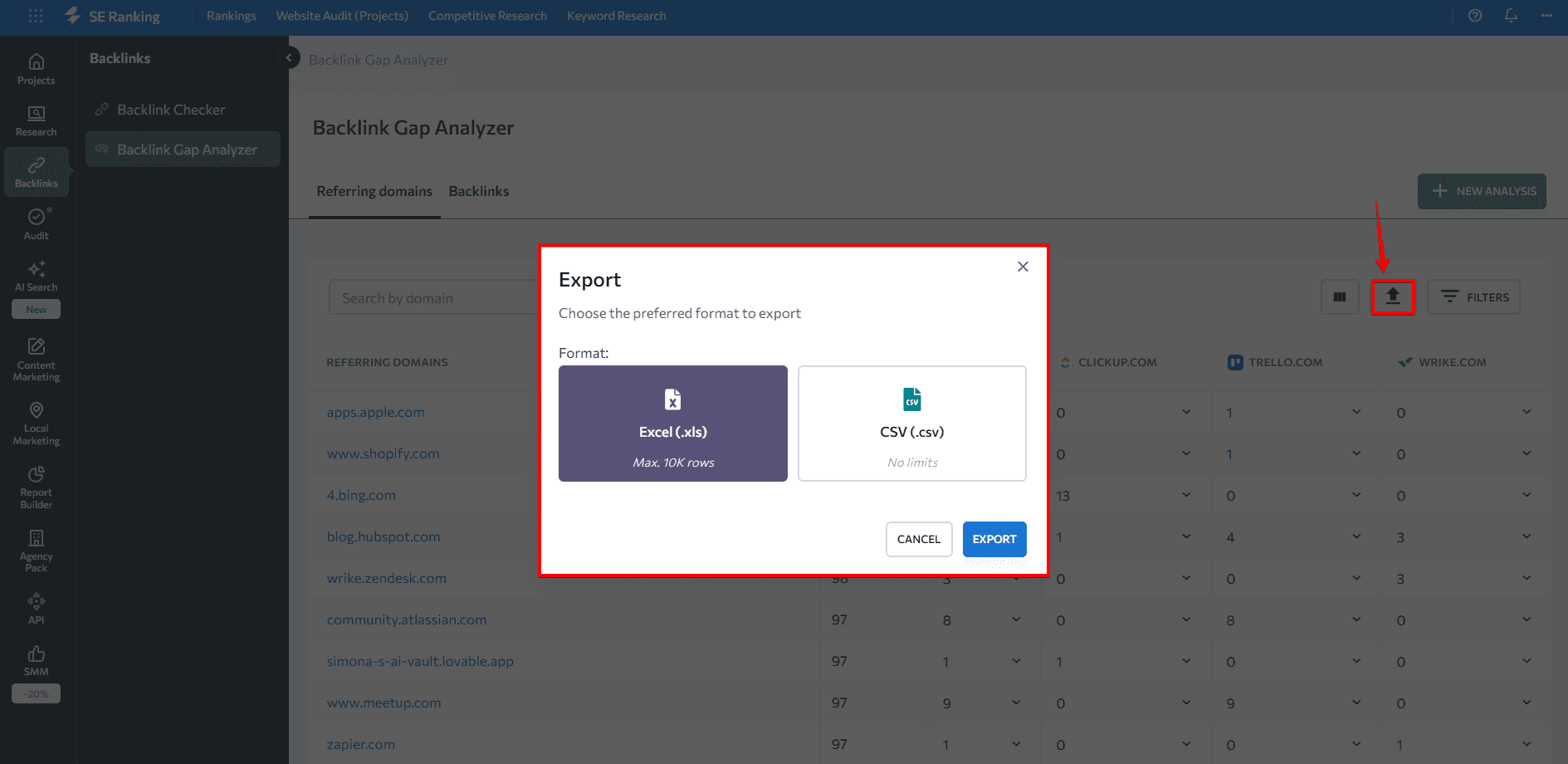
Export the list, then apply your own filters before building your outreach queue. The Referring Domains tab breaks the same data down by domain, letting you see exactly which pages on each referring site carry the relevant links.
Method 3: Bing Webmaster Tools
Bing Webmaster Tools offers a free secondary source of competitor backlink data, worth using as a cross-reference or as a starting point if you’re not yet on a paid SEO tool. The data set differs from most third-party crawlers, so it occasionally surfaces links the primary tools have missed.
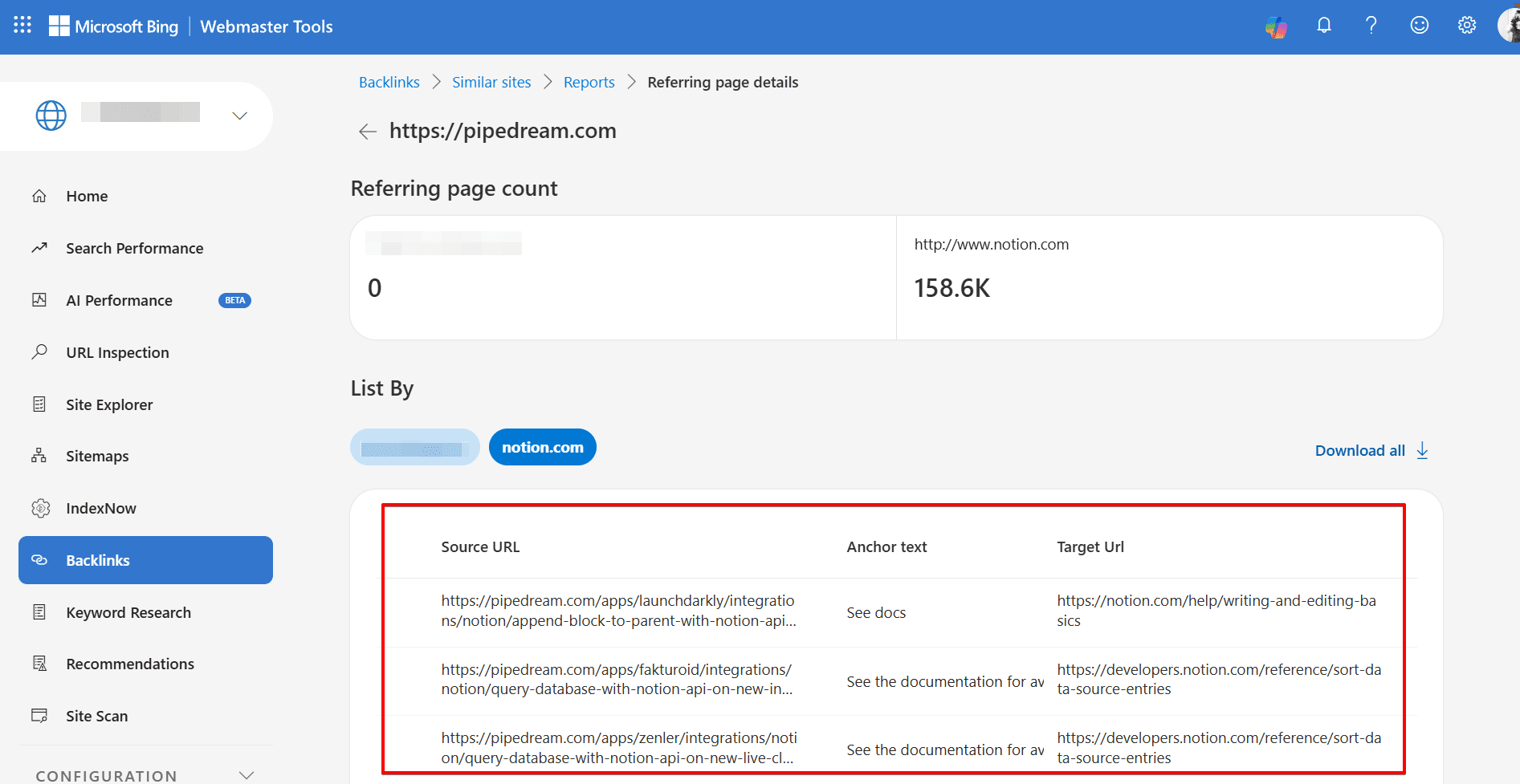
1. In the Backlinks section, select the Backlinks to Any Site tab.
2. Add the competitor domains you want to examine.
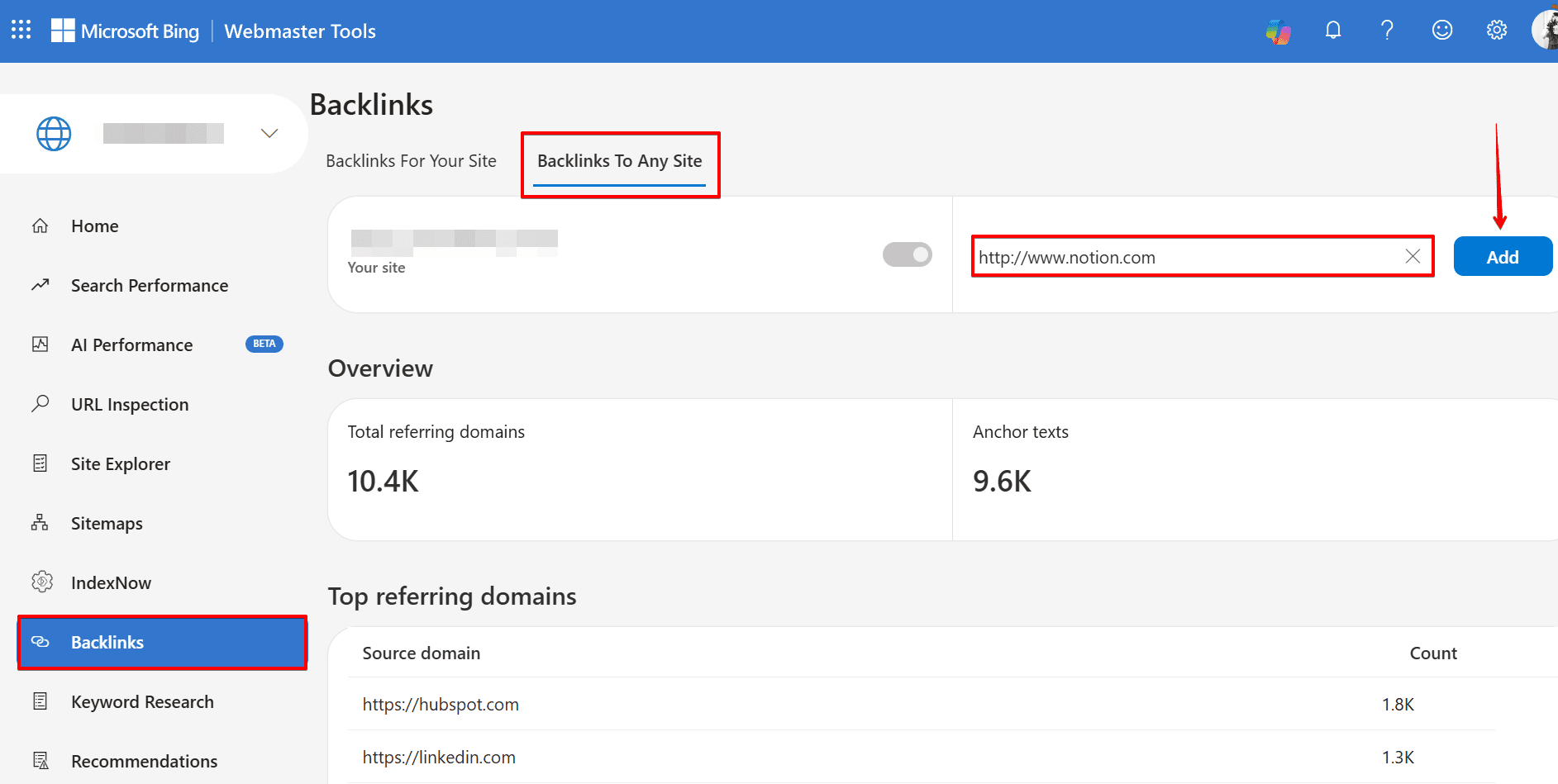
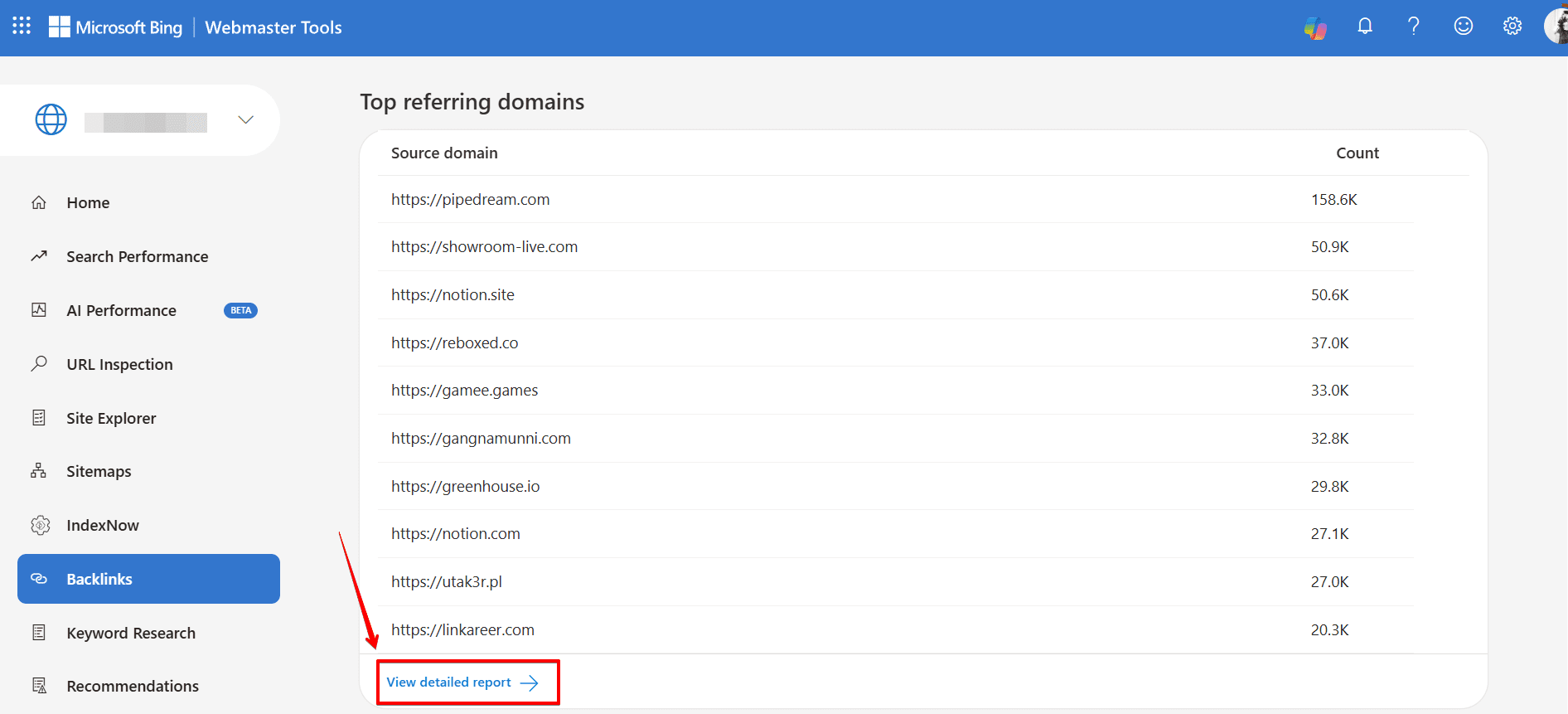
3. In the Top referring domains tab, review the domain-level data, then select View detailed report.
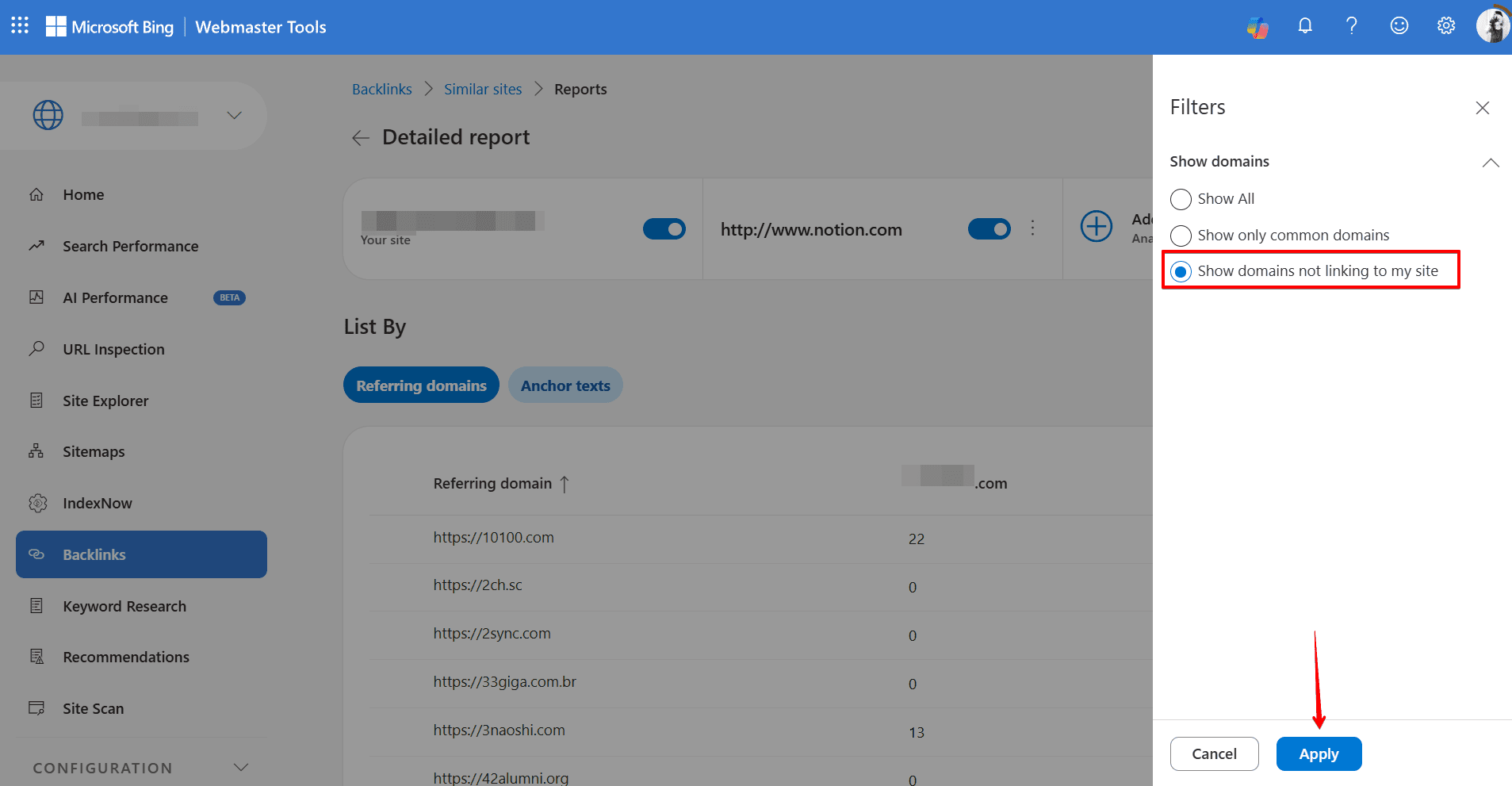
4. Apply the Show domains not linking to my site filter. This narrows the view to domains that link to your competitors but not to your verified property.
5. Click any referring domain to see the specific links your competitor is receiving from that site.
-
123
123
-
123
123
The data is less granular than SE Ranking’s backlink index, but it’s a useful secondary check, particularly for finding regional or niche sources that crawlers underindex.
Method 4: Google search operators and Google Alerts
The two methods above surface links that already exist. This one keeps you informed as new competitor mentions appear, which matters because a freshly published mention is often easier to convert into a link than an established one. The author is still in the content, the relationship is warm, and the ask is timely.
Google search operators
Use the "brand name" after:YYYY-MM-DD operator to find recent mentions of any competitor published after a specific date:
“competitor_brand” after:2026-01-01
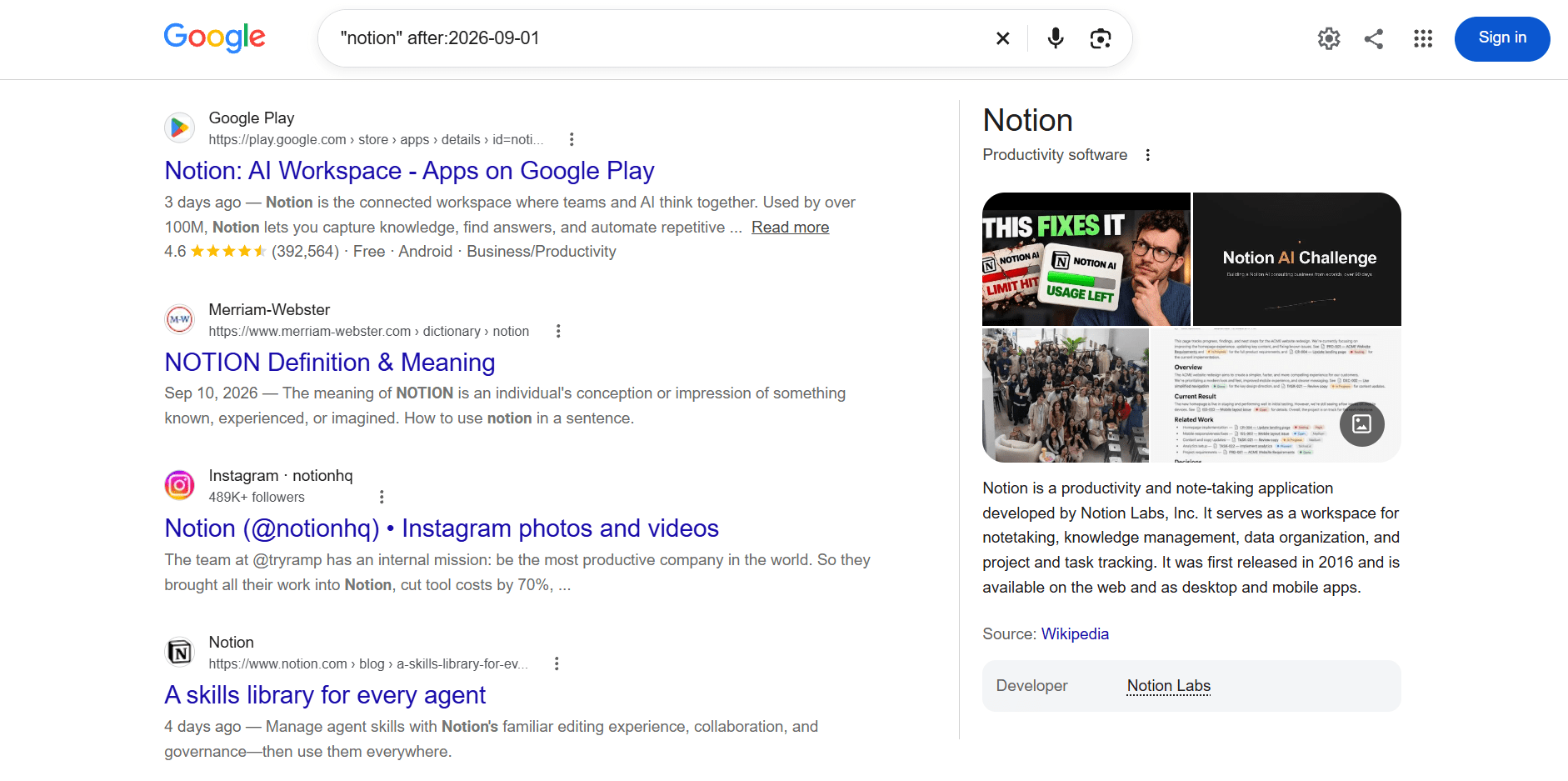
This returns pages that mention your competitor and were published or updated since that date. Work through the results and identify which ones would make sense as a placement for your brand too.
Google Alerts
Google Alerts runs the same kind of search on autopilot and delivers results to your inbox on whatever schedule you set.
Set up an alert for each competitor’s brand name. When a new mention is published, you’ll receive a notification. From there, the path is straightforward: review the mention, assess fit, and reach out to the author or site contact to ask whether your brand could be included or linked.
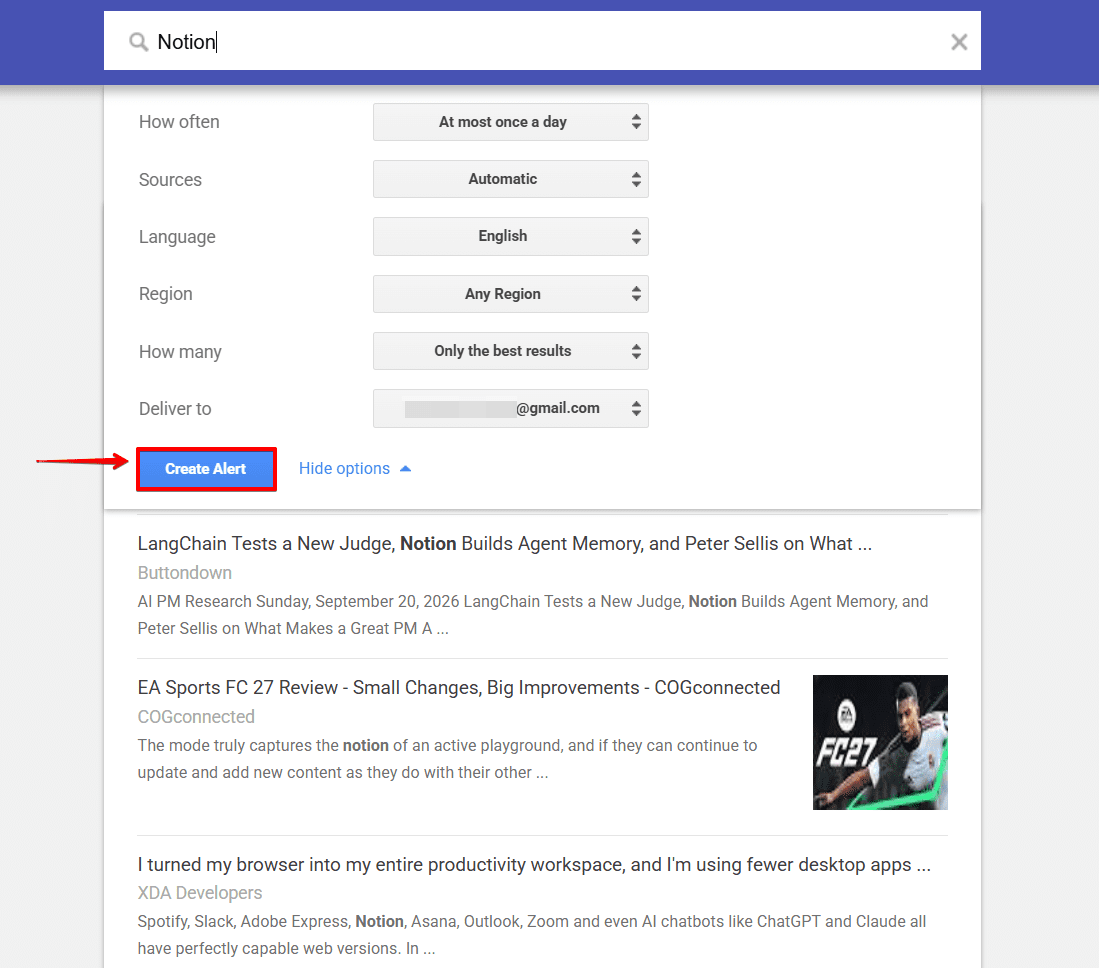
The value here isn’t just the link itself. Responding quickly to competitor mentions builds relationships with the people covering your space, and those relationships tend to compound over time.
How to evaluate competitor backlinks before you reach out
Finding a gap is the first step. The second is deciding which gaps are actually worth closing.
Not every backlink your competitors have is worth pursuing. Before adding anything to your outreach list, check three things.
Domain Trust (DT). SE Ranking’s backlink data includes a DT score for every referring domain. A working threshold: DT 40+ is a meaningful link in most niches; DT 20–40 is situational. A highly relevant site in a niche vertical can be worth the outreach even at lower scores; anything below 20 is usually not worth the time unless volume or context makes it strategic.
Relevance. A link from an unrelated domain contributes less than a mid-authority link from a site your audience actually reads. Check the referring page’s topic, not just the domain score. A high-DT news site linking to a product roundup is a different proposition from a high-DT news site linking from an article in an unrelated industry.
Link type. Filter for dofollow links first, these pass link equity. Nofollow links are worth tracking for referral traffic and brand signal purposes, but they shouldn’t anchor your prioritization. SE Ranking’s Backlink Checker lets you filter by link type, DT range, and toxicity score in one view, so the clean shortlist is a few filter clicks away rather than a manual sort.
Automate the entire workflow with one AI prompt
The four methods above and the evaluation criteria that follows them work well as a manual process. If you’re running this analysis regularly, across multiple clients, multiple projects, or at scale, SE Ranking’s MCP integration lets you collapse the whole workflow into a single prompt to Claude, ChatGPT, or any MCP-compatible AI client.
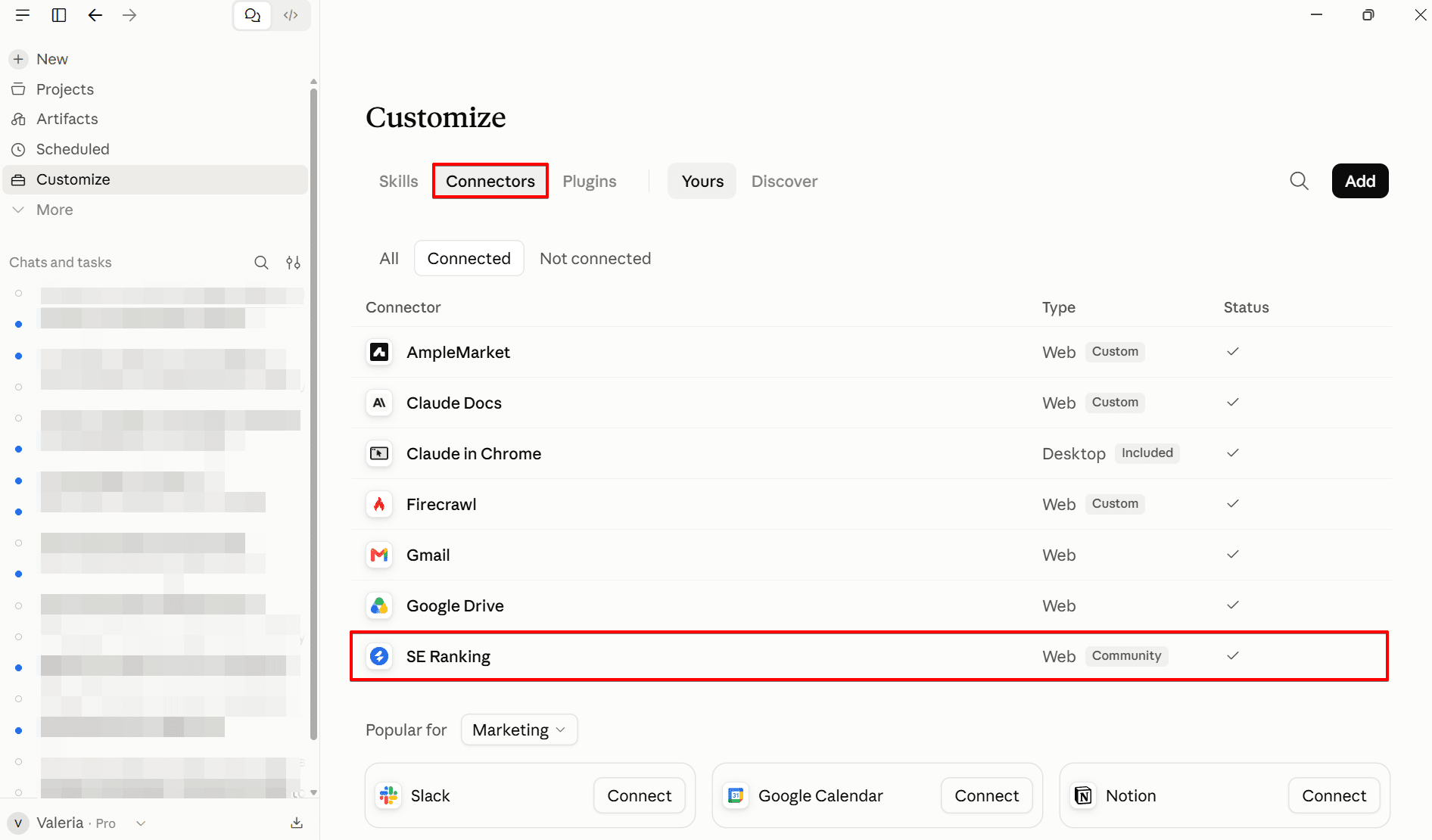
Instead of opening the Backlink Gap Analyzer, filtering by DT and link type, cross-referencing quality signals, and exporting manually, you ask:
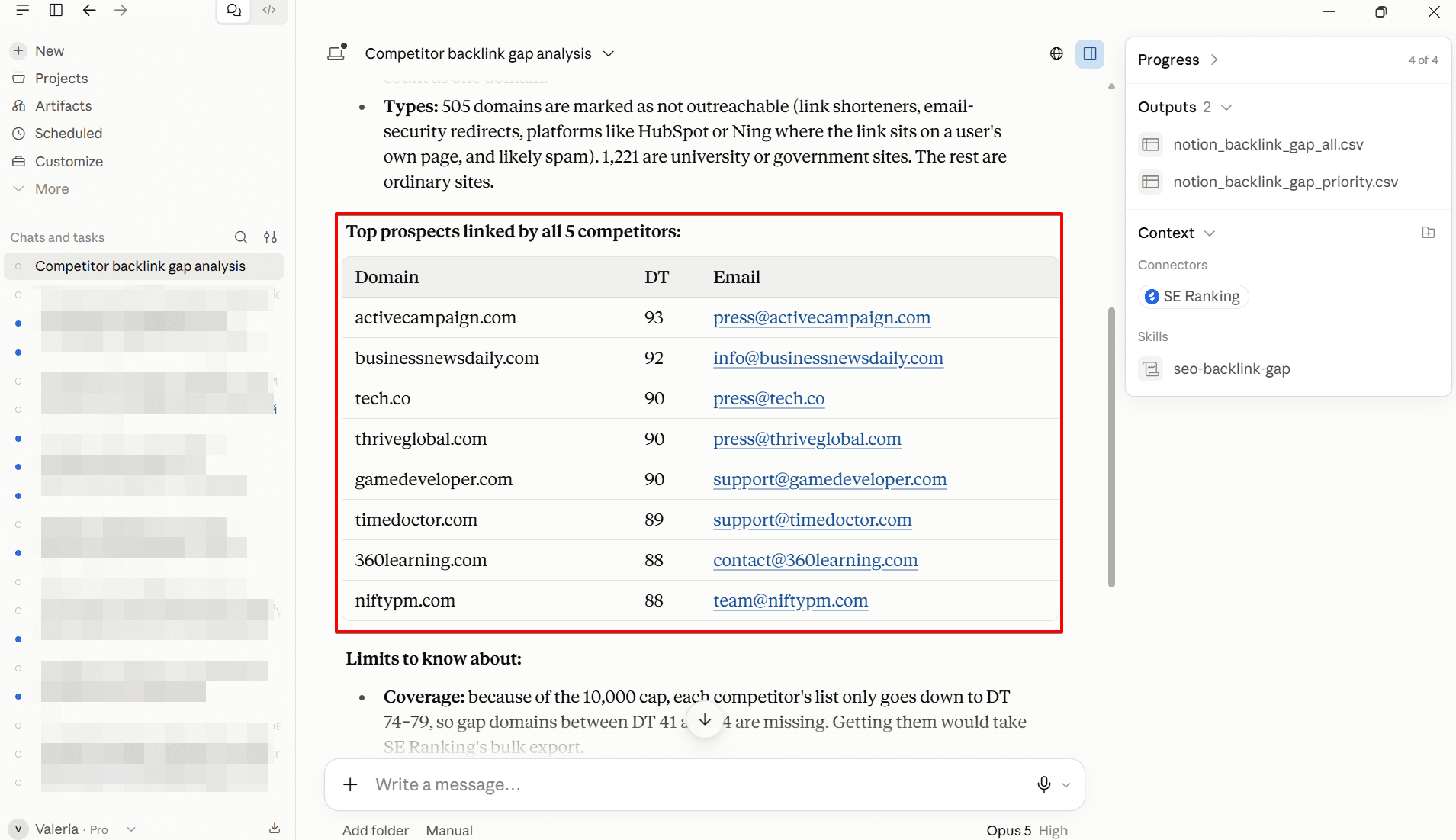
“Pull every backlink my top 5 competitors have that I don’t, filter for dofollow + DT > 40, output domain and contact email if available.”
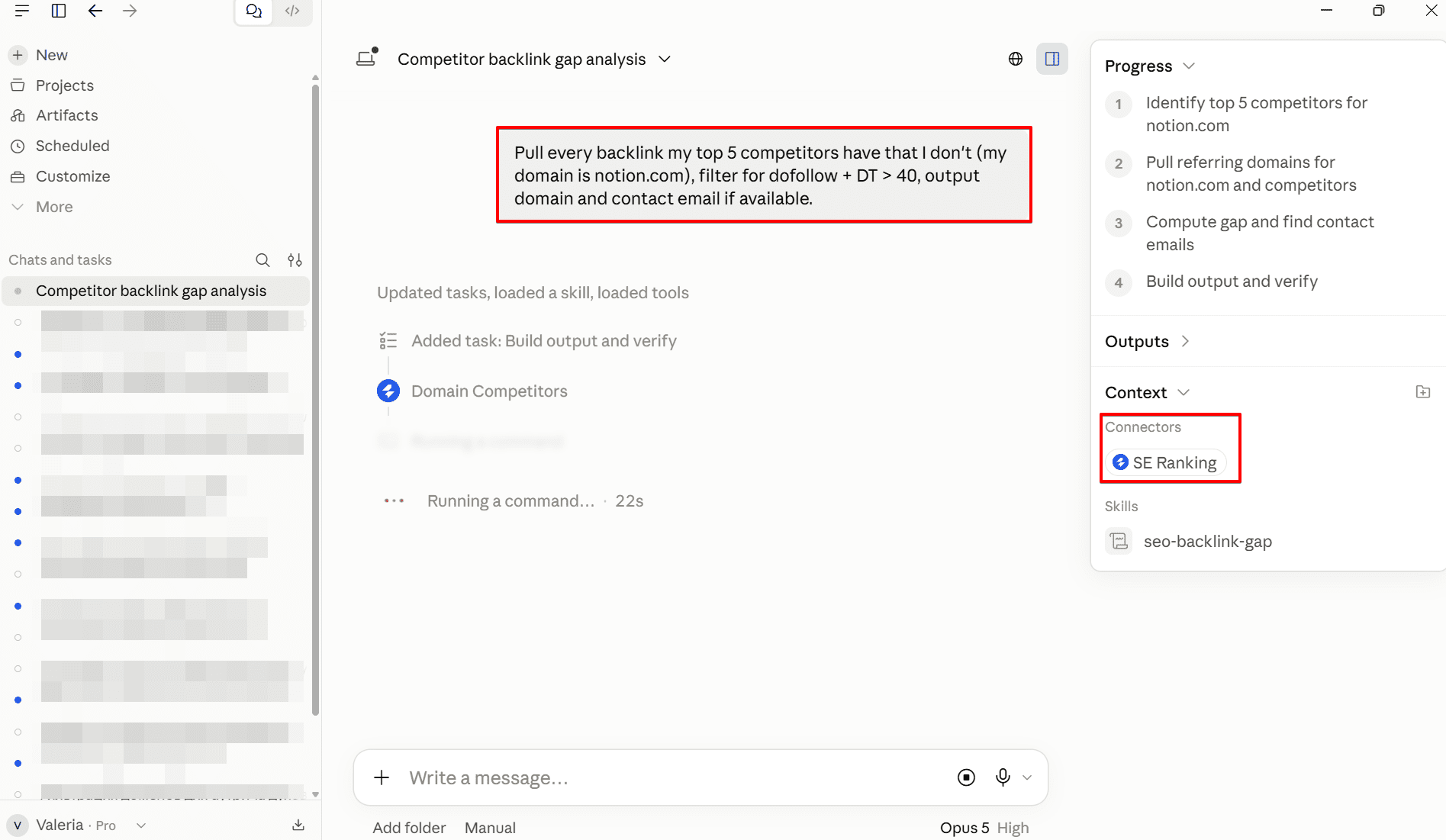
SE Ranking’s MCP exposes the same backlink, competitor research, and keyword data that powers the platform directly to the AI. It can run the gap analysis, apply your filters, and return a prioritized list ready for outreach, without you switching tabs or touching an export.
The SE Ranking API and MCP integration are available on Core and Growth plans.
What to do once you’ve identified the gaps
What happens next depends on how each link was earned.
Editorial links: A blog post or article linking to a piece of your competitor’s content require outreach. The approach is to identify the linking page, assess whether your content is genuinely a better or more current resource, and contact the author or site editor with a short, direct pitch. One sentence explaining what your content adds that the current link doesn’t. Long outreach emails lose.
Directory and profile links: Niche directories, resource pages, tool listings. These are are simpler. Find the submission page and add your site. These don’t require outreach and can be processed in batches.
Broken link opportunities: These are cases where your competitor’s backlink now points to a dead or redirected page and they are among the highest-converting link building approaches because the linking site already has a problem. You’re offering a solution, not making a cold ask. Pitch your equivalent resource as a replacement.
For a full breakdown of link building tactics and how to sequence them, see what is link building and how does it work. For the overlap between AI-assisted tools and outreach at scale, AI & automation in outreach covers the current state of that workflow in more depth.
Wrapping up
Google’s ranking process continuously benchmarks your site against competitors, and your link profile is one of the heaviest factors in that comparison. Competitor backlink analysis is the structured way to close the gap: find where they’re earning authority you’re not, filter for the links worth pursuing, and work down the list methodically.
The four methods here cover the full range of finding: the Backlink Gap Analyzer and Backlink Checker for data-rich prospecting, Bing Webmaster Tools as a cross-reference, and Google Alerts for staying current on new mentions. Pair them with the evaluation criteria above to build a shortlist worth pursuing. And if you want to compress the find-filter-export cycle into a single step, SE Ranking’s MCP integration handles the whole thing from one prompt. None of this requires building from scratch. All of it starts with what your competitors have already figured out.