Top 18 SEO automation tools to improve the efficiency of your SEO processes
In 2026, automation is no longer a nice-to-have. It’s become part of how efficient teams get work done.
But with so many tools on the market, it’s not always obvious what’s actually worth automating, which platforms are useful, and where automation might create more problems than it solves.
That’s especially true for SEO teams, whose work now goes far beyond tracking rankings. They’re responsible for visibility across traditional search, LLM results, and social platforms. As that scope grows, so does the amount of manual work.
To make the choice easier, we’ve compiled a list of SEO automation tools that can support this expanded scope.
The 18 best SEO automation tools
Here are the SEO automation tools we’ll be covering, and why we chose them:
- SE Ranking: Connect cross-channel data across traditional search, LLM results, and social platforms.
- Screaming Frog: Perform deep site crawls to detect broken links, redirects, duplicate content, etc.
- Atomic AGI: Track both traditional Google search and AI search engines like ChatGPT, Perplexity, Claude, and Gemini.
- ScrapeGraphAI: Extract structured web data with AI prompts, proxy rotation, crawling, monitoring, and clean JSON outputs for SEO automation and AI agent workflows.
- Quattr: Automate content gap analysis, brief creation, page refreshes, and internal linking.
- AIclicks: Automate AI search visibility tracking, citation analysis, and content publishing across 10+ AI platforms.
- Sitechecker: Automate SEO audits, monitoring, alerts, rank tracking, white-label reports, GSC/GA4 dashboards, and AI visibility tracking.
- BlogSEO: Automate entire blog content workflow.
- Surfer SEO: Automate content creation and optimization workflows.
- SEO PowerSuite: Automate audits, rank tracking, backlink analysis, and reporting.
- MonitLabs: Track search visibility and sentiment in AI search, AIO, and classic SERPs.
- Wayfront: Automate and embed SEO reports your clients can access through a client portal.
- SERPWoo: Get a bird’s-eye view of your website performance.
- Ahrefs: Automate research on keywords, backlinks, and more.
- Semrush: Get comprehensive SEO analytics across multiple areas.
- SEOptimer: Audit websites and diagnose content issues.
- ChatGPT: Use AI to streamline various SEO tasks.
- Google Search Console: Get at-a-glance information on your website performance.
SE Ranking
Winner!
Screaming Frog
Atomic AGI
ScrapeGraphAI
Quattr
AIclicks
Sitechecker
BlogSEO
–
Surfer SEO
SEO PowerSuite
MonitLabs
–
Wayfront
SERPWoo
Ahrefs
Semrush
SEOptimer
SE Ranking
Winner!
Screaming Frog
Atomic AGI
ScrapeGraphAI
–
Quattr
–
AIclicks
–
Sitechecker
BlogSEO
–
Surfer SEO
SEO PowerSuite
MonitLabs
–
Wayfront
SERPWoo
–
Ahrefs
Semrush
SEOptimer
SE Ranking
Winner!
Screaming Frog
Atomic AGI
ScrapeGraphAI
Quattr
AIclicks
Sitechecker
BlogSEO
$19/month
Surfer SEO
SEO PowerSuite
MonitLabs
$29.90/month
Wayfront
$129/month
SERPWoo
Ahrefs
Semrush
SEOptimer
SE Ranking
Winner!
- Rank tracking
- Website and on-page audits
- Backlink checking and tracking
- Content creation & optimization
- Keyword & Competitive Research
- SEO Reporting
- AI visibility monitoring
Screaming Frog
- Website and on-page audits
Atomic AGI
- AI visibility monitoring
- AI optimization
- Content analysis
- AI agents & workflow automation
- AI search attribution
ScrapeGraphAI
- Competitor research
- Page-level extraction
- Content audits
- Website change monitoring
Quattr
- Content gap analysis
- Сontent briefs and page creation
- Content refreshes
- Internal linking
AIclicks
- AI visibility monitoring
- Citation source analysis
- Competitor share of voice
- Content creation & publishing
Sitechecker
- Technical SEO audits
- SEO monitoring, alerts
- Rank tracking
- GSC&GA4 analysis
- AI search visibility
BlogSEO
- Keyword & Competitive Research
- Internal & external linking
- HD image generation
- Content Creation & Optimization
- Article publishing
Surfer SEO
- Keyword research and content audits
- Content creation & optimization
SEO PowerSuite
- Keyword research and rank monitoring
- Website audits
- Backlink analysis and monitoring
- SEO reporting
MonitLabs
- Rank tracking
- AIO & AI search visibility tracking
- AI search sentiment tracking
Wayfront
- Client reporting
- Project communication
- Client data analysis
- Client billing
SERPWoo
- Rank monitoring
- Keyword research
- On-page analysis
- SEO Reporting
Ahrefs
- Backlinks and keyword research
- Keyword position tracking
- Website audits
- Finding new content ideas
- AI visibility monitoring
Semrush
- Keyword research
- Competitor analysis
- Content marketing
- SEO reporting
- AI visibility monitoring
SEOptimer
- SEO audits
- Keyword and backlink research
- Rank tracking
- Task and progress management
- SEO reporting
SE Ranking
Winner!
- Google Search Console
- Google Analytics
- Google Business Profile
- Looker Studio
Screaming Frog
- Google Search Console
- Google Analytics
- PageSpeed Insights
Atomic AGI
- Google Search Console
- Google Analytics 4
ScrapeGraphAI
–
Quattr
- Google Search Console
- Google Analytics 4
- BigQuery
AIclicks
- Google Analytics 4
Sitechecker
- Google Search Console
- Google Analytics 4
- Looker Studio
BlogSEO
- Google Search Console
Surfer SEO
- Google Search Console
SEO PowerSuite
- Google Search Console
- Google Analytics
MonitLabs
- Google Search Console
Wayfront
- Google Analytics
- Google Tag Manager
- Looker Studio
SERPWoo
–
Ahrefs
- Google Search Console
- Looker Studio
Semrush
- Google Search Console
- Google Analytics
- Google Business Profile
- Looker Studio
SEOptimer
–
SE Ranking
Winner!

Screaming Frog
Atomic AGI
ScrapeGraphAI
Quattr
AIclicks
Sitechecker
BlogSEO
Surfer SEO
SEO PowerSuite
MonitLabs
Wayfront
SERPWoo
Ahrefs
Semrush
SEOptimer
SE Ranking
Winner!
Screaming Frog
Atomic AGI
ScrapeGraphAI

Quattr
AIclicks
Sitechecker
BlogSEO
Surfer SEO
SEO PowerSuite
MonitLabs
Wayfront
SERPWoo
Ahrefs
Semrush
SEOptimer
SE Ranking
Winner!
- Additional client seats
- Lead Generator
- Agency Catalog
- White label SEO tools
Screaming Frog
No extra features for agencies
Atomic AGI
- Multiple users & client seats
- Custom reports
ScrapeGraphAI
- Enterprise Support
Quattr
No extra features for agencies
AIclicks
- Unlimited websites
- Separate client workspaces
Sitechecker
- White-label reports
- Client access
- Multi-user projects
- Automated alerts
- Shareable dashboards
BlogSEO
- White label options
- Affiliate program (30% commission)
Surfer SEO
- White Label
SEO PowerSuite
- White labeled reports
MonitLabs
No extra features for agencies
Wayfront
- Client Portal
- CRM
SERPWoo
- ORM Tagging
Ahrefs
- SEO Agencies Directory
Semrush
- Agency directory
- Semrush CRM
- Client portal
SEOptimer
- Lead Generator
- White Label reporting
SE Ranking
Winner!
✅ 14 days
Screaming Frog
☑️ Free version is available
Atomic AGI
☑️ Free version is available
ScrapeGraphAI
☑️ Free version is available
Quattr
AIclicks
✅ 3 days
Sitechecker
✅ 14 days
BlogSEO
☑️ Free version is available
Surfer SEO
No standard free trial
SEO PowerSuite
☑️ Forever-free plan
MonitLabs
✅ 14 days
Wayfront
✅ 14 days
SERPWoo
Ahrefs
Ahrefs Free for verified sites; no traditional paid-plan free trial
Semrush
✅ 7 days
SEOptimer
✅ 14 days
–
–
–
–
–
–
–
–
$19/month
$29.90/month
$129/month
- Rank tracking
- Website and on-page audits
- Backlink checking and tracking
- Content creation & optimization
- Keyword & Competitive Research
- SEO Reporting
- AI visibility monitoring
- Website and on-page audits
- AI visibility monitoring
- AI optimization
- Content analysis
- AI agents & workflow automation
- AI search attribution
- Competitor research
- Page-level extraction
- Content audits
- Website change monitoring
- Content gap analysis
- Сontent briefs and page creation
- Content refreshes
- Internal linking
- AI visibility monitoring
- Citation source analysis
- Competitor share of voice
- Content creation & publishing
- Technical SEO audits
- SEO monitoring, alerts
- Rank tracking
- GSC&GA4 analysis
- AI search visibility
- Keyword & Competitive Research
- Internal & external linking
- HD image generation
- Content Creation & Optimization
- Article publishing
- Keyword research and content audits
- Content creation & optimization
- Keyword research and rank monitoring
- Website audits
- Backlink analysis and monitoring
- SEO reporting
- Rank tracking
- AIO & AI search visibility tracking
- AI search sentiment tracking
- Client reporting
- Project communication
- Client data analysis
- Client billing
- Rank monitoring
- Keyword research
- On-page analysis
- SEO Reporting
- Backlinks and keyword research
- Keyword position tracking
- Website audits
- Finding new content ideas
- AI visibility monitoring
- Keyword research
- Competitor analysis
- Content marketing
- SEO reporting
- AI visibility monitoring
- SEO audits
- Keyword and backlink research
- Rank tracking
- Task and progress management
- SEO reporting
- Google Search Console
- Google Analytics
- Google Business Profile
- Looker Studio
- Google Search Console
- Google Analytics
- PageSpeed Insights
- Google Search Console
- Google Analytics 4
–
- Google Search Console
- Google Analytics 4
- BigQuery
- Google Analytics 4
- Google Search Console
- Google Analytics 4
- Looker Studio
- Google Search Console
- Google Search Console
- Google Search Console
- Google Analytics
- Google Search Console
- Google Analytics
- Google Tag Manager
- Looker Studio
–
- Google Search Console
- Looker Studio
- Google Search Console
- Google Analytics
- Google Business Profile
- Looker Studio
–
- Additional client seats
- Lead Generator
- Agency Catalog
- White label SEO tools
No extra features for agencies
- Multiple users & client seats
- Custom reports
- Enterprise Support
No extra features for agencies
- Unlimited websites
- Separate client workspaces
- White-label reports
- Client access
- Multi-user projects
- Automated alerts
- Shareable dashboards
- White label options
- Affiliate program (30% commission)
- White Label
- White labeled reports
No extra features for agencies
- Client Portal
- CRM
- ORM Tagging
- SEO Agencies Directory
- Agency directory
- Semrush CRM
- Client portal
- Lead Generator
- White Label reporting
✅ 14 days
☑️ Free version is available
☑️ Free version is available
☑️ Free version is available
✅ 3 days
✅ 14 days
☑️ Free version is available
No standard free trial
☑️ Forever-free plan
✅ 14 days
✅ 14 days
Ahrefs Free for verified sites; no traditional paid-plan free trial
✅ 7 days
✅ 14 days
Features we looked at
Here are the features, capabilities, and characteristics that we considered for each tool:
- Cross-channel automation, including AI visibility monitoring, traditional position tracking, competitor and keyword research, backlink monitoring, website auditing, reporting, and related workflows.
- Data accuracy and reliability, including extensive datasets and powerful algorithms that can process them accurately.
- API and MCP capabilities, including data retrieval and support for connecting tools to AI agents or automated workflows.
- Integrations, including connections with analytics platforms such as GA4 and GSC; reporting tools like Data Studio; and automation platforms such as Zapier, Make.com, and n8n.
- Pricing, including its flexibility and value-for-money proposition.
- Free access, including free trials or demos to test the tool before committing to paid subscriptions.
- Benefits for agencies, including integration with other tools, white labeling, etc.
- User-friendliness, including intuitive navigation and easy onboarding.
Now, let’s start our review of the top 18 best SEO automation tools!
1. SE Ranking
Today, SE Ranking helps automate far more than traditional rank tracking. It brings together data from traditional search, LLM results, social platforms, and website traffic.
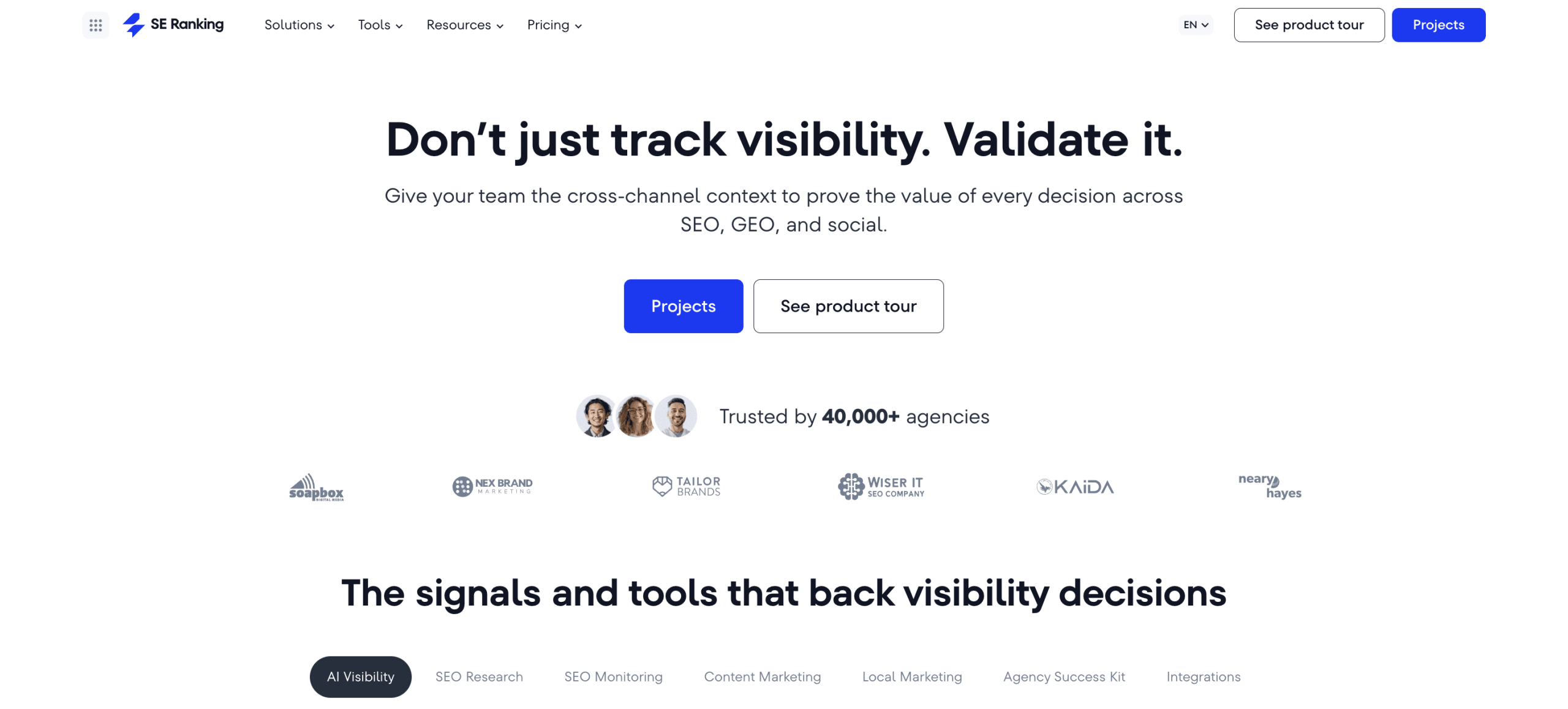
On the SEO and AI search side, SE Ranking covers classic workflows like rank tracking, keyword research, competitor analysis, backlink monitoring, website audits, and reporting. It also tracks AI visibility across AI Overviews, AI Mode, ChatGPT, Perplexity, and Gemini.
Plus, the platform connects with tools like Google Analytics, Google Search Console, and Planable, so that you can bring traffic and social performance data into the same workflow. This is especially useful for teams that want to connect search visibility with actual website performance and social media activity.
Also, SE Ranking’s API includes an MCP server that brings live data into AI assistants like ChatGPT, Claude, and Gemini. This means you can describe what you need in plain language, and your AI assistant can fetch the data, interpret it, and return structured insights directly in the chat.
For example, you can generate writer-ready content briefs, perform backlink gap analysis, build AI search reports, or run website audits with one prompt.
SE Ranking also integrates with Make.com, n8n, and Zapier, so you can build fully automated workflows that pull SEO data, trigger actions based on changes, and connect SE Ranking to other tools in your stack.
Pros
- Covers core SEO automation, including keyword research, domain analysis, website audits, backlink analysis, rank tracking, and reporting.
- Supports AI search automation, with brand mention and citation tracking across AI Overviews, AI Mode, ChatGPT, Perplexity, and Gemini.
- Offers an API with MCP server integration, making it possible to access SE Ranking data inside AI assistants.
- Integrates with analytics platforms like GA4, Google Search Console, and Matomo Analytics.
- Connects with reporting tools such as Looker Studio, Whatagraph, AgencyAnalytics, and Reports.io.
- Works with automation platforms including Zapier, Make.com, and n8n.
- Offers social analytics via its sister company, Planable.
- Includes agency-focused features through the Agency Pack, such as white labeling, lead generation, unlimited reports, and an agency catalog listing.
Cons
- The platform has a learning curve, especially for teams that want to get full value from its broader SEO, AI visibility, reporting, and automation features.
- Cross-channel data correlation is not yet fully automated within the platform.
Pricing
SE Ranking offers a 14-day free trial. Plans start at $129/month, with a 20% discount on annual subscriptions. All plans include core SEO features, AI search tracking, and API & MCP access. Higher plans add more projects, historical data across project lifetime, and page changes monitoring.
Reporting is included at 10–30 scheduled reports per plan, with GSC and GA4 integration and automated delivery built in — not gated behind an additional fee.
For agencies needing white labeling, lead generation, and expanded client management, the Agency Pack is available from $69/month on annual plans.
Verdict
Because of its combination of traditional SEO automation, AI search visibility tracking, API & MCP access, and integrations with tools like n8n, Make.com, and Zapier, SE Ranking earns its spot at the top of this list as the best automated SEO software.
It gives teams a practical way to manage core SEO workflows, monitor visibility across a broader search ecosystem, pull data into dashboards or internal systems, and automate recurring tasks across the marketing stack.
2. Screaming Frog
Screaming Frog SEO Spider is an automated SEO tool for in-depth website and on-page audits. You must download Screaming Frog to use it. This tool is available for Windows, Mac, and Linux.
Screaming Frog automates the website crawling process to find broken links and redirects, analyze meta-data, audit backlinks, generate XML sitemaps, find duplicate content, and more. Although a paid subscription lets you schedule crawls and provides you with various technical SEO reports automatically, it lacks capabilities for keyword and competitive research, SEO content creation, and position tracking.
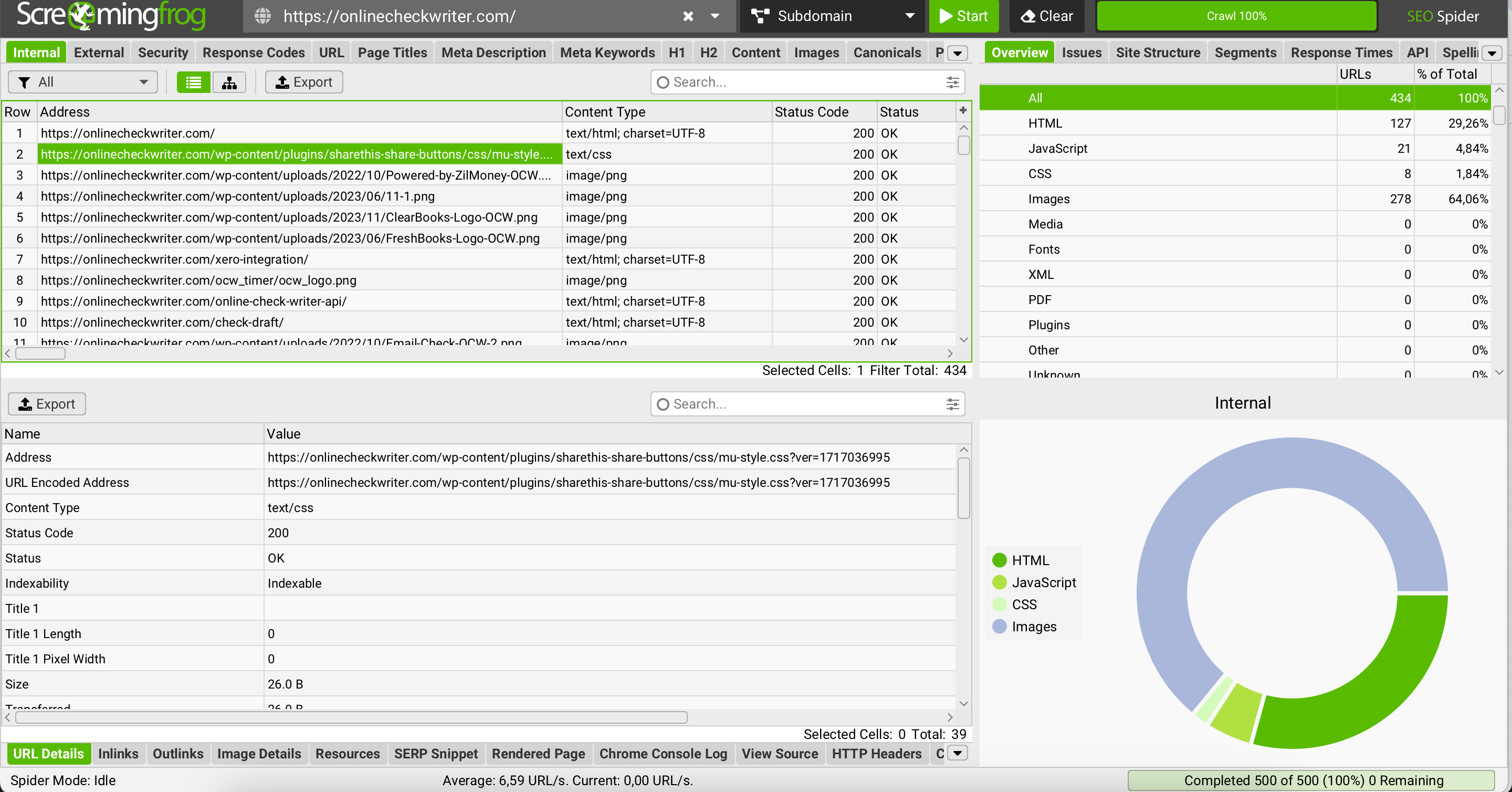
It integrates with GA4, GSC, PageSpeed Insights, and Link Metrics.
Screaming Frog’s data-centered interface may not be the easiest to perceive. It will take time to get used to it.
Pros
- Comprehensive automated crawling
- Scheduled website audits
- Detailed reports on technical SEO issues
- Free plan with 500 URL crawls
- MCP server
- GA4, GSC, PageSpeed Insights, and link metrics integrations
Cons
- Prioritizes website crawling and lacks the tools needed to automate other SEO tasks.
- Steep learning curve
- It needs to be downloaded, so processing large volumes of data can slow down your computer.
Pricing
There is a free and paid version with little flexibility beyond that.
Although the free plan could be a good place to start, it only allows you to crawl 500 URLs. It also misses key features like crawl scheduling (an automation feature most agencies need), duplicate content identification, integrations, and even customer support. These features (and more) come with a paid version at $279 per year for one user. If you want more teammates to use the tool, you’ll have to buy additional licenses.
Verdict
Screaming Frog is a good technical SEO automation tool. It automates the website auditing process and detects all possible technical issues. It also has a free version, but it is very limited. Without paying, you can’t leverage its AI or integrations. If you need features beyond website crawling automation, you might want to consider combining Screaming Frog with other tools and all-in-one platforms.
3. Atomic AGI
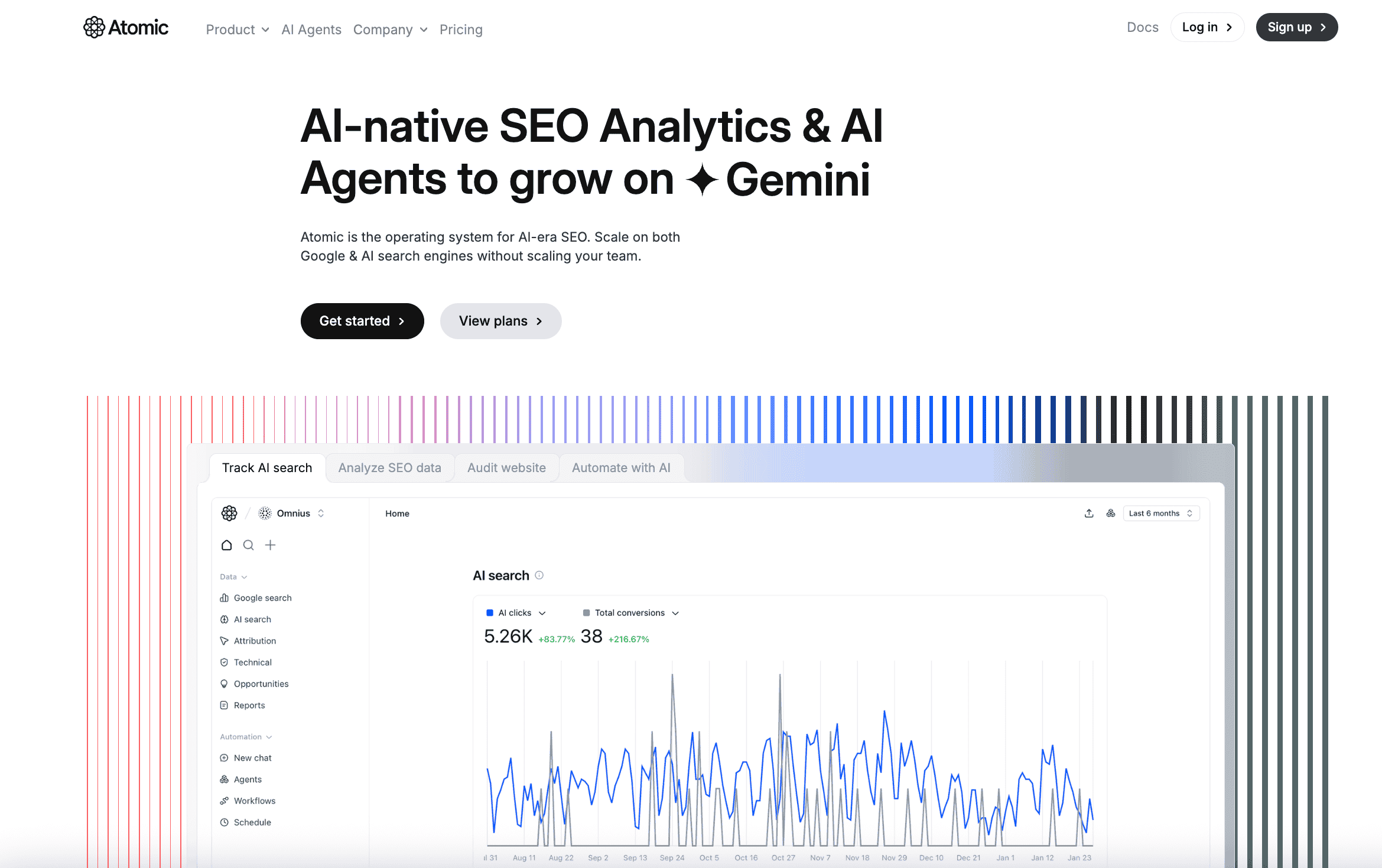
Atomic AGI is an AI-driven SEO analytics platform that tracks both traditional Google search and AI search engines like ChatGPT, Perplexity, Claude, and Gemini. It unifies SEO analytics, conversion attribution, technical audits, and automation in one place.
Unlike legacy tools built solely for Google, Atomic AGI recognizes that search behavior is evolving. Users now discover content through AI chatbots and generative engines, not just traditional SERPs. The platform provides visibility into this new traffic source while maintaining deep analytics for conventional SEO.
Key automation features
AI Visibility Monitoring: Track traffic and behavior from generative engines, showing which pages capture AI referrals. Monitor how LLMs present your brand and analyze real visitor conversions from AI sources.
AI Optimization: Get actionable diagnostics that tie intent, keywords, and conversions to specific pages. Real-time opportunity detection highlights improvements you can implement immediately to grow organically.
Content Analysis: NLP-driven analysis identifies content gaps, clusters topics semantically, and surfaces optimization opportunities for both AI and traditional search.
AI Agents & Workflow Automation: Deploy specialized AI agents that analyze data and execute optimization tasks continuously. Build multi-step workflows that pull data, publish updates, and send notifications via Slack or email—all without manual intervention. This allows you to scale operations without scaling headcount.
AI Search Attribution: Connect Google Search Console and Google Analytics 4 to attribute revenue and growth to specific AI and search activities. Transform fragmented data into unified business intelligence automatically.
The platform integrates seamlessly with GSC, GA4, and major CMS platforms. Its technical audits maximize crawlability by both Google and LLMs, eliminating barriers that block discovery.
Pros
- Tracks both traditional Google search and AI/LLM traffic in one unified dashboard
- Real conversion attribution connecting SEO/AI activities to revenue
- AI agents automate repetitive analysis and optimization tasks
- Free tier available with no credit card required
- Affordable entry point ($20/mo Starter plan) compared to enterprise tools
- Deep technical audits for both Google and LLM crawlers
- 16 months of historical data retention on paid plans
- Intuitive interface with actionable insights, not just raw data dumps
Cons
- Newer platform compared to established tools like Ahrefs or Semrush
- AI prompt tracking limits on lower-tier plans (20 weekly on Starter vs. unlimited on enterprise tools)
- May require combining with other tools for extensive backlink analysis
Pricing
Atomic AGI offers a free plan with no credit card required. All plans are billed per project.
The Free plan costs includes 7 days of historical data, 1 user, SEO Analytics, Basic AI search analytics, Site audit, Opportunities, and Referring domains.
The Starter plan costs $20/month and includes 16 months of historical data, 2 users, 20 weekly AI prompts tracked on ChatGPT, and everything in the Free plan. It also adds AI search tracking, monitoring and analysis, citations tracking, sentiment analysis, LLM audit, and rapid indexing.
The Agentic plan costs $40/month and includes 16 months of historical data, 400 AI credits, 4 users, and 25 AI prompts tracked every 72 hours across supported AI engines. It also adds automations, custom reports, custom schedules, and AI agents. A 7-day free trial is available for this plan.
The Team plan costs $100/month and includes 16 months of historical data, 2.5x AI model usage, 10 users, and 40 AI prompts tracked every 48 hours across supported AI engines. It also includes higher usage across AI search tracking and analysis, higher AI usage limits, increased project capacity, priority access to new features, and AI workflows.
Verdict
Atomic AGI bridges the gap between traditional search optimization and the emerging AI search landscape. Built by Omnius, a specialized SEO and GEO (Generative Engine Optimization) agency, it brings real-world expertise to both traditional and AI-powered search.
For teams tracking AI visibility and attribution alongside Google performance, it offers unique value that legacy tools can’t match. The pricing is accessible for startups and small teams while remaining scalable for enterprises. If your strategy includes generative engines and AI discovery, this platform deserves serious consideration.
4. ScrapeGraphAI
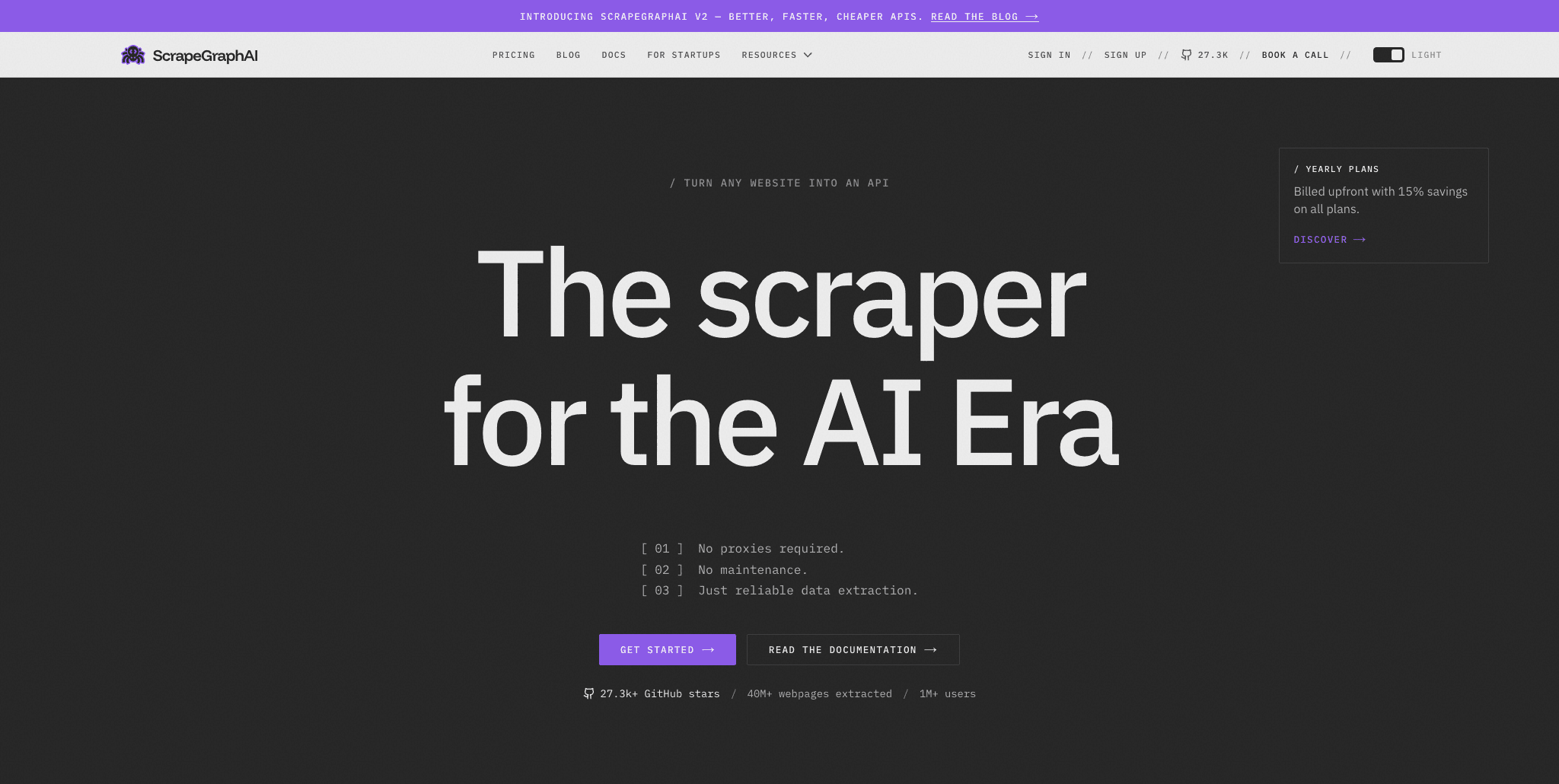
ScrapeGraphAI is an AI-powered web scraping API for turning webpages into clean, structured data without brittle CSS selectors or XPath rules. Users describe what they need in natural language, and ScrapeGraphAI returns outputs that can feed SEO workflows, dashboards, reports, datasets, or AI agents.
For SEO teams, it can automate competitor research, page-level extraction, content audits, and website change monitoring. It also supports scraping, crawling, search, and scheduled monitoring, making it useful as a flexible data layer for SEO automation.
Pros
- AI-powered structured data extraction from webpages
- Natural language prompts instead of manual scraping selectors
- Supports scraping, extraction, crawling, search, and monitoring
- Outputs clean data for SEO automation, reporting, and AI agents
- SDK/API workflow for developers and technical SEO teams
- Free plan available
Cons
- Not a traditional SEO platform for rank tracking or backlink analysis
- Best suited for teams comfortable working with APIs or automation workflows
- Extraction quality depends on how clearly the user describes the data they want
Pricing
ScrapeGraphAI has a free plan with 500 one-time API credits, 10 requests per minute, 1 monitor, and 1 concurrent crawl.
Paid plans start at $20/month for Starter, which includes 10,000 API credits per month, 100 requests per minute, 5 monitors, and 3 concurrent crawls. Growth costs $100/month and Pro costs $500/month. Annual billing lowers the starting price to $17/month for Starter. One-time credit top-ups are also available.
Verdict
ScrapeGraphAI is a strong choice for SEO teams that need to automate web data extraction rather than rely only on standard SEO dashboards. It works best as a flexible data layer for competitor analysis, content audits, monitoring workflows, and AI-powered SEO systems.
5. Quattr
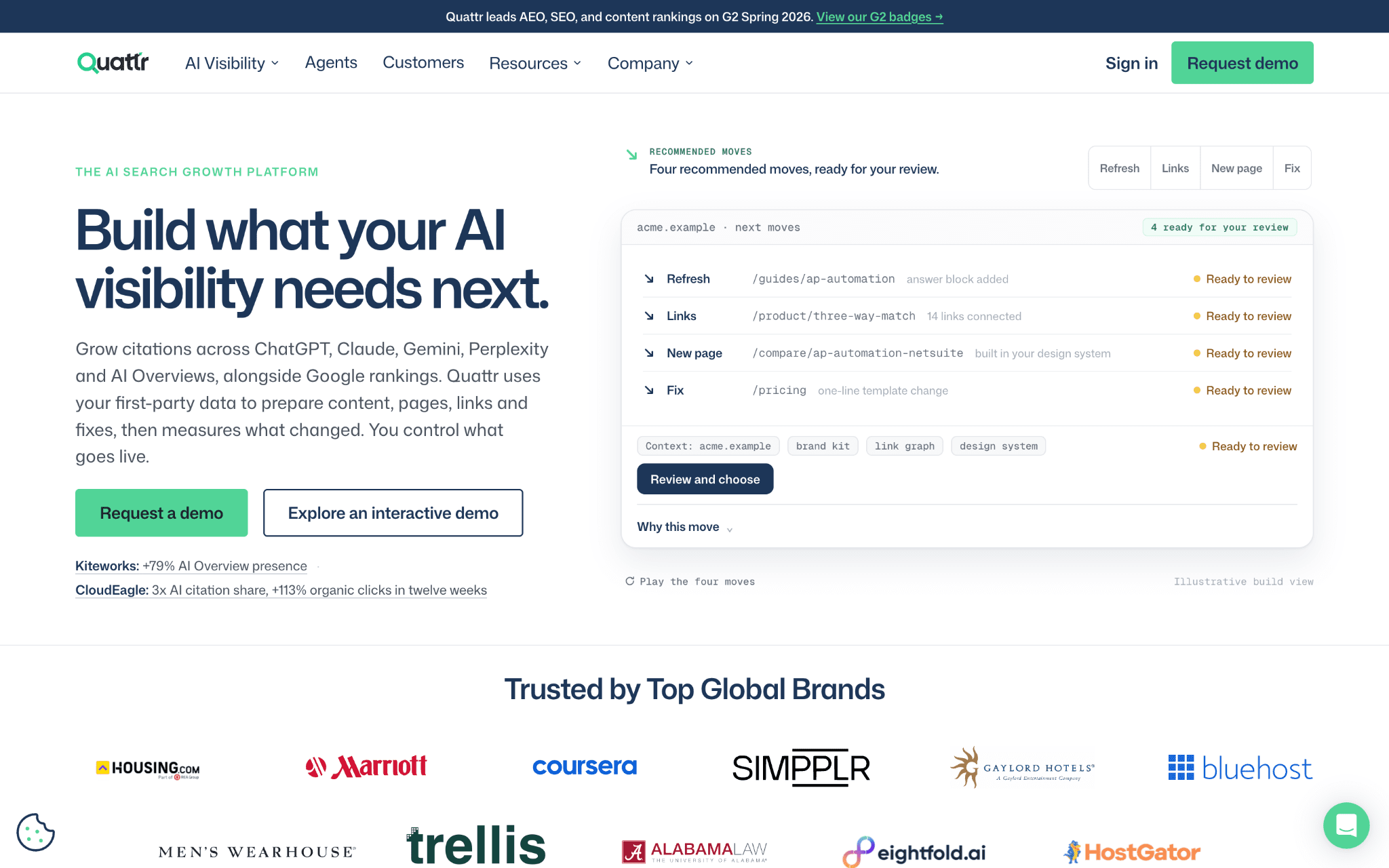
Quattr is an AI-powered SEO automation platform for enterprise brands. It automates finding content gaps, writing briefs, creating and refreshing pages and building internal links. It also tracks AI visibility across ChatGPT, Gemini, Perplexity, Claude and Google AI Overviews, including citations, mentions, share of voice and sentiment.
At the core is GIGA, Quattr’s AI search agent. It researches topics, creates briefs, builds landing pages, refreshes content and adds internal links, all while keeping on-page SEO elements intact. Quattr Skills automate recurring analyses, and every change gets human review before it goes live.
Pros
- GIGA agent automates topic research, content briefs, new landing pages and content refreshes
- Site-wide internal linking automation with approval workflows
- Daily automated tracking of AI citations, brand mentions, sentiment and competitor share of voice
- Quattr Skills to automate recurring SEO analyses and reports
- Pulls first-party data from Search Console, GA4, Adobe Analytics, BigQuery, server logs and crawl data into one place
- MCP server lets AI assistants like Claude and ChatGPT read your Quattr data directly
- A dedicated SEO strategist for every customer
Cons
- Built for enterprise brands, so it may be more than small sites or solo SEOs need
- No public pricing, so you have to book a demo to get a quote
- No self-serve free plan for testing on your own
Pricing
Quattr doesn’t list pricing on its website. You get a custom quote after booking a demo. The demo is free and doesn’t need a credit card.
Verdict
Quattr is a strong choice for enterprise SEO teams that want to automate the full SEO workflow. Its reporting is more accurate than most tools because it tracks the actual answers users see in AI search, not results pulled from model APIs. It works best for enterprise brands with large websites that need to scale SEO without scaling headcount.
6. AIclicks
AIclicks is an AI visibility platform that automates tracking of how brands appear in AI-generated answers across 10+ platforms, including ChatGPT, Google AI Overviews, Google AI Mode, Gemini, Perplexity, Claude, Copilot, and Grok.
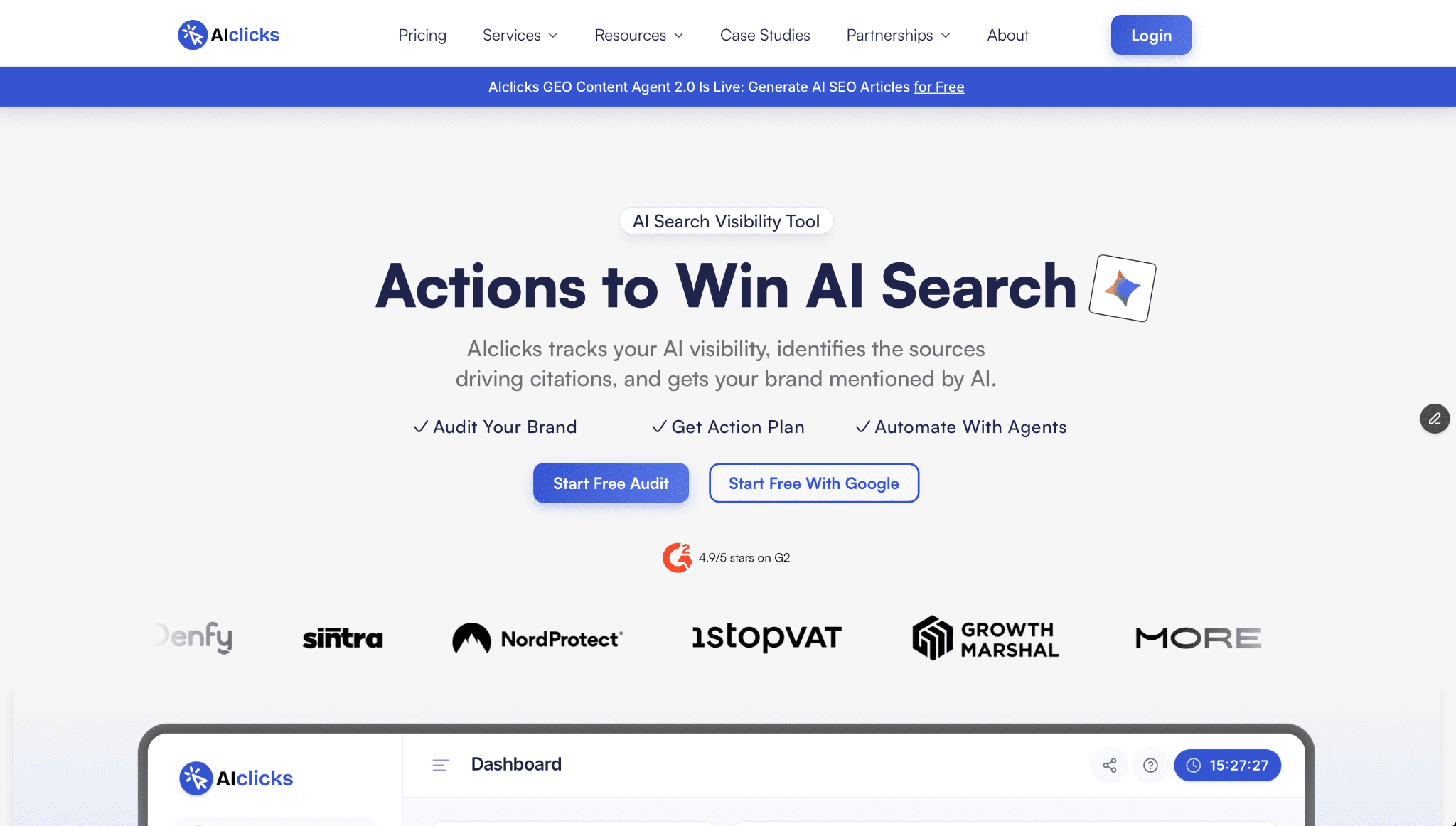
Once a prompt set is in place, the platform runs every prompt on every enabled AI model once a day, on all plans. Teams don’t have to run manual checks or upgrade to get daily data. Results are broken down by model, prompt, topic, and region, with competitor share of voice and sentiment tracked alongside.
Key automation features
- Daily AI visibility tracking: Tracked prompts run automatically across every enabled model once per day, with mentions, visibility, citations, and sentiment logged as time series.
- Citation source classification: Every URL an AI model cites is automatically sorted into one of 14 page types, such as listicles, comparison pages, reviews, and forums. This shows which content formats each model pulls from.
- Fan-out query analysis: The platform surfaces the background searches AI models run while composing an answer to your tracked prompts, which gives content teams a ready list of topics to cover.
- Content generation and publishing: Article credits are included on every plan, and finished articles publish directly to WordPress, Webflow, Shopify, or Framer.
- API and MCP server: From the Pro plan, a REST API and hosted MCP server bring AIclicks data into AI assistants like Claude. Users can also add prompts, add competitors, or create new brands from the chat, with a confirmation step before each change.
Pros
- Tracks 10+ AI platforms from one prompt set
- Daily prompt runs on every plan, including the $59/month Starter plan
- Automatic page-type classification for every cited URL
- Content creation and CMS publishing included in the subscription
- API and MCP server access from the Pro plan, with a listing in Claude’s connector directory
- Unlimited websites with separate client workspaces from the Pro plan
- GA4 integration for AI referral traffic data
Cons
- The 3-day free trial is short for spotting visibility trends
- API and MCP access are not available on the Starter plan
Pricing
AIclicks offers a 3-day free trial with no credit card required. The Starter plan costs $59/month and includes 30 prompts, 3 AI platforms, and 1 website. The Pro plan costs $189/month and adds 150 prompts, 4 AI platforms, unlimited websites, API and MCP access, and 15 articles per month. The Business plan costs $499/month and includes 300 prompts, 6 AI platforms, and 30 articles per month. Annual billing saves up to 29%.
Verdict
AIclicks automates the recurring work behind AI search visibility: daily prompt runs across 10+ AI platforms, citation source classification, and content publishing to your CMS. API and MCP access let teams bring that data into AI assistants and existing SEO workflows. However, those integrations start on the $189/month Pro plan, so the $59/month Starter plan is better suited to teams testing AI visibility tracking before building it into automated workflows.
7. Sitechecker
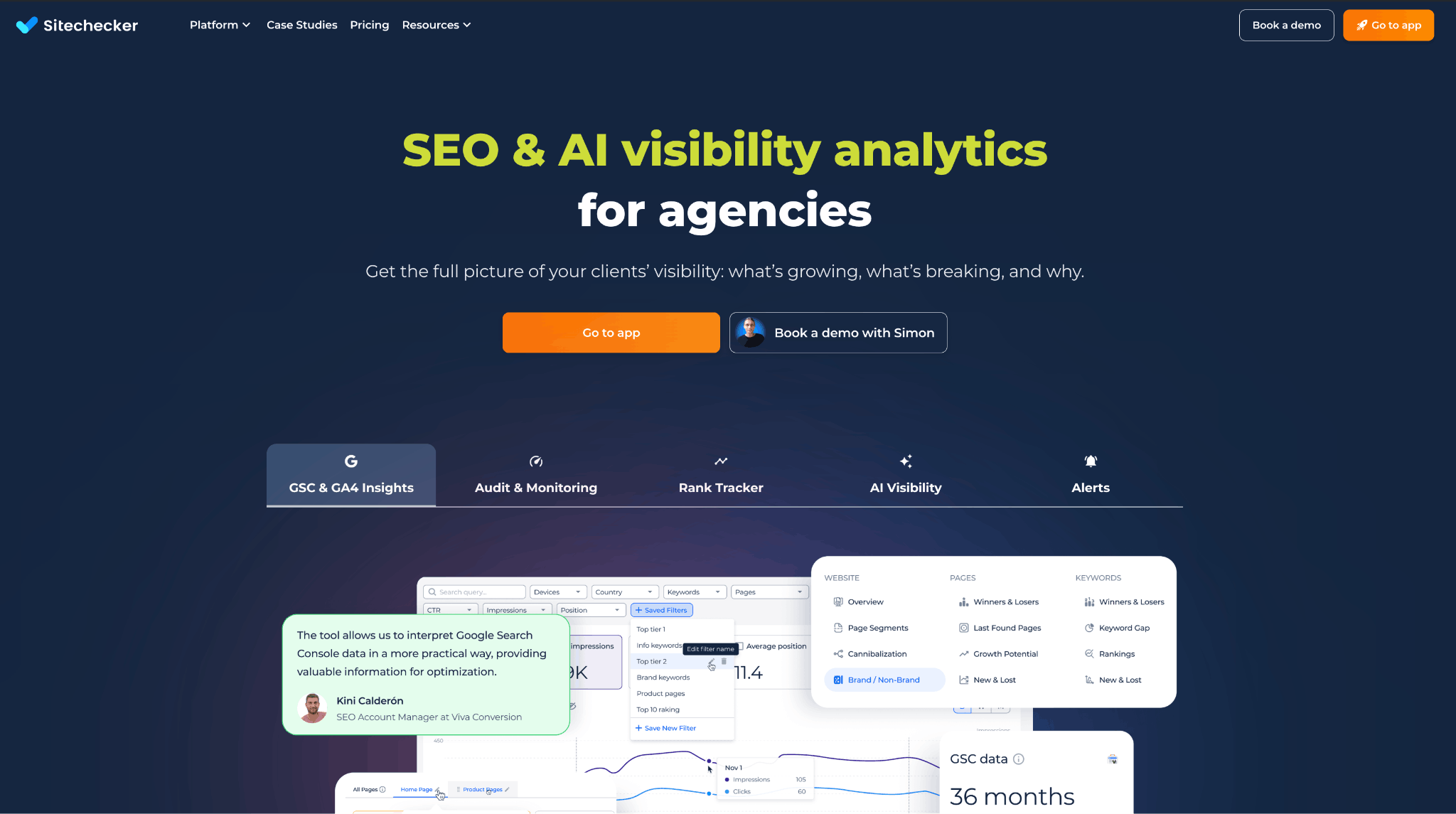
Sitechecker is an SEO & AI visibility analytics platform for agencies that goes beyond technical audits to cover continuous monitoring, reporting, and performance control.
Unlike tools focused only on crawling, Sitechecker automates the entire SEO cycle – from website audits to rank tracking and AI search visibility.
Key automation features
Automated SEO audits
Regular full-site scans with issue prioritization based on SEO and business impact. Change history and error dynamics are available without exporting data.
SEO monitoring & alerts
Automatic alerts for critical changes: traffic drops, pages removed from the index, noindex or canonical issues, content changes, and technical errors.
Rank tracking
Track keyword positions with historical data, segmentation, and period comparisons – no manual checks required.
Reporting for clients and teams
Ready-made SEO reports and custom dashboards. Google Search Console data is available without the 1,000-row limit and with up to 36 months of history.
White-label SEO
Branded PDF reports and client access without Sitechecker branding – ideal for agencies.
AI Search Visibility
Monitor brand mentions, citations, and visibility in AI search. Sitechecker currently supports AI chat visibility tracking for ChatGPT and Gemini, plus Google AI Overviews tracking. Perplexity, Claude, and Google AI Mode tracking are listed as upcoming.
Pros
- Full SEO process automation, not just technical audits
- Cloud-based solution, no installation required
- Powerful alerts and change monitoring
- Built for agencies, SaaS, and team workflows
- White-label reporting and AI visibility in one platform
- Unlimited users and unlimited recrawls on all plans
- GSC data without the 1,000-row limit
Cons
- Not designed for manual deep, file-level crawl analysis like desktop crawlers
- Focused on ongoing, systematic SEO rather than one-off checks
- AI visibility limits vary by plan
- Some white-label features require higher-tier plans
- Perplexity, Claude, and Google AI Mode tracking are not fully available yet
Pricing
Sitechecker offers a 14-day free trial. Paid plans start at $99/month for Basic, with Standard at $249/month, Premium at $449/month, and custom Enterprise pricing. Annual billing gives two months free. All plans include unlimited users, unlimited recrawls, no add-ons, human support, and free rankings migration.
Basic includes weekly site monitoring, GSC/GA4 insights, Rank Tracker with AI Overviews, AI chats visibility tracking, and exports to PDF, CSV, and Google Sheets. Standard adds daily site monitoring, page segmentation, Looker Studio integration, 5 competitors, email and Slack alerts, and SEO tests listed as coming soon. Premium adds 12-hour site monitoring, custom domain name, app interface and email branding, 10 competitors, personalized onboarding, and API access.
Verdict
Sitechecker is an SEO automation platform that handles daily operational SEO tasks: monitoring, alerts, reporting, rank tracking, automated audits, and AI visibility. If you need more than a one-time site check and want continuous control over SEO performance, Sitechecker is a strong contender.
8. BlogSEO
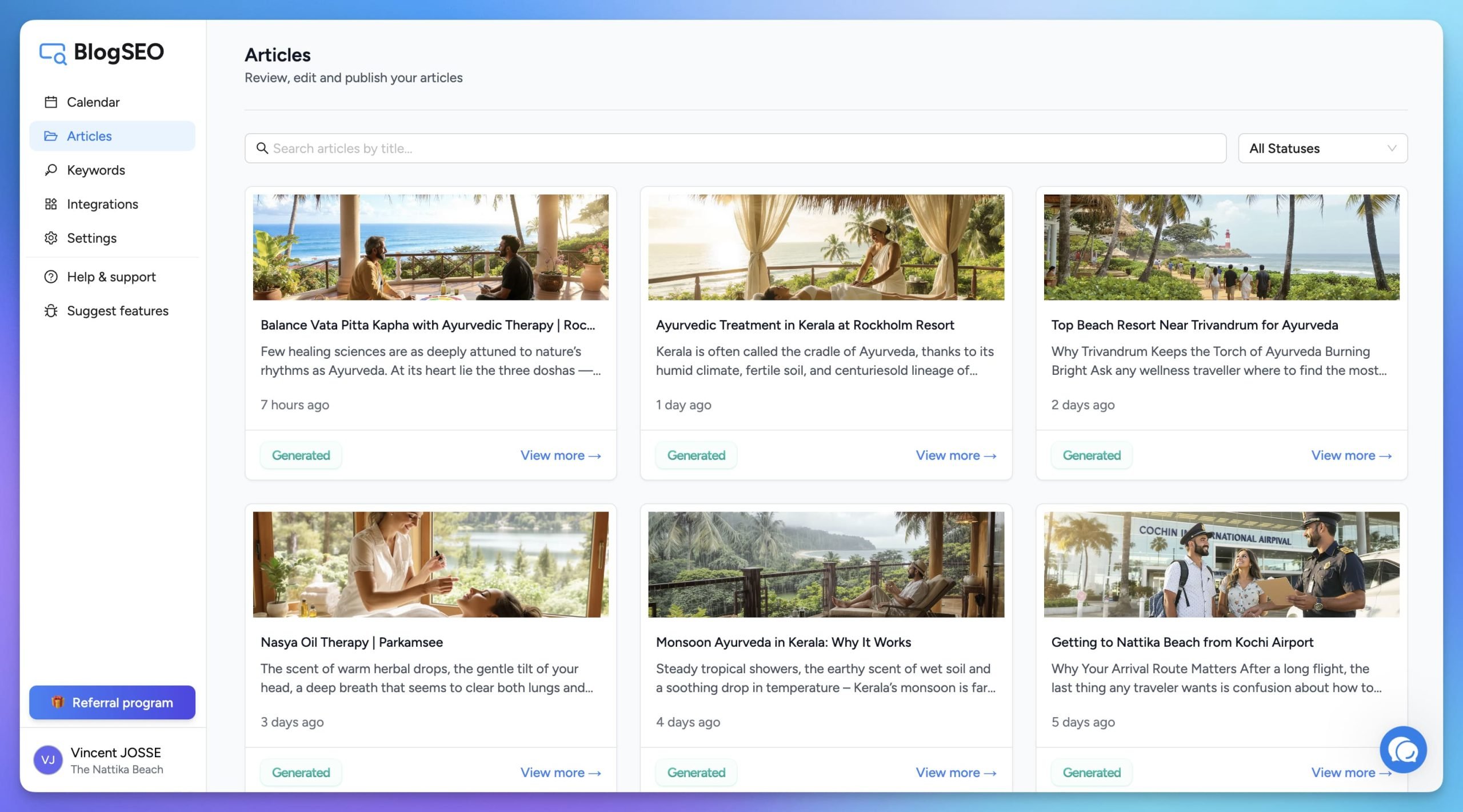
BlogSEO is an AI-powered SEO content automation platform that handles the entire blog content workflow, from keyword research and competitor analysis to article generation and automatic CMS publishing. Unlike standalone AI writing tools, BlogSEO automates the complete SEO content creation process without manual intervention.
The platform automatically crawls your website to understand your brand voice, content structure, and internal linking strategy. It then uses advanced reasoning AI models to generate SEO-optimized articles tailored to your specific audience and industry.
BlogSEO integrates directly with major CMS platforms, including WordPress, Webflow, Framer, Shopify, Contentful, Strapi, Wix, Ghost, HubSpot, Odoo, Drupal, Blogger, GoHighLevel, and custom webhooks. Once connected, it can publish optimized articles directly to your blog. Its paid plans also include AI blog articles, AI image generation, an AI-powered autoblogger, Google Search Console integration, internal link building, sitemap import and sync, meta descriptions, FAQ schemas, and access to AI content tools.
The platform is designed for SaaS founders, e-commerce businesses, agencies, and content marketers who need consistent organic traffic growth without the cost of hiring expensive SEO agencies or spending hours creating content manually.
Pros
- Complete SEO content automation workflow
- Automatic website analysis for brand voice and structure
- AI blog generation and publishing
- Direct CMS integrations, including WordPress, Webflow, Framer, Shopify, Contentful, and custom webhooks
- Google Search Console integration
- Internal link builder
- AI image generation for blog posts
Cons
- Not designed for SEO analytics, rank tracking, backlink analysis, or technical auditing
- Content quality may still require human review before publishing
- Focuses specifically on blog content automation rather than broader SEO capabilities
- Advanced usage limits depend on the selected plan
Pricing
BlogSEO offers a free plan with 3 AI blog articles, video-to-blog articles, 10 AI image generations, AI-powered autoblogger, 10 queries to 25+ AI content tools, Google Search Console integration, Notion integration, 1 user account, and email support.
Paid plans currently include:
Basic: $19/month with the current promo, normally $39/month. It includes 25 AI blog articles per month, 100 AI image generations, AI-powered autoblogger, internal link builder, table of contents builder, 2,000 keyword research lines, 30 site inspection requests, 100 queries to 25+ AI content tools, Google Search Console integration, 1-click publishing integrations, 2 user accounts, and email/live chat support.
Advanced: $49/month with the current promo, normally $99/month. It includes 100 AI blog articles per month, 500 AI image generations, 5,000 keyword research lines, 100 site inspection requests, unlimited access to 25+ AI content tools, 5 user accounts, and broader publishing integrations.
Max: $99/month with the current promo, normally $169/month. It includes 300 AI blog articles per month, 2,000 AI image generations, 10,000 keyword research lines, 200 site inspection requests, 15 sitemap imports/syncs, 10 user accounts, and higher usage limits.
Verdict
BlogSEO fills a specific niche for businesses that want to automate blog content production and CMS publishing. It’s particularly useful for founders, e-commerce teams, agencies, and marketers who need regular SEO-focused articles without spending hours on manual writing and publishing. However, you’ll still need other tools for technical SEO, rank tracking, backlink analysis, and deeper SEO analytics. If your primary goal is consistent automated blog content, BlogSEO offers strong value, especially compared with manual content production.
9. Surfer SEO
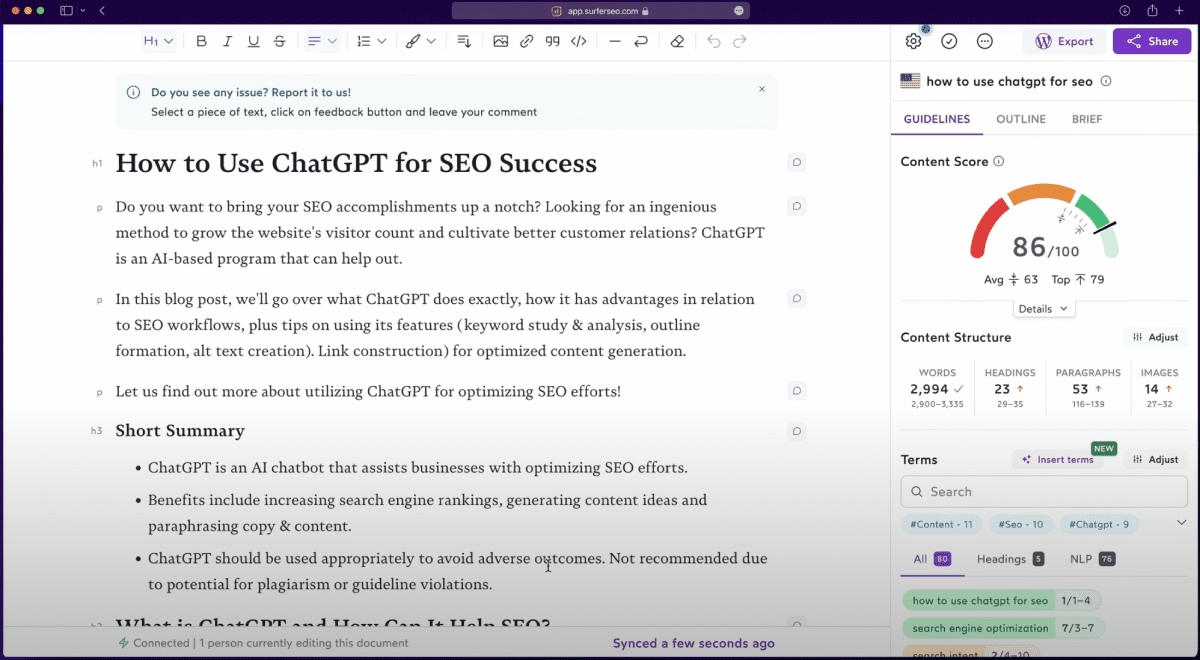
Surfer SEO’s tools help content teams, agencies, and marketers automate their content workflow for SEO. Its features include keyword research and audits, and tools designed to create and optimize search engine-friendly content. It prevents users from having to spend hours working on spreadsheets and doing different kinds of analysis.
Surfer’s platform offers practical value, whether you’re a novice in SEO or a seasoned expert handling many clients.
Pros
- Automated keyword research, content audits, and existing content updates
- Algorithms generate insights in minutes, reducing expenses and time for large websites or agencies with several clients
- Complete SEO content platform with practical insights, going beyond displaying data
- Reports on best opportunities, topical coverage, cannibalization, and underoptimized pages
- AI visibility tracking from the Standard plan upward
- Integrations with WordPress, Google Docs, Contentful, and Zapier
- Supports content optimization in multiple languages
Cons
- WordPress plugin can be less flexible than working directly in Surfer’s app
- Doesn’t offer full technical SEO audits
- AI visibility tracking is limited by plan
- Discovery plan does not include AI prompt tracking
Pricing
Surfer no longer offers a traditional free trial. Plans are billed monthly or annually, with annual billing offering lower monthly rates.
Annual-billing prices currently start at: Discovery at $59/month, Standard at $119/month, Pro at $219/month, and Peace of Mind at $359/month. Enterprise starts at $999/month and includes custom limits, white-label, SSO, priority support, and tailored onboarding.
AI visibility tracking is included from the Standard plan upward. Standard tracks 25 AI prompts with weekly refresh across ChatGPT, while Pro tracks 50 AI prompts daily across AI models. Peace of Mind tracks 100 AI prompts daily and includes API access.
Verdict
Surfer helps agencies generate insights into their clients’ websites at the click of a button. This saves them significant time and effort. It only takes a few minutes for Surfer to reveal which pages to create, and highlight what is missing in current content. It bases its findings on topical coverage in the site’s industry.
However, Surfer doesn’t offer technical website audits, so you’ll need a separate tool if you provide technical SEO enhancements to your clients.
10. SEO PowerSuite
SEO PowerSuite is a feature-rich toolkit with four powerful tools:
- Rank Tracker: Dedicated to keyword research, rank monitoring, and competitor analysis.
- Website Auditor: Helps automate website health and performance check-ups, and suggests optimizations. You can make all changes directly within the app.
- SEO SpyGlass: Quickly analyze and compare backlinks from any website.
- Link Assistant: Great for efficiently managing a network of high-quality backlinks.
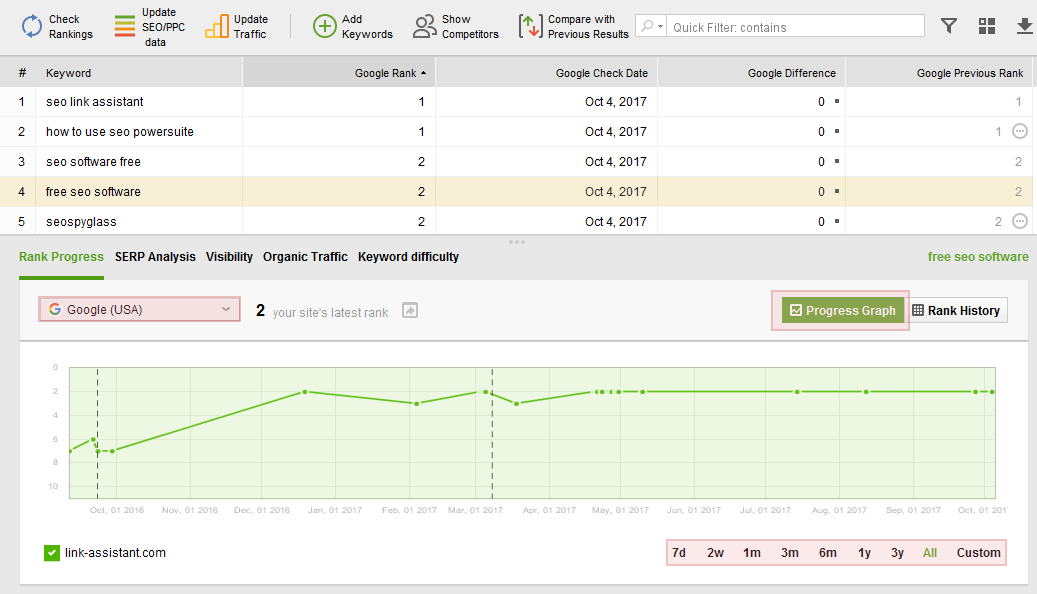
The platform also includes an SEO Content Optimizer, which simplifies the process of making your texts search engine friendly.
You can schedule SEO tasks, customize and white label your reports, and schedule report generation and delivery. Each of these functionalities comes with higher subscriptions. Each pricing plan provides integrations with GCS and GA4. An API is also available.
Pros
- You can check as many websites as you need without limitations
- Highly customizable tools, with easy automation and white-label reporting
- One of the most budget-friendly options, offering excellent data quality
Cons
- The tools are desktop-based, which may be less convenient for web-based app lovers. However, this provides you with more data privacy, and its separate tools are easy to manage and convenient to use.
- Some new users have noted a learning curve.
Pricing
There is a forever-free license that you can download and use at no cost. It only provides access to limited features — you can work on 1 project without saving, crawl and audit 500 URLs, track and analyze 1,100 backlinks, monitor 1 competitor per project, and track Google AI Overviews. No project saving, no full data export, and reports are watermarked.
For the full SEO PowerSuite bundle, the Professional plan costs $349/year, Enterprise costs $599/year, and Max+ costs $899/year. Professional is better for small businesses and in-house use, while Enterprise is better for agencies because it includes white-label reports, PDF/HTML report saving and emailing, customizable report templates, automated report scheduling and delivery, one-click report sharing, CSV/SQL/HTML exports, and priority support. Max+ adds premium perks such as personalized onboarding, partner directory inclusion, a certified partner badge, first access to beta features, a dedicated customer success manager, and one custom SEO question per month.
Verdict
SEO PowerSuite can meet the needs of businesses of all sizes. Its SEO insights and detailed and insightful. It also provides regular updates so you can keep pace with industry changes. Create white-label custom reports for your clients and back them with any SEO data you require.
11. MonitLabs
MonitLabs is a modern visibility tracker for both AI search and traditional SERPs. The platform shows where your brand appears in AI answer engines and in classic search results, then adds sentiment data for each mention. You see which competitors dominate the same space, and how visibility & sentiment are changing over time.
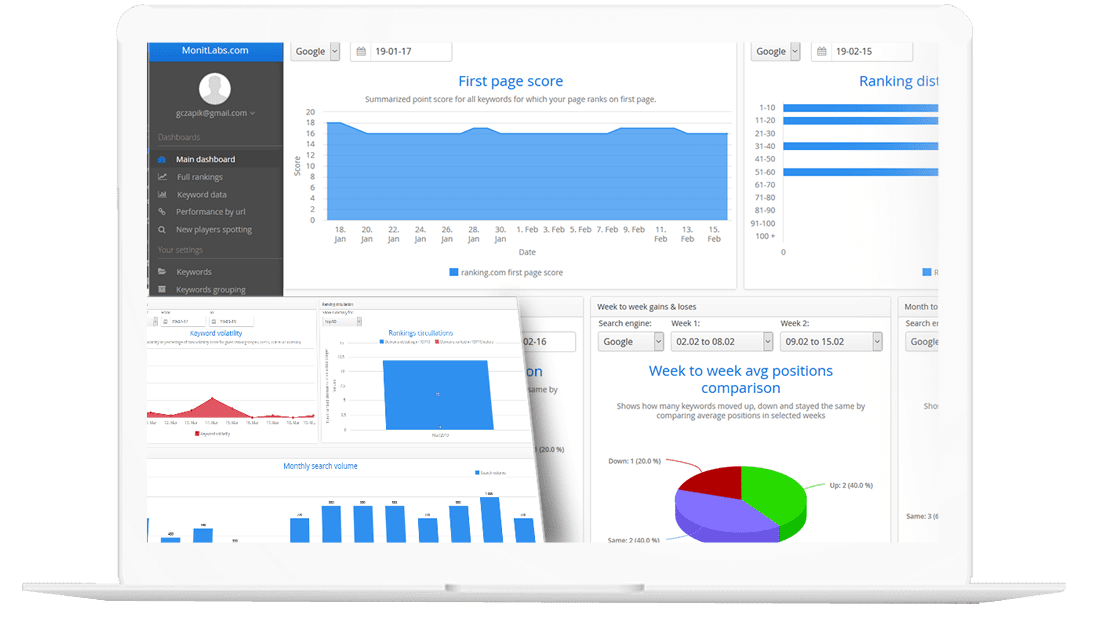
MonitLabs let’s you track SERPs with the depth you choose to optimize your spend. You get daily positions, pixel distance from the top of the SERP, device and location splits, and exposure across third party assets such as YouTube videos or LinkedIn articles. A Google Search Console integration adds click and impression data, so your AI and SERP visibility sits in the same reports.
Pros
- AI visibility and traditional rank tracking covered in one tool.
- All major AI search Engines covered: AIOs & AI mode, ChatGPT, Claude, Gemini, Perplexity.
- Tracks the mentions sentiment as well.
- White Label & unlimited sub-accounts.
- Intuitive and simple to use.
Cons
- Do not cover all aspects of SEO (audits, content creation, other SEO tasks).
Pricing
Plans start at $29.9 per month. A 14 day free trial is available. The system uses credits, so you pay only for what you use instead of fixed feature bundles. You track any volume of keywords, including hundreds of thousands, with a competitive price per keyword.
Subaccounts and white label options let agencies share access through a custom domain, apply their own branding, and give clients individual logins.
Verdict
MonitLabs fits teams that want precise, low friction rank tracking and visibility monitoring across both AI search and classic SERPs. Use it alongside broader SEO platforms to cover audits, content, and backlinks, while MonitLabs focuses on where you appear, how often you show up, and how users perceive your brand in search.
12. Wayfront
Wayfront (formerly Service Provider Pro, known as SPP.co) is an agency tool that makes it easy to not only sell your services but also deliver them. Thanks to its automation capabilities (via Zapier, webhooks, API), you can generate Looker Studio reports and then embed them into your client portal.
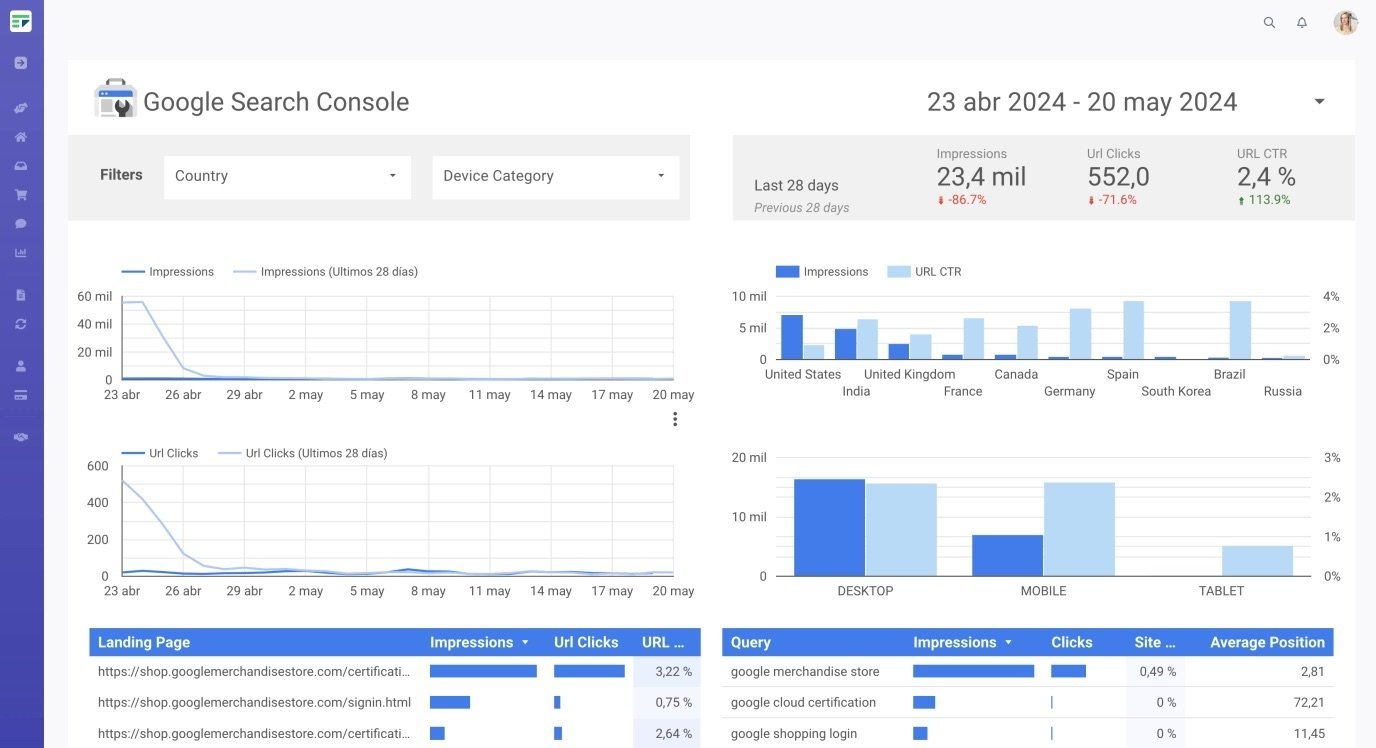
Client reporting is made easy thanks to Wayfront’s Zapier integration. Simply generate your Looker Studio reports with data from SE Ranking, and update the client profile with the report URL. Clients will immediately see their report in their client portal, and can stay up-to-date with your SEO results. You’re no longer required to manually send them updates, making client communication easier and more efficient.
You can also:
- Get intake form data from client submissions and send them to external tools to analyze their website metrics.
- Send automated messages in the project thread when new reports are available for your clients.
Pros
- Many features such as billing and project management
- Allows team members to work together easily
- Easy SEO reporting with Looker Studio and other tools
- Client portal for customers to check their reports
- Automations via Zapier, webhooks, API
Cons
- Learning curve to make use of all features
- API only available on the Plus plan
Pricing
Wayfront offers a 14-day free trial. Paid plans are available at $129/month for Base and $299/month for Pro. Annual billing discounts are available.
Base includes 5 team members, a white-label client portal, CRM with unlimited clients, project and task management, a form builder with rules, 40+ agency tool integrations, and Wayfront AI.
Pro includes 10 team members and adds client-side teams, editable client-facing pages, portal template editor, Make automations, and the white-label reseller module.
There is also a Plus plan with custom pricing. It includes 50 team members and adds developer API, priority Slack support, an additional test workspace, uptime SLA, and higher-level support for larger agencies.
Verdict
Wayfront is a top choice for SEO agencies looking to not only improve their project management and billing setup, but also automate their reporting. It has many useful features that allow agencies to ditch their clunky spreadsheets for a modern software.
13. SERPWoo
SERPWoo is a SERP tracking automation software that combines search results analysis with data from social signals and third-party data sources. This allows you to monitor rankings, find opportunities, track competitors, and report on progress. Plus, it makes online reputation management easier with domain and URL tagging.
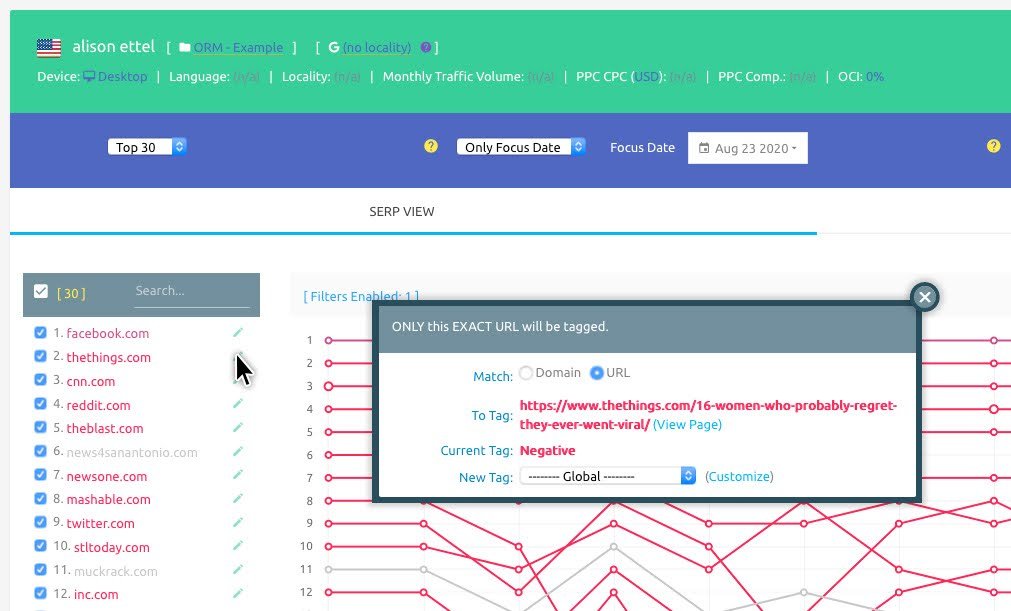
The platform also helps you automate:
- Keyword research
- On-page analysis
- Reporting
You can generate PDF and CSV reports, and SERPWoo supports scheduled white-label SEO and ORM reports.
SERPWoo also offers API access, which allows you to connect rank tracking and SERP data with other tools or dashboards. Historical SERP data is available, but limits may depend on the plan.
Its dashboard is generally straightforward for rank tracking and ORM workflows, though the amount of SERP data may feel dense for beginners.
Pros
- Robust keyword tracking capabilities
- Full top-100 SERP monitoring
- Strong online reputation management features
- PDF, CSV, and white-label reporting
- API access
- Unlimited projects and teams
Cons
- Limited SEO automation tools outside rank tracking, SERP analysis, and reporting
- White-label dashboards are not available on the entry-level plan
- Not an all-in-one SEO platform
- Interface may feel data-heavy for new users
Pricing
The platform offers four plans: Bronze at $49.95/month, Silver at $99.95/month, Gold at $199.95/month, and Platinum at $299.95/month.
Plans typically include unlimited projects, teams, trackable domains/URLs, and keyword lists, while keyword tracking limits increase by plan. Most agencies will likely need a higher-tier plan if they manage many clients or keywords. White-labeled dashboards are not available on the Bronze plan.
Verdict
SERPWoo is useful for agencies that need rank tracking, full SERP monitoring, ORM tagging, and API access for custom reporting workflows. The flexibility with pricing is helpful, and you can upgrade, downgrade, or cancel as needed. However, SERPWoo doesn’t offer as many SEO automation features as broader SEO platforms, so it works best for teams focused on SERP tracking, reputation monitoring, and reporting rather than full SEO campaign management.
14. Ahrefs
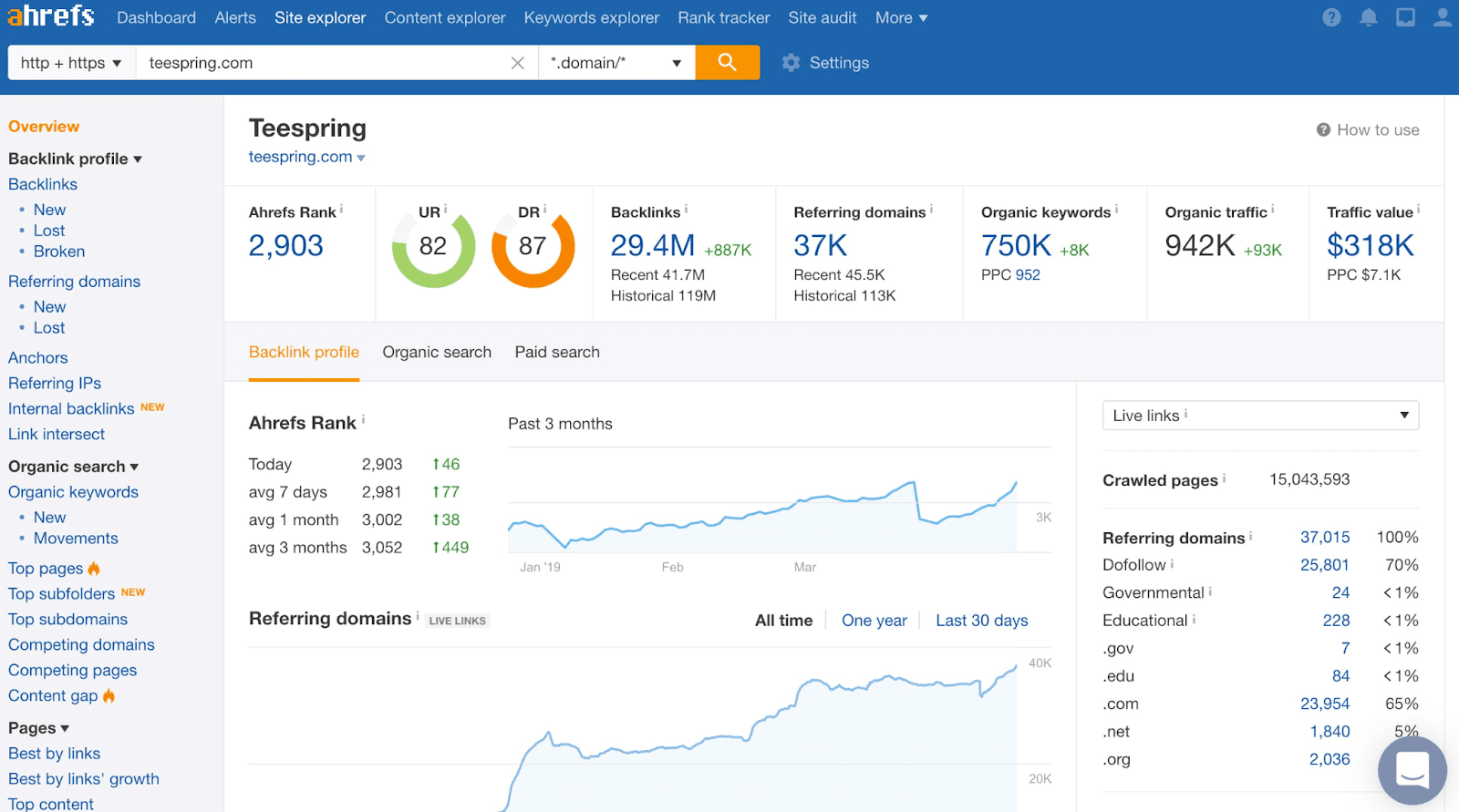
Ahrefs is one of the most popular all-in-one SEO automation tools. You can use it you to:
- Research your competitors’ backlinks and keyword rankings
- Find lucrative keywords for your website
- Discover backlink growth opportunities
- Audit your website for technical issues
- Find new content ideas based on the keywords your customers are searching for
- Track AI search visibility across major AI platforms
Ahrefs also has a long history, crawling the entire web for over a decade.
The downside to this tool is that it can be difficult to use and navigate. It’s not very intuitive, so if you don’t know where to start, it can be hard to find what you need.
Pros
- Powerful backlink analysis tools
- Various SEO automation solutions
- Vast datasets
- AI search visibility tracking with Brand Radar
- MCP server
- Site Audit, Rank Tracker, Keywords Explorer, and Content Explorer
- API access from Lite and higher plans
Cons
- Harder to use compared to simpler SEO tools
- Expensive solutions
- Some features, AI tools, reports, and additional user seats cost extra
- No full white-label reporting
Pricing
While there is a free version of Ahrefs, it’s very limited. You only get access to Webmaster Tools, which gives you limited access to Site Explorer and Site Audit. Ahrefs also recently introduced its Starter plan for $29 a month, but with very limited access to Site Explorer, Keywords Explorer, and Site Audit.
Beyond that, expect to pay a minimum of $129 a month for the Lite plan and up to $14,990 a year for the Enterprise plan.
The Lite plan includes 5 projects, 6 months of historical data, and 1,000 monthly credits. However, it lacks several features agencies may need, including Content Explorer, SERP comparison, batch analysis, keyword clustering, portfolios, Looker Studio, Report Builder, and AI Content Helper.
Additional users cost extra depending on the plan. API access is available from Lite and higher plans, while Enterprise provides the highest limits and advanced controls. Content Kit and Report Builder are available as paid add-ons.
Verdict
While no one can deny that Ahrefs is a powerful SEO automation tool, its high price point may not be suitable for businesses on a tight budget. Its API and AI Content Grader features are only available in the Enterprise plan, and you might be paying even more for add-ons. This includes additional users (a minimum of $20/month/user) or tracked keywords (a minimum of $50 per month).
15. Semrush
Semrush is yet another comprehensive SEO tool that automates SEO, PPC, SMM, content marketing, competitive research, and reporting.
While it is capable of many things, Semrush might be best known for its SEO-related features, including keyword research, competitor analysis, content marketing, campaign management, site audits, backlink analysis, and rank tracking. It’s the platform of choice for many agencies due to the variety of tasks you can automate with it.
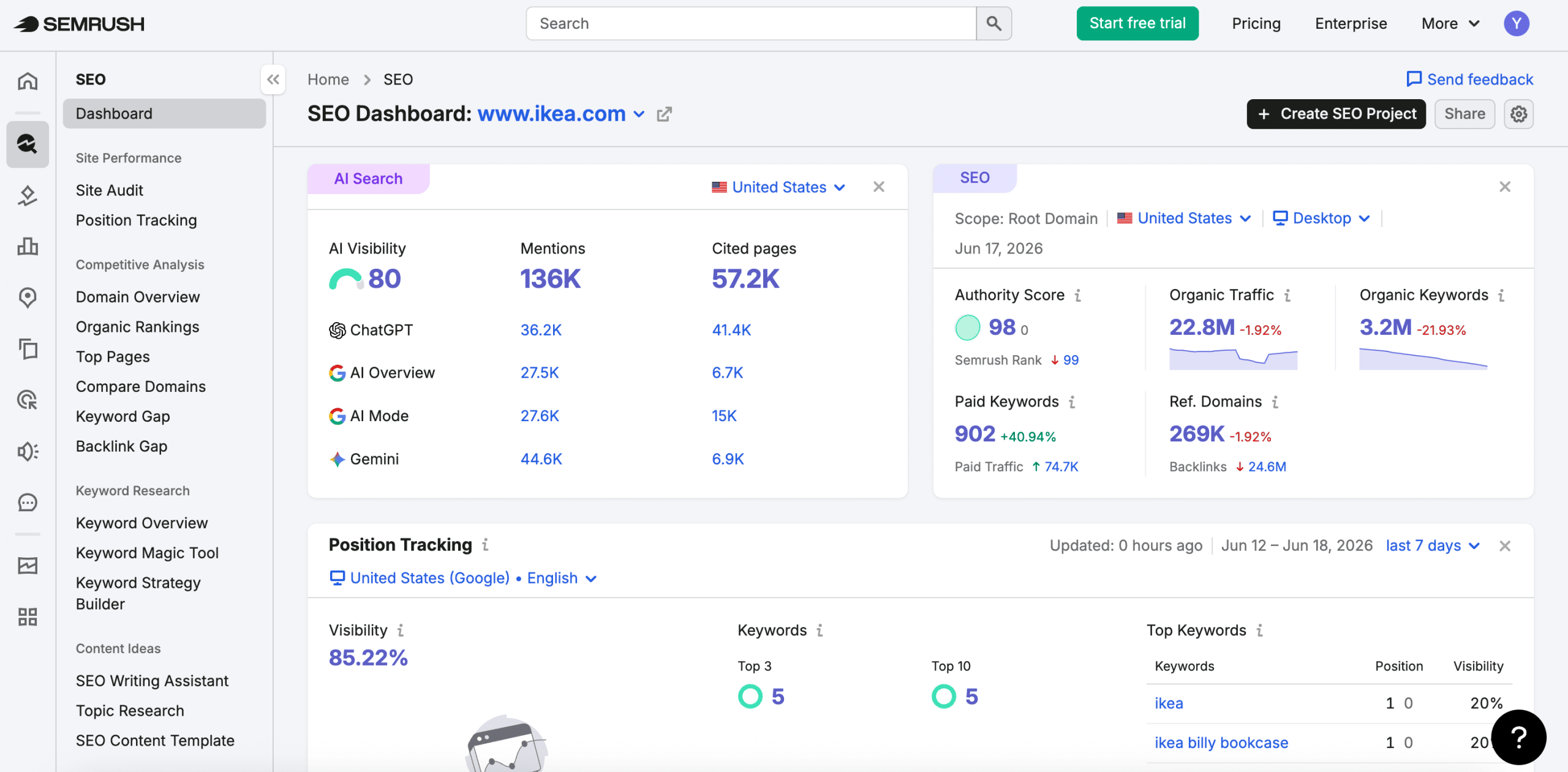
Semrush also automates reporting through My Reports. You can create scheduled PDF reports, use ready-made templates, and connect data from Semrush, Google Analytics, Google Search Console, and other sources. White-label reporting is available through My Reports Pro.
Looker Studio integration and API access are also available, but some integrations and API features require higher-tier plans or separate access.
Semrush has a user-friendly interface and includes visualizations to present data. It also now offers AI visibility tracking and an official Semrush MCP server, which lets AI tools access Semrush API data.
Pros
- Various solutions for SEO automation
- Granular analytics
Automated reporting - AI visibility tracking across major AI search platforms
- MCP server
- Large keyword, backlink, and competitor databases
- MCP server
Cons
- Limited white-label capabilities, mainly reports only
- High pricing
- Additional expenses for tools, reports, AI visibility, and user seats
- Some integrations and API features require more expensive plans
Pricing
Semrush offers a 7-day free trial. The platform now has two distinct product lines depending on whether you need AI visibility alongside SEO or SEO alone.
The SEO-only plan starts at $139.95/month, covering keyword research, site audits, rank tracking, competitive analysis, and content marketing. Annual billing brings this down to approximately $117/month.
For teams that need both SEO and AI visibility in one platform, Semrush bundles the SEO Toolkit with the AI Visibility Toolkit across three tiers:
- Starter: $199/month.
- Pro+: $299/month.
- Advanced: $549/month.
Adding the AI Visibility Toolkit to a classic SEO plan separately costs $99/month per domain.
Verdict
Semrush is one of the best automated SEO tools for teams that are not on a limited budget. It offers powerful automation solutions for rank tracking, keyword and domain analytics, site audits, backlink analysis, content marketing, competitor research, reporting, and AI visibility. However, costs can increase quickly if you need extra users, AI visibility, advanced reporting, API access, or agency lead-generation features. Agencies should also note that Agency Growth Kit has been discontinued, so agency-specific functionality is now split across separate products like My Reports and the Agency Partners platform.
16. SEOptimer
SEOptimer is best known for its SEO audit automation and branded white-label report generation features. With its SEO Audit tool, you can automatically detect on-page issues, search engine accessibility problems, mobile usability and CWV errors, and much more.
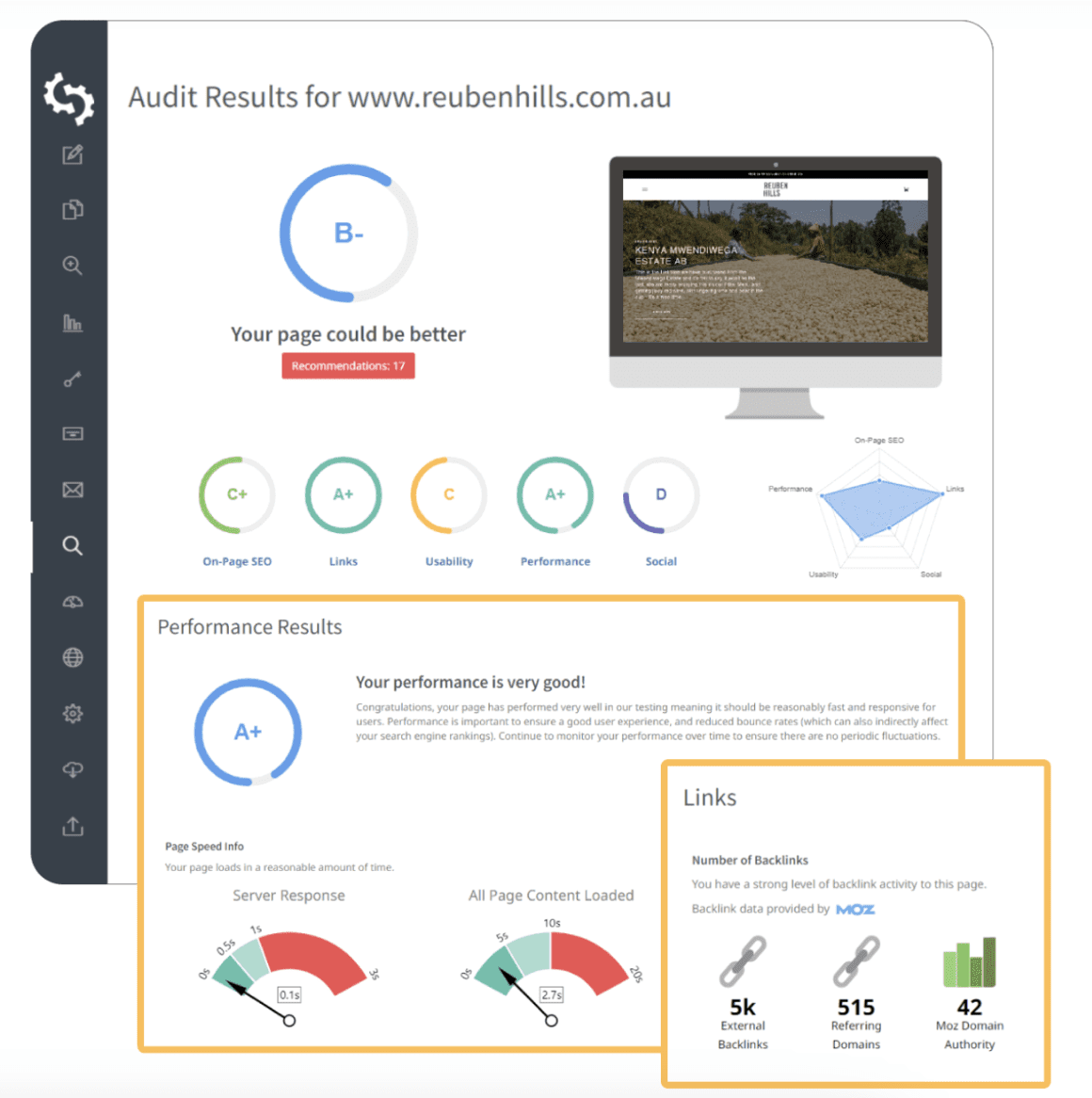
One standout feature is its lead generation automation tool. You can embed a widget on your website offering free website audits. Collect the leads’ contact information and send them branded reports generated by the tool.
SEOptimer allows you to automate reporting with 3–6 templates available for use. It also gives you unlimited PDF reports, different levels of white labeling, and 10-50 schedules.
The platform provides solutions for keyword and backlink research, rank tracking, backlink monitoring, task and progress management, etc.
It integrates with Webhook and Zapier, and offers an SEO Audit API as well as an MCP server, allowing AI assistants to run audits and retrieve website performance data directly within a chat interface.
Pros
- SEO audit automation
- Scheduled White Label reports
- Lead Generation solution
- Basic set of SEO automation tools
- MCP connector
Cons
- Lacking ease of use
- Most of the automation tools are available in more expensive plans
- Limited integrations
Pricing
After you finish the 14-day free trial, plan to upgrade to the DIY SEO, White Label, or White Label & Embedding plan for $29, $39, or $59 a month, respectively. Higher plans offer more features and limits. With an annual subscription, you’ll get 25% off.
Verdict
SEOptimer excels at website audits and reporting, with agency-friendly features like bulk reporting, scheduled reports, and API. However, its other SEO automation solutions are basic and include small limits.
17. ChatGPT
ChatGPT isn’t a traditional SEO automation tool. It isn’t designed specifically for tracking rankings, auditing websites, or conducting keyword research, but can do a lot of SEO-related tasks.
It can:
- Come up with content ideas.
- Generate different types of texts (articles, meta descriptions, FAQs, etc.).
- Collect keywords and suggest possible terms to use.
- Analyze the SEO data you download.
- Create graphs based on different data.
- Provide advice on promotion strategies and optimization approaches.
- Suggest possible ways to fix technical SEO issues.
- And much more.
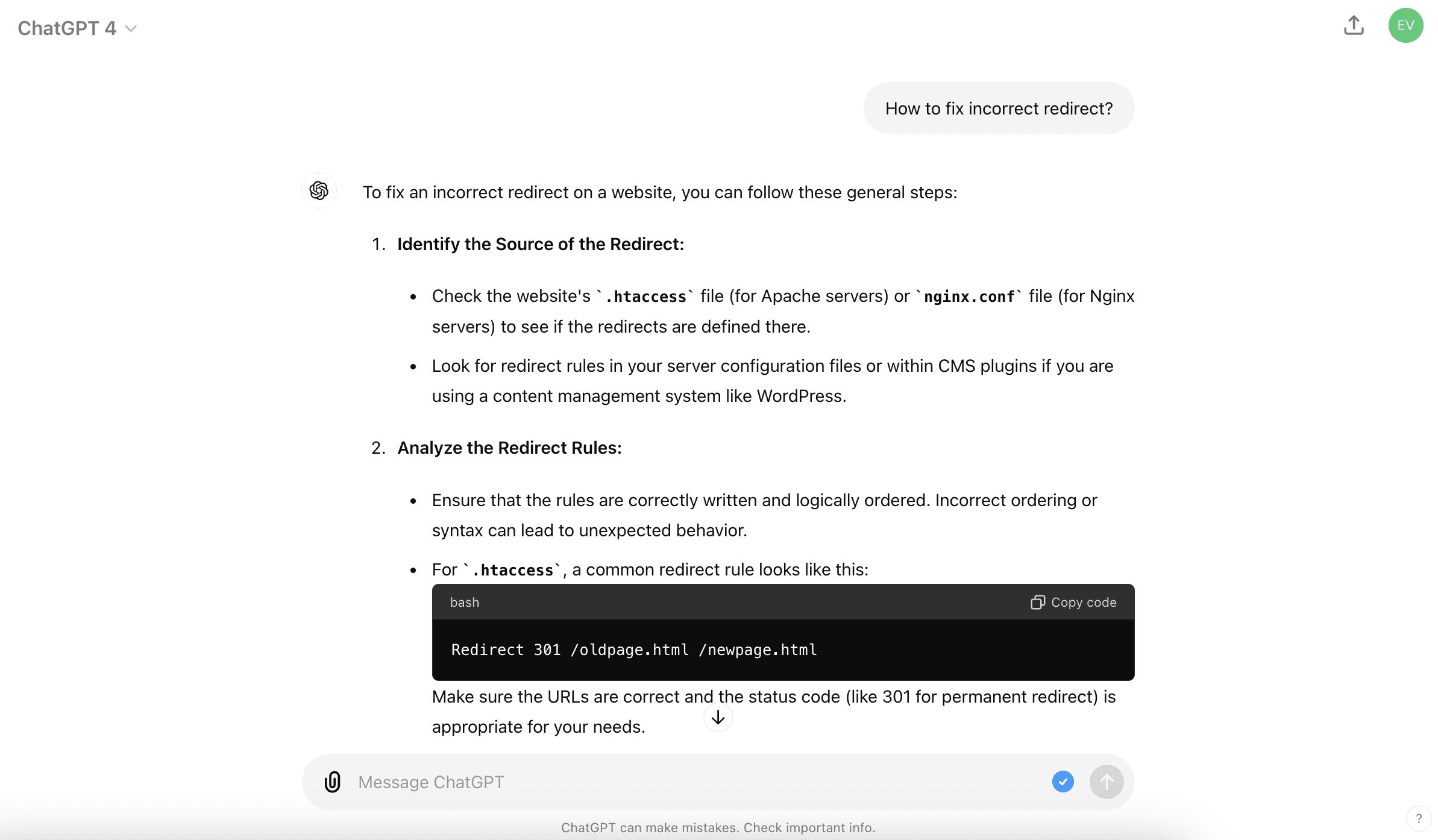
Effective use of it requires skill in creating appropriate prompts.
But no matter how good the prompt, you always need to polish the texts generated and add your personal touch to it. Also, don’t rely on ChatGPT’s advice, as it can make mistakes and “hallucinate”.
Pros
- Automation of basic SEO tasks
- Quick answers to almost any question
- Multiple language support
- Image and graph generation
Cons
- Lack of SEO-specific features, like rank tracking, website auditing, etc.
- Lack of agency-specific features, like SEO reporting, White Label, etc.
- Knowledge of prompt engineering is required
- Misinformation is possible
Pricing
You can use ChatGPT for free. Upgrading to the paid plan ($20/month) gives you early access to more features, DALL-E image generation, data analysis, web browsing, and the option to create and use custom GPTs.
Verdict
As far as its capabilities as an SEO automation tool, ChatGPT is a nice-to-have, not a must-have. It provides tons of information quickly but lacks the comprehensive capacity of a traditional SEO tool. You have to question its results, know how to use prompts, and be very hands on. Consider it a starting point or complementary tool to use alongside one of the more robust SEO tools on this list.
18. Google Search Console
Google Search Console, though not strictly an SEO automation tool, still deserves a mention on our list. This free Google service helps you monitor your site’s performance in Google SERPs and identify any potential issues (like problems with indexing). By analyzing traffic and performance data, you can refine your strategy to rank higher in search results.
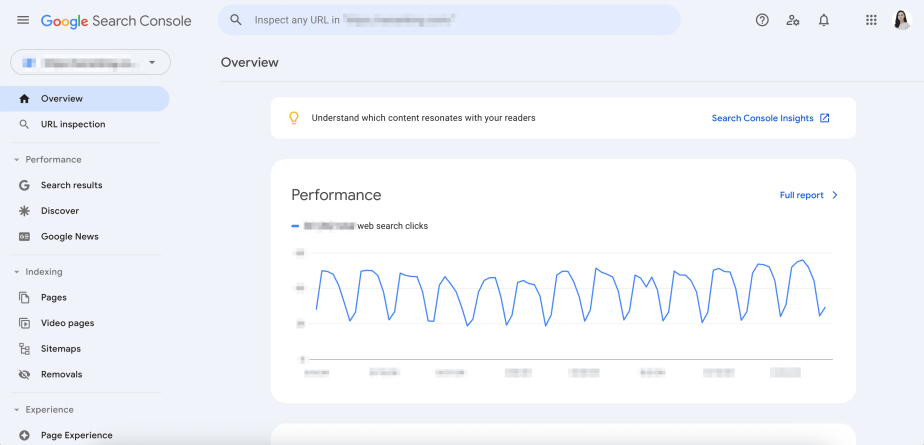
It also provides data on your website’s page experience, CWV, internal and external links, etc.
There is no limit on the number of users you can share access with, but the interface can’t be white-labeled.
GSC also easily integrates with GA4 and almost any other tool on the market.
Pros
- All essential SEO data is available, including clicks, impressions, and errors
- Unlimited user access
- Free and official tool by Google
Cons
- Lack of advanced SEO features
- No scheduled reports
- No White Label feature
Pricing
As mentioned earlier, Google Search Console is free! Once you’ve verified that you own the property in question, you’ll have full access to it.
Verdict
Since it’s a quality free service, you should use it. GSC is an essential tool that every SEO specialist should add to their toolkit. It provides information directly from Google, which is the accuracy standard most tools strive to achieve.
Conclusion
The tools on this list cover different parts of the SEO automation process, from technical crawling and rank tracking to AI search monitoring, content workflows, and client reporting.
The best choice depends on your priorities, budget, and desired level of automation. SE Ranking is a strong option for teams that need a connected view of visibility across organic search, AI search, social channels, and traffic data. Screaming Frog is best for technical audits, Surfer SEO is useful for content optimization, and Wayfront helps agencies automate client reporting and service delivery.
Ultimately, the right setup is the one that removes the most manual work from your SEO process while still giving you accurate, actionable insights.