How to use structured data for SEO and LLM visibility
You can write great content and still struggle to get noticed, all because machines don’t always understand what you’re publishing.
Structured data solves that problem by adding meaning and context to your pages. It helps search engines and AI models like ChatGPT, Claude, Perplexity, Google’s AI Overviews & AI Mode, and others understand the relationships and structure of your content (so they can interpret it correctly).
In this guide, we’ll walk through how structured data works, why it’s become essential for both SEO and AI visibility, and how to use it without overcomplicating things.
-
Structured data helps search engines and AI “read” your content correctly.
Specifically, it helps them interpret and classify your content, increasing the chances it is presented correctly in search results.
-
Structured data boosts your SEO visibility.
Rich snippets with images, ratings, and prices make your pages stand out in search results. It also helps your content appear in voice search, Google Maps, and other special features (increasing clicks and engagement).
-
Most AI-cited pages include structured data.
Around 65% of pages cited by AI Mode and 71% cited by ChatGPT use schema markup. This shows that structured data has become a baseline for content that AI considers reliable.
-
Some schema markup types are more common than others.
BreadcrumbList (38–42%), WebSite (34–36%), Organization (31–32%), and WebPage (31–36%) dominate AI-cited pages. These types help AI understand the context and structure of your site (even though they don’t directly explain the content you wrote).
-
Some pages combine multiple schema markup types.
Most AI-cited pages use just 1–2 types (43% for AI Mode, 42% for ChatGPT). Yet, 13% of pages cited by AI Mode and 17% pages cited by ChatGPT have 7 different schema types added.
-
Structured data improves AI comprehension.
It reduces confusion and prevents hallucinations by clearly labeling your content. This helps AI provide accurate and trustworthy answers using your page.
-
Still, no single schema markup type guarantees AI citations.
Structural schemas like BreadcrumbList or WebPage show weak negative correlations with AI citations, while content schemas like Article show weak positive correlations. Overall, these effects are tiny (what really matters is clear, well-structured content).
-
Test and implement structured data carefully to stay error-free and penalty-safe.
Using tools like Google’s Rich Results Test, Bing Markup Validator, and Schema.org Validator helps you spot errors and preview how your markup appears in search results. At the same time, ensuring your schema matches page content (and avoiding things like third-party reviews or inactive job postings) keeps your SEO and AI visibility intact without risking penalties.
What is structured data?
Structured data is a standardized, machine-readable format that describes the meaning of content on a webpage.
Instead of forcing machines to infer what something is, structured data explicitly labels it.
Here are a few simple structured data examples:
- A product page can specify price, availability, brand, and reviews.
- An event page can define dates, locations, and ticket information.
- An article can identify its author, publication date, and publisher.
Unlike the contents of HTML tags, which users can see on their screens, structured data is hidden from the users’ eyes.
In short: structured data explains what your content represents (e.g., an article, a product, an FAQ) so it can be surfaced more accurately.
Why is structured data important for SEO?
Using structured data for SEO purposes does not magically boost search rankings, but it enables search engines to interpret and present your content more effectively.
- Structured data organizes content for search engines
If the page contains structured data, Google, Bing, and Yahoo! will analyze its content more efficiently and provide a richer browsing experience for users. Your site will appear in search results for very narrow queries, for example, when users look for prices, reviews, and so on.
- Structured data helps adjust the page to voice search
If the page indicates what type of content it contains—for example, tutorial, news, or recipes—Google Assistant will display this content for voice queries, such as “show news”, “answer a question”, “find a recipe”, and others.
- Structured data helps a website stand out in the SERPs
Search results that contain additional information aside from the title and the description are called rich snippets. These extended results, which may include an image, rating, price, etc., are more eye-catching compared to standard results and lead to more clicks. It means that when your page appears as a rich snippet, it will have a higher CTR.
- Structured data boosts local SEO visibility in Google Maps and the Local Pack
For local businesses, structured data is especially valuable. Using LocalBusiness schema markup helps Google clearly understand your business details and display them more prominently in local search results, Google Maps, and the Local Pack.
With proper local structured data, Google can show important information such as:
- Hours of operation
- Business address and phone number
- Reviews and ratings
This makes it easier for nearby customers to find, trust, and contact your business (often directly from the search results page).
Still, understanding how traditional search differs from AI search can provide useful context when adapting your structured data and content strategy.
With that in mind, let’s take a closer look at how structured data impacts AI visibility.
Why is structured data important for AI visibility?
For AI search engines and LLMs, structured data also works a bit like instructions on a label. It reduces the need for machines to infer whether a piece of text is a recipe, a product review, or an event date by clearly telling them what they’re looking at.
As AI search moves away from simple keyword matching and more toward understanding meaning and context, that kind of clarity becomes increasingly important.
For example, Google highlights that structured data remains important even in AI-driven search results.
Based on our dataset, approximately 65% of pages cited by AI Mode and 71% of pages cited by ChatGPT include structured data. This shows that structured data is commonly present among pages cited by AI systems, though this does not imply causation.
Check out this dedicated guide to better understand the role structured data plays in AI Overviews and what other factors to consider when optimizing for this system.
When we looked at which schema types appear most often, a clear pattern emerged. The most common ones are foundational, structural types:
- BreadcrumbList (38–42% of pages)
- WebSite (34–36%)
- Organization (31–32%)
- WebPage (31–36%)
These schemas are primarily used to describe the context of a page (how it fits into a site, who publishes it, and how users navigate to it) rather than the specific content itself.
The majority of pages cited by LLMs use just one or two schema types (43% for AI Mode and 42% for ChatGPT).
What’s more interesting is the spike at the higher end. 13% of pages cited by AI Mode and 17% of those cited by ChatGPT use seven different schema types on a single URL. These pages typically combine structural schema (like BreadcrumbList, WebSite, Organization, WebPage) with content-focused types such as Article, ImageObject, or Person.
Some sites even experiment with less common schema types — yes, including things like the Cat type structured data, which is a small reminder that schema.org goes far beyond the basics most SEOs stick to.
One thing worth noting: when we analyzed whether specific schema types directly impact how often a page gets cited by LLMs, the results were surprisingly neutral. Common schema types show very weak correlations with the number of citations by LLMs (how many times a page was cited by LLMs based on our data parsing results).
Specifically, we found that:
- Structural schema types (BreadcrumbList, WebSite, Organization, WebPage) show a very weak negative correlation with citation frequency (between –0.025 and –0.106).
- Content-focused types like Article or NewsArticle show a very weak positive correlation (between +0.015 and +0.039).
All of these correlations are extremely small (effectively zero in practical terms). This means no specific schema type significantly increases your chances of being cited by AI on its own.
Yet, structured data still helps AI systems:
- Get richer displays and more meaningful visibility across AI tools
AI tools deliver responses in dynamic ways (through overviews, chat interfaces, voice answers, or contextual panels). Structured data improves your eligibility for these rich displays, which may influence how information is selected and presented in such AI contexts.
- Explain what your brand is, what it offers, and how it should be understood
Structured data doesn’t just label facts. It adds a machine-readable layer that communicates your brand’s identity, offerings, and key attributes. This helps AI engines (and connected models) interpret who you are and why your content matters within broader topic ecosystems.
- Define entities on a page and their relationships
AI systems use entity recognition to identify people, products, services, and locations, as well as their connections. By using structured data to explicitly define these entities and their connections, you improve contextual understanding and reduce ambiguity in AI outputs.
- Reduce hallucinations
One challenge with generative AI models is hallucination, which basically means producing plausible but inaccurate information. Structured data provides grounded facts in a machine-readable form that AI retrieval systems can use as reliable input sources. This, in turn, helps reduce the risk of incorrect responses.
- Make FAQs easier for LLMs to read and understand
FAQ schema used to be a go-to move for helping search engines and AI tools figure out question-and-answer content. But things have been changing fast. Back in August 2023, Google reduced the visibility of FAQ rich results in search (restricting them to authoritative government and health websites).
That change fits a bigger pattern we’ve noticed: FAQ markup alone isn’t enough to get cited by AI. In our research, pages with FAQ schema got an average of 3.6 ChatGPT citations (actually fewer than the 4.2 average for pages without it). AI Mode also shows expected results: pages with FAQ schema receive 4.9 citations versus 4.4 without it.
This doesn’t mean that structured data is useless. LLMs do reward the use of FAQ schema, but the impact is fairly minor. When a website already has strong content, solid domain authority, and naturally organized FAQ sections, adding the proper markup can offer a modest extra lift. However, if the content is poor or the domain lacks authority, FAQ schema won’t compensate for those shortcomings. In short, it’s “nice to have,” not “must have.”
Still, if you want to increase your chances of being cited by LLMs using FAQPage schema, you can. Focus on dedicated FAQ pages built around a single topic or high-intent theme. Each page should include a complete set of questions and detailed answers in full text.
This approach helps LLMs map questions to authoritative responses and, therefore, boost your chances of appearing in AI answers and standard search results.
How pages with structured data appear in search results
Structured data doesn’t just help search engines understand your pages. It directly influences how your content appears in search results.
Thanks to different types of structured data in SEO, rich results can display a range of features, including ratings, search bars, calories (for recipes), book authors, and many more.
Structured data also increases your chances of appearing in dedicated search surfaces like News, Images, Videos, Maps, and other SERP features.
Below is a quick overview of the most common SERP features powered by structured data and how each one helps.
Articles (News & Blog posts)
Article schema allows search engines to display images, publication dates, and update information directly in the snippet. Specific types like NewsArticle and BlogPosting help content appear in Google News and similar sections.
Best for: News sites, blogs, and publishers
Key schema: Article, NewsArticle, BlogPosting
Images
Image structured data provides context about visual content, helping search engines better understand what an image represents. It can also be combined with Product schema to show pricing, availability, or brand details.
Best for: Sites relying on visual content
Key schema: ImageObject
Videos
Video markup helps search engines understand video content and display it in the Videos section with previews, publish dates, duration, and view counts.
Best for: Streaming platforms, tutorials, and educational sites
Key schema: VideoObject
Recipes
Recipe schema enables rich results with images, ratings, cooking time, and calories. These snippets are highly visual and are commonly shown in carousel-style formats.
Best for: Recipe and food websites
Key schema: Recipe
Products
Product structured data supports rich product snippets showing prices, availability, reviews, and ratings. This is especially valuable for commercial and transactional searches.
Best for: E-commerce sites and marketplaces
Key schema: Product
Books
Book markup enhances visibility by showing author details, editions, ratings, pricing, and availability directly in search results.
Best for: Bookstores, publishers, libraries
Key schema: Book
Movies
Movie structured data adds context such as genre, duration, cast, release date, and ratings, helping users quickly evaluate what to watch.
Best for: Streaming services and review sites
Key schema: Movie
Courses
Course markup allows educational content to appear as enriched listings, mainly in mobile search, highlighting course titles and descriptions.
Best for: Educational institutions and course providers
Key schema: Course
Job postings
JobPosting structured data enables listings to appear in Google Job Search with filters for salary, location, and employment type.
Best for: Employers and job boards
Key schema: JobPosting
FAQs
FAQ markup can expand search snippets with clickable questions and answers. While Google has reduced FAQ-rich result visibility for most sites, the markup still helps clarify Q&A content for search engines and AI systems.
Best for: Support and help pages
Key schema: FAQPage
Events
Event structured data helps listings appear in event search features and Maps, showing dates, locations, ticket availability, and descriptions.
Best for: Conferences, festivals, and online events
Key schema: Event
Breadcrumbs
Breadcrumb markup replaces URLs with a clear navigation path in search results, improving usability and helping search engines understand site structure.
Best for: Large or complex websites
Key schema: BreadcrumbList
Schema.org vocabulary and markup formats
You’ve probably noticed that all our search results examples link to schema.org. Following these links, you will see the guidelines and the lists with properties and descriptions for each markup type.
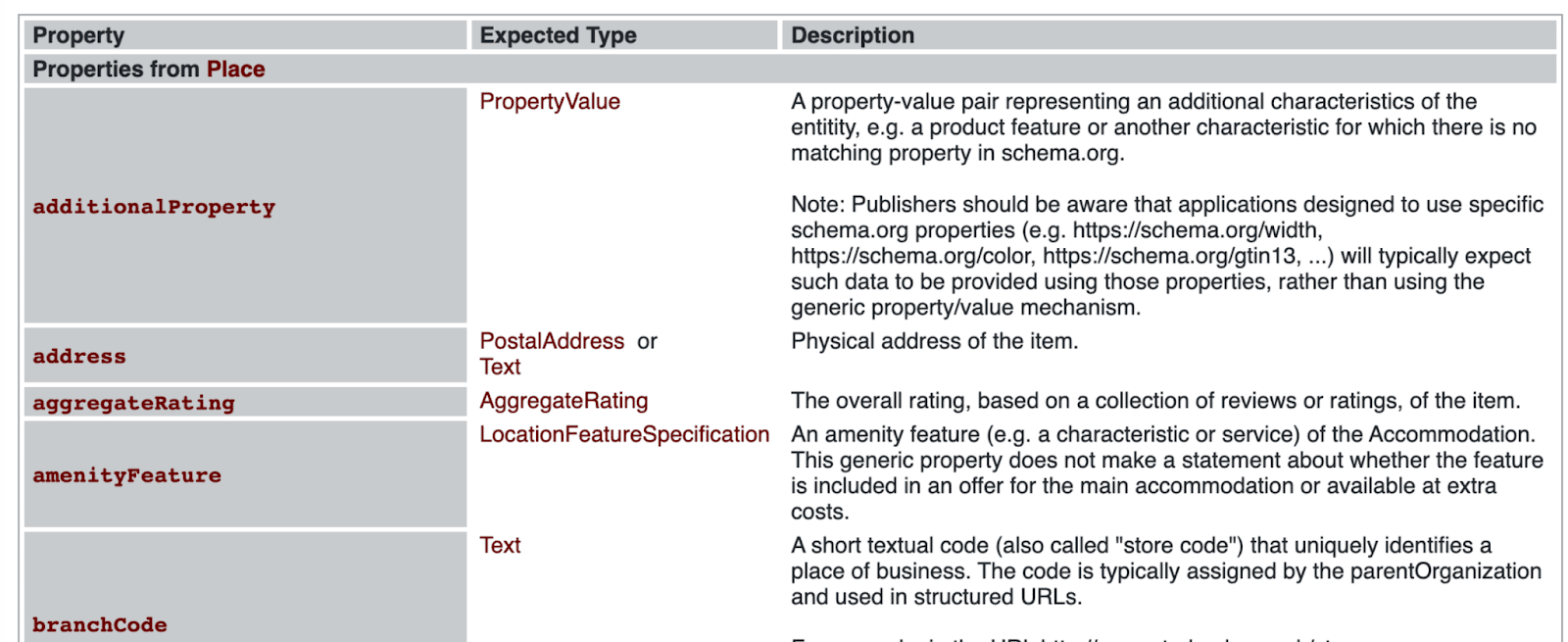
Schema.org vocabulary is one of the main standards for semantic markup in HTML5 that Google, Yahoo!, and Bing use. By adhering to this unified standard, you can incorporate structured data into web pages, reaping several SEO benefits as a result.
For each type of structured data, different search engines have their own recommendations and guidelines.
See how to use structured data markup for SEO in Google and Bing Webmaster Tools.
There are three ways to use schema.org properties on a web page:
- Microdata
- RDFa
- JSON-LD
The JSON-LD format is primarily recommended by Google, as it is easier for website owners to add and maintain. However, all three markup types are fully supported and equally acceptable for search engines when implemented properly.
In the first two formats, structured data is added to each tag that is visible to users. When using JSON-LD, a JavaScript notation is embedded in a <script> tag in the page <head> or <body> sections.
Now, let’s take a closer look at some other differences in structured data formats and when to use them for SEO. We have also commented on each line after // to explain our examples.
Microdata
Microdata uses HTML tag attributes to describe the properties you want to use as structured data. These attributes can be included in the body or in the head using <div> and <span> tags.
Microdata markup features
Microdata is supported by Google, Yahoo!, and Bing using schema.org annotations. The microdata syntax is described in W3C specifications.
You can place attributes inside the <div> tag:
- itemtype is the data type, for example, schema.org/Product
- itemprop is the property (brand, image, price, URL, and others)
- itemscope creates a new item.
Example. An example of HTML microdata snippet that may appear on a product page.
<head>      // script placed in the header of the HTML document
    <title>AirPods - Apple</title> // Title
  </head>
  <body>
  <div>
    <div itemtype="https://schema.org/Product" itemscope> // Type: Product
      <meta itemprop="mpn" content="745623" />  // The manufacturer code
      <meta itemprop="name" content="AirPods - Apple" />  // Item name
      <link itemprop="image" href="https://website.com/photos/photo1.jpg" />  // photo1
      <link itemprop="image" href="https://website.com/photos/photo2.jpg" />  // photo2
      <link itemprop="image" href="https://website.com/photos/photo3.jpg" />  // photo3
      <meta itemprop="description" content="AirPods Pro are sweat and water resistant for non-water sports and exercise." />  // Item description
      <div itemprop="offers" itemtype="https://schema.org/Offer" itemscope>       // Type: Offer
        <link itemprop="url" href="https://website.com/earphones" /> // Product page URL
     <meta itemprop="availability" content="https://schema.org/InStock" />  // Item Stock Status: InStock
        <meta itemprop="priceCurrency" content="USD" />     // Currency
        <meta itemprop="price" content="41.00" />
// Price
      </div>
      <div itemprop="aggregateRating" itemtype="http://schema.org/AggregateRating" itemscope>
// Type: aggregateRating
        <meta itemprop="reviewCount" content="29" />  // All reviews
        <meta itemprop="ratingValue" content="4.6" />  // Average rating
      </div>
      <div itemprop="brand" itemtype="http://schema.org/Brand" itemscope>  // Type: Brand
        <meta itemprop="name" content="Apple" /> // Brand name
      </div>
    </div>
  </div>
  </body>
</html>
RDFa
RDFa is an HTML5 extension that stands for Resource Description Framework in Attributes.
RDFa is usually embedded into both the head and body of an HTML page.
RDFa markup features
This format is mostly used together with the Open Graph to mark up pages for social networks. We will take a closer look at Open Graph later.
The visible content of the page is marked up with the following attributes: vocab, typeof, property, resource, prefix. Their features are described in Recommendations.
Example. RDFa structured data snippet that might appear on a product page.
<html>
  <head>    // script placed in the header of the HTML document
    <title>AirPods - Apple</title>  // Title
  </head>
  <body>
    <div typeof="schema:Product">  // Type: Product
        <div rel="schema:image" resource="https://website.com/photos/photo1.jpg"></div>    // photo1
        <div property="schema:mpn" content="745623"></div>      // The manufacturer code
        <div property="schema:name" content="AirPods - Apple"></div>  // Item name
  <div property="schema:description" content="AirPods Pro are sweat and water resistant for non-water sports and exercise."></div>  // Item description
        <div rel="schema:image" resource="https://website.com/photos/photo2.jpg"></div>    // photo2
        <div rel="schema:brand">  // Description of the brand
          <div typeof="schema:Brand">  // Type: Brand
            <div property="schema:name" content="Apple"></div>   // Brand name
          </div>
        </div>
        <div rel="schema:aggregateRating">   // The overall rating
          <div typeof="schema:AggregateRating">  // Type: AggregateRating
            <div property="schema:reviewCount" content="29"></div>  // All reviews
         <div property="schema:ratingValue" content="4.6"></div>  // Average rating
          </div>
        </div>
        <div rel="schema:offers">  // Pricing and availability information
          <div typeof="schema:Offer">  // Type: Offer
            <div property="schema:price" content="41.00"></div>     // Price
            <div property="schema:availability" content="https://schema.org/InStock"></div>  // Item Stock Status: InStock
            <div property="schema:priceCurrency" content="USD"></div> // Currency
            <div rel="schema:url" resource="https://website.com/earphones"></div>  // Product page URL
           </div>
        </div>
        <div rel="schema:image" resource="https://website.com/photos/photo3.jpg"></div>    // Photo3
      </div>
  </body>
</html>
JSON-LD
JSON-LD stands for JavaScript Object Notation (JSON) and Linked Data (LD). In this case, the markup data is placed within the HTML document rather than around HTML elements (as with Microdata).
JSON-LD markup elements are put between <script type=“application/ld+json“> and </script>.
Google recommends using the JSON-LD markup format because in some cases it is easier to structure code that is separated from the text, as with PostalAddress and Event data types. Such markup is more concise and easier to embed into an HTML document. Search engines can also read dynamically injected JSON-LD data, such as by JavaScript code or embedded widgets in your CMS.
Example: JSON-LD structured data snippet that might appear on a product page.
<html>
  <head>  // script placed in the header of the HTML document
    <title>AirPods - Apple</title>  // Title
    <script type="application/ld+json">
    {
      "@context": "https://schema.org/",  // vocabulary
      "@type": "Product", // Type: Product
      "name": "AirPods - Apple",  // Item name
      "image": [      // Photo gallery
        "https://website.com/photos/photo1.jpg",  // photo1
        "https://website.com/photos/photo2.jpg",  // photo2
        "https://website.com/photos/photo3.jpg"   // photo3
       ],
   "description": "AirPods Pro are sweat and water-resistant for non-water sports and exercise.",  // Item description
      "mpn": "745623",  // The manufacturer code
      "brand": {   // Brand information
        "@type": "Brand",     // Type: Brand
        "name": "Apple"   // Brand name
      },
       "aggregateRating": {  // The overall rating
        "@type": "AggregateRating",  // Type: AggregateRating
        "ratingValue": "4.6",  // Average rating
        "reviewCount": "29"  // All reviews
      },
       "offers": {   // Pricing and availability information
        "@type": "Offer",  // Type: Offer
        "url": "https://website.com/earphones",  // Product page URL
        "priceCurrency": "USD",  // Currency
        "price": "41.00",   // Price
        "availability": "https://schema.org/InStock"   // Item Stock Status: InStock
      }
    }
    </script>
  </head>
  <body>
  </body>
</html>
How to add structured data markup to your website
In order for your web page to be included in rich search results, follow these steps:
1. Create a page with structured data markup
2. Check the actual appearance in search results with the Rich Results Test.
3. Publish the page in the admin panel of the site and make it available for indexing by robots.
In the following sections, we will take a closer look at what tools will help you structure your web page and test it. Before embedding structured data into your site, make sure to consider the basic search engine recommendations on correctly implementing page markup for SEO and to understand what actions to avoid.
Requirements to the structured data markup
- Structured data must match the overall context of the page.
- The page must be accessible to robots with no restrictions in robots.txt file or HTML code (noindex meta tag). Run an SEO site audit before you mark up your pages to see if they are blocked in any way.
- Markup can be applied only to content visible to users.
- Data types must have properties that are supported by Google, Bing, or other search engines.
- The markup should not mislead users. It must not post spam or include content prohibited by law.
- The content of the elements must comply with the guidelines and approved standards. For example, the JobPosting data type can be used if the job is posted on the page and this posting is unique.
Multiple schema.org instances on one page
Several types of structured data can be used on a single page. For instance, a webpage could feature a recipe, a video demonstrating how to prepare that recipe, and breadcrumb information for user navigation. All of these visible elements can be marked up with structured data, enabling Google to display the page in different search features.
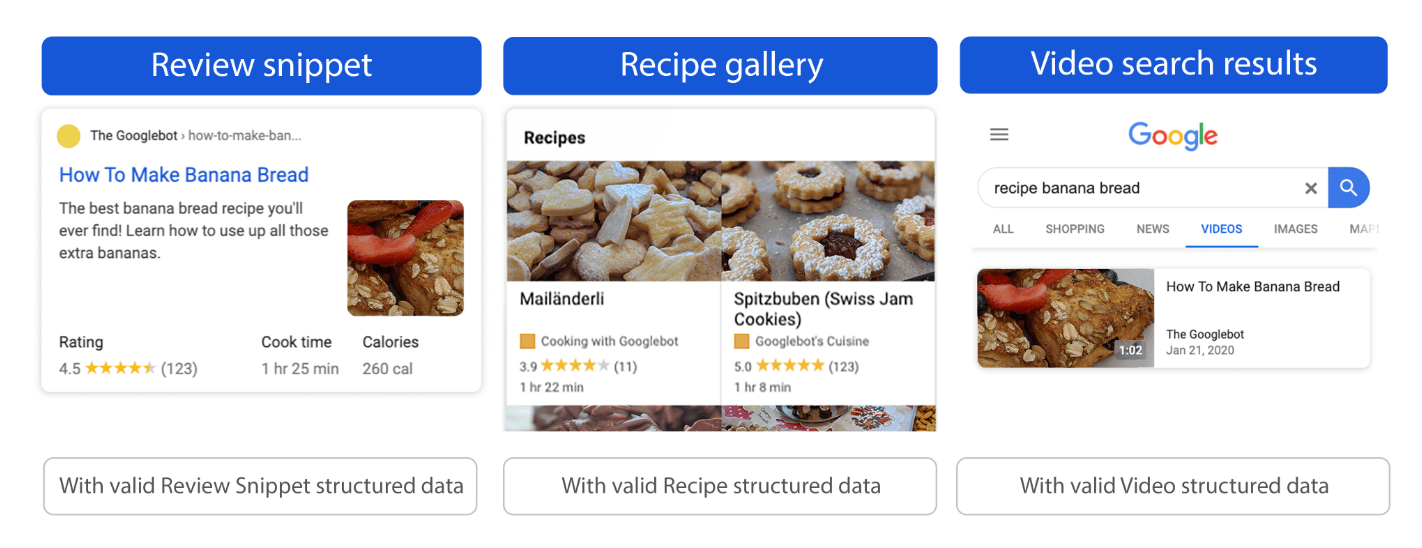
You can nest the items (1) or specify each item individually (2):
- Nesting the items: When there is one main type of structured data and additional types are grouped under the main one.
- Specifying each item individually: When each type of structured data is presented as a separate block on the same page without interlinking with other types.
Take a look at the example below of structured data showing two distinct items on the same page: Recipe and BreadcrumbList.
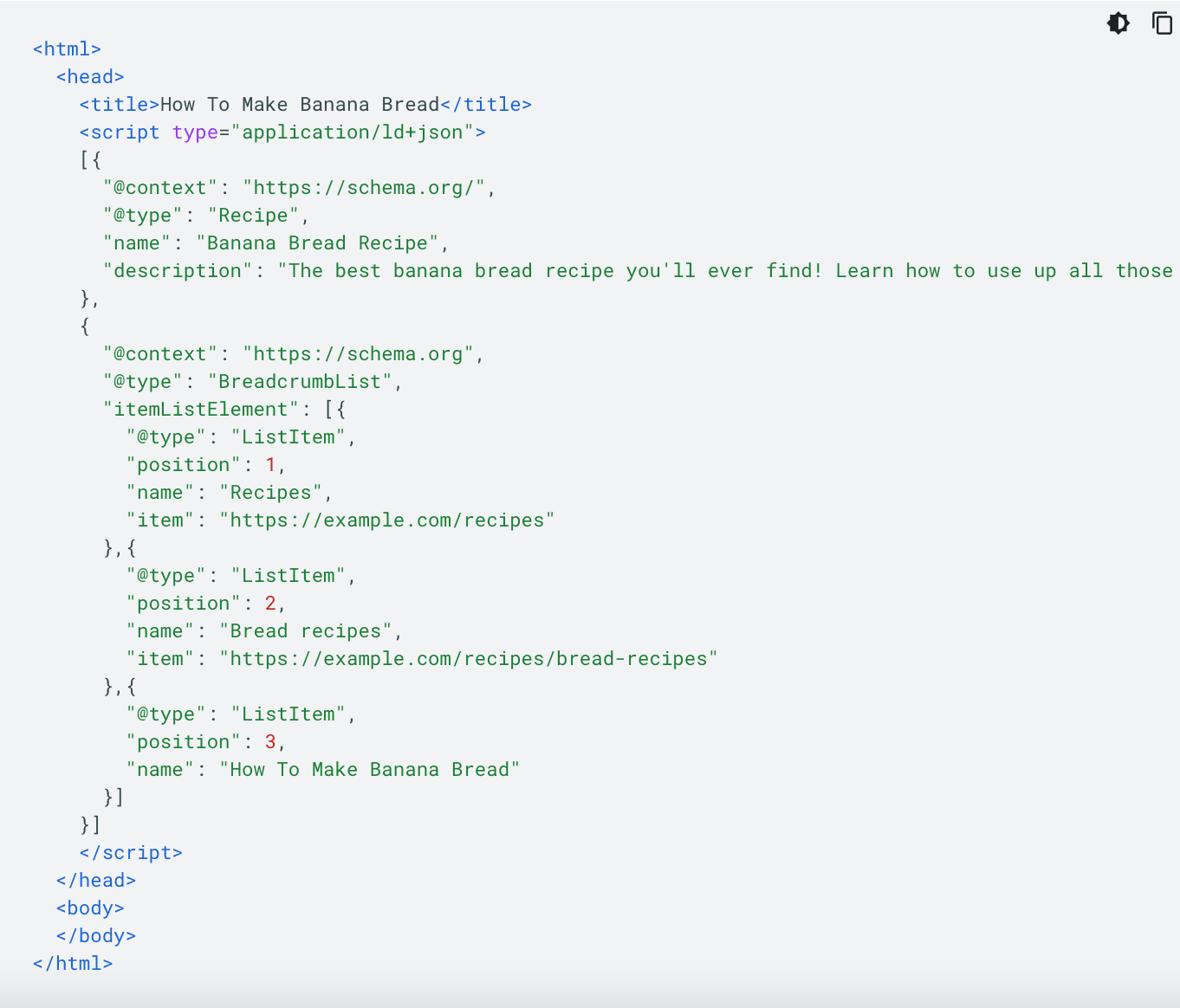
For more details, refer to Google’s Documentation.
To ensure that Google Search understands the page’s main purpose, first include the main type of structured data that reflects the page’s primary focus.
Consequences of markup mistakes
When the structured data on the pages do not comply with the rules of the search engine, the site may be penalized. You can easily check if your site is clean from any penalties by checking the Manual Actions report in the Google Search Console (GSC).
Here are some of the structured data examples that may lead to manual actions:
- Job posting not hiring.
- Can’t submit application on job offer page.
- Page content does not match structured data.
Another striking example is third-party reviews. You can’t mark up third-party reviews with structured data. The markup should only be utilized for first-party reviews that are originally published on your website.
For a complete list of SEO violations, please refer to the User Manual.
If you were notified of one of these issues, you must fix it following all the recommendations and then submit a reconsideration request in the GSC.
Ways to implement structured data on your website
Let’s take a look at several ways to structure HTML code.
Structured Data Markup Helper
This Google tool allows you to mark up selected elements on a page. With it, Googlebot recognizes its content more accurately.
To use the tool, you need to select the markup data type (Articles, Products, Movies, Events, etc.), specify the page URL or HTML code. Then, select fragments of the page, assign values to them, and click Create HTML. Learn more about how to use Google Markup Tool.
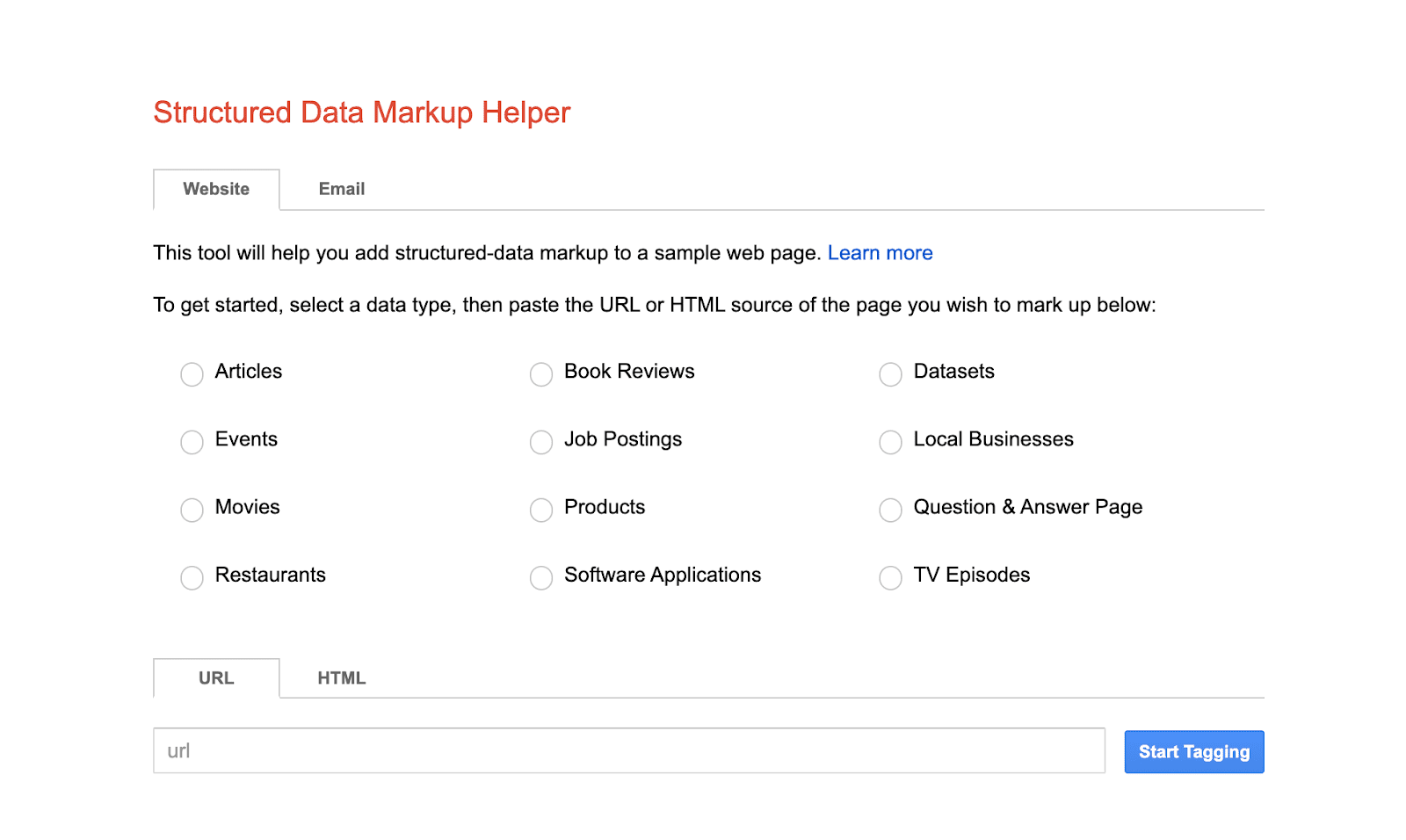
The finished code must be added to the page through the site’s admin panel or directly to the HTML file.
CMS plugins
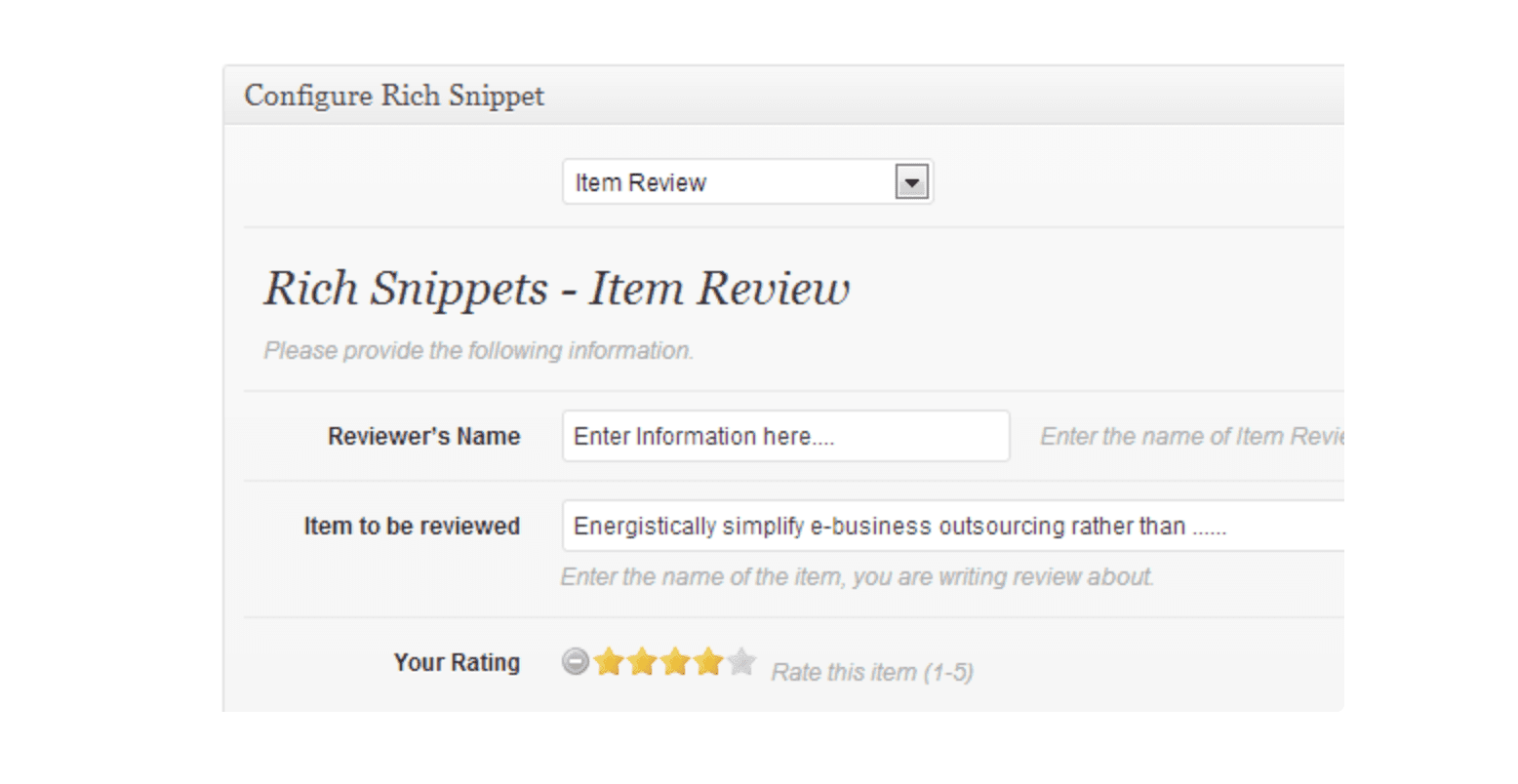
CMS developers provide special software that structures the code. For example, All In One Schema Rich Snippets and Markup (JSON-LD) structured in schema.org modules are used in WordPress; Microdata and Schema.org extensions are used in Drupal; Google Structured Data is for Joomla.
AI tools (ChatGPT)
AI tools like ChatGPT can also help you generate and refine structured data, especially if you’re comfortable reviewing and validating the output. This is how you can do this.
Step 1: Create a detailed prompt asking ChatGPT to generate schema
If you’re familiar with schema, ChatGPT can quickly generate markup. Just be specific about what you need. The clearer your instructions, the better the output.
Example prompt: “Generate schema markup for a service called ‘Gourmet Baking Workshop.’ Include a description: ‘Interactive baking classes suitable for all levels, covering bread, pastries, and desserts.’ The provider is ‘Sweet Treats Academy,’ and there is an offer called ‘Weekend Baking Session’ priced at $75.”
This is what you can expect to receive as a response:
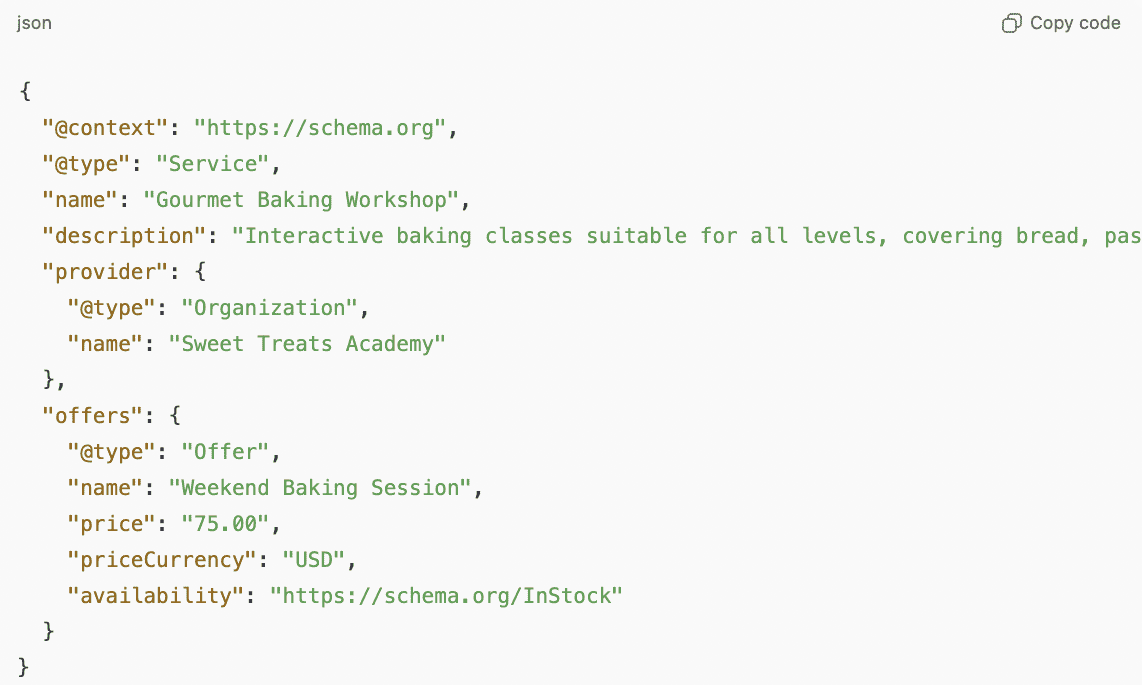
The markup is ready to embed on your website.
If the schema is new to you, ChatGPT can guide you step by step. Start the conversation like this:
“Please, help me generate a schema for my event page. What details should I provide?”
It will ask for details (name, title, organization, etc.) and help you build the schema step by step.
Step 2: Refine the output if needed
Sometimes the first output is perfect; other times, you might need small tweaks, like adding a service area or additional contact info. Just ask ChatGPT to make the changes.
Example: “Add event dates January 12, 2026, 10:00 AM – 2:00 PM and January 19, 2026, 10:00 AM – 2:00 PM and location Sweet Treats Academy, 123 Baker Street, New York, NY 10001 to the schema for ‘Gourmet Baking Workshop.’”
Step 3: Review and copy
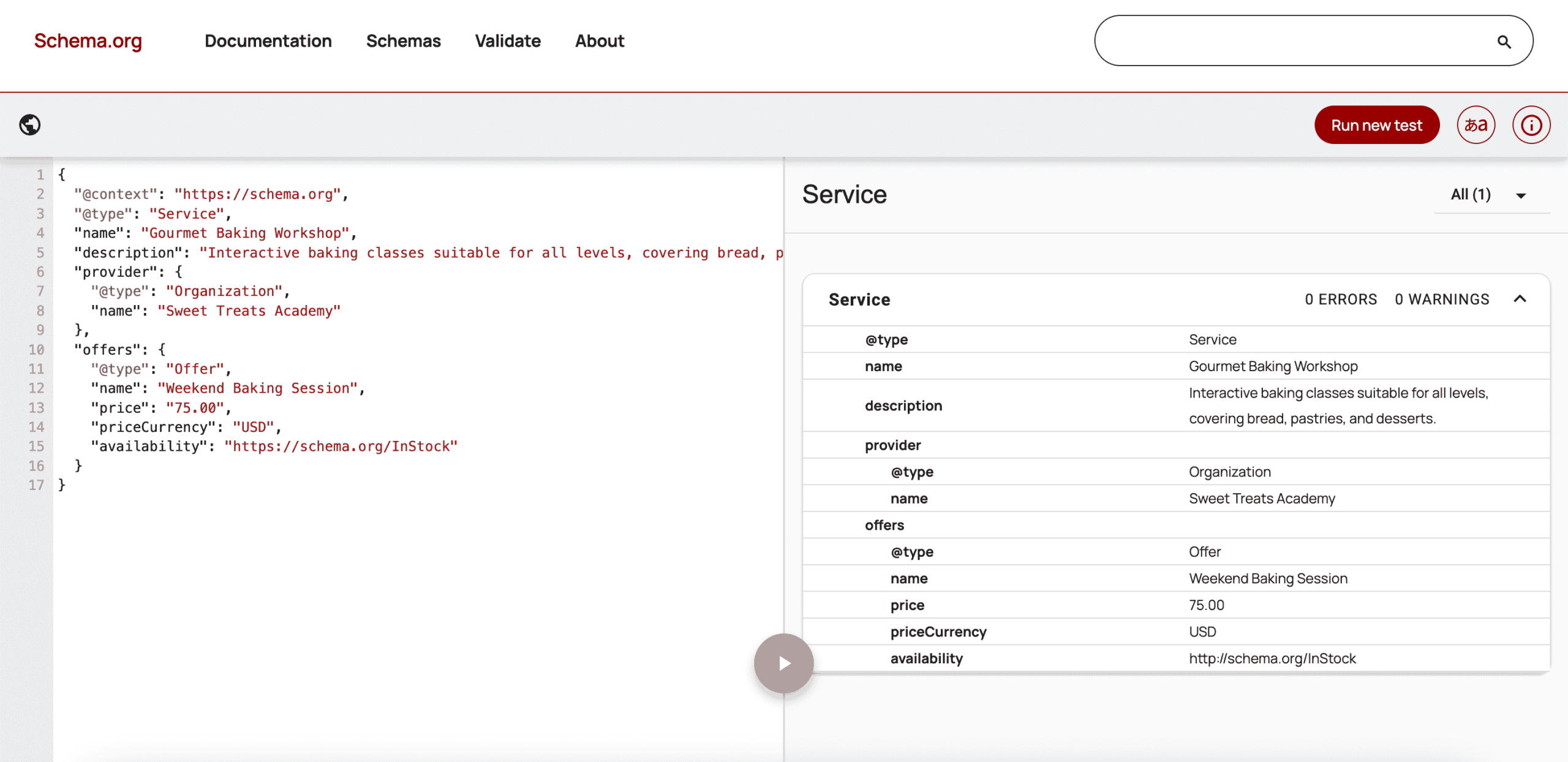
Before adding it to your site, double-check the key details (such as names, descriptions, and offers). You can do this using tools like Google’s Structured Data Testing Tool. Once you’re on the page, simply paste your schema into the Code Snippet box.
If the schema passes without errors, go ahead and embed it on your site. If any errors are detected, share them with ChatGPT to get them fixed. Once all issues are resolved, your schema will be ready to use.
Other markup generators
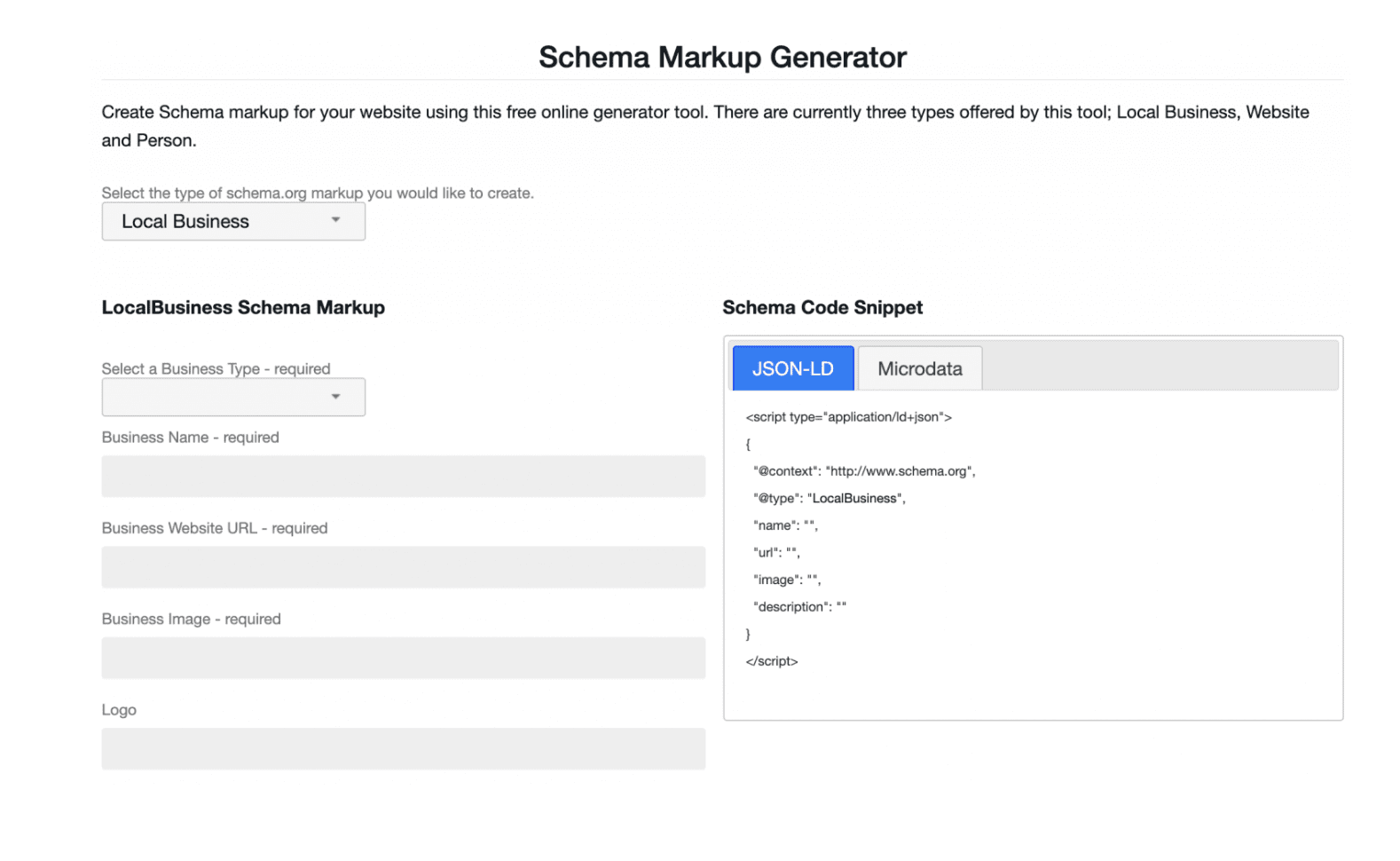
There are alternative services for structuring the code, for example, Schema Markup Generator, Schema Markup Generator (JSON-LD), and others.
How to test and preview your structured data
Let’s review some services that will help you test the structured code.
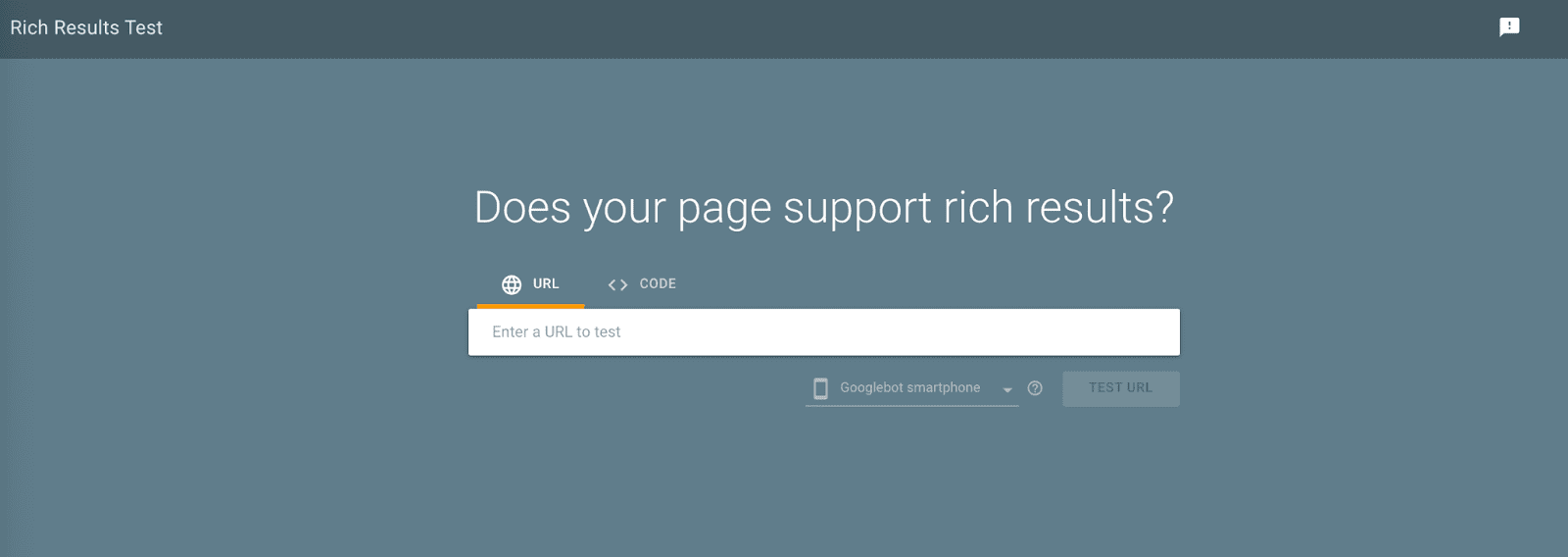
Rich Results Test from Google
This is a free online service that allows testing the page with structured data by entering its URL into the Fetch URL box. You can also check the marked-up code by clicking the Test code button.
If the markup was implemented correctly, the notification “Page is eligible for rich results” will appear on the screen. It will also show you the structured elements found by the system and how they are displayed on the device screen.
Even after deployment, you can use Google Search Console to monitor your pages’ SEO health and performance. It will show whether you get impressions and whether any mistake has crawled into the code. You must verify your site to access Search Console statistics and tools using one of these methods.
You can enter the page address into the Test Your URL field, and the Improvements section of the report will display the types of rich results the search engine supports, for example, Navigation bars, Question and Answer page, Events, Products, Recipes, Reviews, Job Postings. Keep in mind that some structural elements of the page may not be included in the report.
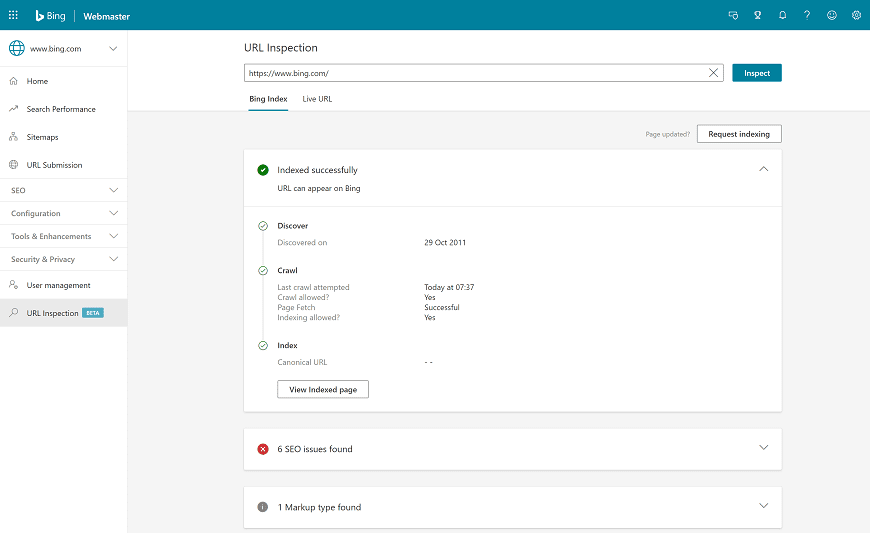
Bing Markup Validator
Bing Markup Validator is a part of Bing Webmaster Tools that helps check if structured data was correctly implemented on a website. Whether you are using HTML Microdata, Microformats, RDFa, Schema.org, and OpenGraph—the Bing report will show the code from the scanned page.
Schema.org Validator
You can also test your pages by either pasting the code directly into the Schema.org Validator or by entering the URL of your website. The tool scans your structured data and highlights any errors or warnings that could prevent search engines from understanding your content fully.
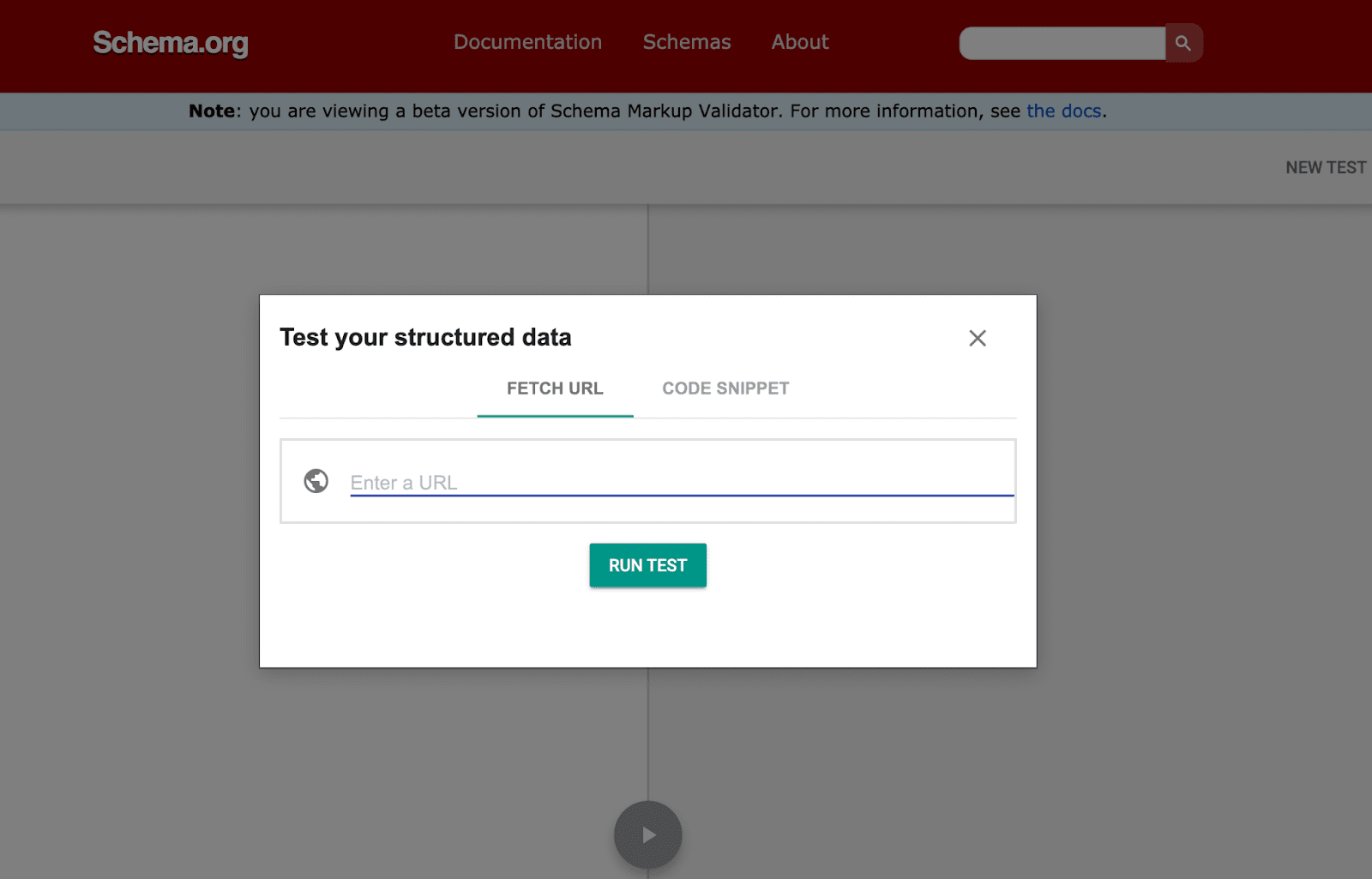
Once the test is complete, the validator provides a clear hierarchy of detected schema types, such as Article, Product, Event, Recipe, or Organization. It also shows the individual properties and values, so you can quickly identify missing or incorrectly formatted fields.
Using the Schema.org Validator is especially helpful during development and before deployment, as it allows you to preview how structured data will be interpreted without affecting live search results.
By fixing any issues detected by the validator, you increase the chances that your content will appear as enhanced results, like rich snippets, in search engines.
How to view structured data markup of other sites
If you notice rich snippets on other websites that you find appealing, you can examine their structured data and apply similar techniques to your own pages.
To view the HTML code of any page, open the page and press Ctrl+U (Windows) or Command + Option + U (Mac). This will display the full source code.
To quickly locate structured data within the code, use the browser’s search function (Ctrl+F or Command+F) and look for specific keywords such as:
- schema – to find Schema.org markup
- JSON-LD – for JSON-based structured data
- Microdata – for inline HTML markup
- Specific data types, like Product, Recipe, or Event
Once you locate the markup, you can analyze how other websites structure their content and ensure your implementation follows the same standards.
For an even faster check, we recommend using Google’s Rich Results Test Tool. Simply enter the page URL of the site you want to examine, and it will display the structured data detected along with potential errors. This allows you to preview rich results without manually combing through the code.
Conclusion
Structured data is a important tool for making your content understandable to both transitional search engines and AI systems.
From the SEO perspective, it helps your pages appear as rich snippets with images, ratings, prices, and other features. This, in turn, improves how a page is presented in search results.
From the perspective of AI search and LLMs, structured data helps prevent misinterpretation by clearly defining the key elements of a page, which may support more consistent understanding of the content.
We hope this structured data guide helps you better understand how structured data for SEO and AI visibility work together in practice.