Keyword Tool. From seed keyword to client-ready strategy.
Find and prioritize keywords with search volume, difficulty, intent, and SERP data across 188 locations, then take that research straight into client projects and AI workflows.
Top agencies have already moved from single-keyword to automated keyword strategies
SE Ranking MCP connects live keyword data to Claude, ChatGPT, Cursor, and other MCP clients, so keyword research runs inside the workflows where client strategies are built.
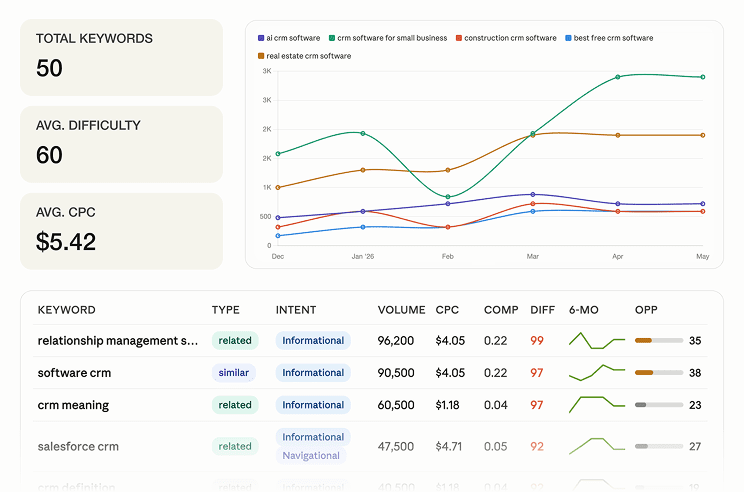
Keyword ideas with the metrics attached
Ask your assistant for related, long-tail, and question keywords with search volume, CPC, difficulty, and trend data, grouped by intent and ready to brief.
One connection across your client portfolio
Research keywords for any client and any of 188 country databases without exporting, cleaning, and re-uploading CSVs.
Included in your SE Ranking subscription
MCP runs on your plan’s API credits, and the free trial includes 100K credits to start running real queries.
Unique database that delivers keyword suggestions for any market
Do keyword research like a pro with essential data at your fingertips
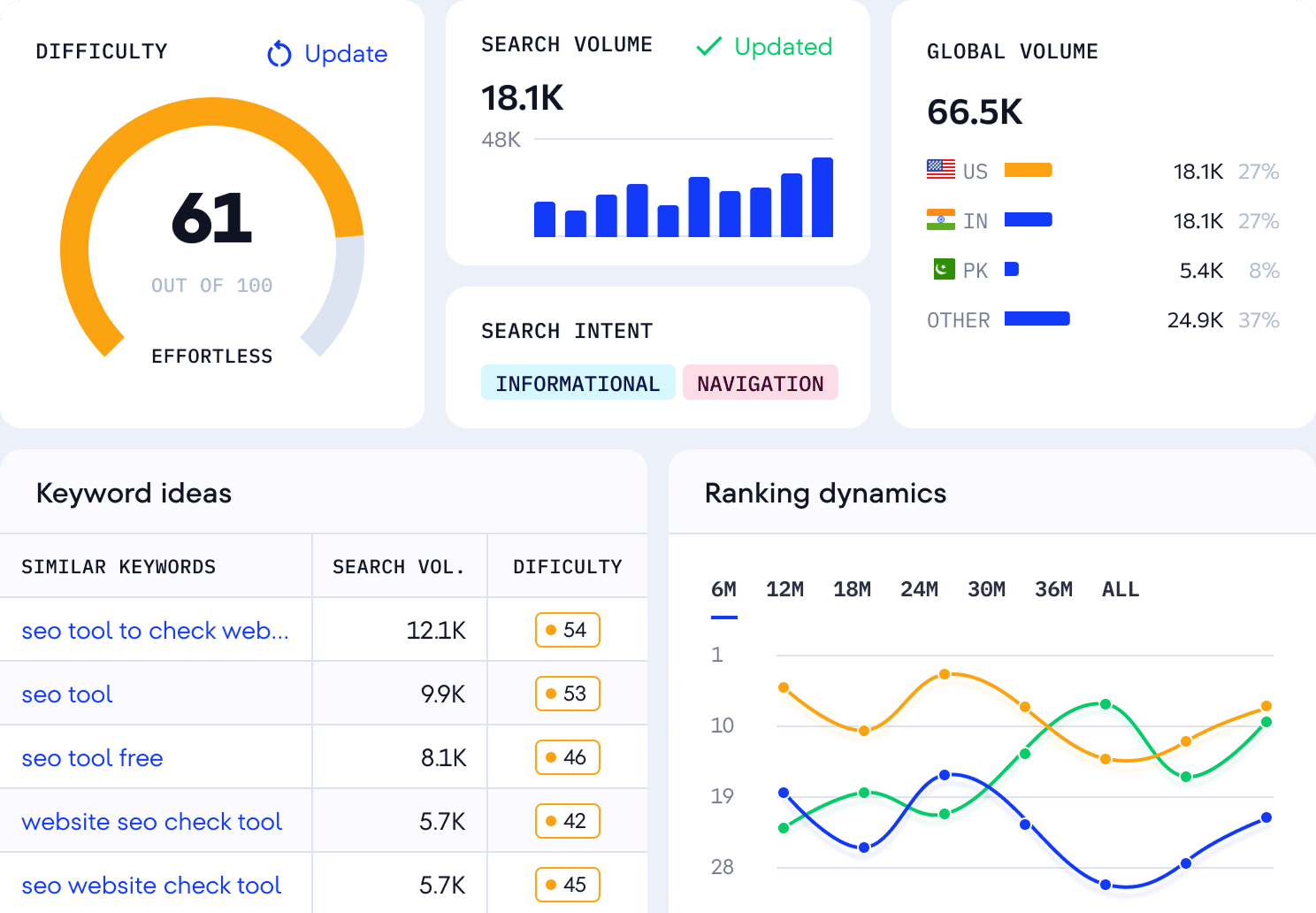
See the full story behind any keyword
Get a complete overview of your target keyword with our Keyword Tool, including all essential metrics, and in your chosen location and timeframe. Start your keyword research smart with data you can rely on.
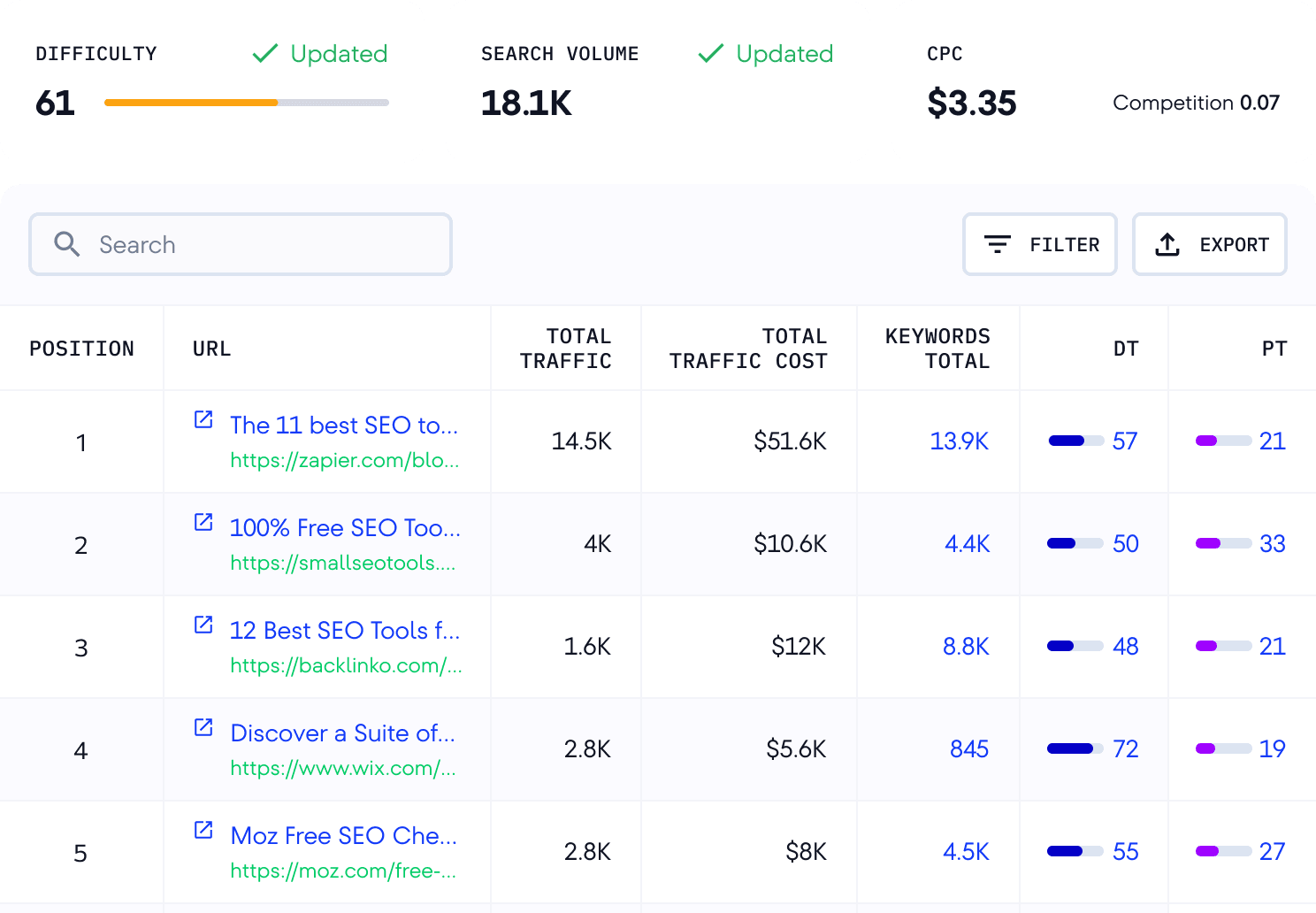
View your organic keyword competitors
See who’s ranking for any keyword and explore their estimated traffic, Domain and Page Trust, backlinks, and referring domains. Benchmark against top performers to sharpen your keyword research for SEO.
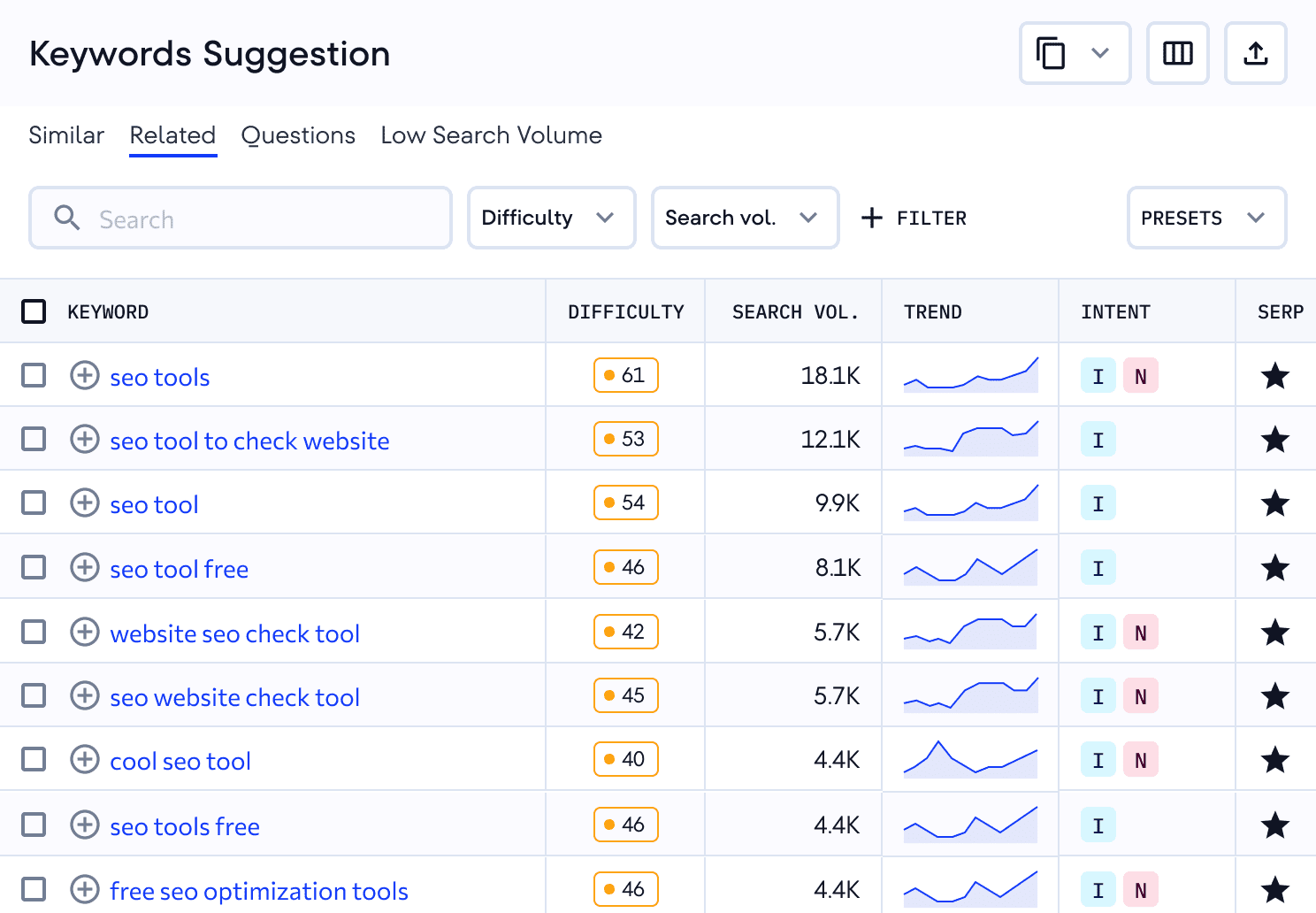
Find keywords that share potential
Use the SEO Keyword Generator to get queries similar to your target one and related to the high-ranking pages. Filter by word count, difficulty, intent, etc., to find the promising terms.
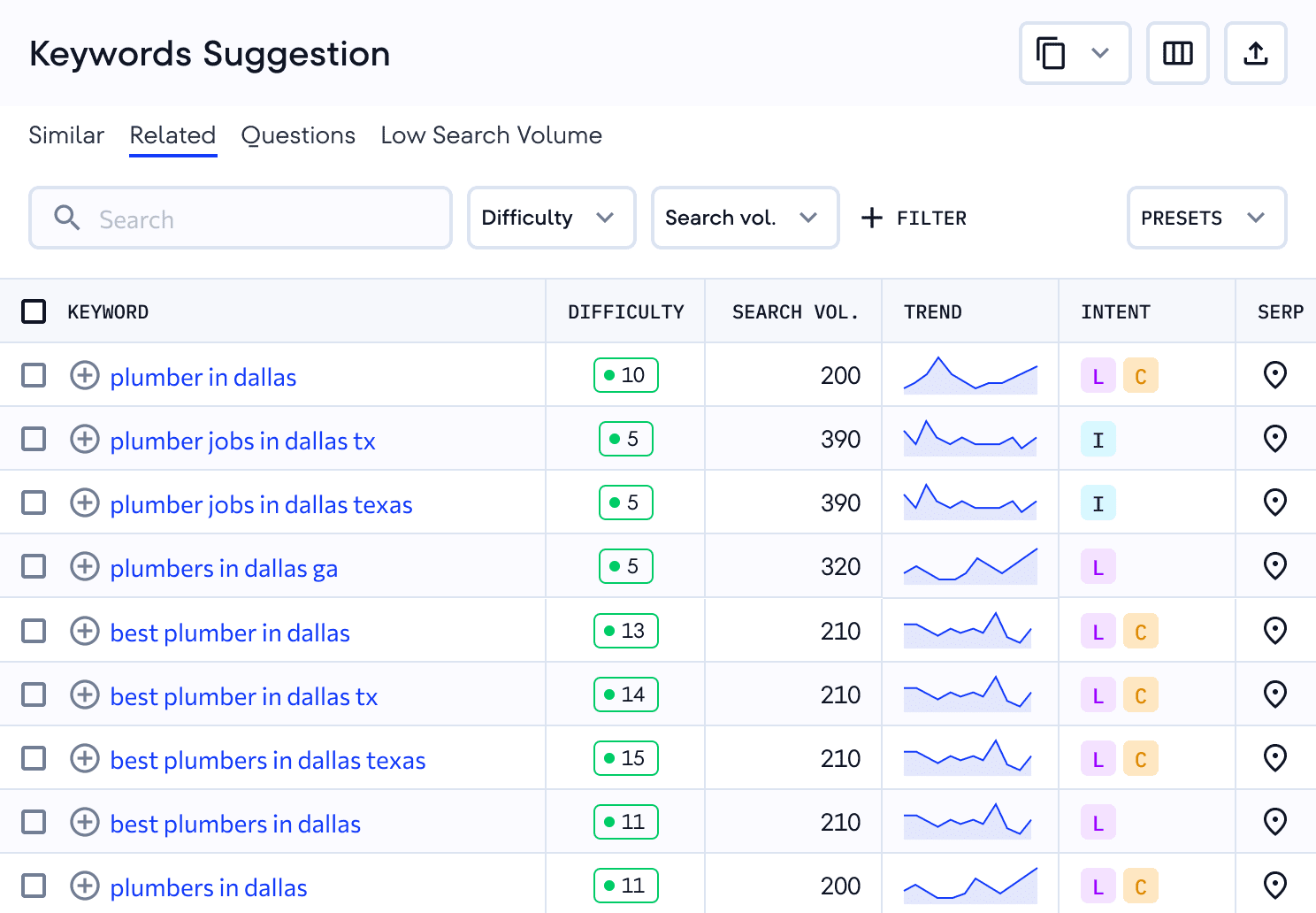
Discover location-specific keywords
Research keywords across 188 geo databases to analyze how search behavior varies by region. Find terms that resonate with local audiences, analyze SEO metrics, and tailor your strategy to each market’s needs.
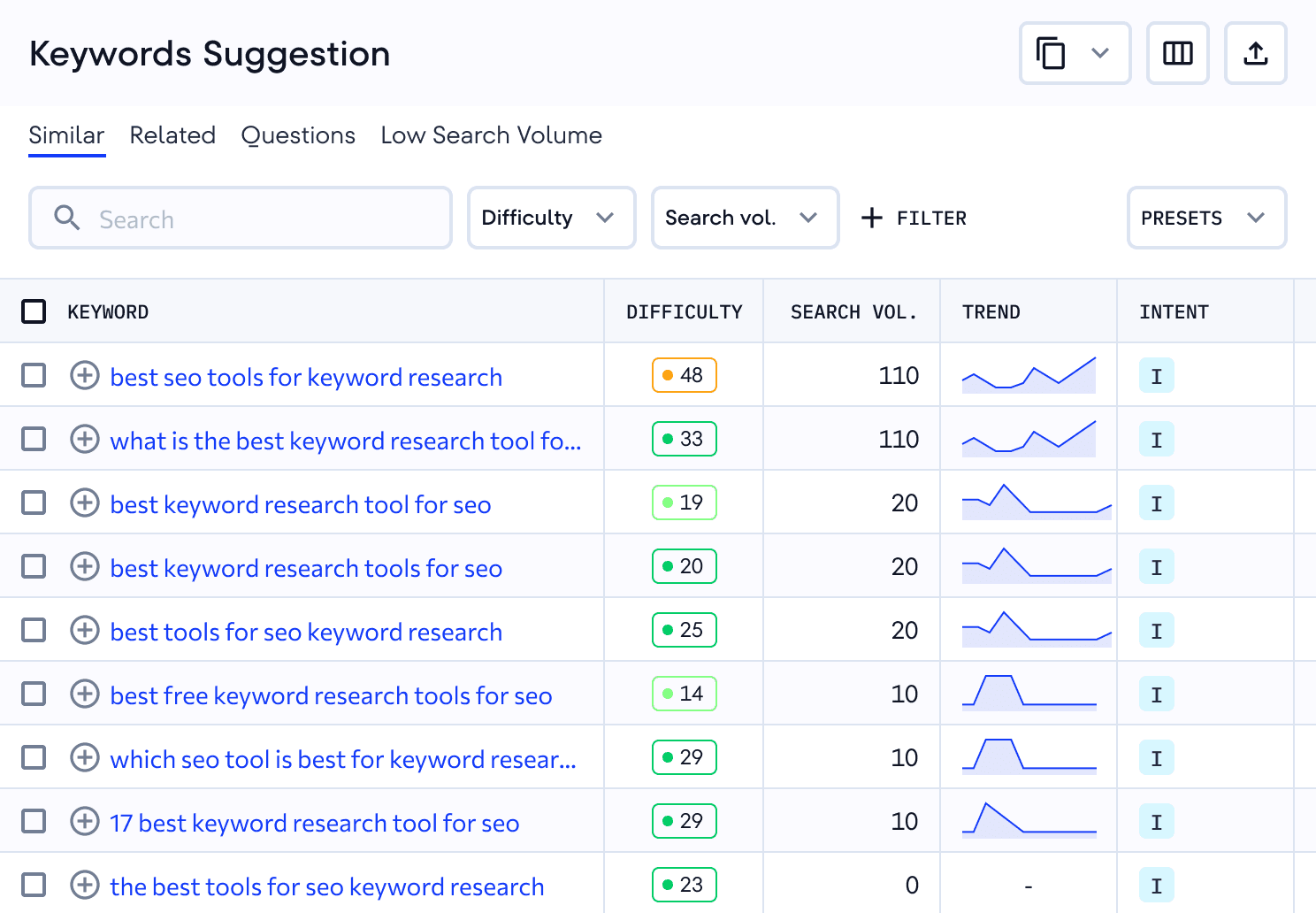
Expand your keyword list with more suggestions
Go beyond broad terms with question-based queries, long-tail keywords, and low search volume suggestions. Target the detailed queries users type and create content that answers their questions.
Keyword research that holds up across a client portfolio
One-off lookups work for a single site. Agencies need research they can repeat, organize, and hand over.
Organize research by client and market
Save keywords into lists by region and send them to Keyword Grouper, Content Editor, and Rank Tracker, so research becomes a tracked project instead of a spreadsheet that goes stale.
Size hundreds of keywords at once
Import a client’s existing list or run bulk checks to see volume, difficulty, and intent side by side, then cut what isn’t worth the effort before it reaches the plan.
Show clients why a keyword made the list
Pair keyword metrics with the current SERP, ranking competitors, and historical SERP data back to 2020, so your recommendations come with evidence and not only a volume number.
Put a client’s keyword list through it today
Get full access for 14 days, including MCP with 100K API credits.
Get key SEO metrics for data-driven keyword research
- 1
Search volume
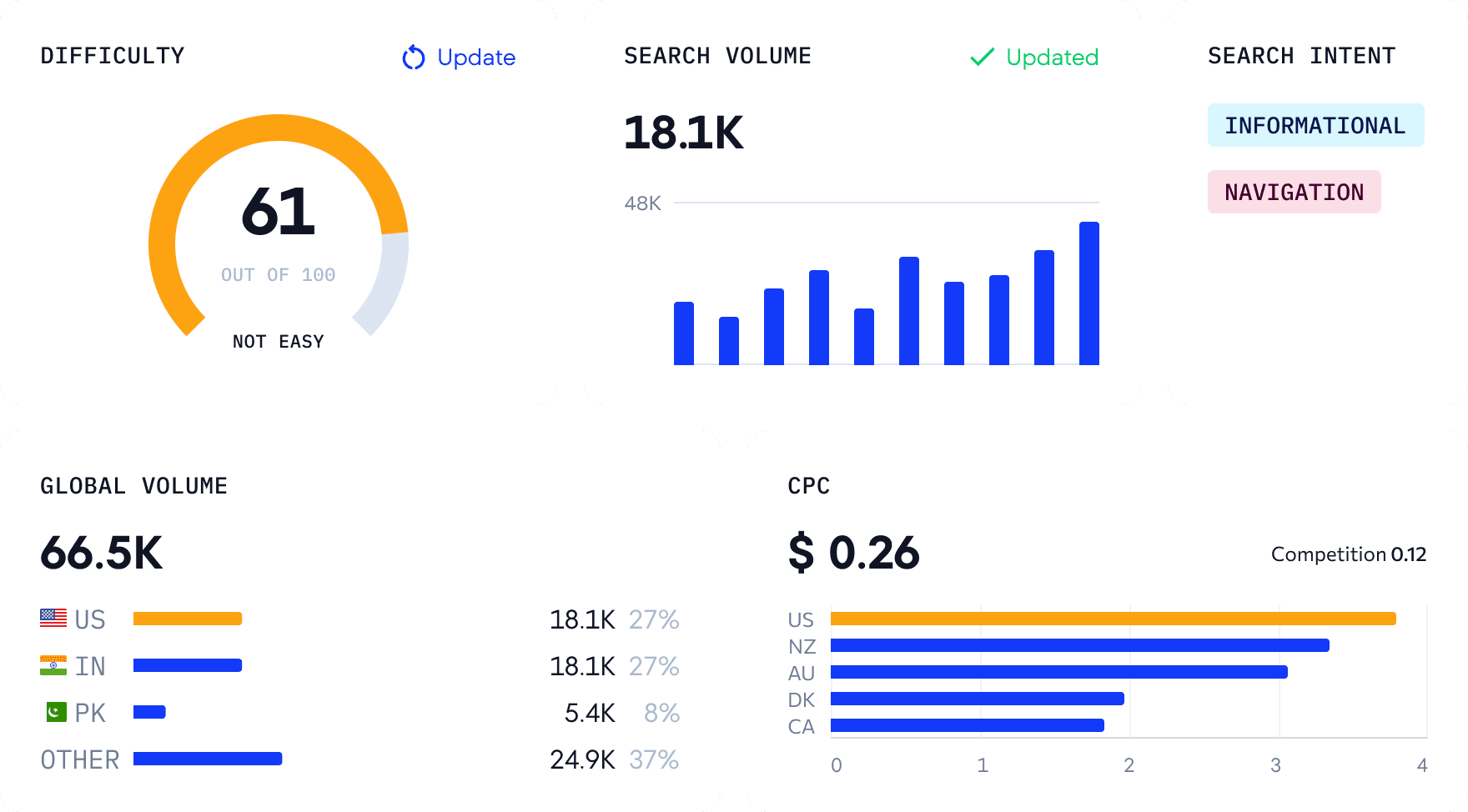
Find out how many monthly organic searches the selected keyword gets on Google. Evaluate last year’s changes by reviewing the keyword’s volume dynamics.

- 2
Keyword difficulty
See how hard it is to rank in Google’s top results for any keyword. Use this metric to gauge the effort needed to promote your page.
- 3
CPC
Discover the average price of a click you would pay in a pay-per-click (PPC) Google Ads marketing campaign. Get CPC data for other regions to find out how competitive the keyword is globally.
- 4
Search Intent
Learn why users search certain terms and create relevant content around them. Determine if the keyword implies that the user is seeking information, targeting websites, trying to make a purchase, researching products, or looking for local services.
- 5
Local keyword data
Access location-specific keyword data across 188 geographic databases worldwide. Research terms by country to optimize your local SEO efforts, understand search behavior in your target markets, and connect with customers in their locations.
Support your strategy with in-depth competitor keyword analysis
Discover what’s been working for your competitors and use those insights to refine your keyword strategy
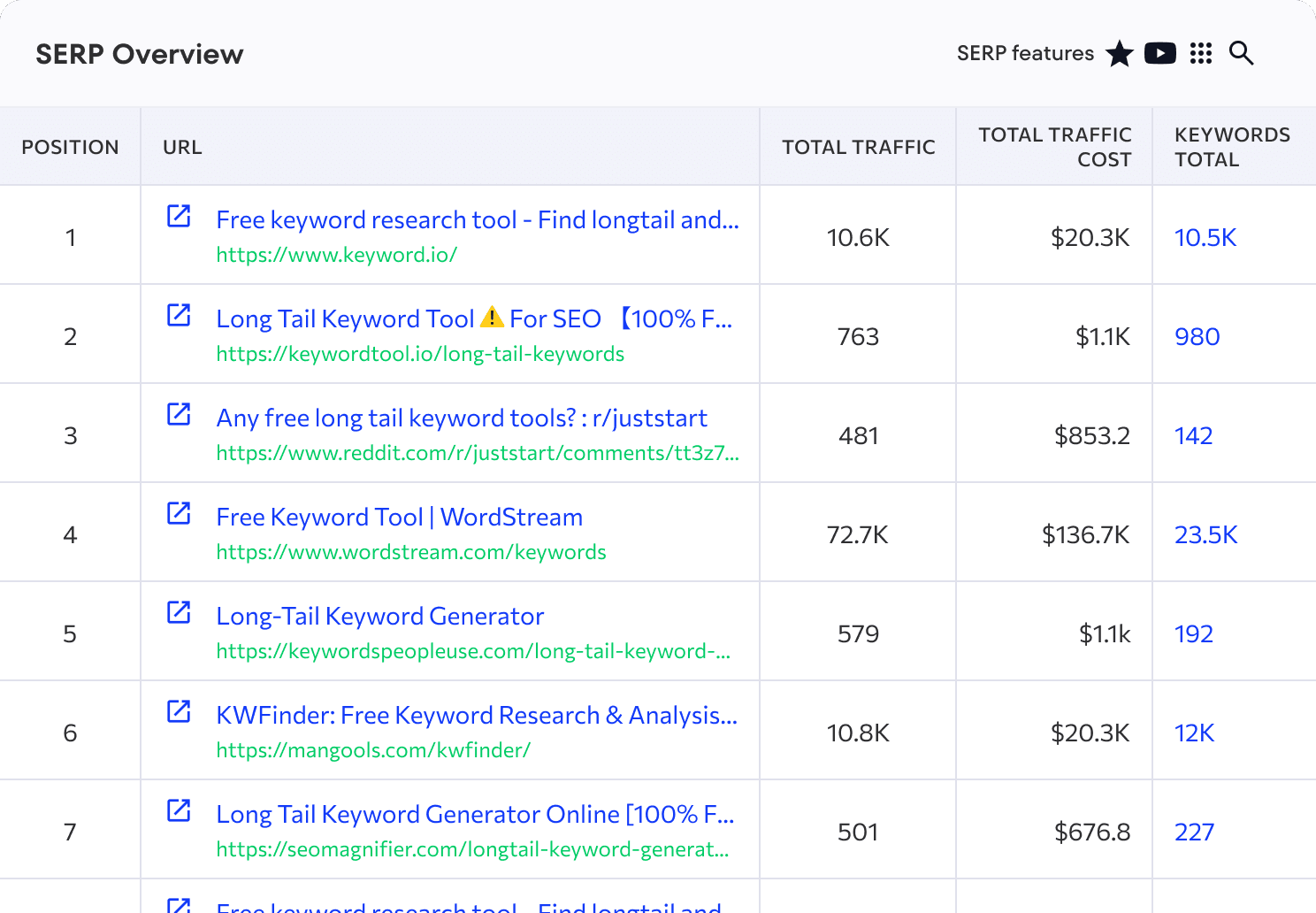
Find your competitors’ target keywords
Analyze the keywords driving traffic to your competitors’ sites. View complete keyword lists with essential metrics, including search volume, difficulty, search intent, and current rankings. Identify gaps in your strategy, discover opportunities, and prioritize keywords that deliver results in your niche.
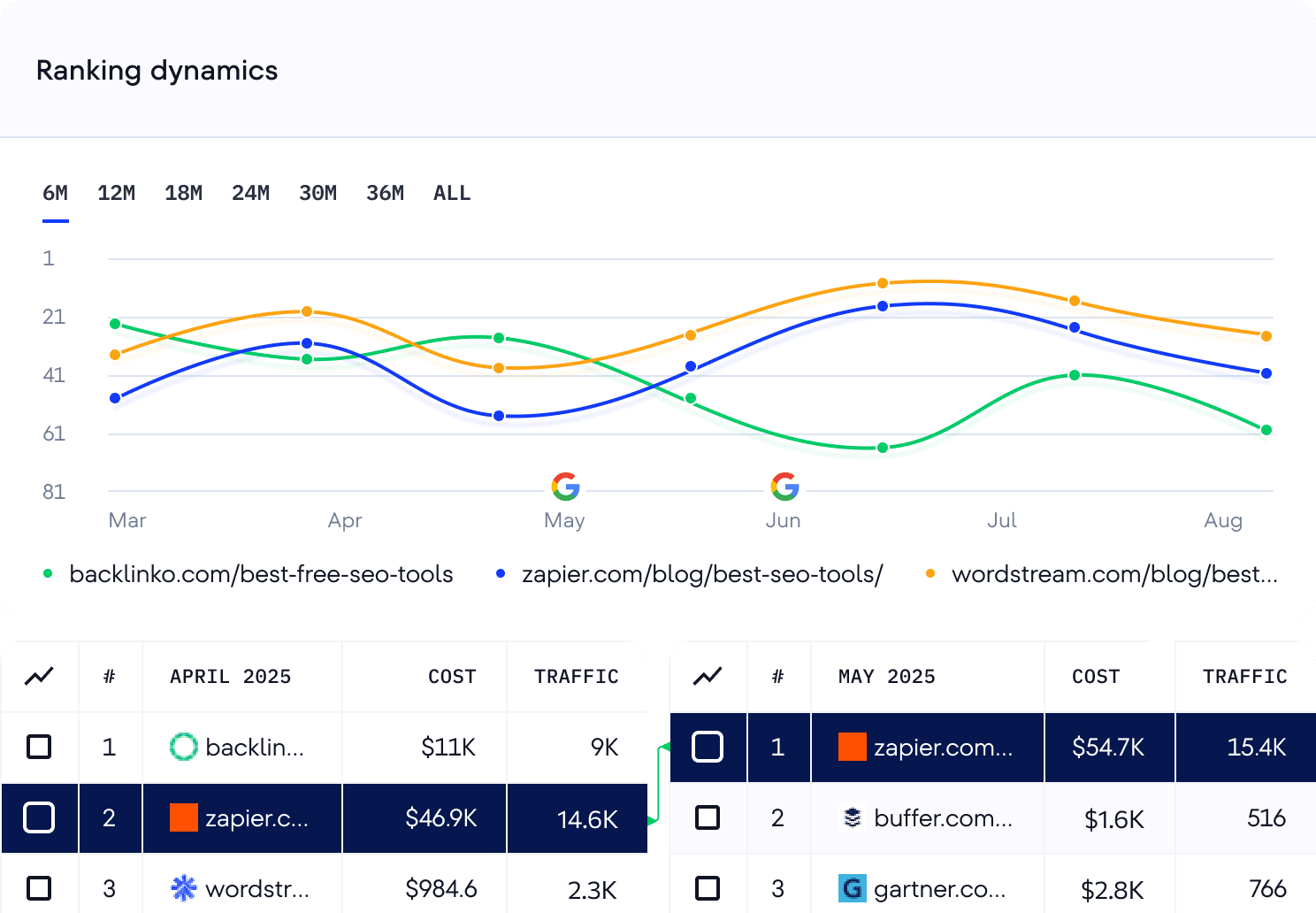
View changes in top results for any keyword
Check the keyword’s organic SERP history over the past month and compare its dynamics month by month (go as far back as February 2020). Learn how competitors move between top positions, spot trends, and analyze key metrics. Use what you learn from historical patterns to improve your SEO.
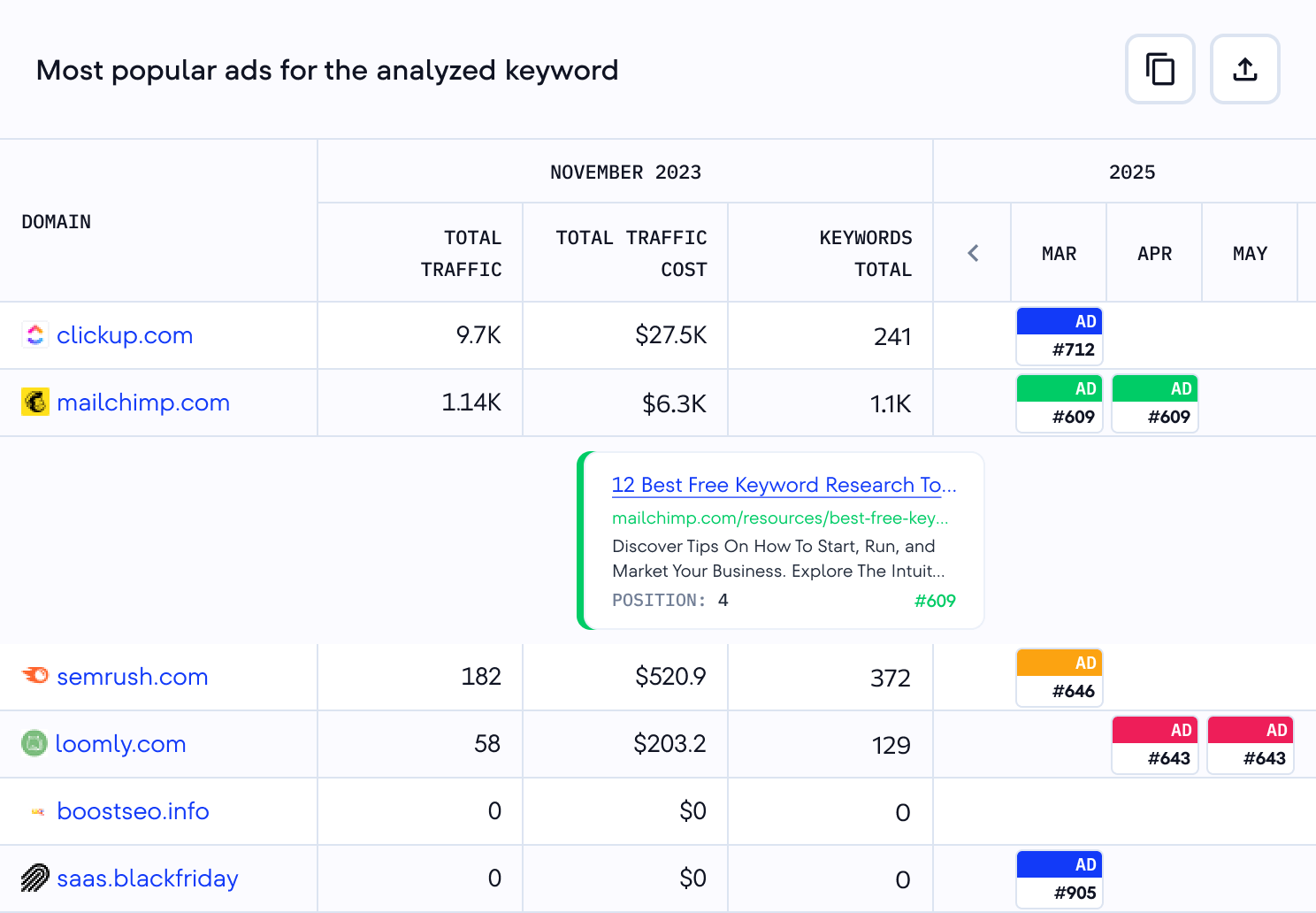
See how competitors use keywords in paid campaigns
View the keyword’s top-performing ads, discover websites bidding on similar keywords, and analyze estimated clicks and costs. Use competitor ad copies to create more compelling messages for your PPC campaigns.

Keywords show what people search. Prompts show what they ask AI.
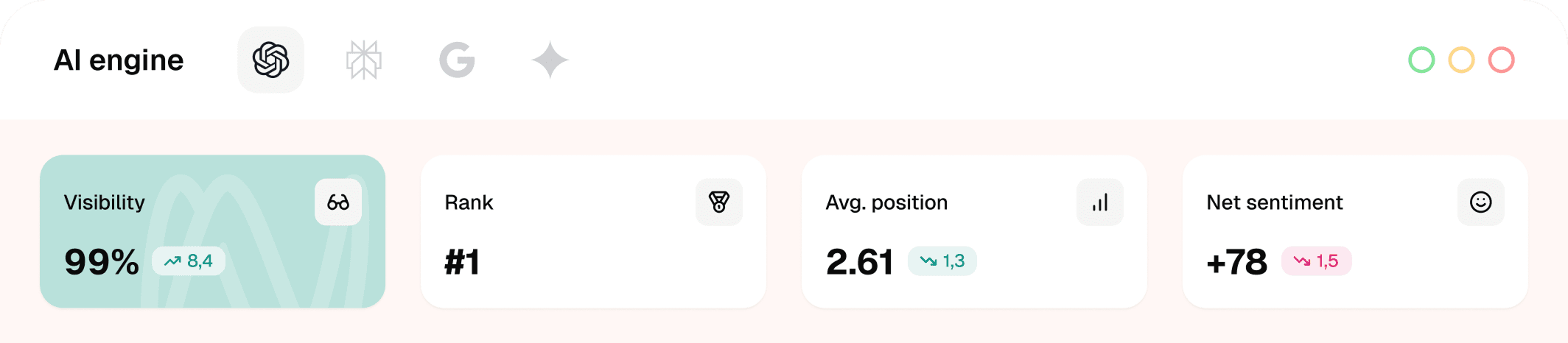
Your clients’ buyers also research in ChatGPT, Gemini, and AI Overviews. SE Visible breaks AI visibility down to the prompts behind it: which questions mention a brand, who gets named instead, and which prompts carry buying intent.
Keyword Suggestion Tool vs. Google Keyword Planner
SE Ranking’s Keyword tool is built with all your SEO needs in mind, though some of its functionalities overlap with Google’s Keyword Planner, which only gives you search volume trend and competition data. Our SEO Keyword Tool goes beyond by:
- Providing more SEO metrics and stats for each search term.
- Categorizing keyword suggestions.
- Showing the keyword’s organic and paid search results.
- And more.
This all comes with a user-friendly interface packed with sorting and filtering options.
What is the Keyword Suggestion Tool?
SE Ranking’s Keyword Suggestion Tool helps you find the right keywords for your SEO and PPC campaigns. It analyzes search data and delivers key metrics to eliminate guesswork.
Here’s what you can achieve if your goal is SEO:
- Find new keywords capable of bringing organic traffic to your site
- Evaluate SEO metrics, including search volume, difficulty, search trends, and search intent.
- View the organic SERP for any keyword and how it has changed over time.
- Discover the SERP features appearing for each search query.
Here’s what you can achieve if your goal is PPC:
- Detect keywords capable of boosting your paid campaign.
- Assess the keyword’s CPC and competition level.
- See which websites run PPC campaigns for the same keywords you’re targeting.
- View the top ads for each keyword.
Our keyword generator collects the best-suited terms to each campaign and provides all the data needed to make informed decisions.
How does SE Ranking’s Keyword Generator work?
SE Ranking’s Keyword Generator gears you up for effective planning around organic and paid search campaigns.
To get started, enter a topically relevant word or phrase. It could be your seed keyword or a list of related search queries. After that, choose the location. This will prompt the Keyword Finder to generate a list of similar and related keywords, questions related to the search term, and low-search-volume (long-tail) keywords.
It supports each suggested keyword with metrics like search volume, difficulty, search intent, search trends, and more. You also get the keyword’s current organic search results, SERP features, and historical data.
Use the tool’s filter and sorting options to refine your keyword list with the most relevant terms. After identifying the best-fit terms, you can incorporate them into other tools that you’re using from the SE Ranking platform. The Content Editor and Rank Tracker are especially ideal for creating optimized content and monitoring your site’s rankings around your keyword list
Why use SE Ranking’s Keyword Tool for keyword research?
Here are the top reasons for using SE Ranking’s Keyword Tool for keyword research:
- Extensive database covering billions of keywords across 188 countries. You can even import and analyze your own lists.
- Comprehensive metrics, including keyword difficulty, search volume, CPC, paid competition, global volume, search intent, number of organic results, and SERP features.
- Accurate data powered by continually refined algorithms that improve search volume and traffic estimates.
- Thousands of keyword suggestions, all categorized into similar, related, low search volume, and question-based groups.
- Various keyword filters to narrow your results by inclusion/exclusion criteria, search volume, word count, difficulty, search intent, and competition, and more.
- Keyword management features to organize and save search queries into custom lists by region, with seamless integration into tools like Keyword Grouper, Competitor Research, Content Editor, and Rank Tracker.
- SERP insights and historical data to track how keyword rankings and competitors evolve over time.
- API and bulk analysis to process hundreds of keywords at once and sync results directly to your system.
- Free trial. Get full access to our free Keyword Research Tool for 14 days, plus three free checks for users without accounts, so you can experience the tool’s full capabilities for yourself.
How to do keyword research for SEO
Start by creating a list of seed keywords (words or phrases that unlock more keywords during research). Use SE Ranking’s Keyword Generator to collect the maximum number of relevant search queries for each seed keyword. Get other popular keywords related to your business. Just enter a keyword to get a list of suggestions with key metrics.
If you already have a keyword list, you can find the most promising ones by opting for a bulk keyword search. This will uncover see each keyword’s search volume and difficulty. Review the suggestion list to remove irrelevant queries.
Focus on SEO metrics to find the terms most worth using in your content. Pay special attention to long-tail keywords (queries with 3+ words and highly specific search intents). You can find these in the list of low-search-volume suggestions, by using the word count filter directly on the SE Ranking platform, or by using our Long Tail Keyword Tool.
Now you can organize the most relevant keywords into categories or topics for upcoming article.
How to do competitor keyword research?
The quickest way to research competitor keywords is through SE Ranking’s SERP Overview tab. Once you entered your target keyword into the Keyword Tool, go to the SERP Overview to see which pages rank for that keyword. Click on the total number of keywords displayed next to any ranking page. This launches a competing domain analysis, giving you instant access to the complete list of keywords that competitor uses in their organic campaigns. You’ll see all the essential metrics for each keyword, including search volume, keyword difficulty, search intent, current position, SERP features, and more.
Use this data to identify keyword gaps in your strategy, discover new opportunities your competitors are targeting, and prioritize terms that can help you outrank them. You can also filter and sort the keyword list to focus on specific metrics that matter most to your SEO goals.
Can I use your SEO Keyword Generator for free?
Yes, our Free Keyword Tool lets you run 3 reports per day, showing the top 10 ranking pages for your keyword. You’ll also get a limited selection of keyword suggestions in each report.
Sign up for our 14-day free trial to fully utilize use the Keyword Generator.
Enjoy flexible pricing on SE Ranking’s Keyword Research tool
Choose your ideal pricing plan, request a custom quote, or try the tool free for 14 days.
From
-

 Rank tracking across engines
 - Unlimited keyword & comp. research
- Data Studio / Matomo / GA / GSC
From
- All Core features included
- Project lifetime historical data
- API access with 300k credits
Need more? Upgrade with add-ons!
From
From
From