AgencyAnalytics Alternatives: 10 Reporting & SEO Tools for Agencies, Tested and Compared
We see how the requirements for data precision, cross-channel attribution, and operational scalability have outpaced the capabilities of legacy all-in-one reporting portals. Now, agencies in 2026 require marketing intelligence systems that can withstand the technical volatility of evolving platforms such as Google Analytics 4 (GA4), Meta’s Conversions API (CAPI), and the fragmented social commerce domain.
Beyond PPC and attribution, agencies managing search and AI visibility are facing a separate set of pressures. Clients now ask whether they’re showing up in ChatGPT or Gemini, and how this affects their overall visibility. Most reporting tools have no answer for that.
The move away from AgencyAnalytics is driven by cumulative friction, including:
- Inability to push master template updates across large client portfolios;
- Lack of depth in data modeling that modern performance marketing demands;
- No visibility into LLM and AI search performance;
- AgencyAnalytics pricing structures that penalize growth.
As agencies scale from 10 to 50 or 100 clients, the per-client pricing model becomes a significant drag on margins. It leads to a search for more sophisticated AgencyAnalytics alternatives.
Our quick choice singles out the best in their categories:
- SE Ranking: Best platform for agencies needing deep SEO and GEO + white-label reporting.
- Swydo: The most direct like-for-like reporting alternative.
- Looker Studio: Best free alternative.
Why Agencies Switch from AgencyAnalytics
The decision to migrate from AgencyAnalytics is a complex operational undertaking. Here are 4 main reasons from the AgencyAnalytics review why the transition has become a necessity for agencies.
Limited Global Template Synchronization
A major structural weakness in AgencyAnalytics is the limited global template synchronization.
Suppose an agency decides to update its standard reporting layout, perhaps to include a new “Engagement Rate” metric that has become an industry standard. In that case, account managers must manually apply this change to every single client dashboard one by one.
In contrast, modern AgencyAnalytics alternatives allow for “build once, deploy everywhere” workflows. This is when a single change to a master template automatically updates every associated client report.
Rigid Customization and the Data Ownership Gap
The reporting needs of 2026 have moved beyond basic bar charts and line graphs. Agencies now require:
- Deep data blending
- Custom formulas for calculating incrementality
- First-party data ownership
AgencyAnalytics acts as a data pipes that visualize platform-reported data without allowing for advanced transformation or long-term storage in a dedicated data warehouse like BigQuery. This creates a limited long-term data infrastructure where the agency’s historical data is tethered to the reporting tool’s lifespan.
The Pricing Trap and the Scaling Tax
Legacy platforms have historically used a per-client or per-campaign pricing model. While this appears straightforward for freelancers, it creates a success tax for growing agencies.
In AgencyAnalytics, for instance, once an agency surpasses its plan’s included client count, every additional client campaign incurs a flat monthly fee. This fee costs $20 per month, regardless of the complexity or number of data sources involved. This model fails to account for the reality of 2026, where an agency might manage 50 clients each with only two data sources, or 5 clients with 50 data sources each.
AgencyAnalytics alternatives, such as Swydo, have shifted the focus toward per-source pricing. It aligns costs more closely with the actual technical load on the platform and offers better predictability for high-volume agencies.
How I Evaluated These Alternatives
To identify the best AgencyAnalytics alternatives in 2026, I applied a standardized evaluation framework across six critical pillars of agency operations:
- Reporting & dashboard flexibility. I assessed each tool’s ability to handle custom calculations, data blending across channels, and the ease with which users can create multi-page, polished reports without technical bottlenecks.
- Integrations breadth & stability. Platforms were ranked based on their total number of native connectors and their historical stability.
- White-label & client management. I looked for white-label depth paired with scalable multi-client permission management. White-label depth means custom domains, branded client portals, custom email delivery, etc.
- SEO & marketing analytics depth. Beyond simple data fetching, I evaluated the presence of built-in execution tools like rank tracking, backlink monitoring, and AI-driven LLM search visibility tracking.
- Pricing transparency & scalability. I calculated the True Total Cost of each platform as an agency grows from 10 to 50 clients, penalizing tools with hidden surcharges or restrictive feature gating.
- Ease of use & onboarding. I analyzed the time-to-value for new account managers, specifically focusing on the availability of pre-built templates and intuitive drag-and-drop interfaces.
Now, let`s dive deeper into AgencyAnalytics alternatives.
1. Swydo — Best Direct AgencyAnalytics Replacement
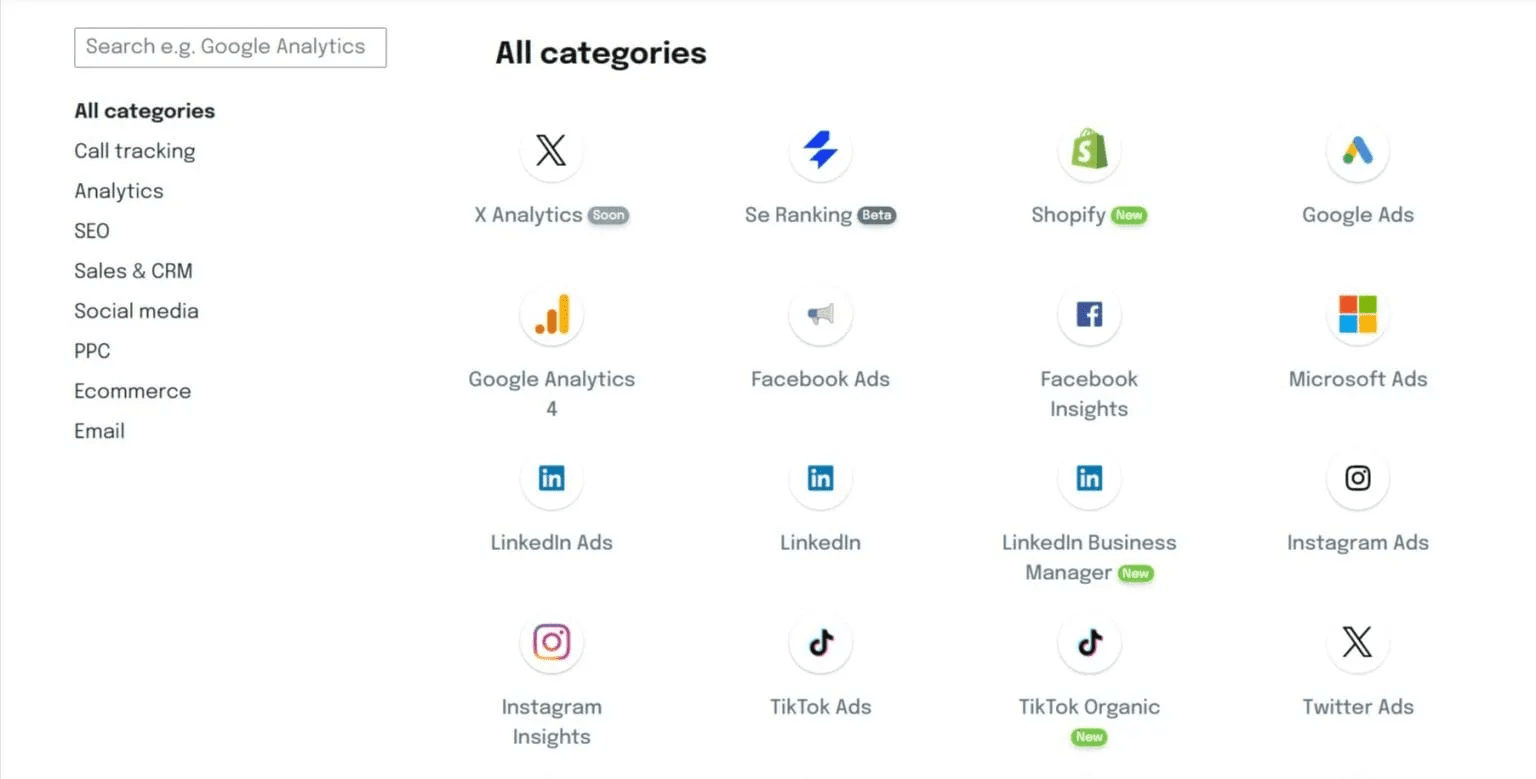
Swydo is widely considered the most direct like-for-like alternative to AgencyAnalytics in 2026. It is the premier alternative for agencies that require the centralized management features of AgencyAnalytics but find its pricing and template limitations untenable. Swydo was architected specifically for agency workflows, focusing on the “Reporting-as-a-Service” model that prioritizes reliability and speed.
Key Features
Swydo differentiates itself by offering a platform where all features are unlocked on every plan. There is no feature gating or pro-only modules for core reporting functionality. From day one, you receive unlimited users and unlimited clients. This is why Swydo never becomes a bottleneck for team collaboration or business growth.
The platform’s AI Reporting engine has become a major time-saver. It is capable of generating automatic summaries and performance narratives that translate complex data into actionable insights for clients. For multi-channel agencies, Swydo provides 30+ native integrations covering the most critical PPC, social, and analytics platforms. By the way, Swydo easily integrates with SE Ranking.
Additionally, its template propagation system allows agencies to link master report templates to multiple client accounts. An update to the master template instantly flows through to every associated report.
Pricing
Swydo’s pricing model is widely considered more favorable for growing agencies because it scales by data source rather than client campaign:
- Base Plan ($62/month/annually). Includes 10 data sources and unlimited clients, users, and reports with all core features unlocked.
- Extra Sources ($4.50/month each). The cost for additional data sources 11 through 100, allowing for granular scaling.
- High-Volume Sources ($2.00–$3.00/month each). Discounted per-source rates for agencies: $3.00 for 101–500, and $2.00 for 501+.
Pros and Cons
Pros:
- Costs grow with the complexity of the client’s tech stack, not just the number of clients.
- Master templates significantly reduce billable hours spent on report maintenance.
- Includes features like goal tracking and automated scheduling that are built for client management.
- Highly rated for integration reliability across 34+ marketing platforms.
Cons:
- Unlike AgencyAnalytics, Swydo does not include native rank tracking or site audits; it reports on data from third-party SEO tools.
- While it can combine metrics, it lacks the advanced SQL-like transformation capabilities of enterprise BI tools.
2. SE Ranking — Best for Agencies That Need Deep SEO & GEO + Reporting
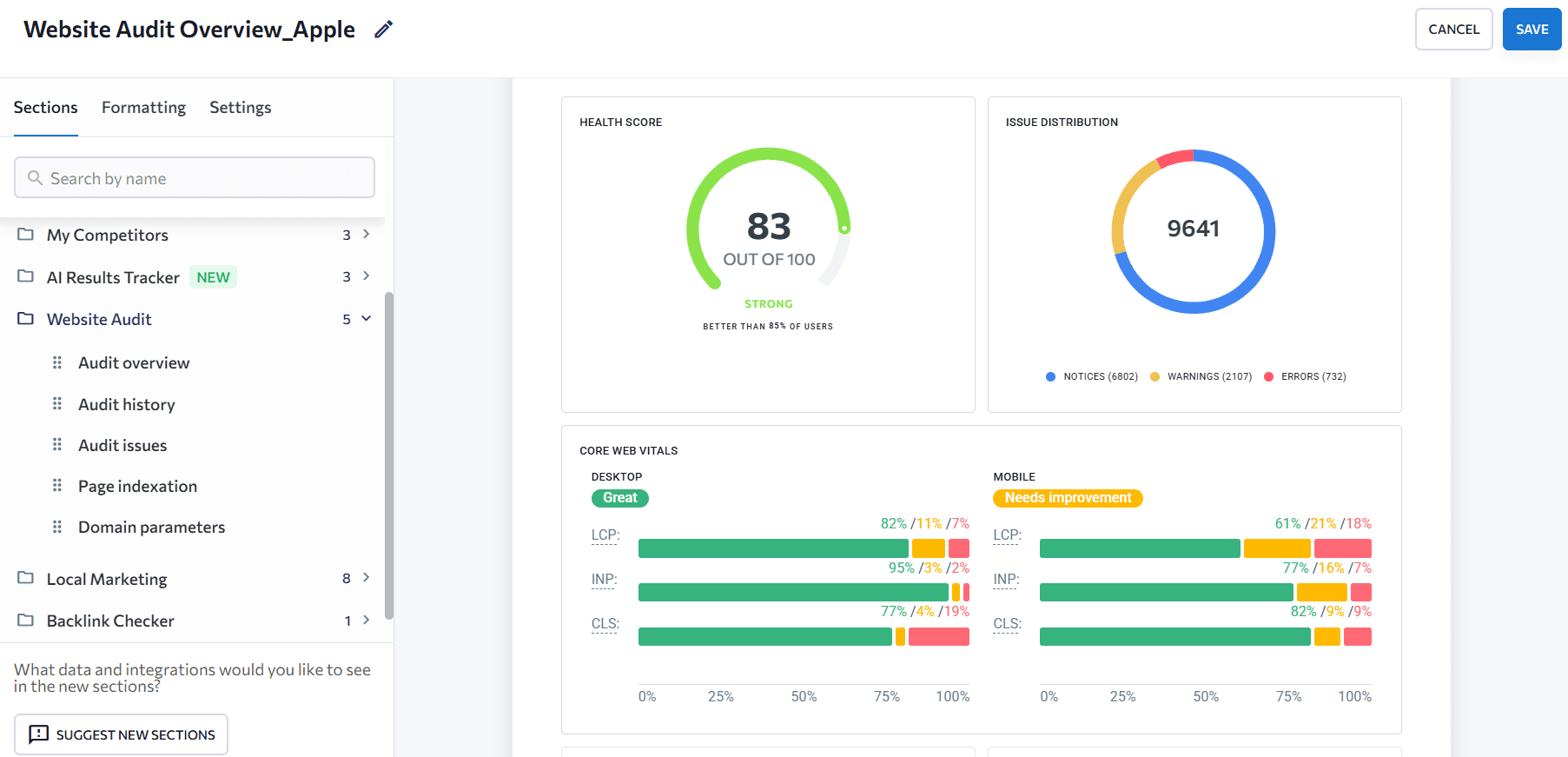
For agencies whose clients are now asking about search rankings and AI visibility, and who need to report on both, SE Ranking closes a gap that AgencyAnalytics don’t address. AgencyAnalytics is a reporting aggregator that pulls data from the tools you already use and visualizes it. That works when clients are asking straightforward questions.
It starts to break down when the questions get more complex, like Are we showing up in ChatGPT responses? How does our LLM visibility connect to what we’re seeing in organic traffic? What’s happening across the full ecosystem? The difference between SE Ranking vs AgencyAnalytics is that SE Ranking is designed to answer questions like these.
Key Features
SE Ranking provides a complete solution, including daily keyword rank tracking, comprehensive site audits, backlink analysis, AI visibility, competitive research, and more. On top of that, you get a professional-grade SEO reporting tool with integrations for agencies to justify their work and showcase results and correlations to clients.
SE Ranking links Traditional Search, AI Visibility (ChatGPT, Perplexity, Google AI), Social Media Metrics (via Planable), and Traffic Metrics (GA4 integration) into a unified narrative. This means that when a client asks why traffic is up despite rankings being flat, you have the ecosystem context to explain it.
For client delivery, the Agency Pack provides White-Label reporting capabilities. You can host the entire portal on a custom domain (e.g., seo.youragency.com) with custom email delivery and branding. It allows for unlimited automated reports and includes a Lead Generator widget that you can embed on your own websites to capture prospective clients by offering free SEO audits.
Pricing
SE Ranking includes SEO, GEO, and reporting features in every plan:
- Core Plan ($129/month). Includes 2,000 keywords, 100 prompts, 10 projects, 1 manager seat, and 10 manual or automated reports.
- Growth Plan ($279/month). Adds 5,000 keywords, 250 prompts, 30 projects, 3 manager seats, and 30 manual or automated reports.
- Enterprise Plan (Custom). Tailored for high-volume organizations needing custom limits and higher seat capacity.
- Agency Pack ($69.00/month billed annually). Includes additional projects for agencies, white-labeling, unlimited automated reporting, lead generator, placement in the Agency Catalog, and 30 additional client seats.
Pros and Cons
Pros:
- Covers both SEO and GEO with deep features for each direction.
- Consolidates execution and reporting, reducing the need to manage separate tools for strategy and delivery.
- Offers integrations with GA4, Looker Studio, as well as API and MCP.
- White-labeling is superior to the basic branding found in many competitors.
- Rank tracking is updated daily, providing more live value than platforms that refresh weekly.
- Planable, sister product, adds a social performance layer to the broader search and traffic picture.
Cons:
- Cross-channel visibility correlations aren’t yet automated, but users get different data sets to find those themselves.
- The platform is quite sophisticated and more oriented towards experienced SEOs professionals and mid-sized agencies. Might not suit beginners or freelancers.
3. DashThis — Best for Quick, Branded Dashboards
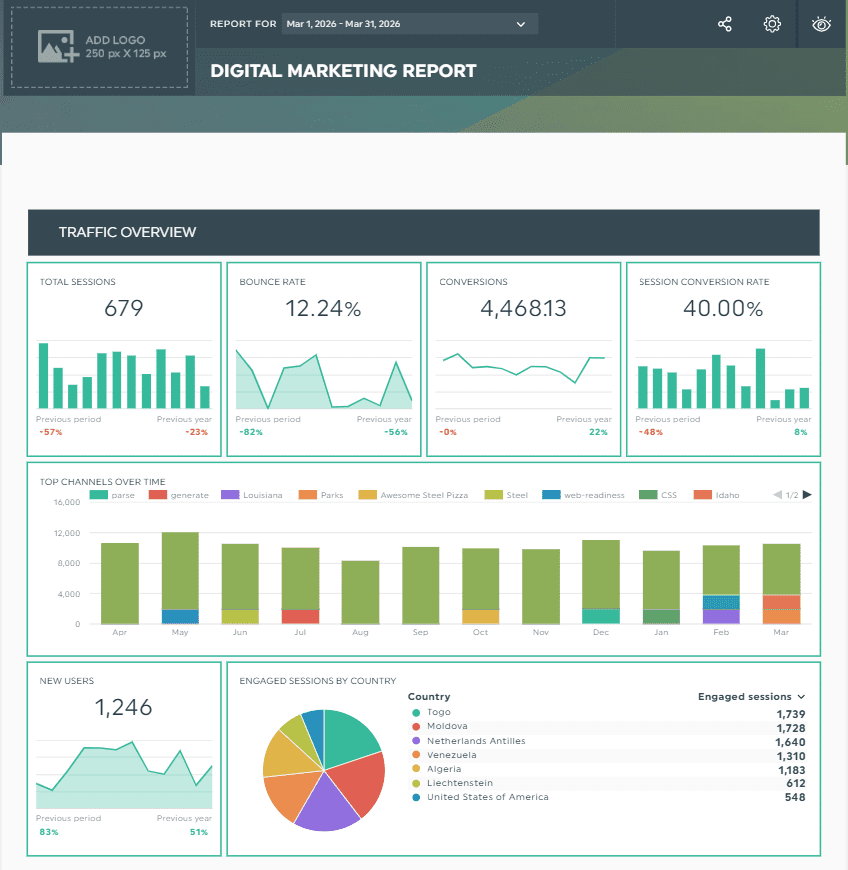
DashThis is a simple, fast dashboard builder designed for small to mid-sized agencies that prioritize speed and ease of setup over deep data modeling. It offers the simplest setup in the industry. This AgencyAnalytics alternative allows account managers to go from connection to client-ready report in 10 minutes.
Key Features
DashThis offers the library of Standard Templates. These are pre-configured dashboards for common needs like PPC Monthly Performance or Social Media Overview that automatically map the most relevant KPIs once a data source is connected. This plug-and-play approach is ideal for agencies with high client turnover or those that need to scale reporting quickly without a dedicated data team.
DashThis also features a Bulk Dashboard Creation tool. It allows agencies to duplicate a high-performing report across multiple client accounts with a single click. The platform has added AI-Powered Insights that scan the data to highlight performance anomalies (e.g., a sudden drop in Meta ROAS).
Pricing
DashThis uses a flat-rate pricing model based solely on the number of dashboards and sources created, with no limits on users or integrations:
- Individual Plan ($44/month/annually). Offers 3 dashboards but does not include white-labeling or priority support.
- Professional Plan ($139/month/annually). Offers 10 dashboards and is best for growing teams that need a standardized look.
- Business Plan ($279/month/annually). Offers 25 dashboards and includes full white-labeling and personalized onboarding.
- Standard Plan ($429/month/annually). Offers 50 dashboards for larger agencies requiring bulk dashboard management.
Pros and Cons
Pros:
- It has the most visually appealing and easy-to-read dashboards for non-technical clients.
- The time-to-value is shorter than almost any other professional-grade tool.
- No per-user or per-source fees within the dashboard limits.
- Eliminates the need to manually define metrics for standard marketing channels.
Cons:
- The focus on templates means advanced users might find the customization options (such as custom CSS or complex data blending) to be limited.
- Not ideal for agencies requiring advanced data transformations or SQL-level customizations.
- For agencies managing 100+ clients with unique dashboard needs, the costs can escalate quickly compared to Swydo.
4. Whatagraph — Best for Visual Marketing Intelligence
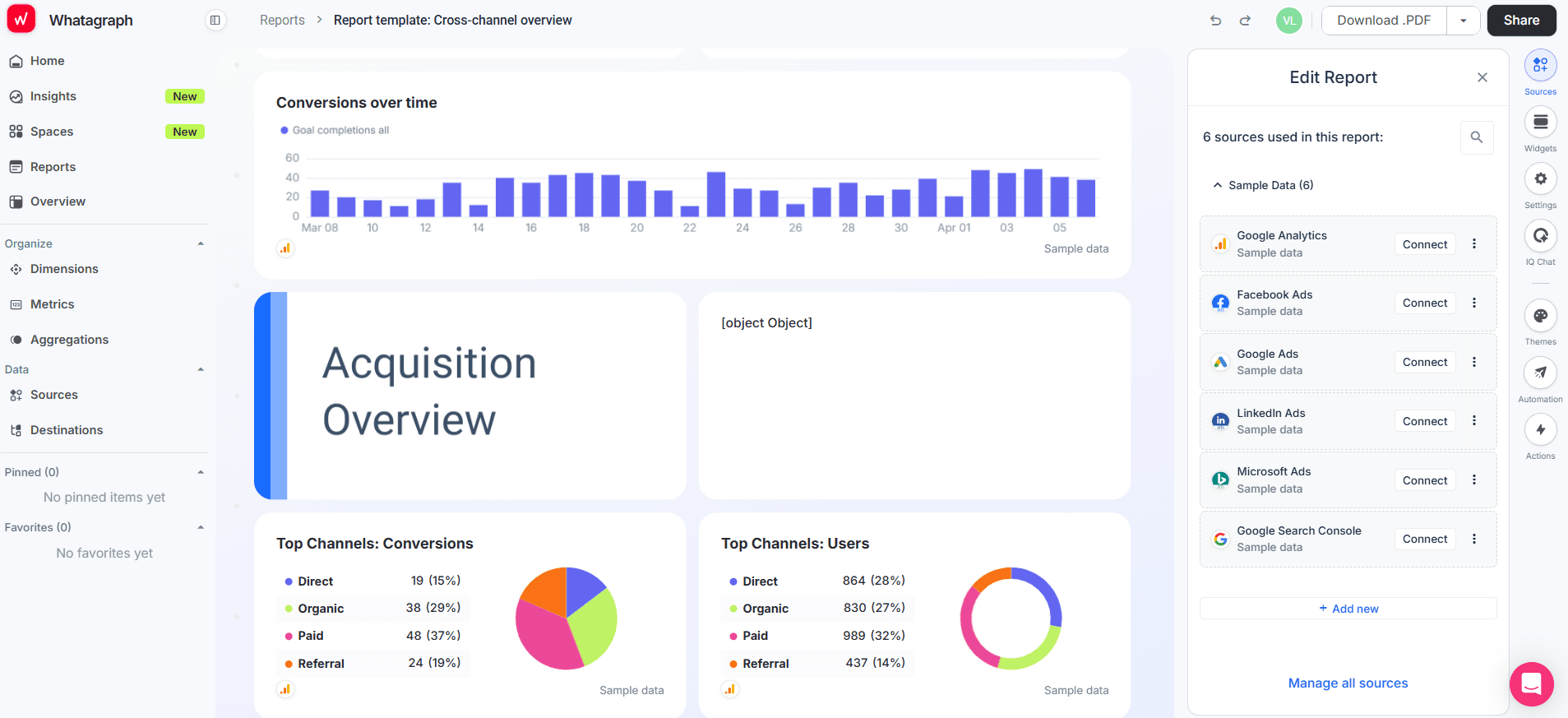
Whatagraph is a holistic marketing intelligence platform designed for mid-to-large agencies that require deep data analysis paired with high-end visuals. It is positioned at a higher price point than basic reporting tools, reflecting its advanced data transformation and storage capabilities.
Key Features
Whatagraph offers 55+ native connectors to aggregate data from across the digital ecosystem. The platform’s defining feature is Whatagraph IQ, an AI-powered engine that:
- Handles automated report creation
- Generates performance summaries in plain language
- Allows users to ask direct questions about their dashboard data
The tool excels at custom data blending and metrics. It allows agencies to normalize naming conventions and calculate complex cross-channel formulas (like blended ROI or margin) without coding. Furthermore, for agencies moving toward data sovereignty, Whatagraph supports data export to warehouses like BigQuery, ensuring long-term data ownership and portability.
Pricing
Whatagraph moved to a source-based custom pricing model in late 2025:
- Start Plan ($229/month/annually). Provides 20 source credits and includes essential integrations and automated scheduling.
- Boost Plan ($463/month/annually). Provides 50 source credits and unlocks white-labeling, custom metrics, and performance alerts.
- Max Plan (Custom). Enterprise tier for 100+ credits, Whatagraph IQ+, and dedicated success managers.
Pros and Cons
Pros:
- The best mid-market tool for agencies that need to combine metrics from 40+ different platforms into a single widget.
- High-resolution PDF exports and interactive dashboards that are designed for executive presentations.
- Whatagraph IQ significantly reduces the time required for data analysis and summary writing.
- Simplifies the process of exporting marketing data to BigQuery or other internal BI tools.
Cons:
- One of the most expensive reporting-only tools on the market; requires a custom quote for scaling.
- If an agency manages many clients with only 1-2 sources each, the credit model can feel less efficient than Swydo’s flat per-source fee.
5. Semrush — Best for Competitive Intelligence + Agency Toolkit
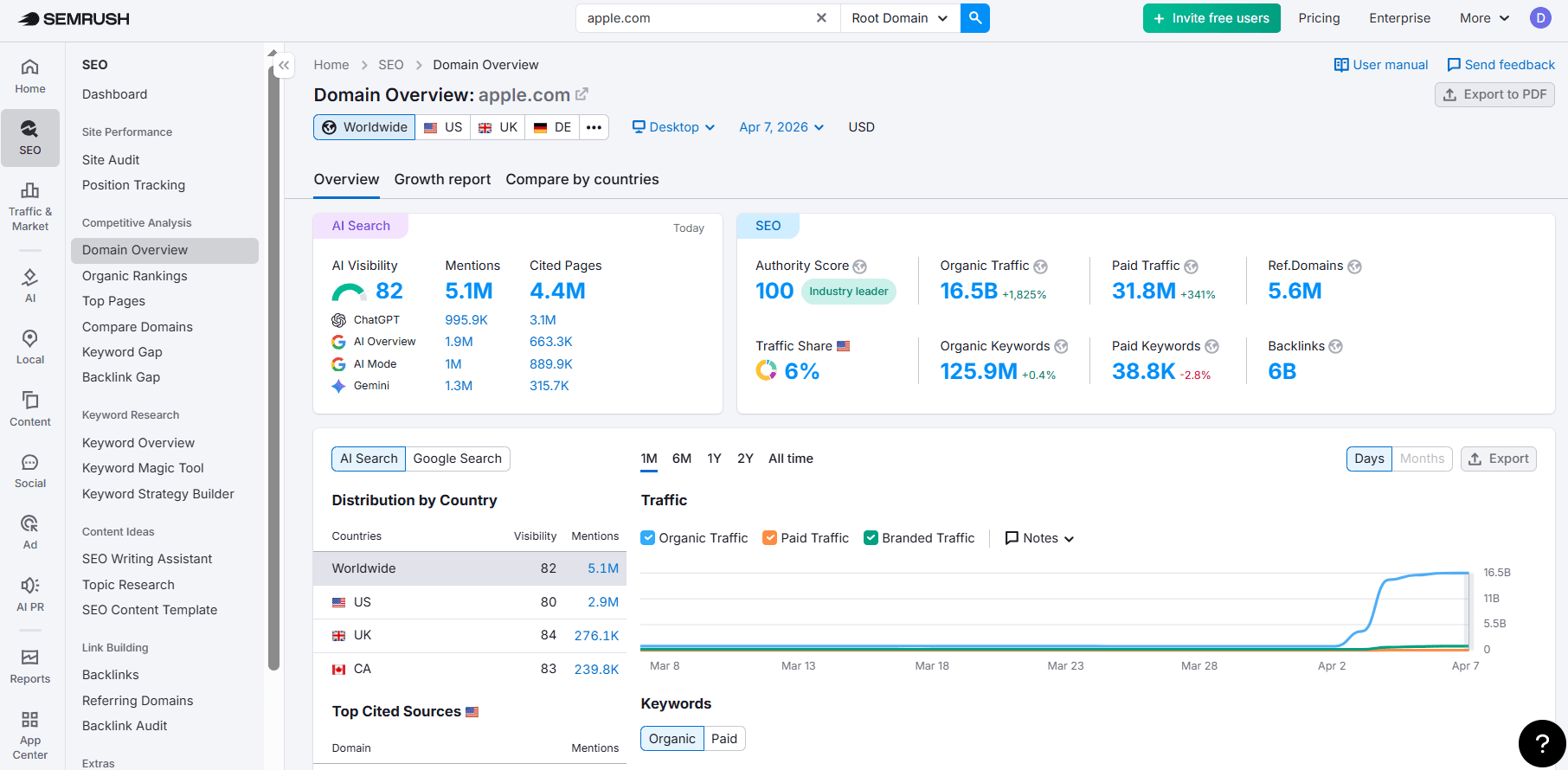
Semrush is the definitive choice for agencies that want their reporting tool to be an extension of their strategic services. Unlike standalone reporting tools, Semrush provides a full SEO, PPC, and content marketing suite combined with specialized agency features. These features allow firms to manage strategy and client delivery within a single ecosystem.
Key Features
The primary differentiator for Semrush reporting is the inclusion of Competitive Benchmarking. You can create reports that show not only the client’s progress but also how they are performing relative to their top three competitors in terms of organic reach, ad spend, and keyword gap. This provides an offensive reporting style that proves the agency’s strategic value beyond just campaign maintenance.
My Reports tool provides a drag-and-drop PDF builder that automates performance tracking across over 55 different tools. Base reports include Semrush integrations, Google Analytics, Google Search Console, PDF exports, and basic sharing and scheduling. Pro reports add 40+ external integrations, hourly scheduling, branding, white-labeling, AI summaries, and custom domains.
Pricing
Semrush is a premium ecosystem, and the total cost reflects the depth of the data provided:
- Semrush One Starter Plan ($165.17/month/annually). The entry tier for small teams includes 500 keywords, site audits, and 5 projects.
- Semrush One Pro+ Plan ($248.17/month/annually). Recommended for mid-market agencies; adds historical data access and advanced content marketing tools.
- Semrush One Advanced Plan ($455.67/month/annually). Enterprise level for large firms; includes 5,000 keywords, share-of-voice metrics, and API access.
- Pro-Report Add-On ($20/month). A mandatory add-on to unlock the white-labeled client portal, AI-generated summaries, and branded reports.
Pros and Cons
Pros:
- Includes 55+ integrated tools covering everything from keyword gaps to backlink monitoring.
- Combines prospecting, CRM, project management, and reporting into a single login.
- Delivering reports through the Semrush infrastructure (white-labeled) carries a level of prestige due to Semrush’s industry reputation.
Cons:
- The sheer number of tools (55+) can be overwhelming for small teams or simple reporting needs compared with Semrush alternatives.
- The combined cost of the subscription with add-ons makes it one of the most expensive options.
6. NinjaCat — Best for Multi-Location Agency Reporting
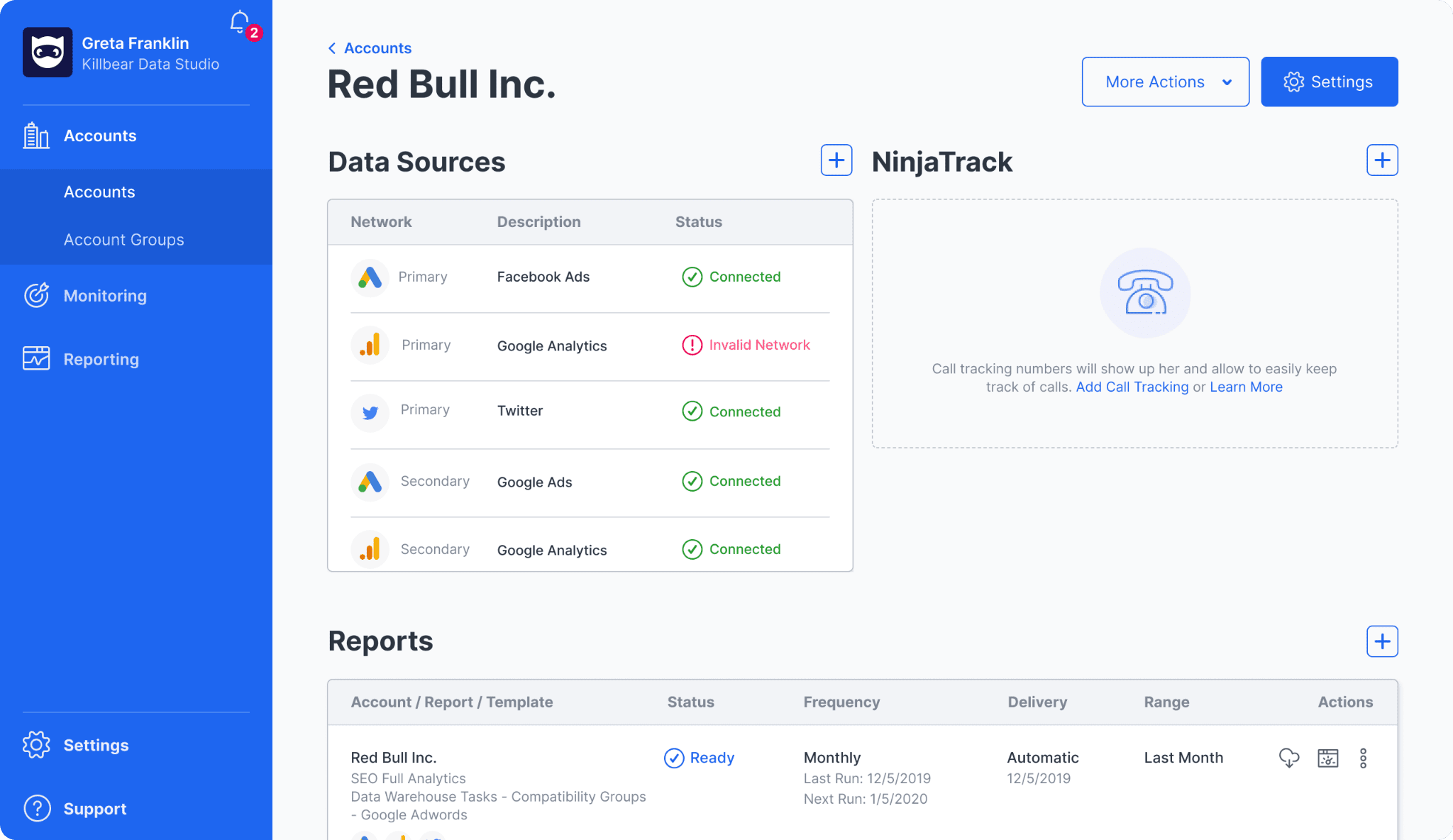
NinjaCat is built for a specific type of user: the agency managing high-volume, multi-location accounts (e.g., franchises, national retail chains). This AgencyAnalytics alternative is an enterprise-grade data pipeline platform that focuses on data harmonization and scale.
Key Features
NinjaCat’s standout capability is its Budget Pacing and Campaign Monitoring engine. For agencies managing 500 franchise locations, NinjaCat can automatically track spend across all accounts and send alerts if any specific location is trending toward overspending its monthly budget.
The platform also includes deep Call Tracking integrations (e.g., Marchex, Invoca) natively. It can blend call duration and outcome data with digital ad spend to provide a comprehensive Cost Per Lead report that includes offline conversions.
NinjaCat’s Data Warehouse feature also allows agencies to store their own raw data in a dedicated Snowflake instance. This is how you can ensure you own your historical records regardless of future platform changes.
Pricing
NinjaCat operates on a sales-led enterprise model. It does not publish public tiers, but market data suggests a high barrier to entry.
Pros and Cons
Pros:
- The only platform designed to handle the complexity of thousands of locations and hierarchical client structures.
- Budget pacing and spend monitoring prevent costly errors in multi-account management.
- Provides a dedicated data warehouse for long-term data ownership.
Cons:
- The starting price makes it inaccessible for small and mid-sized agencies.
- Requires significant time and technical resources to configure correctly.
7. TapClicks — Best for Enterprise-Level Marketing Operations
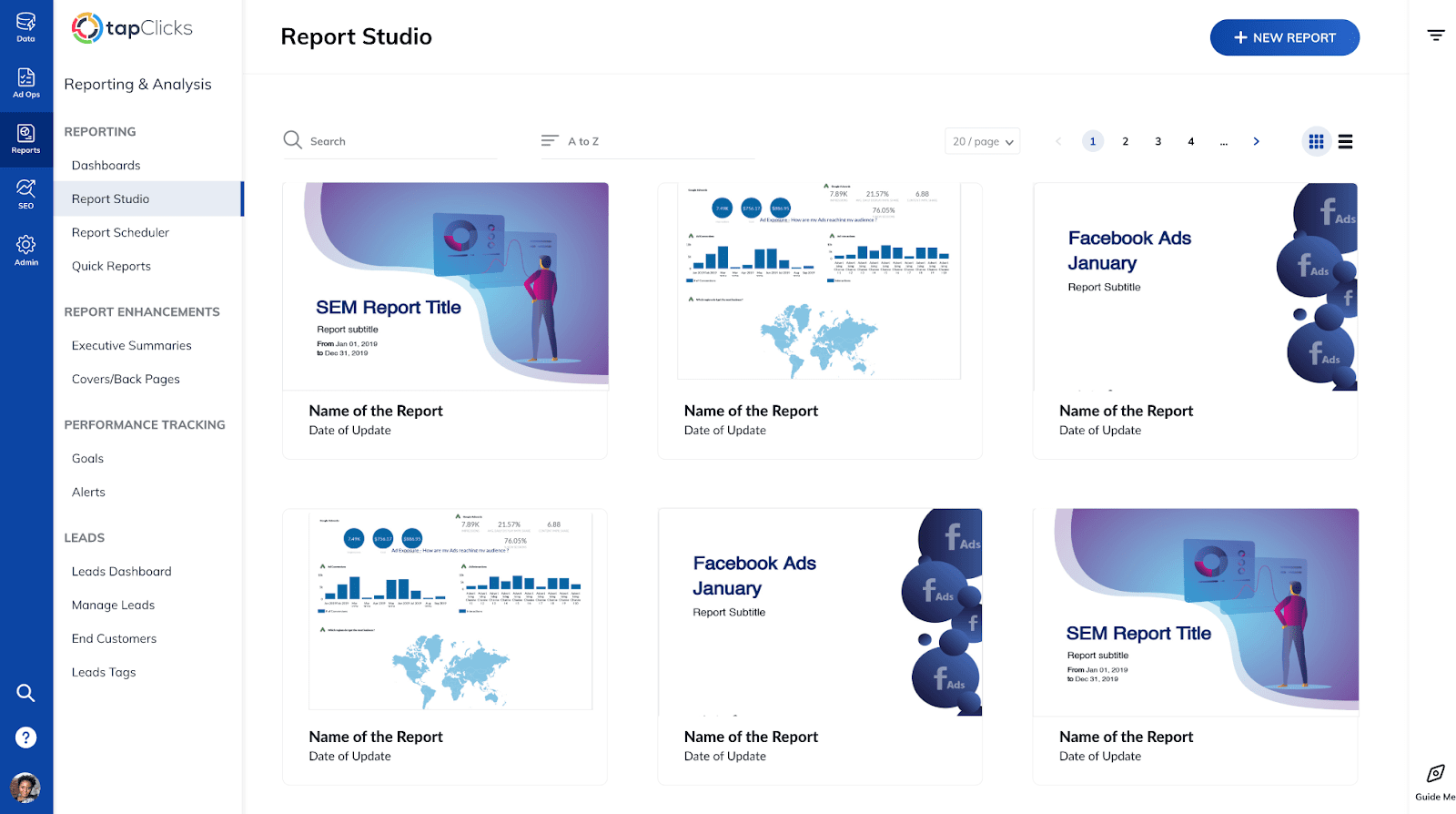
TapClicks is the industry’s most comprehensive Marketing Operations Platform (MOP). It is among those Agency Analytics competitors that were designed for large agencies that want to automate the entire lifecycle of a client from the moment an order is placed to the final performance report.
Key Features
TapClicks provides over 250 native data connectors, the largest library in the industry. Beyond simple reporting, its TapOrders and TapWorkflow modules allow agencies to automate the task management associated with launching new campaigns. For example, when a new client is added, TapClicks can automatically generate a checklist for the creative team and sync the budget to the media buying team.
A critical feature for 2026 is TapClicks’ HIPAA Certification, making it the primary choice for agencies in the healthcare and pharmaceutical sectors. It also features a Data Exporter that can send cleaned and transformed marketing data to thousands of other destinations, including internal BI tools like Tableau or Power BI.
Pricing
TapClicks does not publish public tiers, but market data suggests a high barrier to entry.
Pros and Cons
Pros:
- Connects reporting to the agency’s internal project management and sales workflows.
- HIPAA compliance is a massive advantage for specialized agencies.
- If a platform has an API, TapClicks likely already has a stable connector for it.
Cons:
- The platform is incredibly powerful but requires dedicated training for staff to use effectively.
- The multi-layered cost structure can make budgeting difficult as the agency grows.
8. Databox — Best for Real-Time KPI Tracking
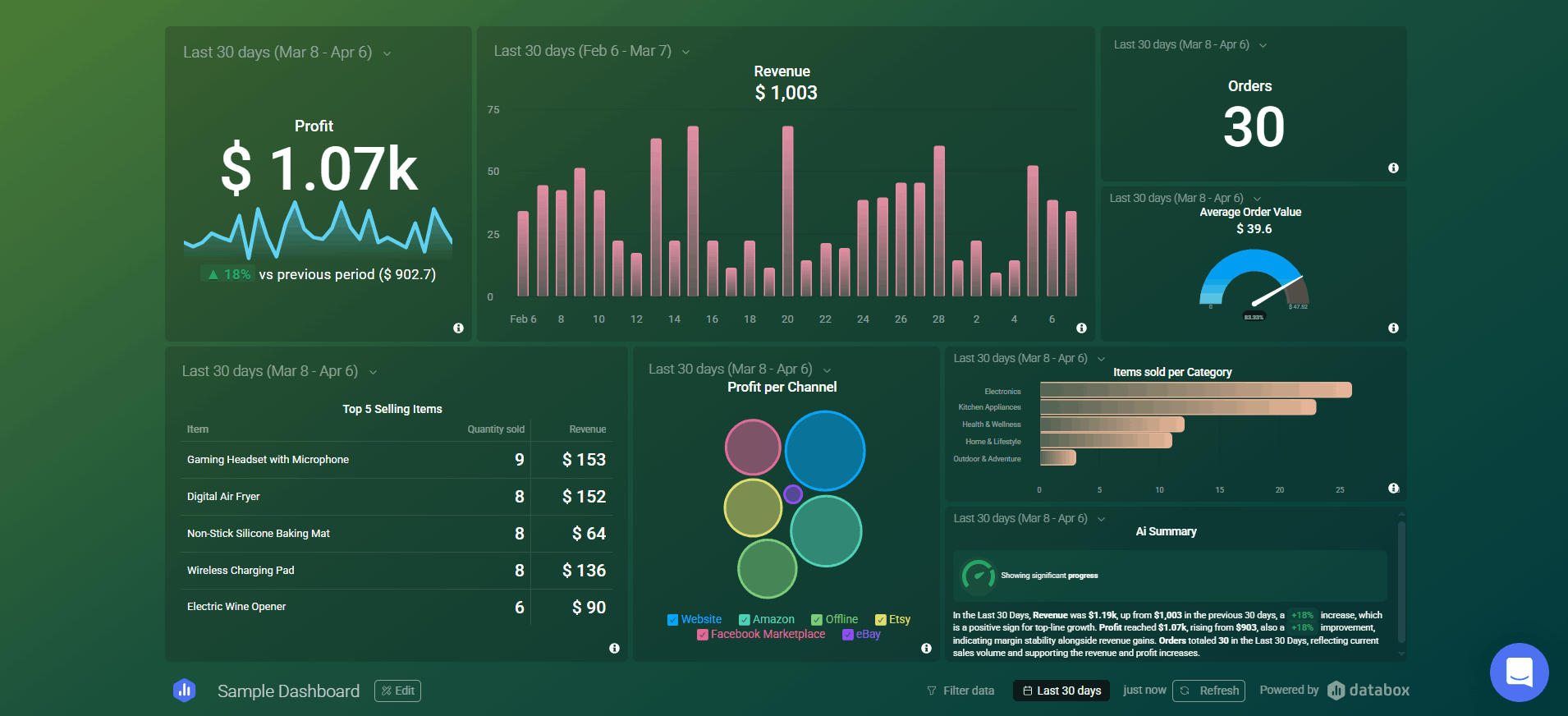
Databox is built for the always-on agency. It differentiates itself from the monthly report crowd by focusing on real-time dashboards and mobile-first accessibility. Among Agency Analytics competitors, it is the best tool for agencies that want to provide clients with a live pulse on their business.
Key Features
Databox’s Metric Builder is a no-code tool that allows account managers to create complex KPIs, such as Blended Cost Per Acquisition across Meta and Google. They can do this by simply selecting the variables and the mathematical operator. It also features Industry Benchmarks, allowing agencies to show clients how their conversion rates or CPCs compare to those of thousands of other anonymized companies in their industry.
The platform is designed for visibility beyond the desktop. It offers highly-rated mobile apps for iOS and Android, and Datawalls that are optimized for displaying performance dashboards on office TV screens. Also, Databox has added Metric Forecasts, using historical data to predict where a client’s metrics will land by the end of the month.
Pricing
Databox transitioned to a per-source pricing model in 2025, which can lead to significant cost increases for agencies with multi-channel clients:
- Pro Plan ($159/month/annually). Offers 3 data sources and includes unlimited dashboards and hourly data refreshes.
- Growth Plan ($399/month/annually). Offers 3 data sources and adds AI performance summaries, forecasts, and dataset history.
- Premium Plan ($799/month/annually). Offers 50 data sources and adds a dedicated analyst and priority enterprise support.
- Additional Sources ($5.60/month each). Flat fee billed annually for every connection beyond the base plan limits.
Pros and Cons
Pros:
- Databox offers faster refresh rates (down to 15 minutes) than many competitors.
- The best app in the market for clients who want to check performance on their phones.
Cons:
- A client with 10 integrations (Google Ads, Meta, LinkedIn, GA4, Shopify, etc.) can become very expensive very quickly.
- Full white-labeling (custom domains) is a paid add-on ($200/year) rather than a core feature.
9. Looker Studio — Best Free Alternative
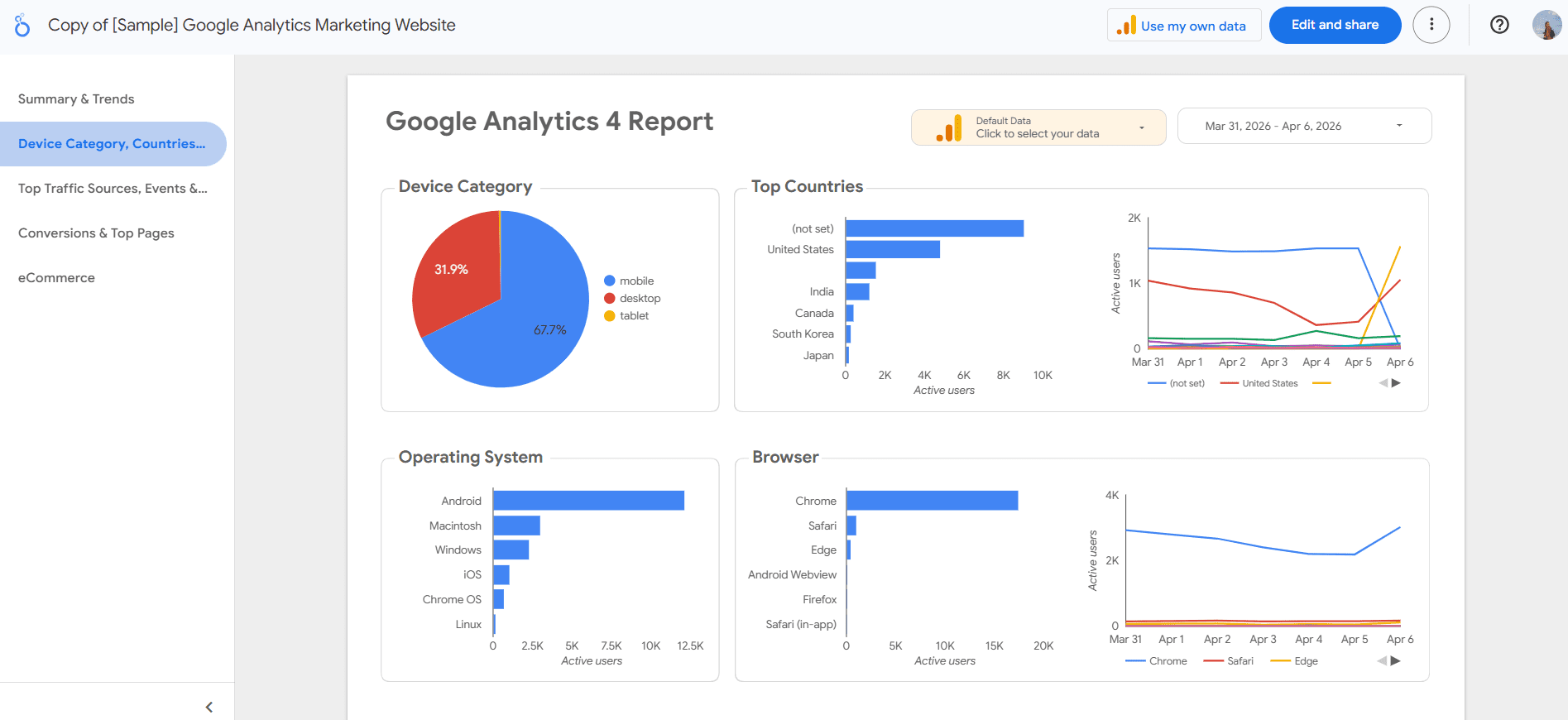
Looker Studio (formerly Google Data Studio) remains the dominant choice for agencies that are heavily invested in the Google Marketing Platform and have the technical skill to build from scratch. It is the blank canvas of the reporting world.
Key Features
Looker Studio provides a direct, free connection to the entire Google ecosystem:
- Google Ads
- Search Console
- GA4
- YouTube
- BigQuery
It allows for absolute design freedom, meaning an agency can build a report that looks exactly like a high-end PDF or a custom-coded web app. SE Ranking data can be connected to Looker Studio via export.
Looker Studio Pro is a paid tier that adds enterprise-level features like Team Workspaces and Service Level Agreements (SLAs). For agencies, this adds a layer of reliability that was missing from the free version. It also integrates natively with Google’s Gemini AI to assist in formula writing and visualization choices.
Pricing
The platform is essentially free for Google-stack agencies:
- Looker Studio Free ($0). Unlimited report creation and native connections to the Google ecosystem.
- Looker Studio Pro ($9/user/project/month). Per project/month fee for team-level ownership and management features.
Pros and Cons
Pros:
- The lowest barrier to entry for small agencies.
- No restrictive widgets or templates, so you can build exactly what you need.
- Ideal for agencies that are moving toward advanced data warehousing.
Cons:
- While the tool is free, the monthly cost for third-party connectors can actually exceed the cost of a platform like Swydo.
- Reports can become slow or time out when processing large datasets or complex data blends.
- Unlike AgencyAnalytics, Looker Studio doesn’t offer a built-in client portal with task management and SEO tools.
10. Klipfolio — Best for Custom Dashboard Builders
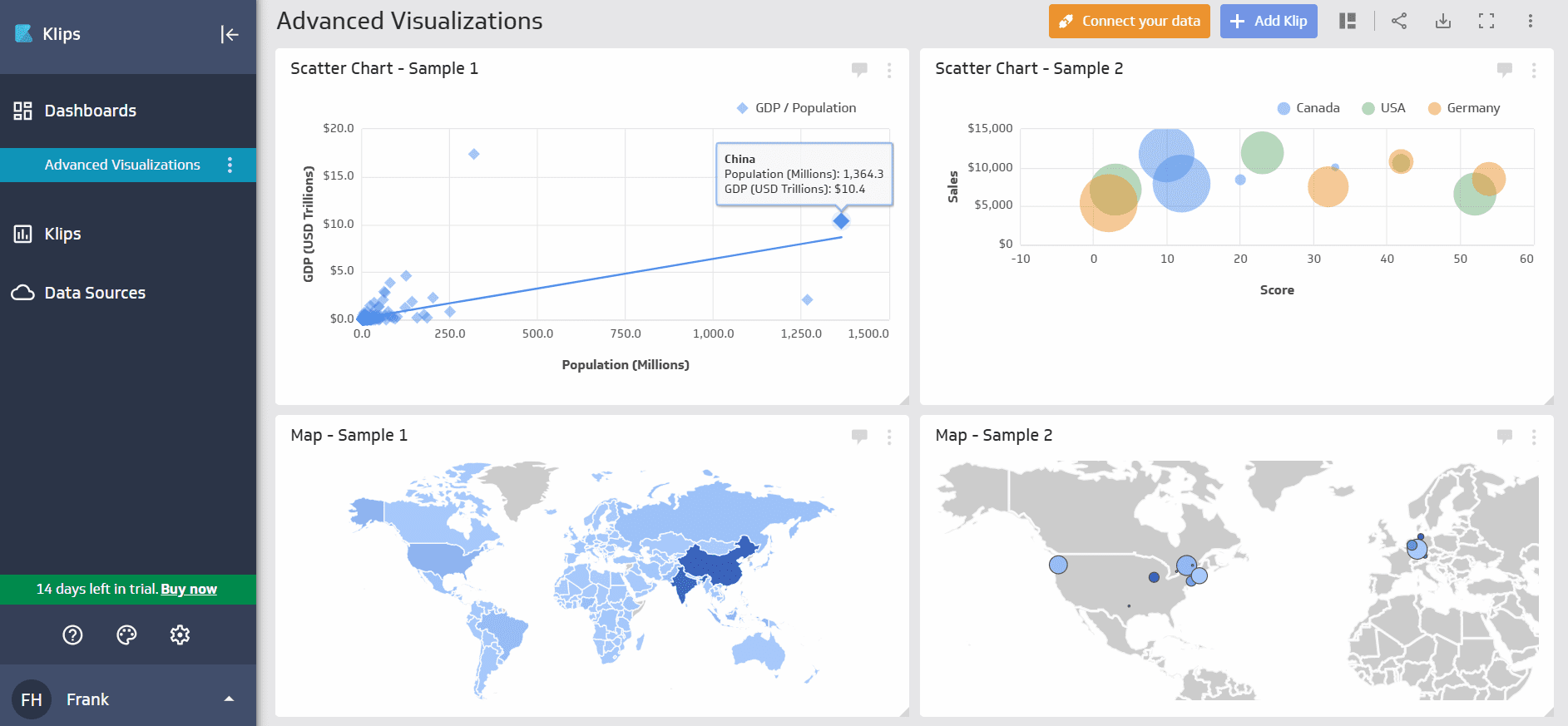
Klipfolio is the choice for data-first agencies. It is a mature BI platform that has been adapted for agency use. This AgencyAnalytics alternative focuses on deep data modeling and real-time visualization.
Key Features
Klipfolio’s PowerMetrics is its 2026 flagship feature. It acts as a metric warehouse where agencies can define a metric once (e.g., Marketing Qualified Lead) and reuse it across all dashboards for all clients. This ensures that data drift never happens and that the entire agency is reporting using the same logic.
Klipfolio supports 200+ direct integrations and offers an incredibly flexible API that allows agencies to pull data from virtually any cloud service or internal database. It also supports white-labeling, including custom CSS that allows agencies to change the look and feel of the dashboard down to the pixel.
Pricing
Klipfolio offers nice, specialized agency tiers:
- Agency Starter Plan ($160/month/annually). 5 dashboards and 5 client accounts; includes 4-hour refreshes.
- Agency Lite Plan ($240/month/annually). 15 dashboards and 15 client accounts; includes 1-hour refreshes.
- Agency Pro Plan ($440/month/annually). 30 dashboards and 30 client accounts; includes 30-minute refreshes.
- Agency Premier Plan ($900/month/annually). 80 client accounts and 30-minute refreshes with premium support.
- White-Label Bundle (+$299/month/annually). This comprehensive add-on includes custom domains, themes, and complete brand removal.
Pros and Cons
Pros:
- Best-in-class for agencies that need to perform complex data transformations and standardized metric logic.
- High refresh rates and a robust API for custom data sources.
- Includes SOC 2 Type II and Single Sign-On (SSO) for larger agency-client relationships.
Cons:
- Requires significant technical expertise to master the “Klips” formula language.
- The base price can grow quickly once white-labeling and additional dashboards are added.
How to Choose the Right AgencyAnalytics Alternative
A firm focused on high-volume, low-complexity PPC accounts will have vastly different technical needs than a boutique SEO agency requiring deep technical audits and rank tracking. Key decision factors include:
- Primary service model (SEO vs. PPC vs. full-service)
- Total number of clients in your portfolio
- Monthly software budget
- Technical skill level of your account management team
This table provides a high-level mapping of agency profiles to their optimal reporting technology stack based on current market trends and platform capabilities.
Recommended Tool
Swydo
Core Value Driver
Best for agencies seeking predictable scaling and master template automation.
Recommended Tool
SE Ranking
Core Value Driver
Deepest SEO suite integrated with white-label client portals.
Recommended Tool
DashThis
Core Value Driver
Rapid deployment of visually stunning, high-impact dashboards.
Recommended Tool
Whatagraph
Core Value Driver
Advanced data blending and visual marketing intelligence.
Recommended Tool
Semrush
Core Value Driver
Integrated reporting with deep competitor and CRM capabilities.
Recommended Tool
NinjaCat
Core Value Driver
Enterprise-grade scale with budget pacing and call tracking.
Recommended Tool
TapClicks
Core Value Driver
Workflow automation, order management, and HIPAA compliance.
Recommended Tool
Databox
Core Value Driver
Real-time monitoring with industry benchmarking and mobile apps.
Recommended Tool
Looker Studio
Core Value Driver
The industry-standard free option for Google-centric stacks.
Recommended Tool
Klipfolio
Core Value Driver
Custom data modeling and centralized metric layers.
Swydo
Best for agencies seeking predictable scaling and master template automation.
SE Ranking
Deepest SEO suite integrated with white-label client portals.
DashThis
Rapid deployment of visually stunning, high-impact dashboards.
Whatagraph
Advanced data blending and visual marketing intelligence.
Semrush
Integrated reporting with deep competitor and CRM capabilities.
NinjaCat
Enterprise-grade scale with budget pacing and call tracking.
TapClicks
Workflow automation, order management, and HIPAA compliance.
Databox
Real-time monitoring with industry benchmarking and mobile apps.
Looker Studio
The industry-standard free option for Google-centric stacks.
Klipfolio
Custom data modeling and centralized metric layers.
If you are looking for more specialized insights, explore our guides on the best SEO tools for agencies and the best tools for marketing agencies.
FAQs
What is the best alternative to AgencyAnalytics?
The best alternative depends entirely on your agency’s strategic focus. For a direct like-for-like reporting replacement with more scalable pricing, Swydo is the top recommendation. Agencies focused primarily on SEO services should look at SE Ranking, which offers white-label reporting plus a full SEO execution suite. For agencies prioritizing high-end visual intelligence and data depth, Whatagraph is the superior choice.
Is AgencyAnalytics worth the price?
Following significant pricing changes in late 2025, AgencyAnalytics remains a solid value for small agencies managing fewer than 15 clients due to its ease of use and consolidated features. However, as an agency scales past 15–20 clients, the $20/month per-client surcharge makes AgencyAnalytics alternatives like Swydo or SE Ranking significantly more cost-effective.
Can SE Ranking replace AgencyAnalytics?
Yes, specifically for SEO-focused agencies. SE Ranking combines full-service SEO tools (keyword tracking, audits, backlink monitoring) with White Label SEO reporting, effectively replacing both the execution and reporting layers of an agency’s tech stack.
Are there free alternatives to AgencyAnalytics?
Looker Studio is the best free alternative. It offers unlimited dashboards and native integration with the Google Marketing Platform (Ads, GA4, Search Console). While third-party data from platforms like Meta requires paid connectors, Looker Studio remains the standard for Google-heavy agencies with zero license fees.
Conclusion
The transition away from AgencyAnalytics in 2026 is a signal of the industry’s move toward specialized expertise. For the majority of agencies, SE Ranking represents the most balanced path forward, offering the ease of use with the scaling economics of a modern SaaS. As GA4 continues to evolve and privacy-first measurement becomes the standard, the agency’s choice of reporting technology will increasingly define its ability to demonstrate ROI in a post-cookie world.