Top 12 SEO tools for agencies managing multiple clients and channels
A few years ago, an agency could answer “how visible are we?” with a rank report and a traffic graph. That answer no longer holds. Today, one buying journey might include a Google search, an AI Overview that names three vendors, a ChatGPT comparison, and a LinkedIn check for peer opinions. Each touchpoint is a moment where your client’s brand either shows up or doesn’t.
That is the problem fragmented search creates. Organic rankings still matter, but they no longer explain the whole visibility story. A brand can rank on page one but disappear from the answer buyers actually read. A competitor can become the default recommendation in AI responses before they overtake you in search. Without cross-channel data, the cause of a visibility shift is easy to misread.
So, more than ever, running an SEO agency now means treating rankings, AI mentions, and social signals as inputs to one question: where does this brand stand across the buyer journey? The tools on this list are built to help agencies answer that. The strongest ones bring those layers into one report, so when performance shifts, you can explain what changed without chasing the answer channel by channel.
Did you get hands-on with any agency SEO tools from this list? We’d appreciate your ratings! You can rate just one tool or all that you’ve tried.
| Brand | Rating |
|---|---|

|
|

|
|

|
|

|
|

|
|

|
|

|
|

|
Top SEO tools for agencies to managing client visibility across channels
- SE Ranking: An SEO and GEO platform for established agencies and mid-market teams that need to track visibility across organic search, LLM results, and social media.
- AgencyAnalytics: A reporting platform for marketing agencies that focuses on automation and customizable dashboards.
- Screaming Frog: A powerful tool for in-depth technical site audits with extensive crawling capabilities.
- Plerdy: A UX, CRO, and SEO platform for agencies that combines heatmaps, session replays, and AI insights to improve conversions fast.
- Semrush: An all-in-one solution for SEO, content marketing, competitor research, PPC, and SMM with additional agency workflow features.
- Ahrefs: An SEO platform with fast crawlers and an extensive backlink database that can greatly assist agencies in offering link-building services.
- WebCEO: A digital marketing platform that helps agencies automate their processes and collaborate.
- Mangools: A simple SEO solution for start-up agencies with basic tracking and monitoring tools.
- Moz: An all-inclusive platform for digital agencies. It offers core features for business promotion in both traditional and local search.
- Woorank: An efficient tool for agencies in need of quick and comprehensive website audits.
- Google Analytics: A free and must-use Google tool for analyzing and tracking organic website performance.
- Google Search Console: An essential, free-to-use solution for analyzing website performance in Google search
SE Ranking
Winner!
AgencyAnalytics
Screaming Frog
Plerdy
Semrush
Ahrefs
WebCEO
Mangools
Moz Pro
WooRank
SE Ranking
Winner!
AgencyAnalytics
Screaming Frog
Plerdy
Semrush
Ahrefs
WebCEO
Mangools
Moz Pro
WooRank
SE Ranking
Winner!
AgencyAnalytics
Screaming Frog
Plerdy
Semrush
Ahrefs
WebCEO
Mangools
Moz Pro
WooRank
SE Ranking
Winner!
✅ Agency Pack costs $69/month and can only be purchased with an annual subscription
AgencyAnalytics
⛔ No special packages for agencies. Agencies can consider the Enterprise pricing plan.
Screaming Frog
⛔ No special packages for agencies.
Plerdy
⛔ No dedicated agency pricing package. Agencies can opt for annual plans with a 35% discount.
Semrush
⛔ No special packages for agencies.
Ahrefs
⛔ No special packages for agencies.
WebCEO
⛔ No special packages for agencies. Agencies can consider the Agency Unlimited Plan
Mangools
⛔ No special packages for agencies. Agencies can consider the Mangools Agency Plan
Moz Pro
⛔ No special packages for agencies.
WooRank
⛔ No special packages for agencies.
SE Ranking
Winner!
10-30, more with the Agency Pack
AgencyAnalytics
Per-client model
Screaming Frog
Isn’t a project-based tool
Plerdy
No limit
Semrush
5-40
Ahrefs
5-100 unverified projects
WebCEO
5-unlimited
Mangools
1-unlimited
Moz Pro
3-50
WooRank
1-5, custom number with the Enterprise plan
SE Ranking
Winner!
1-3, $20/month per extra seat
AgencyAnalytics
Unlimited staff and client users
Screaming Frog
1 seat per one licence
Plerdy
No limit
Semrush
1, $45-100/month per extra seat
Ahrefs
Up to $100/month/user
WebCEO
5-10, $5/month per extra user
Mangools
3-5 extra seats on higher-tier plans
Moz Pro
1-5, $49/month per extra seat
WooRank
1, custom number with the Enterprise plan
SE Ranking
Winner!
30 clients seats are included in the Agency Pack
AgencyAnalytics
Unlimited
Screaming Frog
1 seat per one licence
Plerdy
No limit
Semrush
$45-100/month per extra seat
Ahrefs
$40-80/month per extra seat
WebCEO
$5/month per extra user
Mangools
$19/month per seat in Premium and Agency Plans
Moz Pro
$49/month per extra seat
WooRank
1, custom number with the Enterprise plan
SE Ranking
Winner!
- Keyword Rank Tracker
- AI Search Toolkit
- Keyword Research
- Competitive Research
- Website Audit
- On-page SEO Checker
- Content Marketing Module
- Backlink Checker and Gap Analyzer
- Local Marketing Module
- And more
AgencyAnalytics
- Rank Tracker
- Backlink Monitor
- Site Auditor
- Automated Reporting
Screaming Frog
- SEO Spider
- Log File Analyzer
Plerdy
- On-page SEO Checker
- Competitive Research
- SEO Content Assistant
- Keyword Tracking Tool
- Page Auditor
Semrush
- Keyword Rank Tracker
- Keyword Research Tools
- Website Audit
- On-Page SEO Checker
- Competitive Research
- Backlink Analytics and Audit
- Content Marketing Tools
- Local SEO Tools
Ahrefs
- Keyword Rank Tracker
- Keyword Research Tool
- Website Audit
- Competitive Research
- Content Explorer
- Backlink Checker
WebCEO
- Rank Tracking Tool
- Keyword Research Tool
- Technical Audit Tool
- Backlink Checker Tool
- Traffic Analysis SEO Tools
- SEO Content Assistant
Mangools
- KWFinder
- SERPChecker
- SERPWatcher
- LinkMiner
- SiteProfiler
Moz Pro
- Site Audit
- Rank Tracker
- Backlink Analysis
- Keyword Research
WooRank
- Keyword Tracking Tool
- Competitive Analysis Tool
- Complete Technical Analysis Tool
SE Ranking
Winner!
10-30, unlimited with the Agency Pack
AgencyAnalytics
Unlimited
Screaming Frog
Crawl scheduling
Plerdy

Semrush

Ahrefs
WebCEO
Mangools
Available only for SERPWatcher tool
Moz Pro
Unlimited
WooRank
SE Ranking
Winner!
AgencyAnalytics
Screaming Frog
Plerdy
Semrush
Ahrefs
WebCEO
Mangools
Moz Pro
WooRank
SE Ranking
Winner!
Unlimited in the Agency Pack
AgencyAnalytics
Full white label with unlimited cabalilities comes with higher plans
Screaming Frog
Plerdy
Semrush
Ahrefs
WebCEO
Mangools
Available only for SERPWatcher tool
Moz Pro
WooRank
SE Ranking
Winner!
Included in the Agency Pack
AgencyAnalytics
Full white label with unlimited cabalilities comes with higher plans
Screaming Frog
Plerdy
Semrush
Ahrefs
WebCEO
Opens with the Agency Unlimited plan and costs an additional $40/month
Mangools
Available only for SERPWatcher tool
Moz Pro
WooRank
SE Ranking
Winner!
- Looker Studio
- Google Analytics
- Google Search Console
- Google Business Profile
AgencyAnalytics
- Google Analytics
- Google Search Console
Screaming Frog
- Google Analytics
- Search Console
- PageSpeed Insights
Plerdy
- Google Analytics
- Google Search Console
Semrush
- Looker Studio
- Google Analytics
- Google Search Console
- Google Business Profile
Ahrefs
- Looker Studio
- Google Analytics
- Google Search Console
WebCEO
- Google Analytics
- Google Search Console
- Google Business Profile
Mangools
- Google Suggest
Moz Pro
- Google Analytics
- Google Business Profile
WooRank
- Google Analytics
- Google Search Console
SE Ranking
Winner!
AgencyAnalytics
Screaming Frog
Plerdy
Semrush
Ahrefs
WebCEO
Mangools
Moz Pro
WooRank
SE Ranking
Winner!
AgencyAnalytics
Screaming Frog
Plerdy
Semrush
Ahrefs
WebCEO
Mangools
Moz Pro
WooRank
SE Ranking
Winner!
- Lead Generator
- Agency Catalog
AgencyAnalytics
Screaming Frog
Plerdy
- Adding the agency logo
Semrush
- Agency Partners platform
- Lead Finder
Ahrefs
WebCEO
- Lead Generator
Mangools
Moz Pro
WooRank
- Lead Generator
SE Ranking
Winner!
✅ 14 days
AgencyAnalytics
✅ 14 days
Screaming Frog
Free version is available
Plerdy
✅ 14 days
Semrush
✅ 7 days
Ahrefs
WebCEO
✅ 14 days
Mangools
✅ 10 days
Moz Pro
✅ 7 days
WooRank
✅ 3 days
SE Ranking
Winner!
AgencyAnalytics
Screaming Frog
Plerdy
Semrush
Ahrefs
WebCEO
Mangools
Moz Pro
WooRank
✅ Agency Pack costs $69/month and can only be purchased with an annual subscription
⛔ No special packages for agencies. Agencies can consider the Enterprise pricing plan.
⛔ No special packages for agencies.
⛔ No dedicated agency pricing package. Agencies can opt for annual plans with a 35% discount.
⛔ No special packages for agencies.
⛔ No special packages for agencies.
⛔ No special packages for agencies. Agencies can consider the Agency Unlimited Plan
⛔ No special packages for agencies. Agencies can consider the Mangools Agency Plan
⛔ No special packages for agencies.
⛔ No special packages for agencies.
10-30, more with the Agency Pack
Per-client model
Isn’t a project-based tool
No limit
5-40
5-100 unverified projects
5-unlimited
1-unlimited
3-50
1-5, custom number with the Enterprise plan
1-3, $20/month per extra seat
Unlimited staff and client users
1 seat per one licence
No limit
1, $45-100/month per extra seat
Up to $100/month/user
5-10, $5/month per extra user
3-5 extra seats on higher-tier plans
1-5, $49/month per extra seat
1, custom number with the Enterprise plan
30 clients seats are included in the Agency Pack
Unlimited
1 seat per one licence
No limit
$45-100/month per extra seat
$40-80/month per extra seat
$5/month per extra user
$19/month per seat in Premium and Agency Plans
$49/month per extra seat
1, custom number with the Enterprise plan
- Keyword Rank Tracker
- AI Search Toolkit
- Keyword Research
- Competitive Research
- Website Audit
- On-page SEO Checker
- Content Marketing Module
- Backlink Checker and Gap Analyzer
- Local Marketing Module
- And more
- Rank Tracker
- Backlink Monitor
- Site Auditor
- Automated Reporting
- SEO Spider
- Log File Analyzer
- On-page SEO Checker
- Competitive Research
- SEO Content Assistant
- Keyword Tracking Tool
- Page Auditor
- Keyword Rank Tracker
- Keyword Research Tools
- Website Audit
- On-Page SEO Checker
- Competitive Research
- Backlink Analytics and Audit
- Content Marketing Tools
- Local SEO Tools
- Keyword Rank Tracker
- Keyword Research Tool
- Website Audit
- Competitive Research
- Content Explorer
- Backlink Checker
- Rank Tracking Tool
- Keyword Research Tool
- Technical Audit Tool
- Backlink Checker Tool
- Traffic Analysis SEO Tools
- SEO Content Assistant
- KWFinder
- SERPChecker
- SERPWatcher
- LinkMiner
- SiteProfiler
- Site Audit
- Rank Tracker
- Backlink Analysis
- Keyword Research
- Keyword Tracking Tool
- Competitive Analysis Tool
- Complete Technical Analysis Tool
10-30, unlimited with the Agency Pack
Unlimited
Crawl scheduling
Available only for SERPWatcher tool
Unlimited
Unlimited in the Agency Pack
Full white label with unlimited cabalilities comes with higher plans
Available only for SERPWatcher tool
Included in the Agency Pack
Full white label with unlimited cabalilities comes with higher plans
Opens with the Agency Unlimited plan and costs an additional $40/month
Available only for SERPWatcher tool
- Looker Studio
- Google Analytics
- Google Search Console
- Google Business Profile
- Google Analytics
- Google Search Console
- Google Analytics
- Search Console
- PageSpeed Insights
- Google Analytics
- Google Search Console
- Looker Studio
- Google Analytics
- Google Search Console
- Google Business Profile
- Looker Studio
- Google Analytics
- Google Search Console
- Google Analytics
- Google Search Console
- Google Business Profile
- Google Suggest
- Google Analytics
- Google Business Profile
- Google Analytics
- Google Search Console
- Lead Generator
- Agency Catalog
- Adding the agency logo
- Agency Partners platform
- Lead Finder
- Lead Generator
- Lead Generator
✅ 14 days
✅ 14 days
Free version is available
✅ 14 days
✅ 7 days
✅ 14 days
✅ 10 days
✅ 7 days
✅ 3 days
How we chose the best SEO software for agencies
We used the following criteria to select the SEO agency tools featured in this article:
- Cross-channel visibility coverage: We prioritized platforms that go beyond traditional rank tracking to cover AI search visibility and traffic data. This way, agencies get the data layers needed to build a coherent picture of performance.
- SEO analysis depth: We looked for tools that give agencies the depth to do the work: rank tracking, site auditing, backlink analysis, keyword and competitive research.
- Team and client access: We assessed how each tool handles multi-user environments, including the ability to share data with clients, set access permissions, and manage work across accounts without friction.
- SEO reporting: We prioritized optimization tools for customizable and comprehensive SEO reports.
- Integrations and API: We looked for platforms that connect with the tools agencies already use, such as GSC, GA4, Looker Studio, Make, and n8n. We also considered whether they support MCP integrations and offer API access for teams building custom data and automation workflows.
- User-friendly interface and easy onboarding: We looked for solutions that offer intuitive interfaces, quick-start guides, and clear explanations.
- Flexible pricing: We chose tools that offer various pricing options to meet agencies’ SEO needs and fits their budget.
Now, let’s see if the software we chose meets these criteria.
1. SE Ranking
SE Ranking is built for agencies and mid-market teams managing search visibility at scale. It brings together traditional search data, AI search visibility, and social analytics through Planable, its sister platform, so agencies trace visibility shifts across channels and connect them to traffic outcomes.
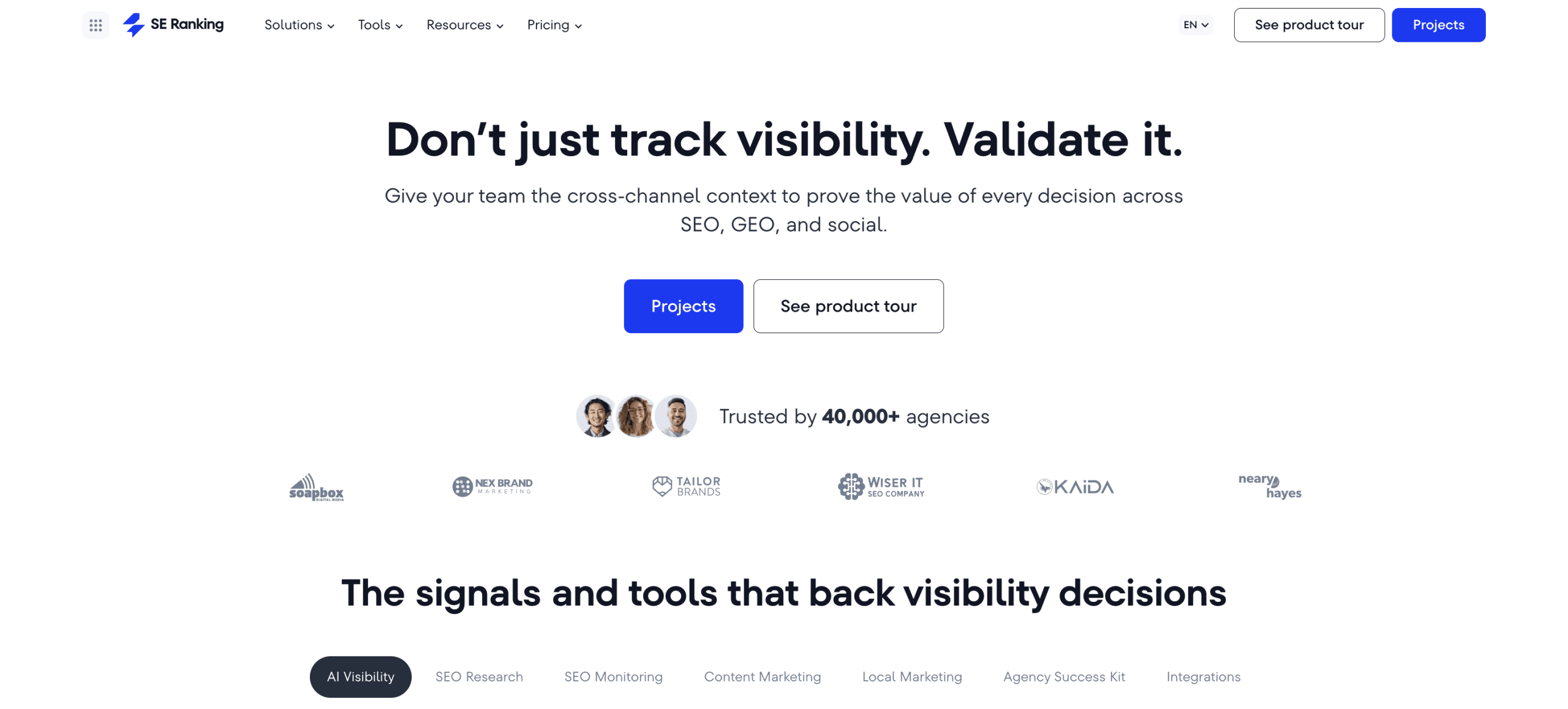
Core platform capabilities:
- Rank Tracker
- Keyword Research
- Competitor research across traditional and AI search
- AI Results Tracker (monitors brand mentions and link citations across ChatGPT, AI Overviews, AI Mode, Gemini, and Perplexity)
- Website Audit
- On-Page SEO Checker
- Backlink Checker and Gap Analyzer
- Content Editor and AI Writer
What this means for agencies: SE Ranking gives you a single platform to track where clients appear in both traditional search and AI answers — and correlate that with traffic data via GA4 integration.
For teams building AI-assisted workflows, SE Ranking offers an MCP server that connects its data directly to AI assistants like Claude, ChatGPT, Gemini, or Cursor. Since Planable also supports MCP, agencies can bring signals from both platforms into the same AI environment without manually switching between tools.
Team and client access: Plans include 1–3 manager seats. The Agency Pack adds 30 client seats with customizable access levels and guest link sharing for view-only access.
Reporting: SE Ranking supports several reporting scenarios for agencies. Teams that need ready-to-send client reports can use Report Builder, with 12+ templates, scheduled delivery, and white-label options for branded reporting. Agencies that prefer custom dashboards can connect SE Ranking data to Looker Studio and combine it with other client performance metrics. Agencies can also share guest links, giving clients direct access to project insights.
White Label: Full white-labeling is available through the Agency Pack — interface customization, branded reporting, and client-facing environments under your agency’s branding.
Lead generation: The Agency Pack includes a Lead Generator — an embeddable On-Page Checker widget that generates prospect leads and delivers free audit data, with the full audit report going to your team. An Agency Catalog listing is also available for inbound visibility.
Integrations: Agencies using Zapier, Make, or n8n can connect SE Ranking with other tools in their workflow and automate routine processes across multiple client accounts. For example, teams can trigger tasks after new audit issues are detected, send data to reporting dashboards, or route updates to internal communication and project management tools.
Pricing:
- Core: $129/month
- Growth: $279/month
- Agency Pack: $69/month add-on (annual subscription required)
- 20% discount on annual plans; 14-day free trial available
Pros and cons:
✅ Cross-channel visibility tracking across organic search, LLM results, and socials
✅ API & MCP access for custom workflows
✅ Flexible team and client access structure
✅ White label and automated reporting without per-report pricing
✅ Lead generation tools built into the Agency Pack
❌ Cross-channel data correlation is not yet automated out of the box, but agencies can connect the data points through SE Ranking’s MCP. Plus, with MCP-enabled platforms like Planable, agencies can add social media signals for broader cross-channel analysis.
❌ Advanced features and agency tools require the Agency Pack add-on
❌ Beginners may not need the breadth of features SE Ranking provides, especially if they are only looking for basic SEO reporting.
Verdict: SE Ranking stands out as the best fit for agencies that want to move beyond basic SEO reporting and show clients the full picture of their search visibility. It brings SEO data, AI search insights, API access, MCP support, and cross-channel reporting into one platform. Add in white-label reports, flexible client access, and built-in lead generation, and it becomes a strong choice for agencies that need to answer the questions clients are now asking (and have the reporting infrastructure to prove the answers).
2. AgencyAnalytics
AgencyAnalytics is a reporting-first marketing analytics platform built for agencies that need client dashboards, automated reports, white-label branding, and cross-channel performance tracking in one place. While it includes SEO monitoring features, its biggest strength is still client reporting rather than deep, all-in-one SEO research.
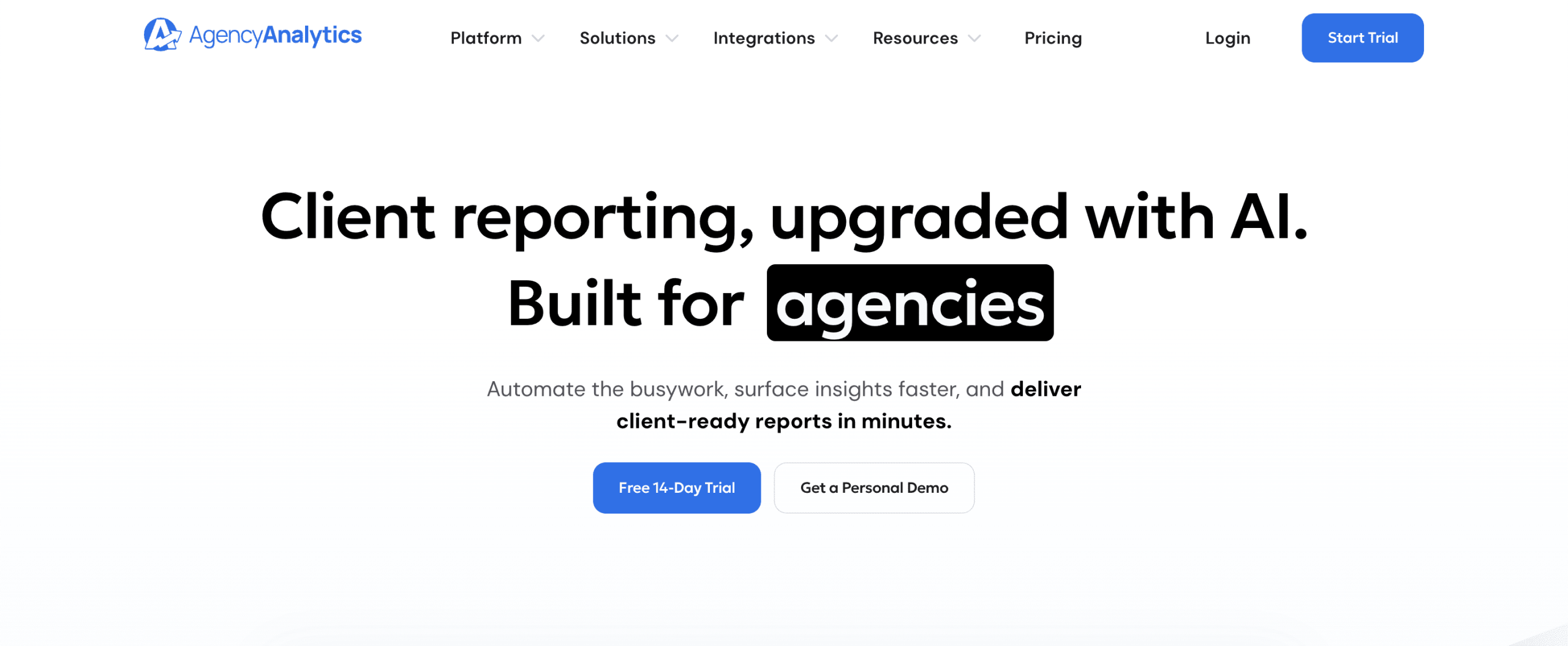
AgencyAnalytics includes:
- Rank Tracker
- Backlink Monitor
- Site Auditor
- Automated Reporting
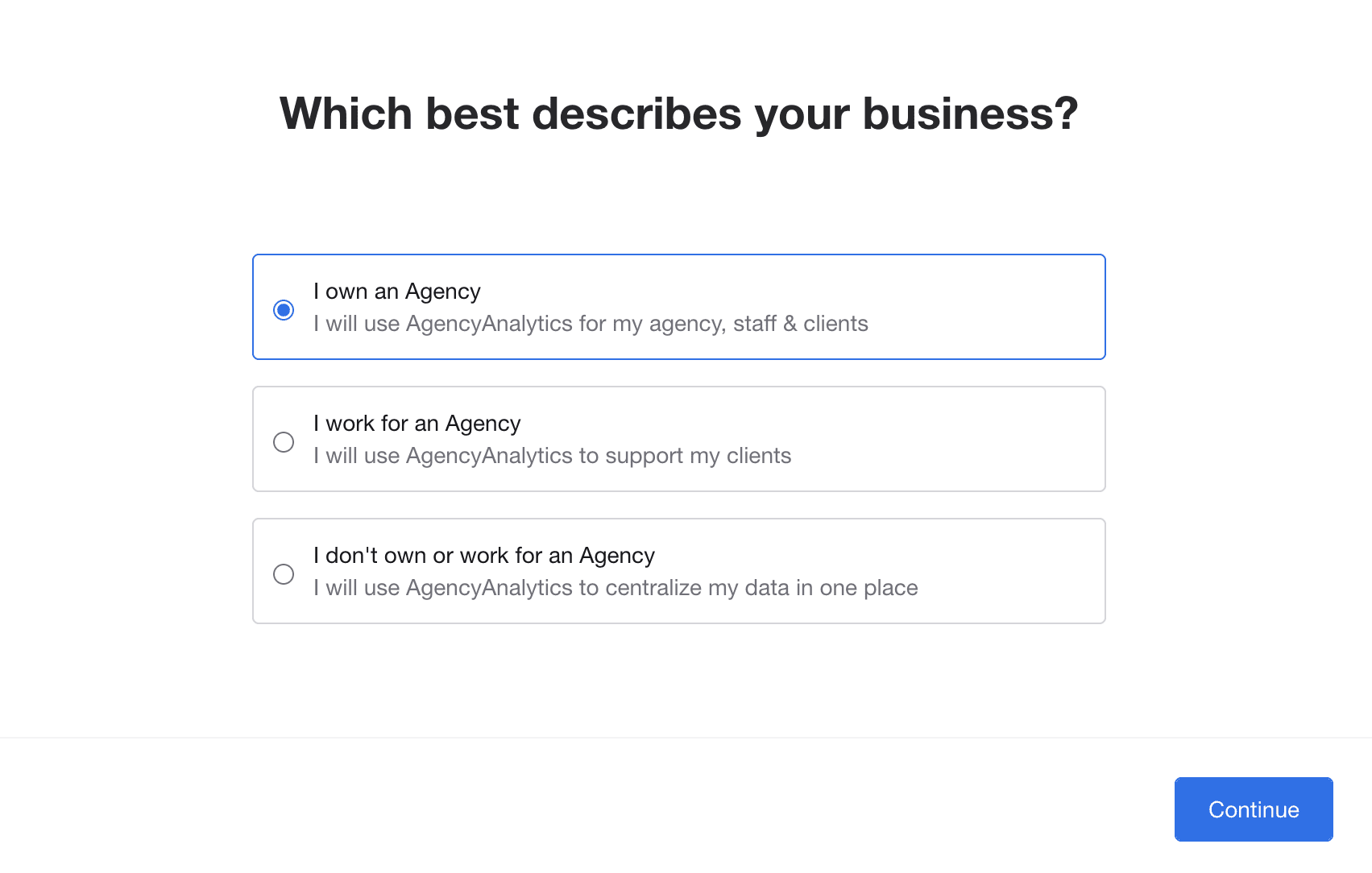
The platform now offers unlimited reports and dashboards, unlimited data sources, and unlimited staff and client users. This makes it more flexible for agencies that need to collaborate with internal teams and give clients controlled access to live dashboards.
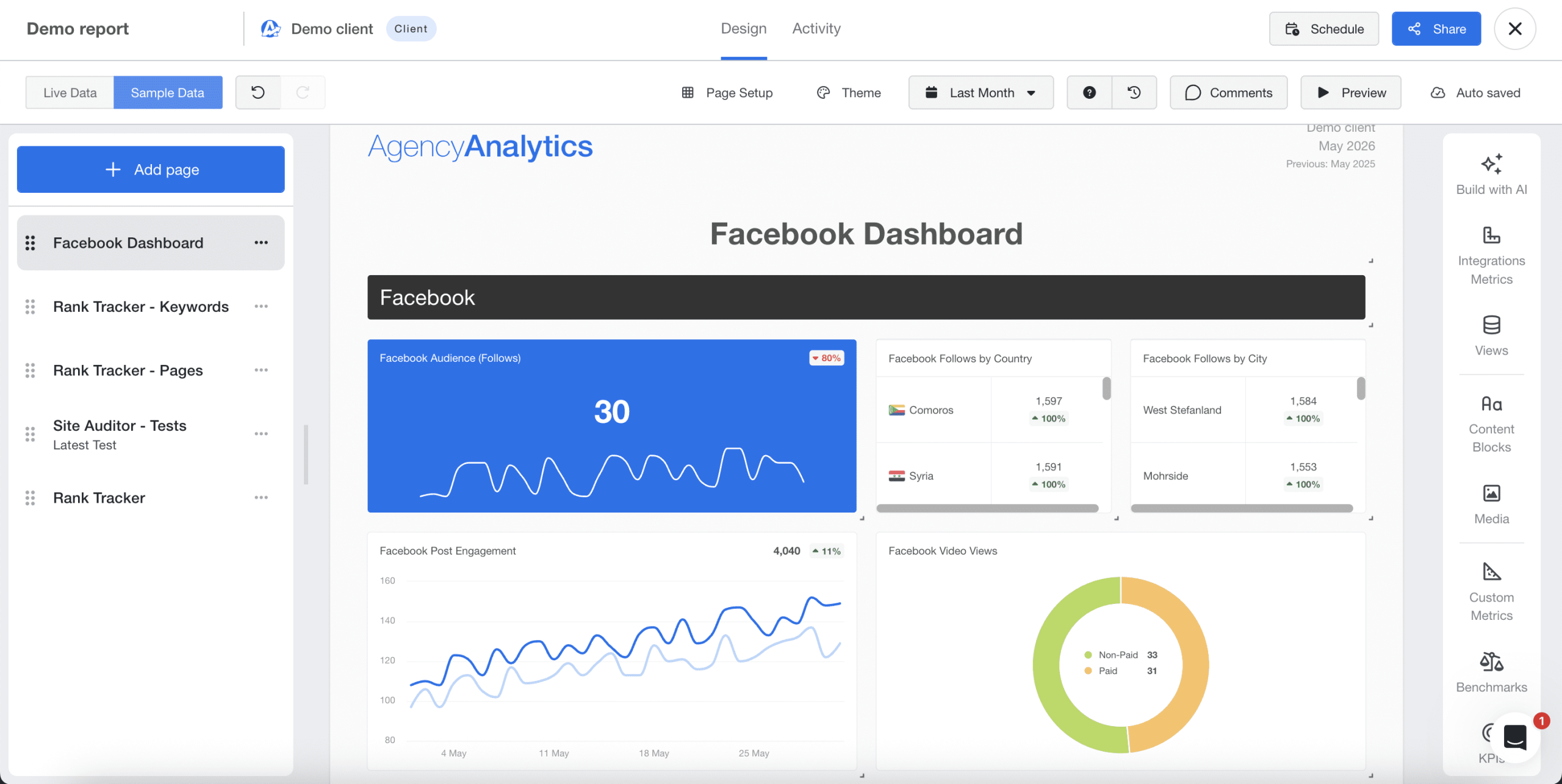
AgencyAnalytics’ reporting toolkit is broad. Agencies can build SEO, PPC, social media, ecommerce, email, call tracking, and multi-channel marketing reports using customizable widgets, drag-and-drop report building, scheduling, report approvals, and white-label branding. Recent updates have also added stronger roll-up reporting, AI summaries, Ask AI, benchmarks, forecasting, anomaly detection, and metric insights, helping agencies move beyond static reports and explain performance trends faster.
AgencyAnalytics now lists 85+ integrations. These cover SEO, PPC, social, email, ecommerce, analytics, call tracking, and other marketing data sources. API access and custom metrics are included in the Core plan, while database connectors are available as an add-on for Core and included with Enterprise. Custom integration requests are reserved for Enterprise.
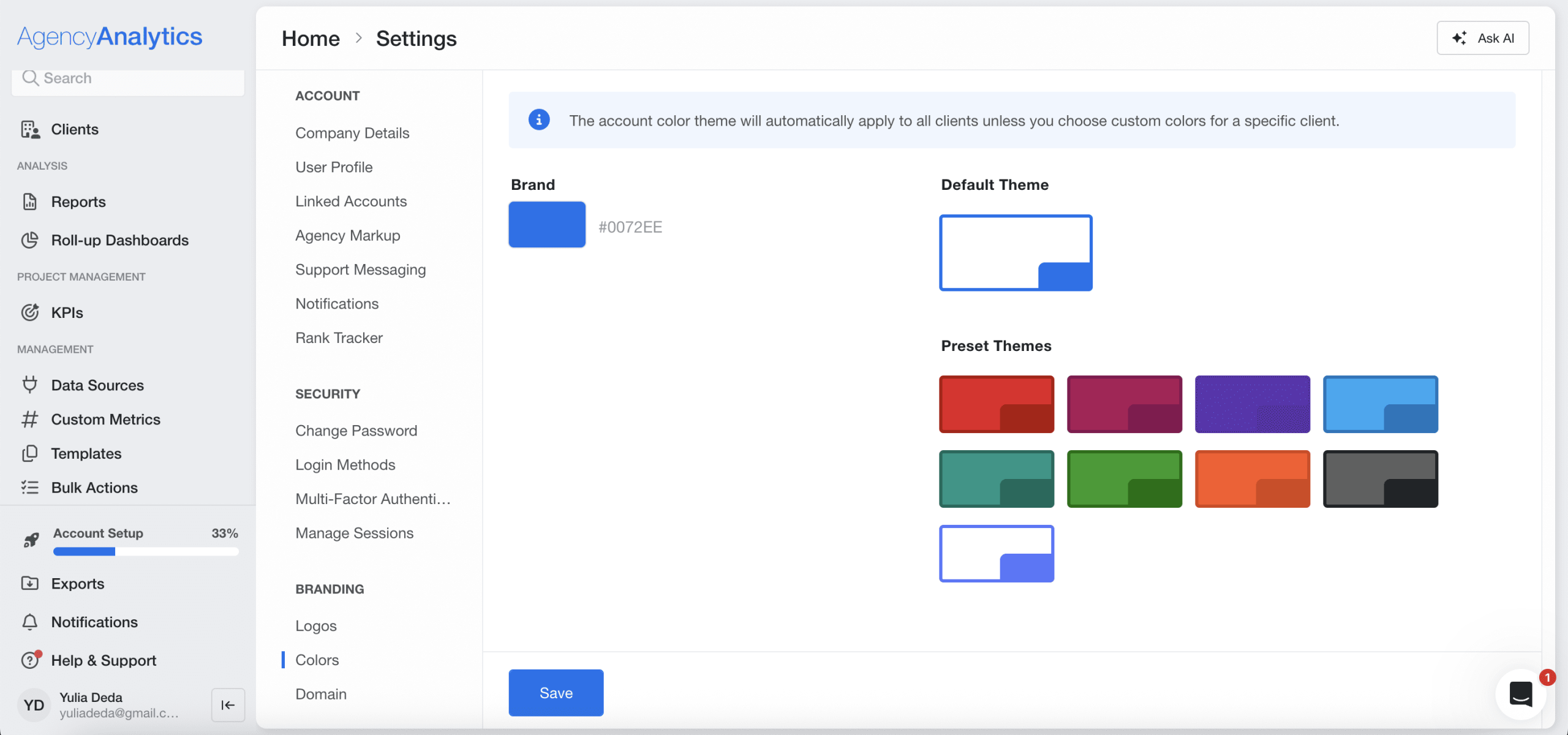
With this tool, you can white-label dashboards and reports. The higher the plan, the more while-labeling options you’ll access.
Pricing:
- Core Plan costs $25 USD per client per month, billed annually with a 20% annual discount. It includes automated client reporting, AI insights, white-label branding, client portals, benchmarks, forecasting, goals, alerts, anomaly detection, and MCP access for ChatGPT and Claude.
- Enterprise Plan has a custom pricing, starting at 25 clients. It includes everything in Core, plus volume-based discounts, database connectors, prioritized integration requests, priority support, and training.
Optional add-ons include Rank Tracker, which costs $50 USD/month per 500 keywords when billed annually, and Database Connectors, which are custom-priced and support MySQL, Google BigQuery, and Amazon Redshift. AgencyAnalytics also offers a 14-day free trial.
Pros and cons:
✅ Unlimited reports and dashboards
✅ Unlimited staff and client users
✅ 85+ integrations
✅ Strong white-label reporting
✅ AI summaries and Ask AI
✅ Goals, alerts, benchmarks, forecasting, and anomaly detection
✅ Roll-up reports, dashboards, and tables
✅ Custom metrics and API access included in Core
✅ Client portal and custom permissions
✅ User-friendly interface with updated navigation
❌ Rank Tracker is still a paid add-on
❌ Rank tracking updates weekly, not daily
❌ Database connectors cost extra on Core
❌ Enterprise is required for prioritized integration requests, MFA enforcement, priority support, and ongoing training
❌ Still better suited for reporting and monitoring than full SEO research or technical SEO workflows
Verdict: AgencyAnalytics is one of the strongest SEO reporting tools for agencies that need polished client dashboards, automated reports, white-label delivery, and multi-channel marketing data in one place. However, agencies looking for a full SEO suite with built-in keyword research, competitive analysis, and advanced technical SEO tools may still need to pair AgencyAnalytics with dedicated SEO platforms SE Ranking.
3. Screaming Frog
Screaming Frog SEO Spider is one of the best technical SEO audit tools for agencies and SEO specialists. Agencies can use it to crawl client websites, uncover technical SEO issues, analyze site architecture, audit internal links, review metadata, check redirects, find broken links, identify duplicate or near-duplicate content, generate XML sitemaps, and export detailed crawl data.
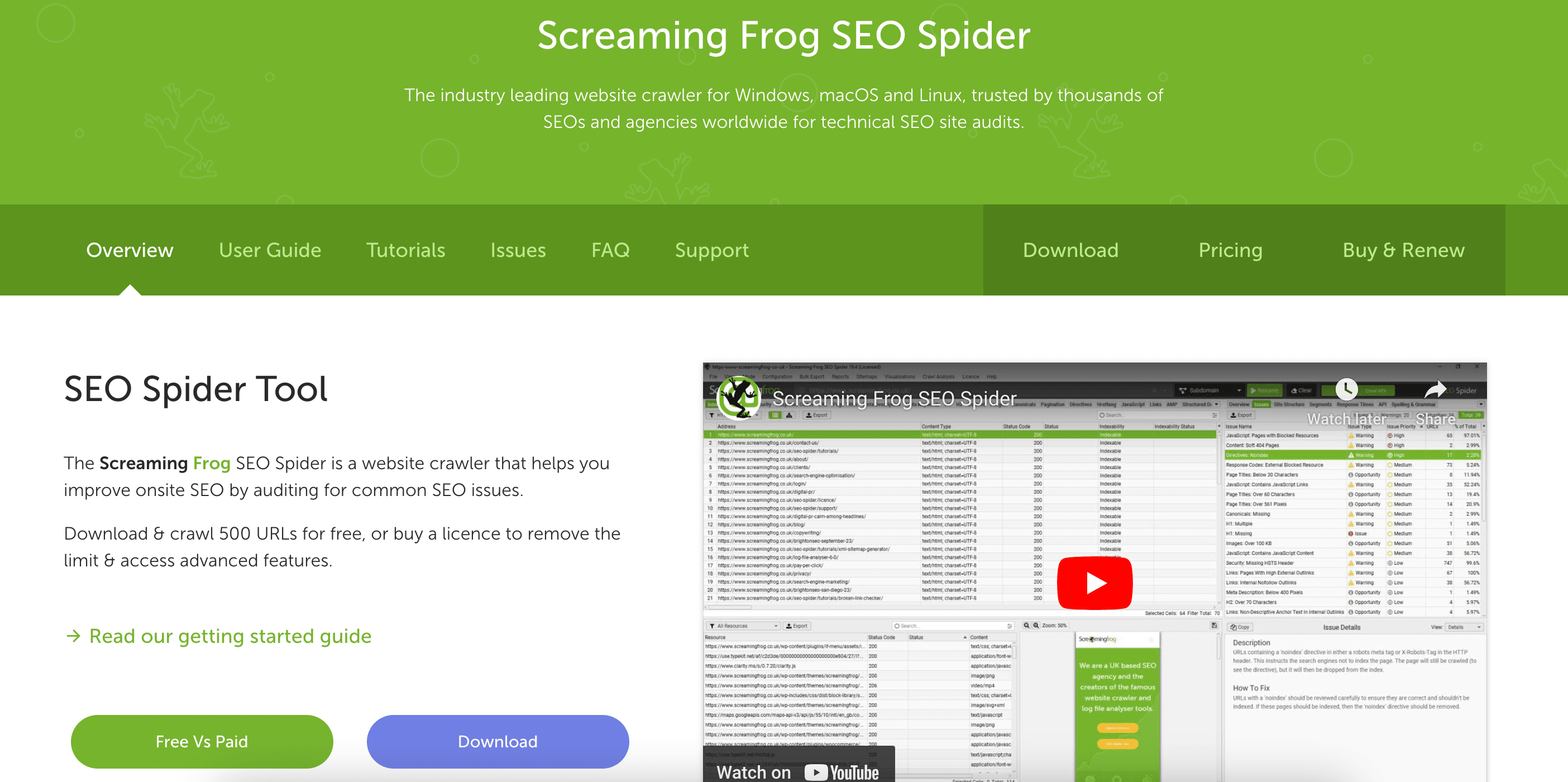
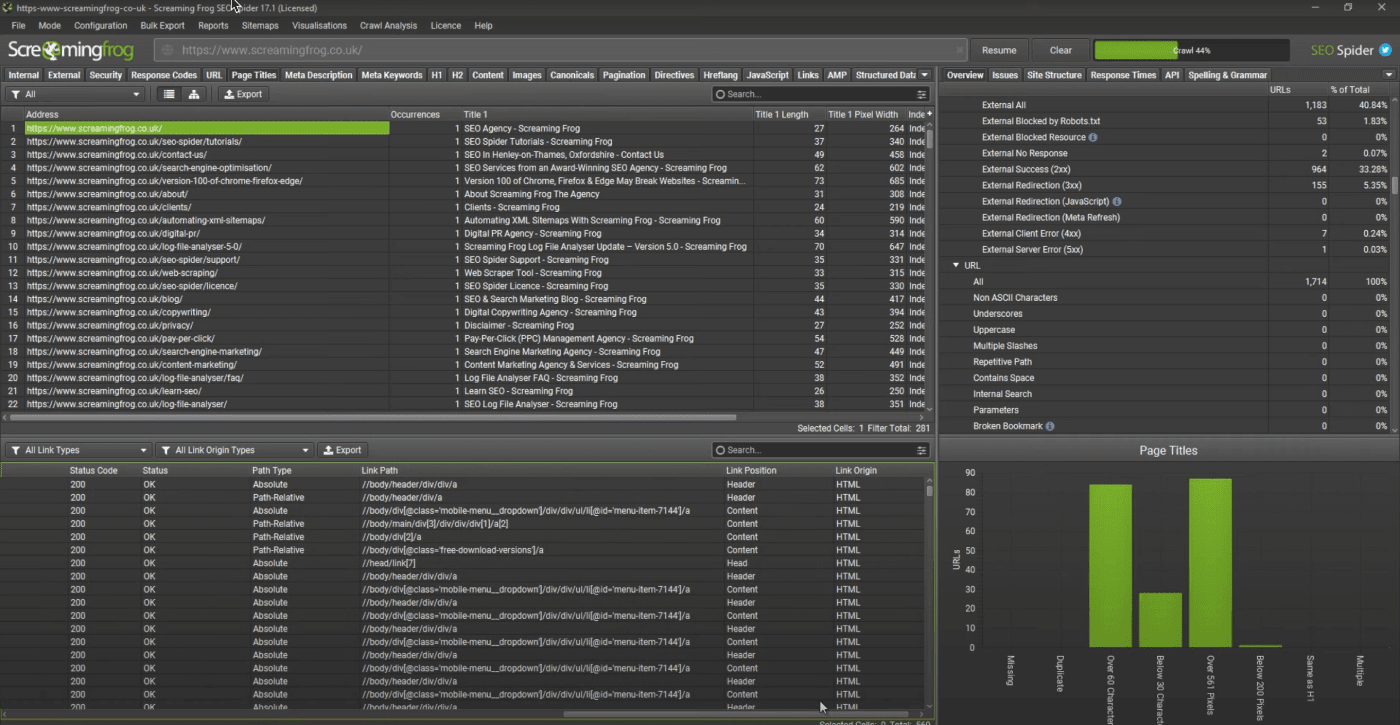
The tool runs comprehensive site crawls to detect issues with metadata, response codes, broken links, duplicate content, redirects, crawlability, indexability, and more. You can also generate XML sitemaps, customize audits, schedule crawls, compare crawls, perform custom searches, and use custom extraction.
Recent Screaming Frog updates added AI integrations, semantic similarity analysis, semantic content cluster visualizations, APIs mode, updated Lighthouse/PageSpeed Insights support, auto crawl comparison, and MCP support.
However, the tool doesn’t offer built-in rank tracking, keyword research, competitor research, backlink monitoring, or agency-specific client management features. It mainly focuses on website crawling and technical audits.
Its outdated interface and navigation lack user-friendliness and have a learning curve.
Pricing
- Free version: Crawl 500 URLs per website
- Paid version: $279/year/user (no monthly payment option).
Pros and cons:
✅ Powerful crawler with extensive customization
✅ In-depth website data for technical audits
✅ Crawl scheduling and crawl comparison
✅ AI and API integrations
✅ Free version available
❌ No white-label feature
❌ Advanced features require a paid license
❌ Learning curve for beginners
❌ Focuses mainly on website crawling and auditing
❌ No rank tracking, keyword research, or backlink monitoring
Verdict: While Screaming Frog suits agencies requiring in-depth technical SEO audits, consider buying additional tools or all-in-one SEO platforms if you need more SEO tools and agency-specific functionalities to run your business.
4. Plerdy
Plerdy is an all-in-one conversion rate optimization and SEO platform tailored for digital agencies that want to analyze, present, and improve client websites fast. The tool combines UX analytics, heatmaps, session recordings, A/B testing, popup forms, SEO audits, and AI-driven insights — all in one dashboard.
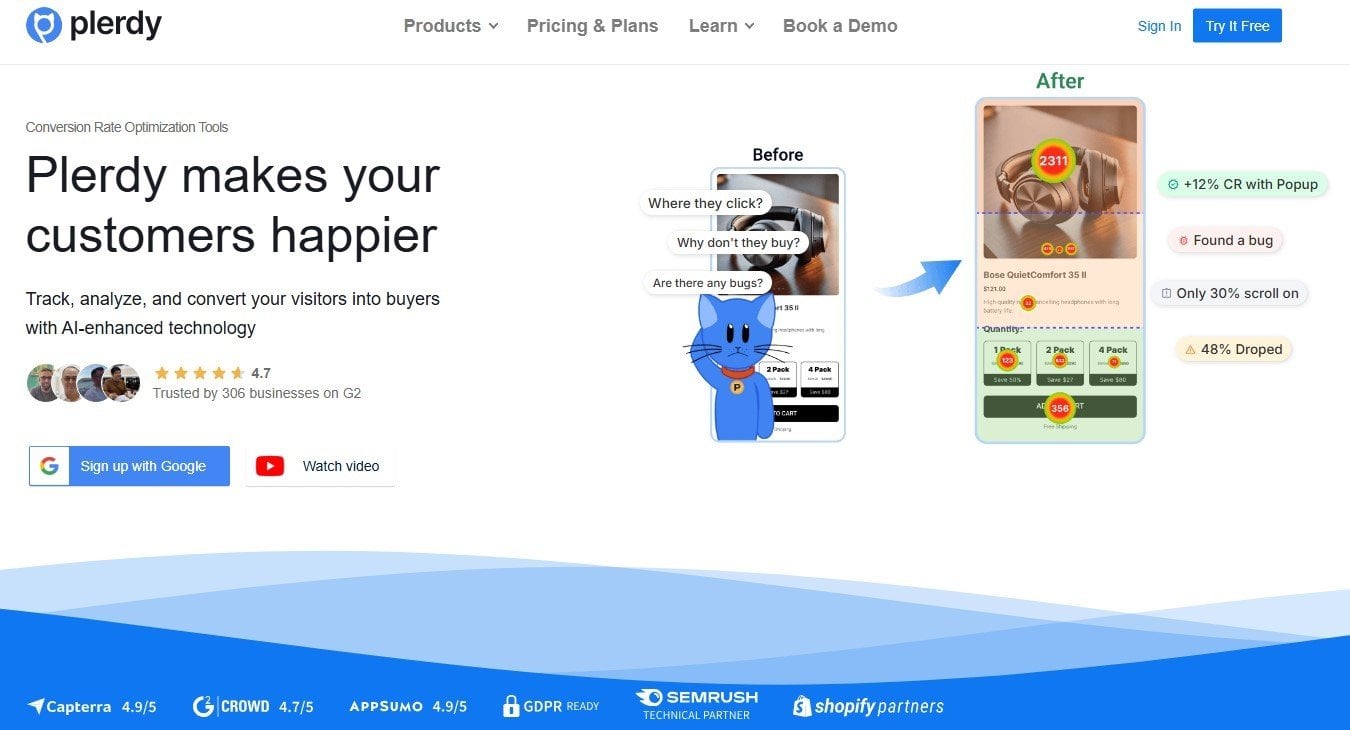
The platform includes a wide range of features for agencies:
- Heatmap & Scrollmap for every page
- Session Replay with user behavior filters
- Conversion Funnels & Form Analytics
- A/B Testing without complex setup
- On-page SEO Checker & Technical Audit
- Pop-up Builder with targeting and exit-intent triggers
- AI-based UX & SEO recommendations for each page
- Integrations with GA4, GSC, CMSs, and eCommerce systems
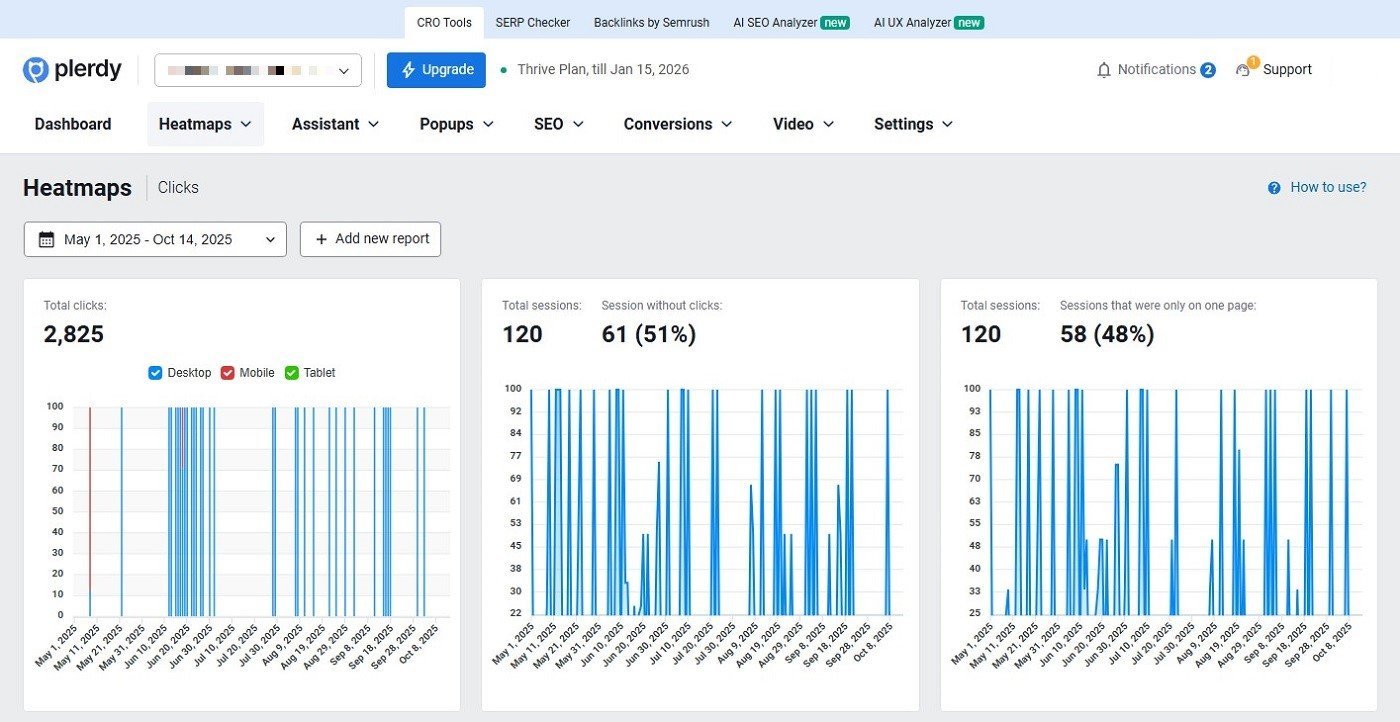
Agencies use Plerdy to visualize user behavior, identify conversion blockers, and present clear, data-backed insights to clients. The tool helps you show exactly where visitors drop off, what they click, and how design or copy changes impact results. With AI-generated UX and SEO suggestions, your team saves hours on manual research and reporting.
Reports are fully customizable — include heatmaps, click metrics, conversion steps, or SEO statuses — and can be shared via link or client access. The Chrome Extension allows instant UX and SEO checks while browsing a website, making it ideal for quick pre-audit analysis.
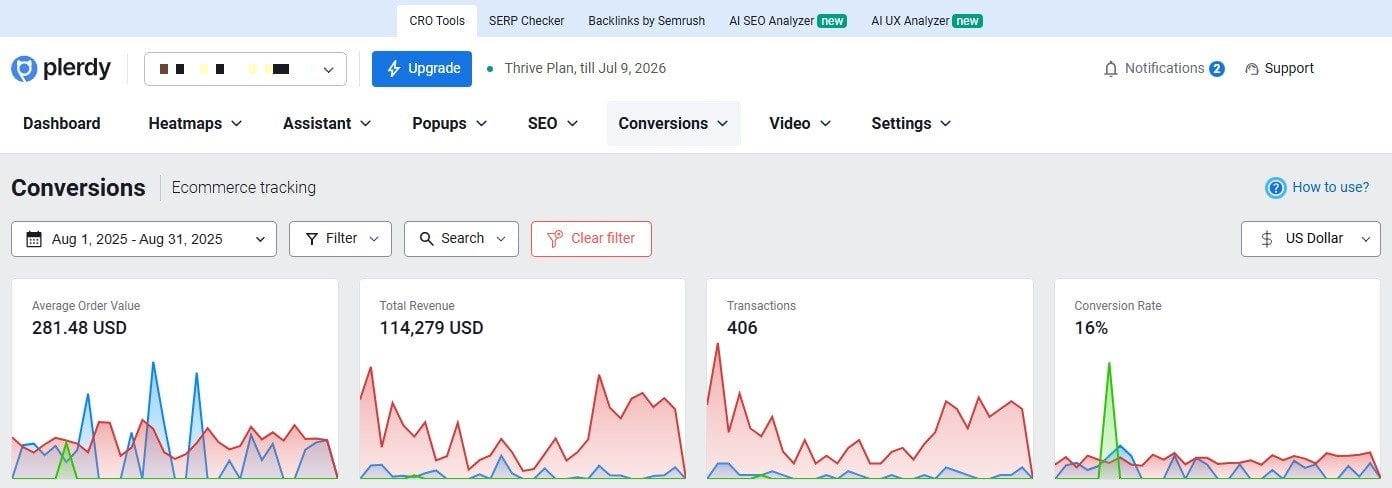
Plerdy supports multi-project management and role-based access for teams. Its API and integrations let agencies combine SEO, UX, and conversion data into a single performance view.
Pricing:
- Free plan: Available with limited usage.
- Startup: $32/month, or $21/month billed annually.
- Scale: $64/month, or $42/month billed annually.
- Thrive: $108/month, or $70/month billed annually.
Plerdy also offers Enterprise packages, a 14-day free trial, and limits that vary by plan for heatmaps, video sessions, SEO audits, popups, e-commerce tracking, conversions, AI UX Assistant usage, and storage.
Pros and cons:
✅ Combines UX analytics, CRO, heatmaps, replays, popups, and SEO audits
✅ Easy visual reporting with heatmaps, replays, and funnels
✅ AI UX Assistant for page-level insights
✅ A/B testing and popup tools
✅ Google Search Console API integration
✅ Chrome Extension for quick checks
✅ Free plan and 14-day free trial
❌ Not a full SEO suite
❌ No built-in rank tracking or backlink monitoring
❌ Advanced technical SEO audits may require a dedicated crawler
❌ Usage limits vary by plan
❌ Best value comes when using several modules together
Verdict: Plerdy is an ideal solution for agencies that want to move from “data collection” to “action.” It helps you pinpoint UX and SEO issues, demonstrate them visually, test solutions, and prove conversion growth — all within one intuitive platform.
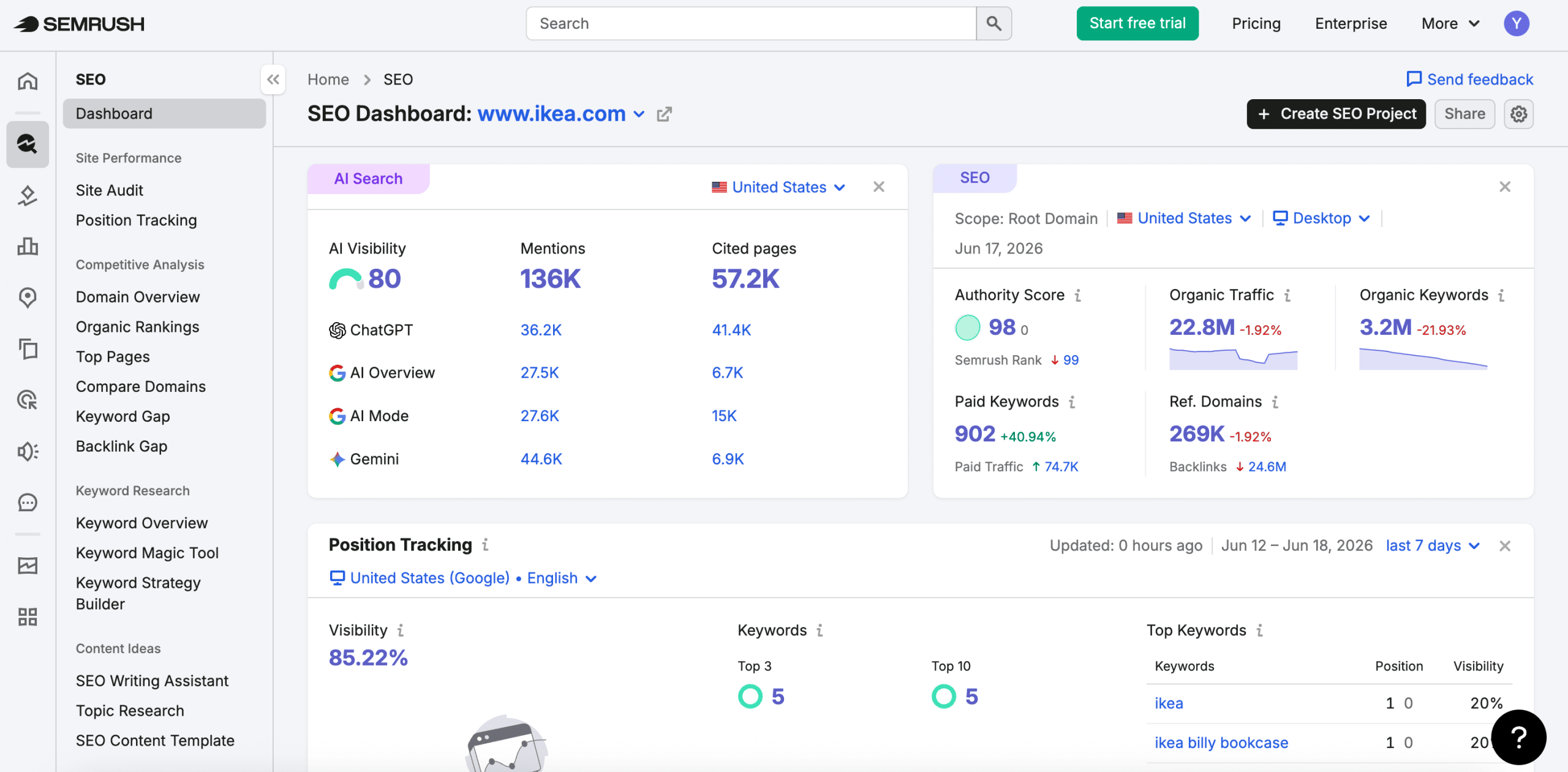
5. Semrush
Semrush is a popular SEO software platform for agencies, offering tools for SEO, content marketing, competitor analysis, PPC, social media, reporting, and AI visibility tracking.
Semrush offers a wealth of tools for:
- Competitive Research
- Keyword Research
- Link-building
- Technical SEO Analysis
It also covers content optimization, and distribution as well as market analysis features, PPC keyword research data, social media management, and more.
This software for SEO agencies has a pretty extensive database, comprising more than 26 billion keywords and covering 140 different regions and countries.
Semrush will only give you one user seat. If you need more, get ready to pay from $45 to $100/ month per user.
Semrush also provides customizable reports through My Reports. Paid Semrush toolkits include a limited number of Base reports, and additional reports can be purchased separately. Base reports cost $10/month per report and include Semrush integrations, Google Analytics, Google Search Console, PDF exports, basic sharing, scheduling, and AI summaries. Pro reports cost $20/month per report and add external integrations, hourly scheduling, branding, white-labeling, full AI summaries, custom domains, and link sharing.
You can’t white-label the Semrush platform itself, but white-label reporting is available through Pro reports.
Semrush’s former Agency Growth Kit has been discontinued. Its agency-related features are now handled separately through tools like My Reports and the Agency Partners Platform. The Agency Partners Platform costs $90/month and lets agencies create a branded profile, receive pre-qualified opportunities, and appear in Semrush’s agency marketplace.
Semrush also supports multiple integrations, including Google products, Looker Studio, social platforms, and other marketing tools. API access is available on higher-tier plans.
The platform’s interface can sometimes feel cumbersome. But once you get past the learning curve, the tool’s extensive capabilities become highly rewarding.
Pricing:
Semrush now offers a single plan for SEO needs — SEO ($139.95/month).
Other plans bundle the SEO toolkit with AI visibility tracking across major LLMs: Starter at $199/month, Pro+ at $299/month, and Advanced at $549/month. Annual billing saves 17% across both tracks.
API data integration is only available on the Advanced plan ($549/month).
A 7-day free trial is also available.
Pros and cons:
✅ Extensive SEO and marketing toolset
✅ Large keyword and competitor databases
✅ Strong keyword, backlink, and technical SEO tools
✅ Customizable reporting
✅ White-label reporting available through Pro reports
✅ AI visibility tracking available with Semrush One
✅ Agency marketplace option
❌ Learning curve for beginners
❌ Limited users per plan
❌ Extra users cost more
❌ White-labeling applies to reports, not the full platform
❌ Agency Growth Kit has been discontinued
❌ Costs can add up with reporting, users, and add-ons
Verdict: Semrush has an incredibly diverse collection of tools, vast datasets, customizable reporting features. On the other hand, its complex interface can make it challenging for newcomers to the platform. Agencies also need to be prepared for additional expenses as their teams grow and as they opt for more advanced features.
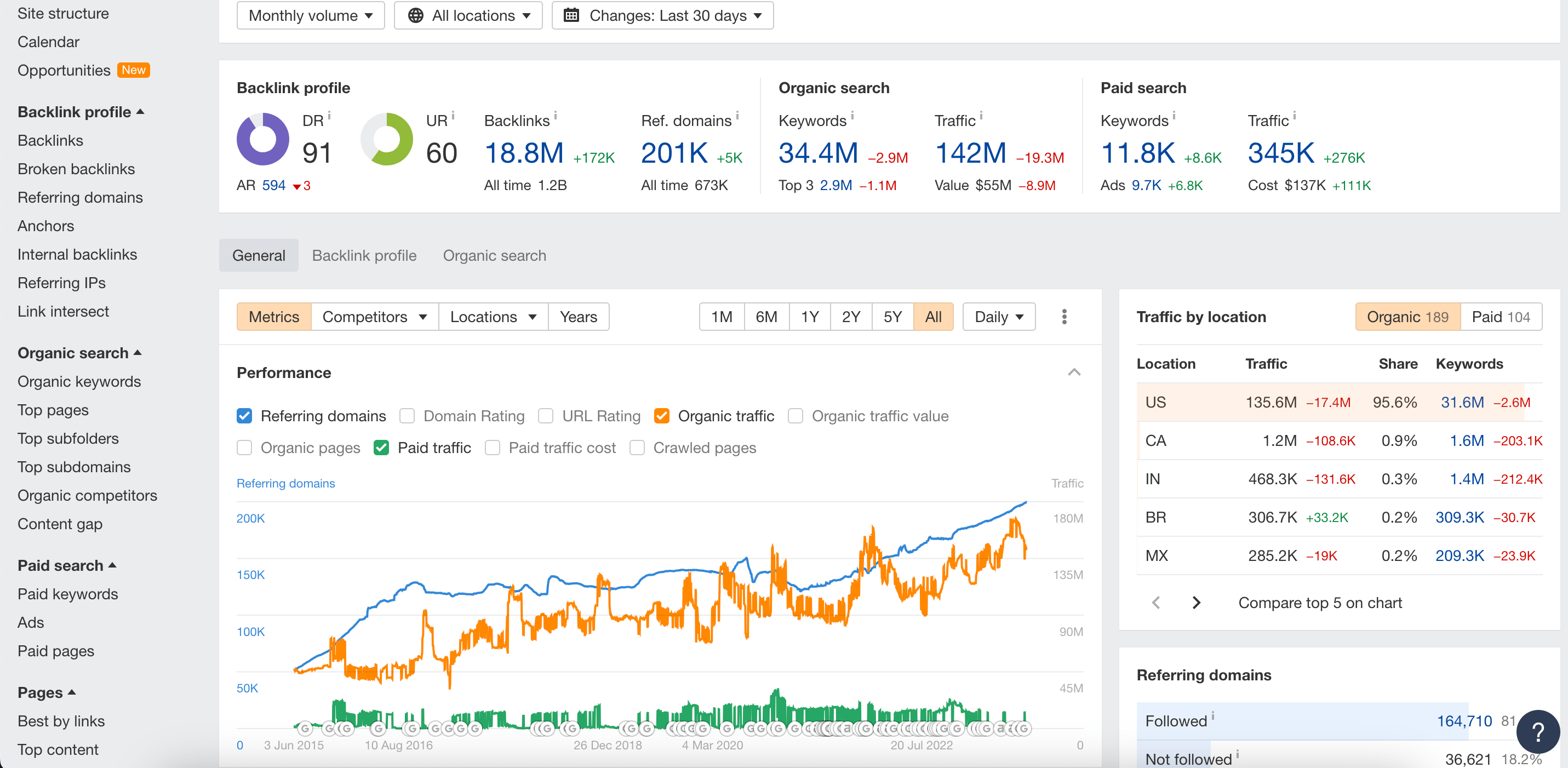
6. Ahrefs
Ahrefs is an invaluable resource if your main focus is on building and implementing link-building strategies.
Ahrefs has over 30 specialized tools to help agencies solve their clients’ SEO tasks. Key features include:
- Site Explorer
- Site Audit
- Keywords Explorer
- Content Explorer
- Rank Tracker
Its dashboard allows unlimited verified projects and a limited number of unverified projects depending on the plan: 5 on Lite, 20 on Standard, 50 on Advanced, and 100 on Enterprise.
Ahrefs now offers several paid plans: Starter, Lite, Standard, Advanced, and Enterprise. Lite includes 1,000 monthly credits, while Standard, Advanced, and Enterprise include unlimited credit usage. All paid plans start with one user, and additional users cost extra depending on the plan.
Ahrefs also offers Report Builder for SEO and AI visibility reporting. Reports are available across plans, with limits based on the subscription. The paid Report Builder add-on costs $99/month and includes 50 reports, 500 total widgets, and scheduling.
Ahrefs integrates with Google Search Console, GA4, and Looker Studio. Looker Studio connectors are available on the Advanced plan and higher. API access is available on Lite and higher plans with limits, while Enterprise provides the highest API access and advanced controls.
Ahrefs doesn’t offer white-labeling features at this time and its agency-related tools are pretty limited.
The tool has a steeper learning curve compared to its rivals because it lacks visualization. Once you get used to the somewhat dated interface, the navigation becomes seamless and the tools become highly functional.
Pricing:
- Starter: $29/month
- Lite: $129/month
- Standard: $249/month
- Advanced: $449/month
- Enterprise: $1,499/month
No matter the plan, you’ll always start off with one user. Additional users will cost you $40-80 per user per month, depending on your plan.
No free trial is available.
Pros and cons:
✅ Strong backlink and competitor analysis
✅ Extensive SEO toolset
✅ Large keyword and link databases
✅ Site Audit and Rank Tracker included
✅ Reporting features available
✅ AI visibility and content add-ons
✅ Ahrefs Free available for verified sites
❌ Report Builder add-on costs extra for higher reporting limits
❌ No white-label reporting
❌ Additional users cost extra
❌ Some AI and advanced features are add-ons
❌ Steeper learning curve than simpler SEO tools
❌ No traditional free trial for paid plans
Verdict: Ahrefs is one of the best tools for your SEO firm, especially if you focus on link-building. On the flip side, Ahrefs’ lack of built-in SEO reporting and white-labeling options can be a sticking point for some companies.
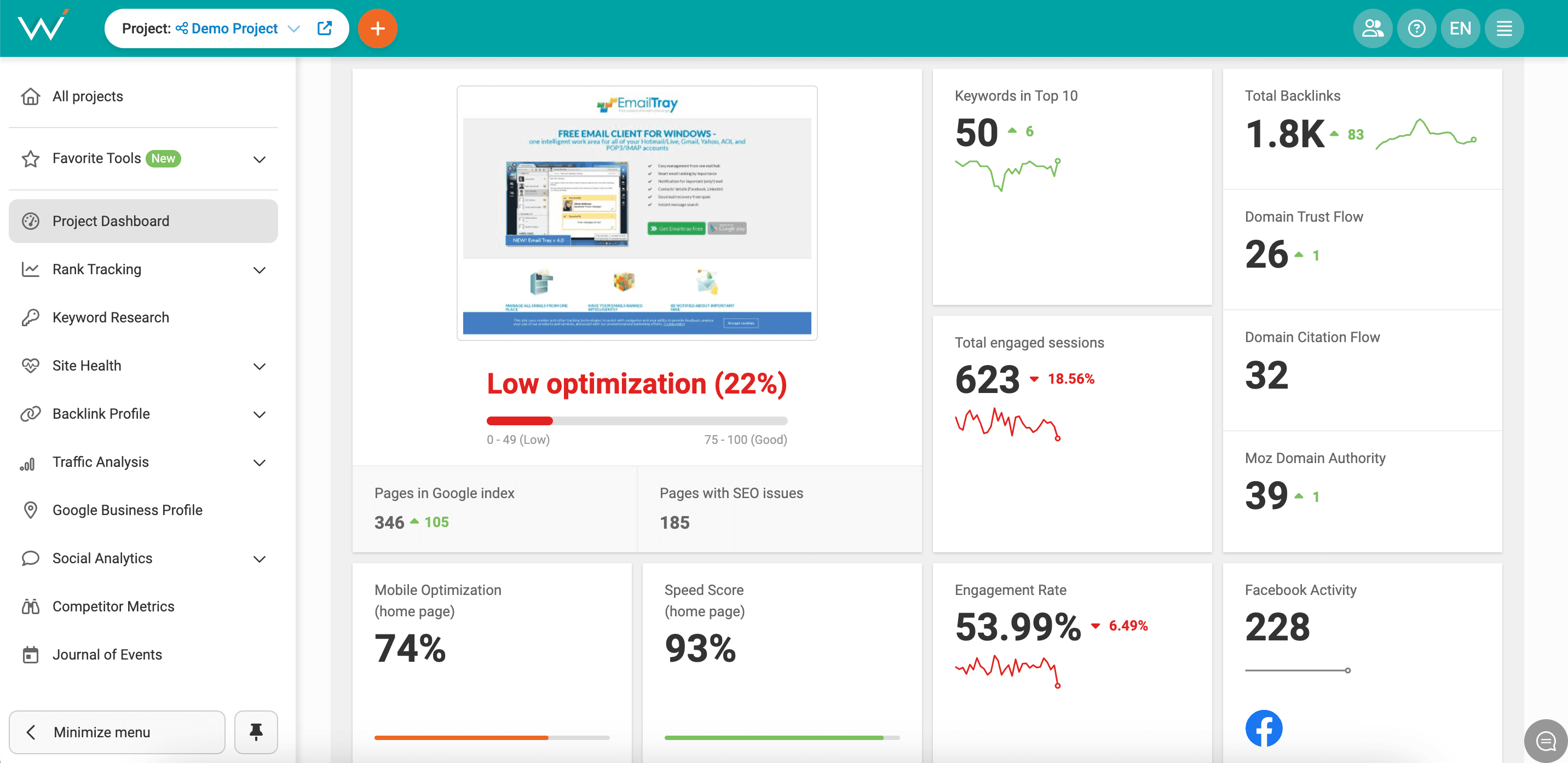
7. WebCEO
WebCEO is a digital marketing platform for businesses, marketing agencies, and freelancers. It offers 24 SEO tools and features that make automation, collaboration, reporting, and white-label SEO services easier for agencies.
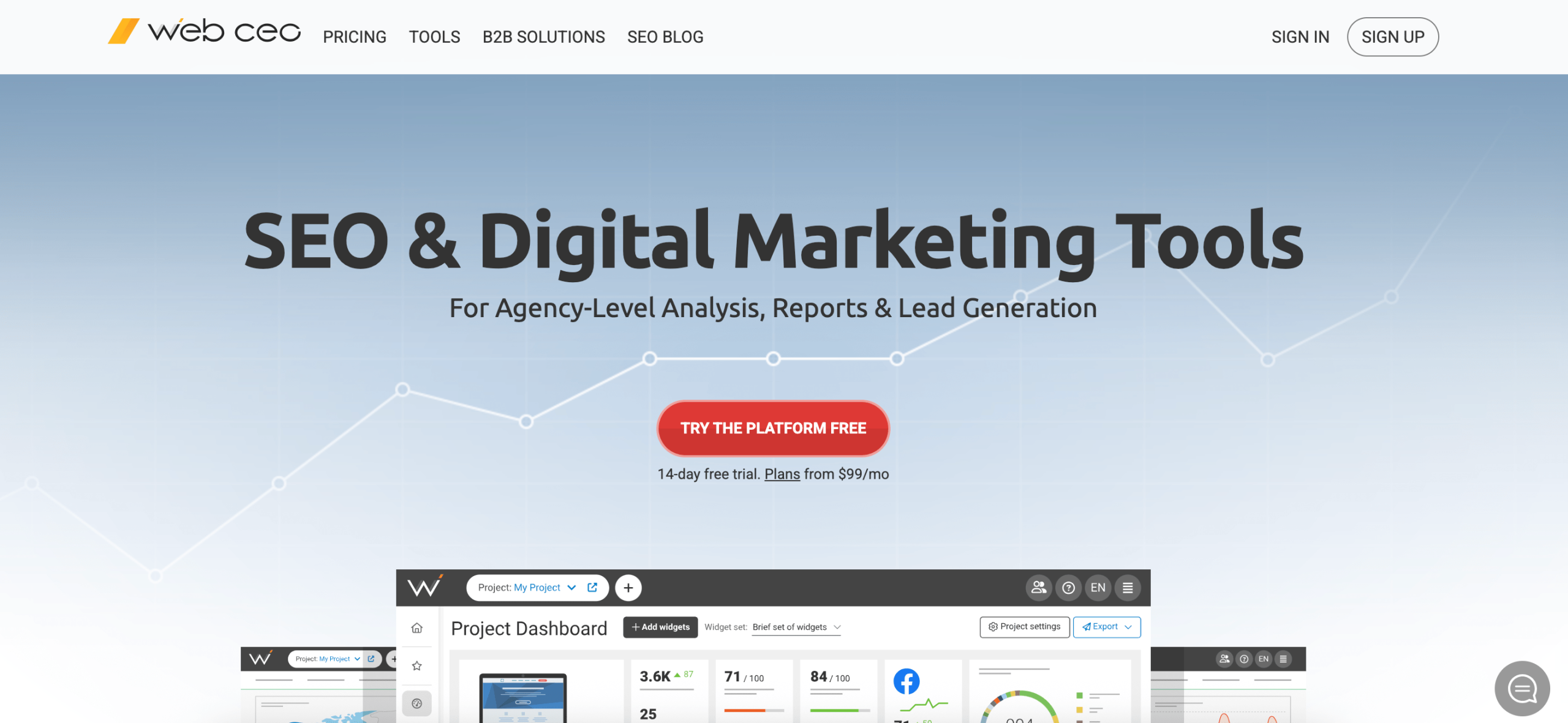
WebCEO’s core tools include:
- Rank Tracking Tool
- Keyword Research Tool
- Technical Audit Tool
- Backlink Checker Tool
WebCEO features an SEO Task Manager that enables you to allocate tasks to team members and track their progress. It’s especially helpful when your team works remotely. With the Agency Unlimited plan, you can add unlimited extra users at $5/month/user.
The tool provides customizable, branded SEO reports that can be scheduled and emailed directly to clients. Reports can include your logo, header, color scheme, cover page text, images, and background.
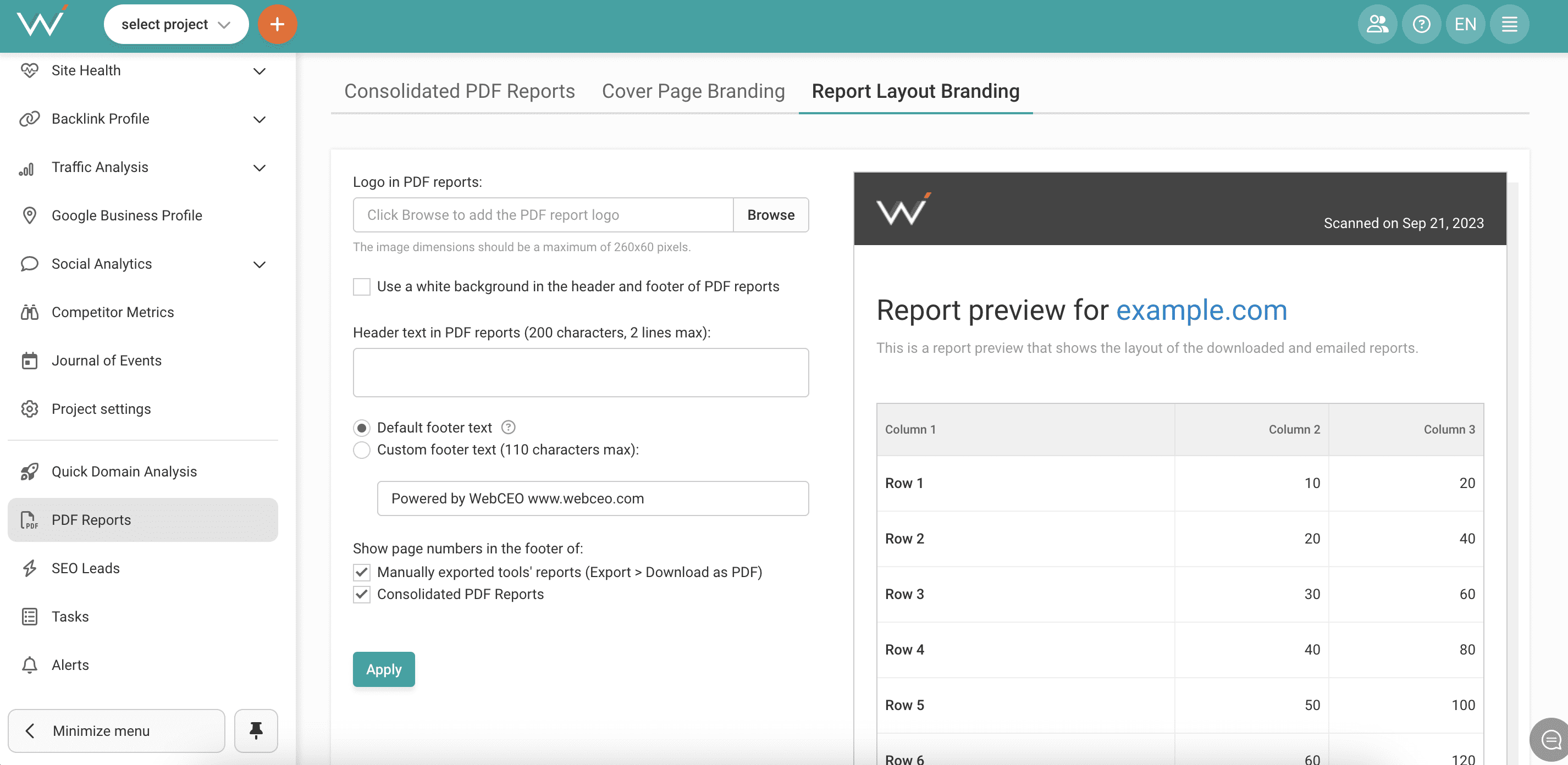
WebCEO integrates with Google products, Looker Studio, Majestic, Moz, social platforms, and other SEO data sources. API access is available for Agency Unlimited subscribers.
By purchasing the Agency Unlimited plan, you can also add white-label SEO tools on your own domain for $40/month. This lets you customize the platform with your brand name, logo, colors, and domain. You can also grant clients read-only access to live SEO reports.
WebCEO also offers a lead generation tool. This comes as a “Free SEO Audit” widget that can be embedded directly onto your website. With Agency Unlimited, you can generate unlimited SEO leads at $0.49/lead.
Its dashboard is user-friendly and customizable, though the amount of SEO data may feel overwhelming at first. Agencies can adjust reports and dashboards to show only the most relevant metrics.
Pricing:
- Solo: $36/month, minimum 3 months (a one-project plan for newbies who don’t need advanced settings)
- Startup: $119/month
- Agency Unlimited: $99/month + scanning fees
- Corporate: $299/month
- Annual billing reduces Startup to $99/month, Agency Unlimited to $83/month, and Corporate to $251/month. WebCEO also offers a 14-day free trial with no credit card required.
Pros and cons:
✅ 24 SEO tools
✅ Customizable, branded, automated reporting
✅ Task management features
✅ White-label tools on your own domain
✅ Lead generator for attracting new clients
✅ API access on Agency Unlimited
✅ Looker Studio and Google integrations
❌ Additional users cost extra on Agency Unlimited
❌ White-label tools cost extra
❌ Agency Unlimited has variable scanning fees
❌ Leads cost extra
❌ Potentially overwhelming UI
Verdict: WebCEO offers an extensive range of SEO tools for your agency. Its strong sides are its customizable reporting, task management, and white-label options. Unfortunately, the potential additional costs for scanning, extra users and tools could be drawbacks for agencies on a tight budget.
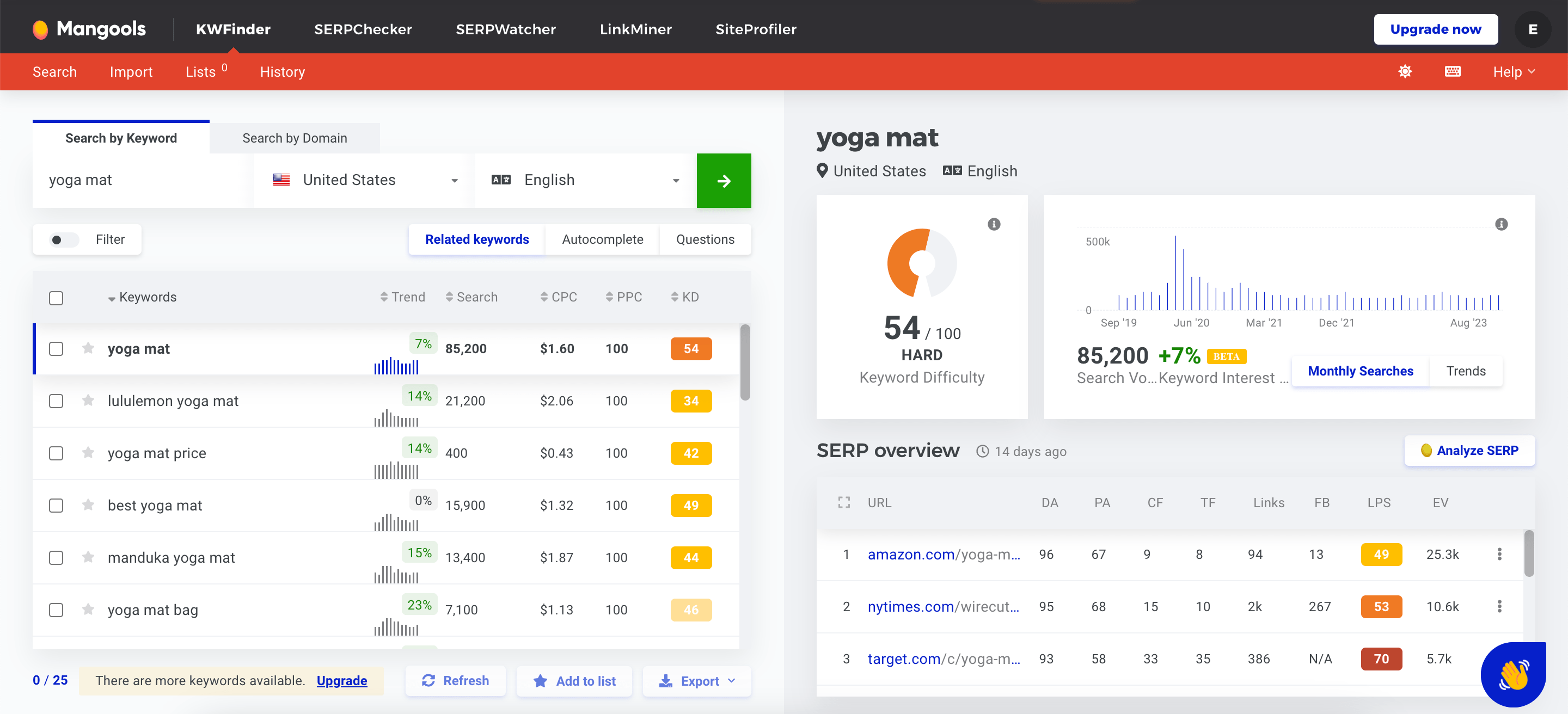
8. Mangools
Mangools is a beginner-friendly SEO platform. While it may not have as many features as some of the other tools on this list, it is very easy to use and has straightforward metrics.
Mangools provides a compact suite of essential SEO tools:
- KWFinder
- SERPChecker
- SERPWatcher
- LinkMiner
- SiteProfiler
It also offers free SEO tools, including a browser extension, SERP simulator, SERP volatility checker, SERP location changer, Reddit Threads Finder, SEO Content Optimizer, Share of Search, and AI Search Grader.
Mangools is especially useful for keyword research, SERP analysis, rank tracking, backlink analysis, and quick competitor checks. SERPWatcher also lets users track rankings daily, share interactive reports via link, and use white-label reports.
Mangools offers extra seats only in higher-tier plans. Basic is limited to one user, while Premium and Agency support more users. All users share the same plan limits.
Its reporting features are mostly tied to SERPWatcher. You can share interactive rank-tracking reports with clients or teammates via link, and use scheduled reports and alerts. However, reporting is still more limited than in agency-focused platforms.
Mangools now offers an official API for keyword data, SERP analysis, rank tracking, backlinks, domain analysis, reporting, and AI search visibility. It also has a beta Mangools MCP Server, which connects AI assistants like Claude, Cursor, and other MCP-compatible tools directly to Mangools SEO data.
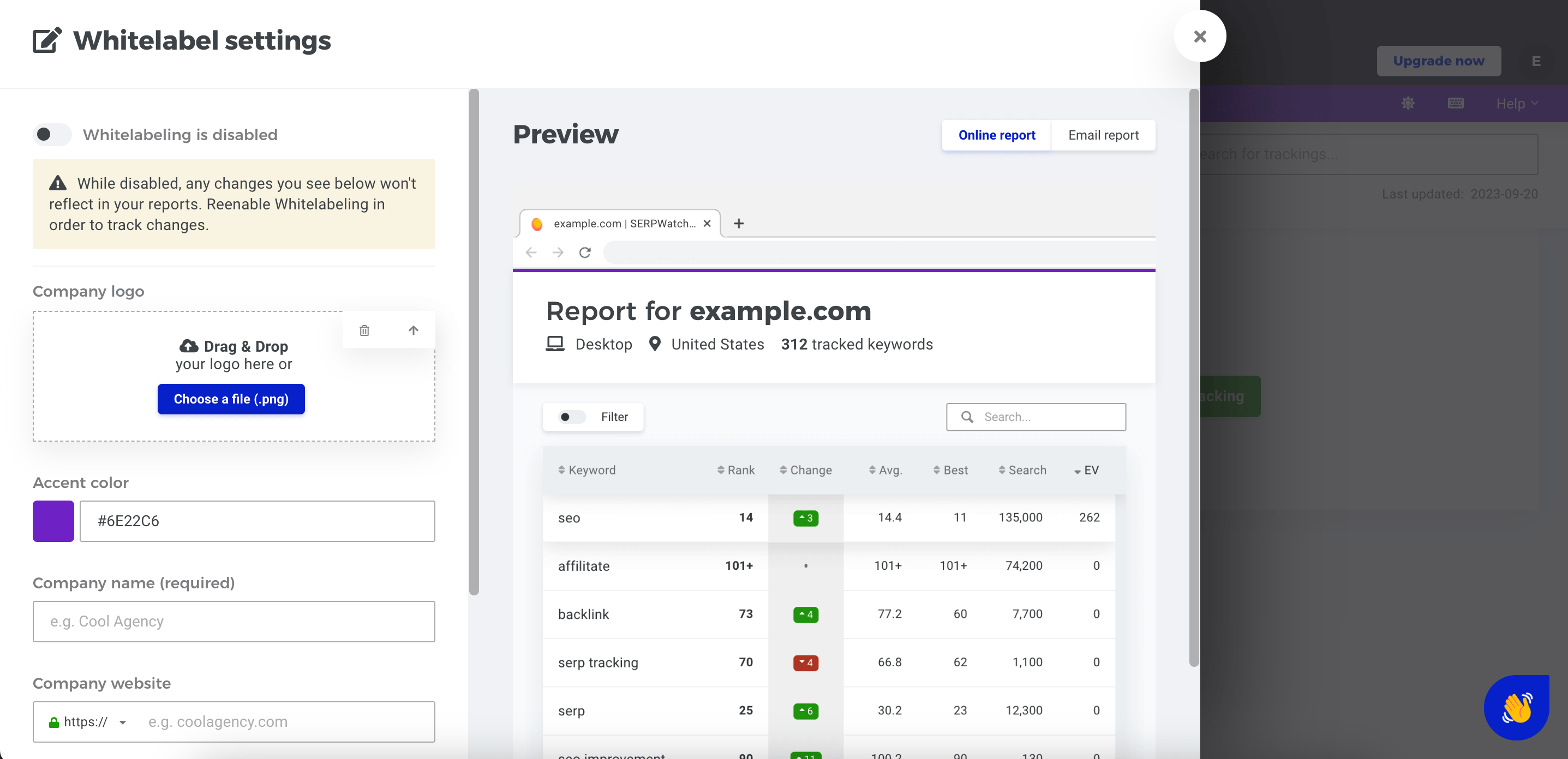
The platform’s white-label features are still limited compared to dedicated agency tools. They are mainly available in SERPWatcher reports rather than across the full platform.
Mangools offers no advanced agency management features, such as client seats, task management, or white-label dashboards. But it remains one of the easiest SEO toolsets for beginners and smaller teams.
Pricing:
- Basic: $30.50/month
- Premium: $40.50/month
- Agency: $70.50/month
Starting with the Premium and Agency plans, users can enjoy decent usage limits and more user seats.
Pros and cons:
✅ User-friendly interface
✅ Easy to start with
✅ Affordable pricing
✅ Good keyword and SERP tools
✅ Rank tracking with shareable reports
✅ AI Search Watcher included
✅ Beta MCP Server for AI assistant access
✅ Free mini SEO tools
✅ API now available
❌ Basic toolset compared to larger SEO platforms
❌ Limited agency-specific tools
❌ Reporting is mostly tied to rank tracking
❌ Limited white-label capabilities
❌ No advanced technical SEO audit tools
❌ No task management or client management features
Verdict: Mangools is a good choice for anyone seeking a straightforward, user-friendly, and reasonably priced SEO toolset. On the other hand, it falls short in advanced SEO tools, reporting capabilities, team management features, and API integration.
9. Moz
Moz is another excellent all-in-one platform for digital marketers, SEO professionals, and agencies. The platform offers tons of SEO solutions, many of which are designed specifically to meet the diverse needs of agencies.
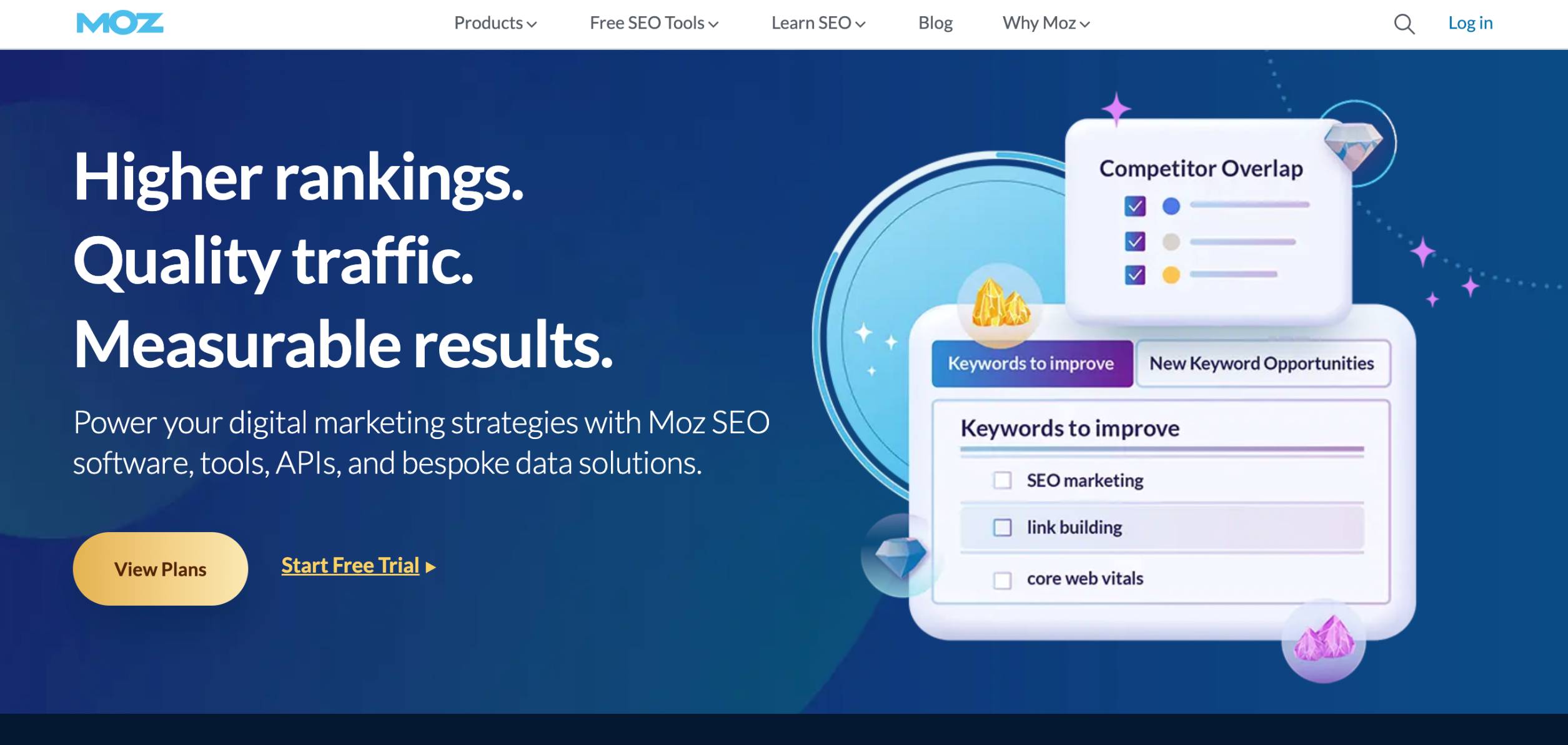
Moz provides three solutions:
- Moz Local
- Moz Pro
- Stat
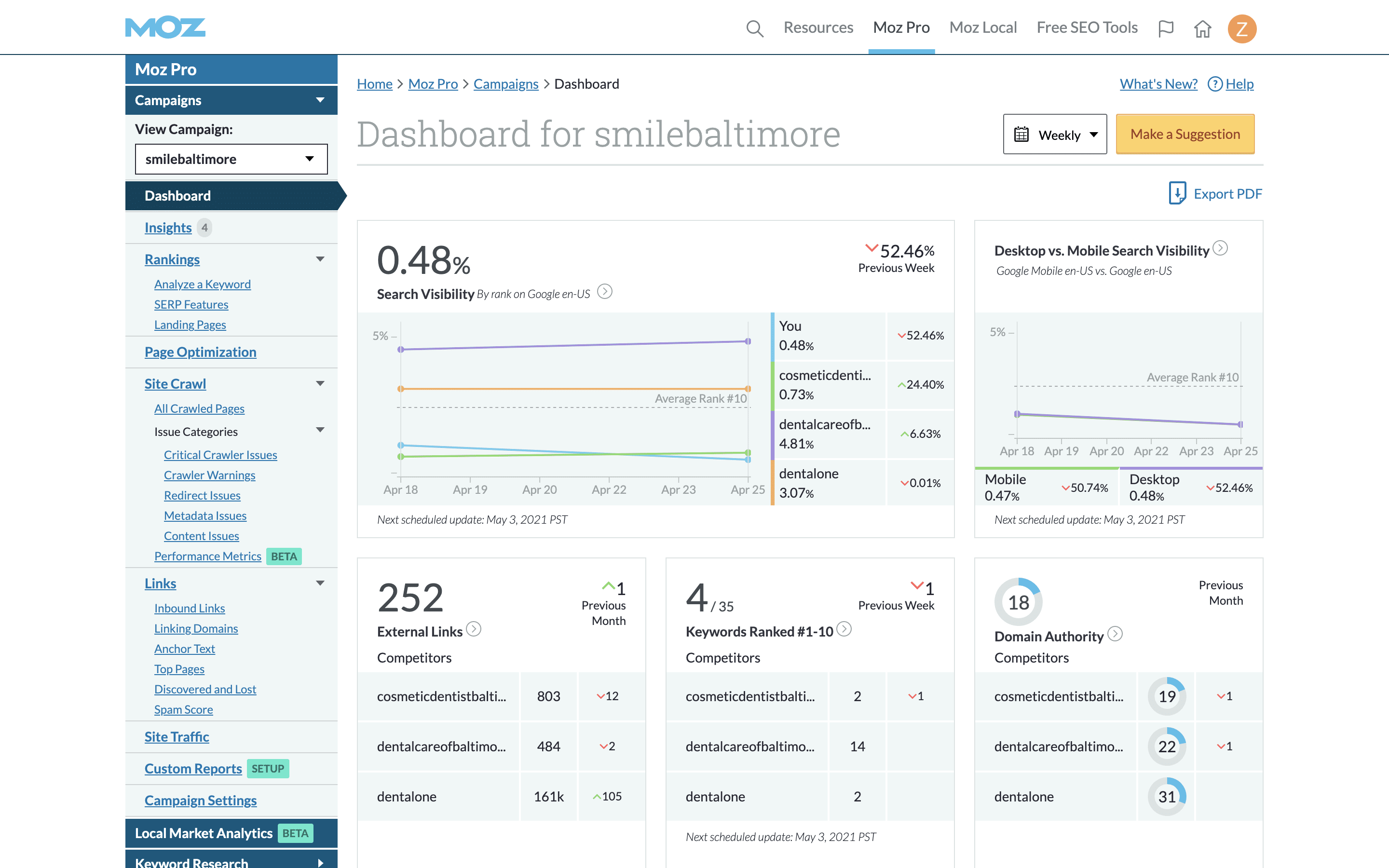
Here are some core SEO tools included with Moz Pro:
- Site audits
- Rank tracking
- Backlink analysis
- Keyword research
It also offers free SEO tools like Domain Analysis, Keyword Explorer, Link Explorer, Competitive Research, and MozBar.
Moz Pro lets you share user access. Depending on the pricing plan, the number of included user seats varies by plan, and extra seats can be purchased at $49/month/seat.
Moz Pro also offers custom reports that can be scheduled and sent automatically. Reports can include data from rankings, site crawls, links, keyword research, and other Moz Pro tools. Branding options are available on higher-tier plans, but the Moz platform itself can’t be fully white-labeled.
Moz API access is available separately through Moz API plans, starting at $250/month. Moz Pro also supports integrations with GA4, GBP, AgencyAnalytics, WebCEO, BrightEdge, and other tools.
Its pricing for API access starts at $250 a month. Moz Pro also has integrations with GA4, GBP, AgencyAnalytics, WebCEO, BrightEdge, and other tools.
Moz’s interface is pretty outdated. This doesn’t bode well for the overall user experience. Moz’s dashboard layout looks cluttered and requires a steeper learning curve.
Pricing:
- Starter Plan: $49/month
- Standard Plan: $99/month
- Medium Plan: $179/month
- Large Plan: $299/month
All of these plans can be billed annually with a 20% discount.
Moz Local is separately priced, starting at $20/month.
Additionally, Moz Pro offers a 7-day free trial.
Pros and cons:
✅ Many different SEO tools
✅ Strong keyword and backlink data
✅ Site audits and rank tracking
✅ Customizable scheduled reports
✅ Free SEO tools available
✅ Moz Local and STAT available separately
❌ No full white-label platform option
❌ Extra user seats cost more
❌ API access is priced separately
❌ Interface may feel less modern than newer tools
❌ Limited agency-specific workflow features
Verdict: Moz has a vast database and a wide range of tools, which are strong points. However, the platform’s outdated user interface, steep learning curve, and limited white-label features may deter some users from committing to a subscription plan.
10. WooRank
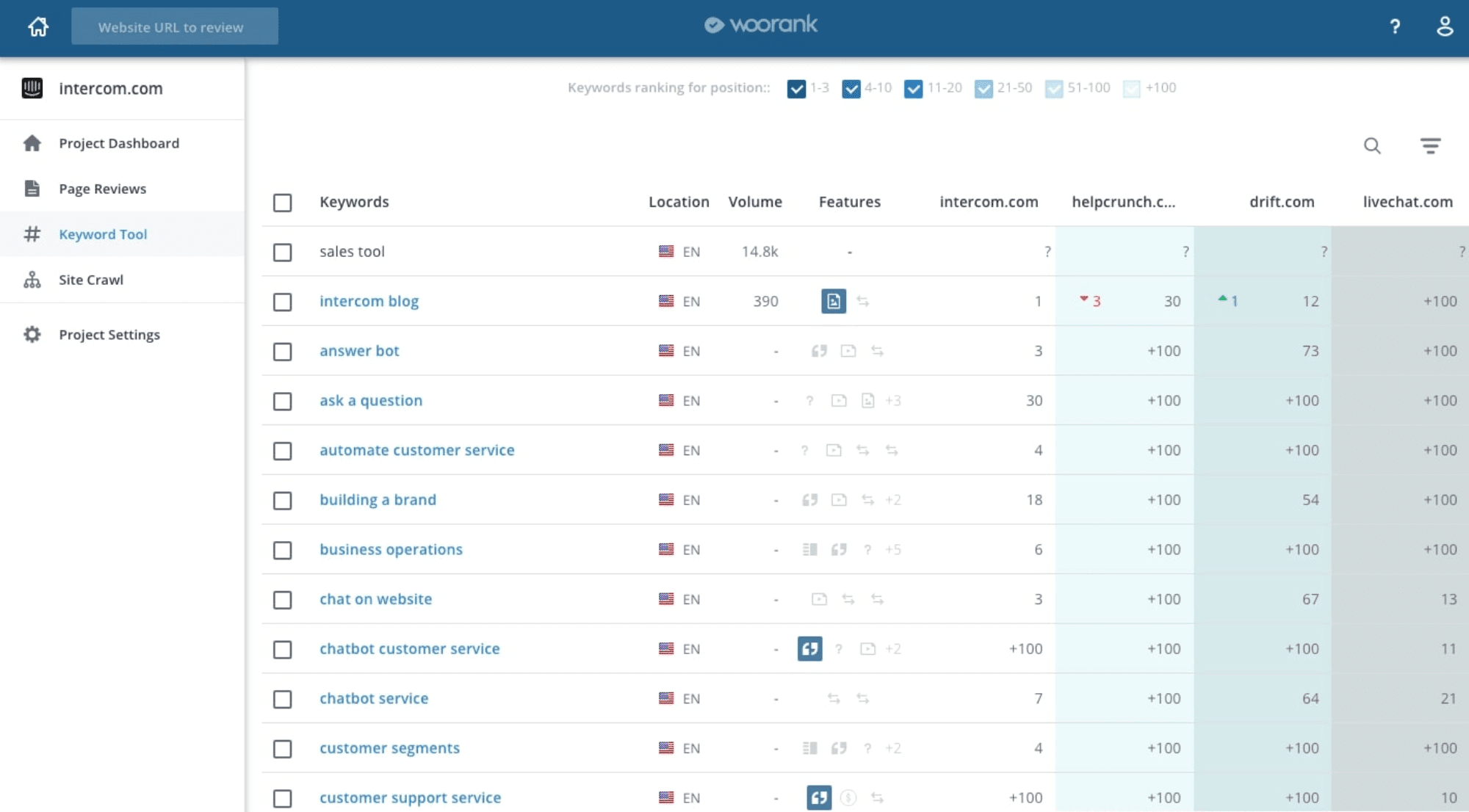
WooRank is a simple SEO software for agencies, business owners, and marketing professionals that excels at providing quick and in-depth web page audits.
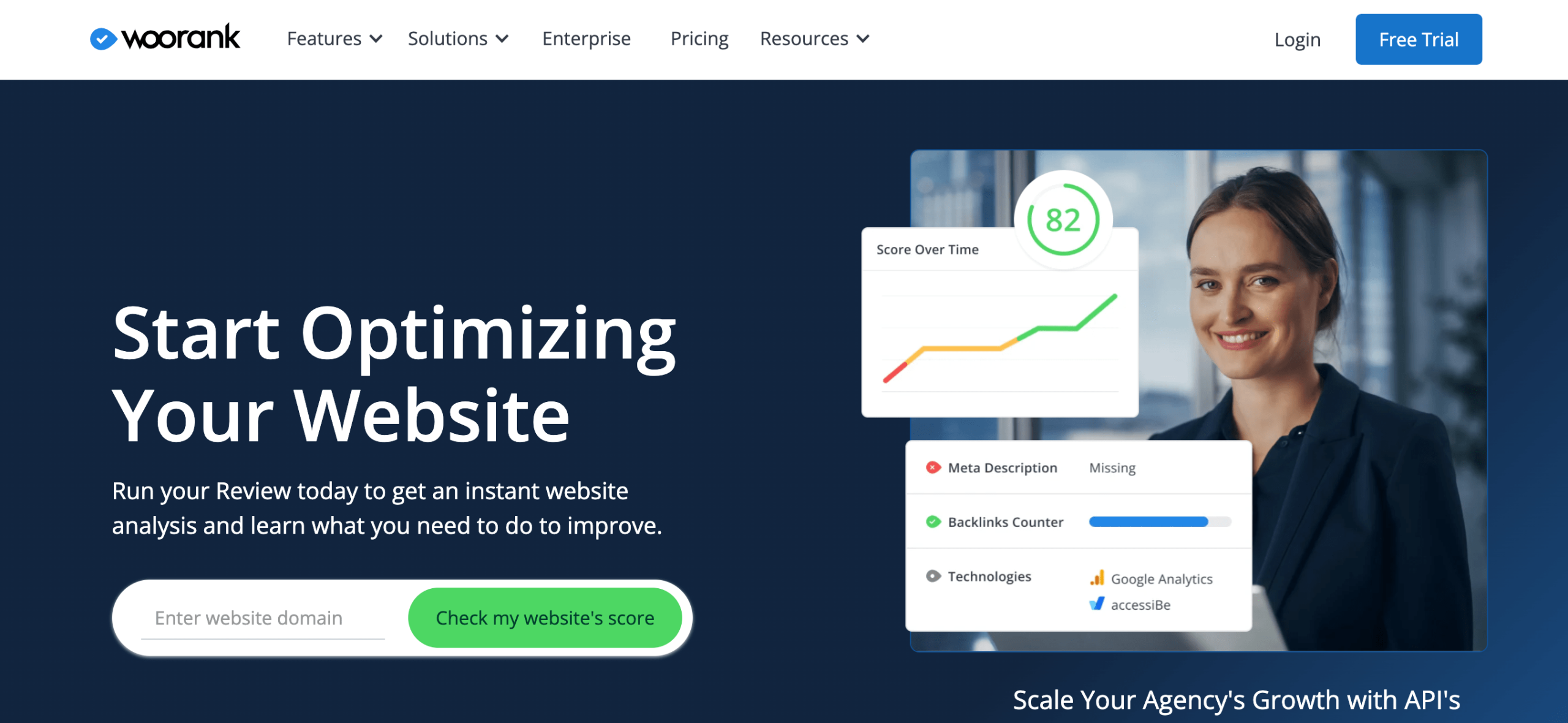
WooRank comes packed with several essential SEO tools for your agency:
- Keyword Tracking Tool
- Competitive Analysis Tool
- Complete Technical Analysis Tool
The platform allows agencies to perform unlimited website evaluations. You can evaluate your prospects’ websites and propose tailored solutions.
WooRank offers single-user access on lower-tier plans, while Enterprise supports team access and more advanced agency-focused needs.
WooRank lets you create and download unlimited PDF reports. Starting from the Premium plan, you can generate white-label PDF reports with customized branding and content. However, you can’t fully white-label the platform itself.
API access is now available across pricing plans with monthly limits, rather than only through Enterprise. WooRank also offers integrations with Google Analytics, Google Search Console, and Facebook.
WooRank’s LeadGen tool is available through the Premium plan. This tool allows agencies to generate leads using a free SEO audit widget that can be embedded on their website. You can customize and white-label the report to fit your agency’s branding.
The platform’s interface is clear and uncluttered. You can navigate the main tools quickly, making WooRank easier to use than more complex SEO platforms.
Pricing:
- Lite Plan: $19.99/month (access to page audits and PDF generation only)
- Pro Plan: $89.99/month
- Premium Plan: $199.99/month
The Enterprise package supports team access and other advanced agency-focused features, but it is only available upon request.
WooRank also offers a 3-day free trial.
Pros and cons:
✅ Quick website reviews and technical audits
✅ Unlimited website reviews and PDF reports
✅ White-label PDF reports on Premium
✅ LeadGen tool for client acquisition
✅ API access available across plans
✅ Simple, easy-to-use interface
❌ Limited feature set compared to larger SEO platforms
❌ Single-user access below Enterprise
❌ No full white-label platform
❌ White-label reports and LeadGen require Premium
❌ Enterprise is needed for team access and advanced agency needs
Verdict: WooRank is an efficient tool for any agency in need of quick and comprehensive website audits. On the flip side, WooRank loses points for flexibility due to its lack of multi-user support in its lower-tier plans. Also, the absence of a full white-label platform may leave larger agencies wanting more.
Before we move on to more tools, it’s important to note that they do not compete or replace the ones described above. Instead, they are essential solutions that complement the previous tools by providing valuable data. While Google Search Console and Google Analytics should take top priority, some worthy alternatives include Matomo Analytics, Plausible Analytics, and Bing Webmaster Tools (if your clients want to attract traffic from Bing).
11. Google Analytics
Google Analytics is a free analytics platform for tracking and reporting website traffic and user behavior. It gives agencies valuable insights into traffic channels, user engagement, and conversion data.
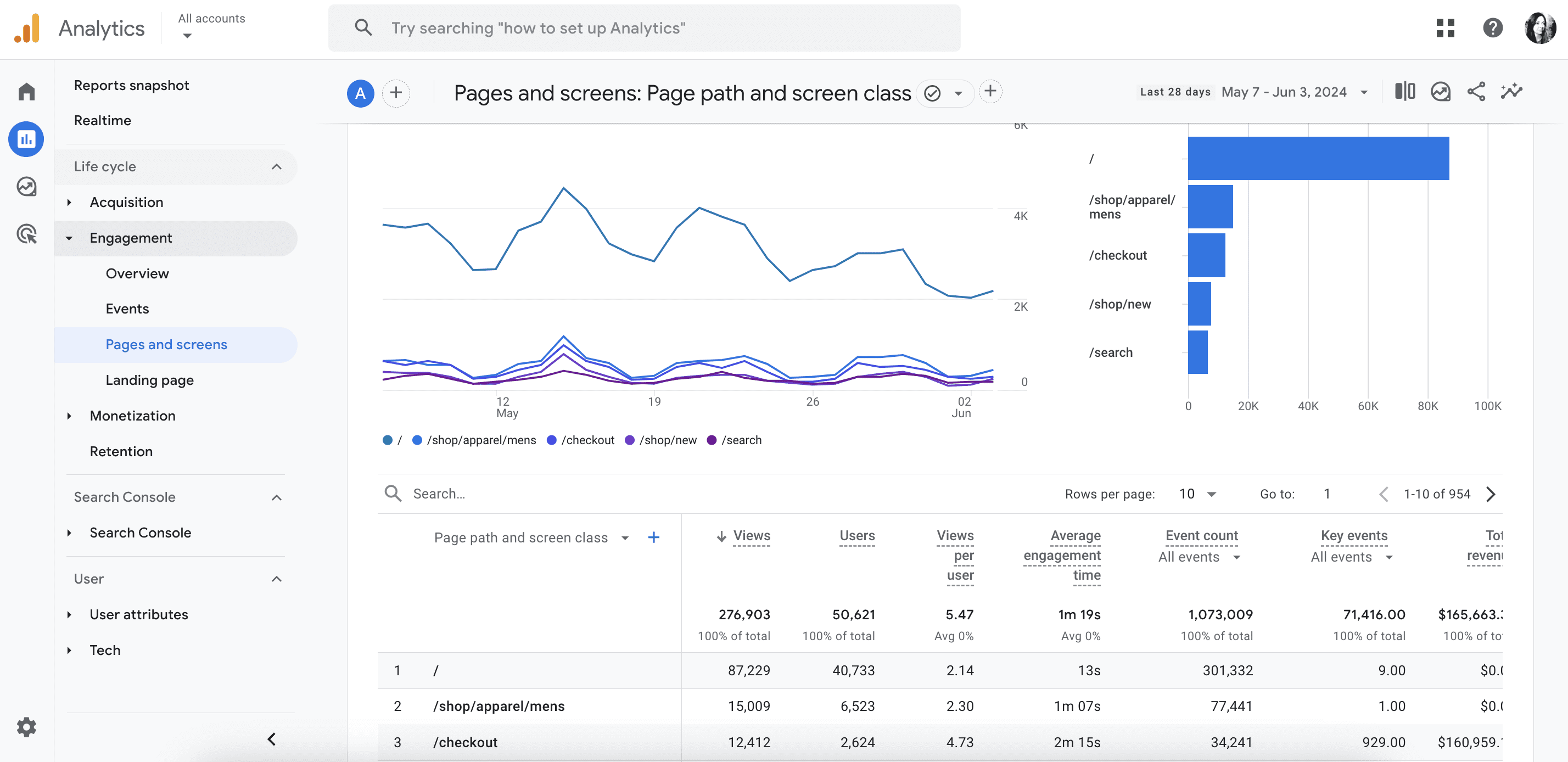
Google Analytics provides detailed website traffic reports, including pageviews, unique visitors, bounce and engagement rates, and more. But if you’re looking for a comprehensive overview of website performance and competitive research data, you’ll need third-party SEO tools like SE Ranking.
GA4 supports multiple accounts for users with different access levels (account, property, or view) but it is sometimes easier to combine this data and other sources into one dashboard for visualization in tools like Looker Studio. GA4 also integrates with almost any tool.
You can customize the report date range, add specific metrics, and export or share them with your team members or clients.
GA4 is a new and more advanced version of Google’s analytics platform. Unlike Universal Analytics which uses a session-based data model, GA4 employs an event-based model to provide a more comprehensive view of user journeys.
Pricing
GA4 is a free tool. There is also a paid version called Google Analytics 360 for enterprises, but its pricing isn’t publicly available.
Pros and cons:
✅ Direct and accurate source of website traffic and user behavior data
✅ Event and conversion tracking data
✅ Easy basic integration with Looker Studio or 3rd party SEO tools
✅ Free to use
✅ Multiple user access
❌ More complex tool compared to Universal Analytics
❌ Data sampling
❌ Not enough data to get a comprehensive site performance overview and competitor analysis
❌ Creating separate dashboards for convenient client reporting is required
❌ Data privacy concerns in the EU
Verdict: Google Analytics is a powerful tool for monitoring and analyzing website traffic and user behavior. Most importantly, it’s free. While it provides accurate data and many insights into website traffic, user behavior, and conversions, it’s best to combine GA4 with other SEO tools to get a bigger picture of your website’s performance.
12. Google Search Console
Google Search Console is another free Google tool for monitoring the site’s search traffic, tracking performance, identifying various SEO issues, and discovering which queries drive the most traffic.
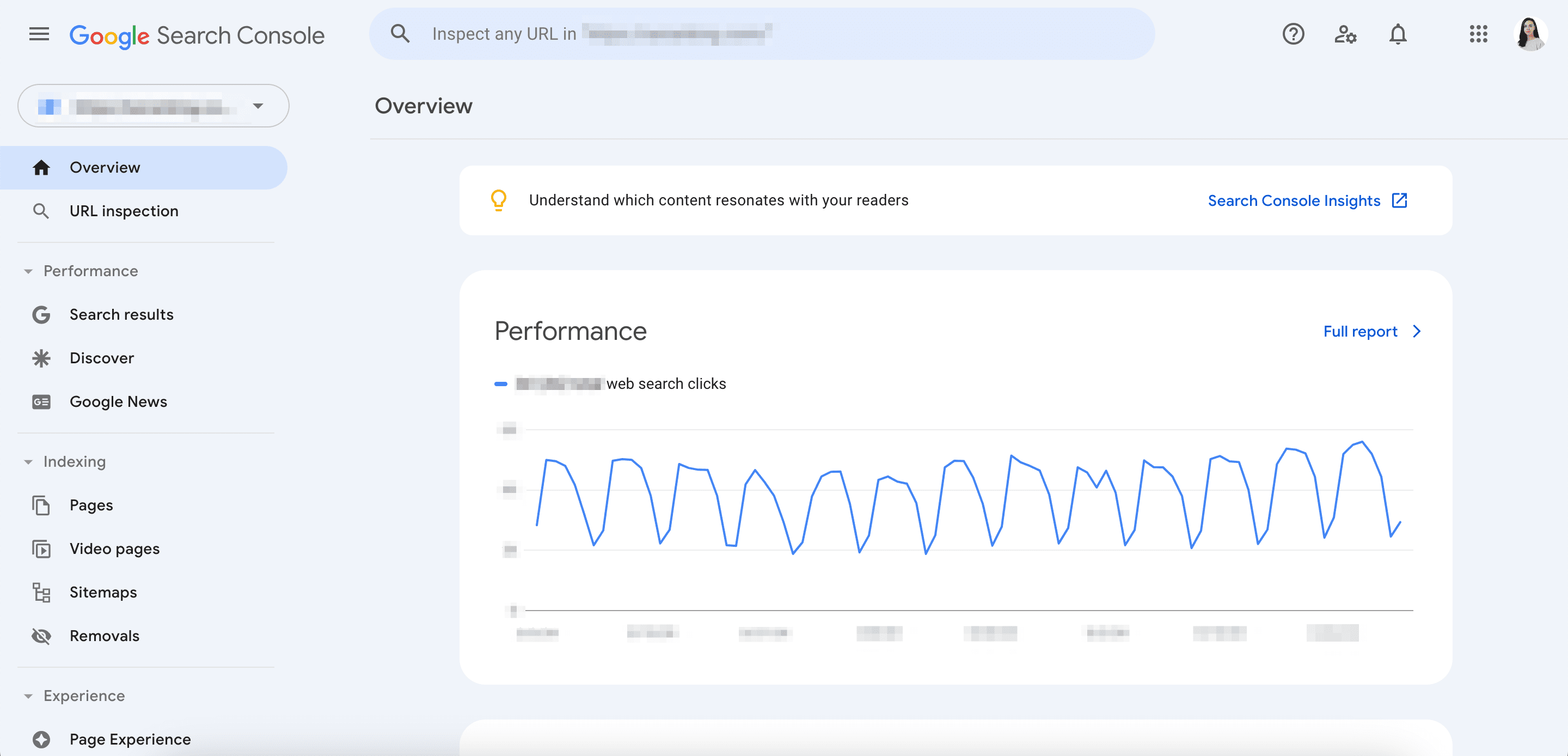
With this tool, you can analyze your clients’ website performance in Google Search results, Google Discover, and Google News. It also lets you check for indexing issues, identify external and internal links, and discover each page’s impression and click count.
Since the tool doesn’t restrict user count, you can share access with all your team members and clients.
GSC offers detailed reports on website search performance, pages, keywords, links, and index status and issues. You can export reports in Google Sheets or download Excel or CSV files.
The tool streamlines integration with other Google services, like GA4 and others. It also offers a robust API for custom data solutions.
However, it does not have White Label or agency-specific features.
The interface is user-friendly and designed for accessibility, so both SEO beginners and experts will have no problem getting used to the tool.
Pricing
Free to use.
Pros and cons:
✅ Must-use tool, offering some of the most accurate data on organic traffic from Google
✅ Direct data on indexing and crawling status
✅ Seamless integrations and API
✅ Free to use
❌ Data limitations (1,000 pages)
❌ Lack of competitive research data
❌ Need for a separate dashboard to ensure client-friendly reporting
❌ Only provides organic search data on Google
Verdict: GSC should be part of every agency’s SEO toolkit. While it shouldn’t be the only solution you provide SEO services through, you can combine it with other SEO tools and platforms to establish a well-rounded SEO strategy.
Conclusion
When selecting the best tool for your SEO agency, consider your requirements and carefully weigh the pros and cons of every option. Assess your goals, and explore each tool’s functionalities until you find one that perfectly aligns with your aspirations. May your search for the best SEO tool for your agency be a fruitful one!